1. Introducció i finalview
This manual provides detailed instructions for the operation and maintenance of your Casio G-Shock GMA-S2100-4A2DR Analog-Digital Watch. Designed for durability and functionality, this watch features a shock-resistant structure and 200-meter water resistance, making it suitable for various activities.
The GMA-S2100-4A2DR model features a compact and slim design, characterized by its octagonal bezel, flat face, and simple bar hour markers. It incorporates a Carbon Core Guard structure for enhanced protection.

Imatge 1.1: Davant view of the Casio G-Shock GMA-S2100-4A2DR watch. This image displays the watch's pink analog-digital dial, octagonal bezel, and matching pink resin strap. The digital display shows "6.30" and "36".
2. Característiques clau
- Pantalla analògica-digital: Combina les agulles analògiques tradicionals amb una pantalla digital per a un cronometratge versàtil.
- Resistència als cops: Built with G-Shock's renowned shock-resistant structure to withstand impacts and vibrations.
- Resistència a l'aigua de 200 metres: Suitable for swimming, snorkeling, and other water sports, but not for deep diving.
- Carbon Core Guard Structure: Enhances durability and protection of the watch module.
- Llum LED doble: Provides illumination for both the analog and digital displays in low-light conditions.
- Hora mundial: Displays the current time in 31 time zones (48 cities + coordinated universal time).
- Cronòmetre: 1/100-second stopwatch with measuring capacity up to 23:59'59.99''.
- Temporitzador de compte enrere: Measuring unit: 1 second; Countdown range: 24 hours.
- Alarmes diàries: Five daily alarms with one snooze alarm.
- Hand Shift Feature: Moves the analog hands away from the digital display for easier viewing.
- Vidre mineral: Durable and scratch-resistant dial glass material.
- Resin Case and Band: Lightweight and comfortable pink resin material.
3. Watch Components and Controls
Familiarize yourself with the main components and buttons of your watch:
- A (Adjust) Button: S'utilitza per entrar i sortir dels modes de configuració.
- B (Light) Button: Activa la retroiluminació LED.
- C (Mode) Button: Cycles through different modes (Timekeeping, Stopwatch, Countdown Timer, Alarm, World Time).
- D (Start) Button: Used to start/stop stopwatch, set values, or toggle features.

Imatge 3.1: Costat esquerre view of the watch, highlighting the 'Adjust' and 'Mode' buttons on the left side of the case.
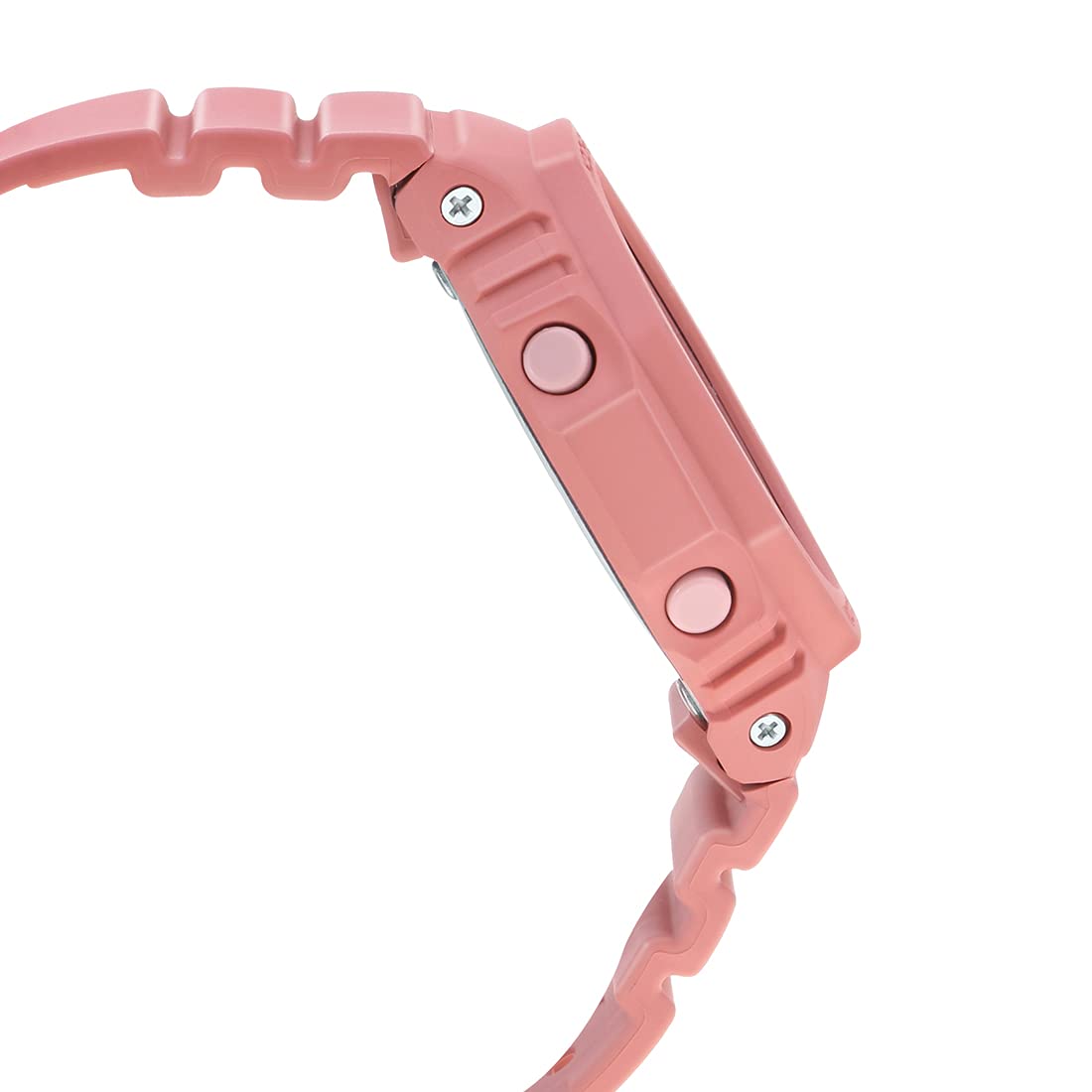
Imatge 3.2: costat dret view of the watch, highlighting the 'Light' and 'Start' buttons on the right side of the case.
4. Configuració inicial
4.1 Setting the Home City and Time Zone
- In Timekeeping Mode, hold down the A (Adjust) button until the city code starts to flash on the digital display.
- Utilitza el D (Start) i B (Light) buttons to select your desired Home City code.
- Premeu el botó C (Mode) button to cycle through other settings like DST (Daylight Saving Time) and 12/24-hour format. Adjust these using D (Start) or B (Light).
- To set the digital time, press C (Mode) until the hour or minute digits flash. Use D (Start) i B (Light) per ajustar-se.
- Premeu A (Adjust) to exit the setting mode. The analog hands will automatically adjust to the digital time.
4.2 Hand Home Position Correction
If the analog hands do not match the digital time, you may need to correct their home position:
- In Timekeeping Mode, hold down the A (Adjust) button for approximately five seconds until "H.SET" appears and the hour hand starts to flash.
- Utilitza el D (Start) button to advance the minute hand and the B (Light) button to advance the hour hand until both are aligned at 12 o'clock.
- Premeu A (Adjust) to confirm and exit. The hands will then move to the current time.
5. Operating the Watch Functions
5.1 Navegació de modes
Premeu el botó C (Mode) button to cycle through the different modes in the following order:
- Mode de cronometratge
- Mode d’hora mundial
- Mode d'alarma
- Mode de temporitzador de compte enrere
- Mode de cronòmetre
5.2 Funció de cronòmetre
- Enter Stopwatch Mode by pressing the C (Mode) botó.
- Premeu el botó D (Start) botó per iniciar el cronòmetre.
- Premeu D (Start) de nou per parar.
- Premeu el botó A (Adjust) botó per reiniciar el cronòmetre a zero.
5.3 Temporitzador de compte enrere
- Enter Countdown Timer Mode by pressing the C (Mode) botó.
- Manteniu premuda la A (Adjust) button until the hour setting flashes.
- Ús D (Start) i B (Light) per configurar el temps de compte enrere desitjat.
- Premeu A (Adjust) per sortir del mode de configuració.
- Premeu D (Start) to start the countdown. An alarm will sound when the countdown reaches zero.
5.4 Funció d'alarma
- Enter Alarm Mode by pressing the C (Mode) botó.
- Ús D (Start) to scroll through the five alarms (AL1 to AL5) and the snooze alarm (SNZ).
- Per configurar una alarma, manteniu premuda la tecla A (Adjust) botó fins que l'hora de l'alarma parpellegi.
- Ús D (Start) i B (Light) per configurar l'hora i el minut.
- Premeu A (Adjust) per sortir del mode de configuració.
- Premeu D (Start) per activar/desactivar l'alarma.
5.5 Hora mundial
- Entra al mode d'hora mundial prement la tecla C (Mode) botó.
- Ús D (Start) i B (Light) to scroll through different city codes and view their current times.
- To swap your Home City time with the World Time City time, hold down the A (Adjust) button for approximately three seconds.
5.6 Double LED Light
Premeu el botó B (Light) button to illuminate the watch face. The illumination duration can be configured in the Timekeeping Mode settings.
5.7 Hand Shift Feature
If the analog hands obstruct the digital display, press the C (Mode) i D (Start) buttons simultaneously to temporarily move the hands. Press any button to return them to normal timekeeping.
6. Manteniment i cura
6.1 Resistència a l'aigua
Your Casio G-Shock GMA-S2100-4A2DR is water-resistant up to 200 meters. This means it is suitable for recreational diving, swimming, snorkeling, and other water sports. However, it is no suitable for saturation diving.
- Do not operate buttons while the watch is wet or submerged in water.
- Després de l'exposició a l'aigua salada, esbandiu el rellotge amb aigua neta i eixugueu-lo.
- Avoid exposing the watch to hot water or steam, as this can damage seals.
6.2 Neteja
Per mantenir l'aspecte del rellotge:
- Wipe the watch case and band with a soft, dry cloth regularly.
- For stubborn dirt, use a soft brush with mild soap and water, then rinse thoroughly and dry.
- Avoid using chemical cleaners or solvents, as they can damage the resin materials.
6.3 Substitució de la bateria
The watch is powered by a Silver Oxide battery. When the display becomes dim or functions become erratic, it may be time for a battery replacement. It is recommended to have the battery replaced by an authorized Casio service center to ensure proper water resistance and functionality.
7. Solució De Problemes
- Hora incorrecta: Ensure your Home City and DST settings are correct. Perform a Hand Home Position Correction if analog hands are misaligned.
- Display is Blank or Dim: The battery may be low. Consider professional battery replacement.
- Botons que no responen: Ensure the watch is not in a locked mode (if applicable, though not a feature of this model). If wet, dry thoroughly before use.
- Vigilància d'aigua a l'interior: Porteu immediatament el rellotge a un centre de servei autoritzat. No intenteu assecar-lo vosaltres mateixos.
8. Especificacions
| Característica | Detall |
|---|---|
| Número de model | GMA-S2100-4A2DR |
| Tipus de visualització | Analògic-Digital |
| Material de la caixa | Resin (Carbon Core Guard Structure) |
| Material de la banda | Resina |
| Material del vidre de l'esfera | Vidre mineral |
| Resistència a l'aigua | 200 metres |
| Font d'alimentació | Battery Powered (Silver Oxide) |
| Dimensions (LxWxH) | 20.5 x 1.1 x 4.3 cm |
| Pes de l'article | 41 g |
| País d'origen | Tailàndia |

Imatge 8.1: Watch dimensions illustration. This image provides a visual comparison of the watch's size (46.2 mm length) against a standard credit card (54 mm width).
9. Garantia i Suport
Your Casio G-Shock GMA-S2100-4A2DR watch comes with a manufacturer's warranty. Please refer to the warranty card included with your purchase for specific terms and conditions, including warranty period and coverage details.
For technical support, service, or warranty claims, please contact an authorized Casio service center or visit the official Casio weblloc per a informació de contacte.
10. Vídeos de productes
10.1 Casio G-Shock GMA-S2100-4A2DR Product Overview
Vídeo 10.1: Aquest vídeo ofereix una visió generalview of the Casio G-Shock GMA-S2100-4A2DR watch, showcasing its design, color, and key features such as the resin case and band, round dial, and water resistance. It highlights the watch's suitability for casual wear.
10.2 Casio G-Shock GMA-S2100-4A2DR 360-Degree View
Vídeo 10.2: This video offers a comprehensive 360-degree rotation view of the Casio G-Shock GMA-S2100-4A2DR watch, allowing users to observe its design from all angles, including the dial, case, strap, and buckle clasp.


