1. Introducció
The cellularline MAG Wireless Charging Holder is a MagSafe-compatible car mount designed for wireless charging up to 7.5W. It features a universal mount that easily adapts to various car air vents, ensuring practical and secure installation. The integrated magnetic pad provides maximum stability for your device, even on uneven roads, and facilitates efficient charging. A 1-meter USB-C cable is included for convenient use.
2. Contingut del paquet
- MAG Wireless Charging Holder (Smartphone holder)
- 1-meter USB-C Cable
3. Característiques del producte
- Càrrega sense fil MagSafe: Provides up to 7.5W for MagSafe-compatible devices.
- Universal Air Vent Mount: Designed to fit various vehicle air vents for stable installation.
- Ultra-Safe Magnetic Mount: Securely holds your smartphone, minimizing movement on diverse road conditions.
- MagSafe Optimized Design: Features an integrated magnetic pad for precise device alignment and consistent charging.
- Included USB-C Cable: A 1-meter USB-C cable is provided for immediate power connection.
4. Configuració
4.1 Installing the Holder
- Identify a suitable air vent in your vehicle. The holder is designed for universal compatibility with various vent types.
- Gently push the universal hook of the holder onto one of the air vent slats until it is securely fastened. Ensure the holder is stable and does not obstruct your view o controls del vehicle.

Image: The cellularline MAG Wireless Charging Holder securely attached to a car's air vent, demonstrating its universal fit for various vent styles.
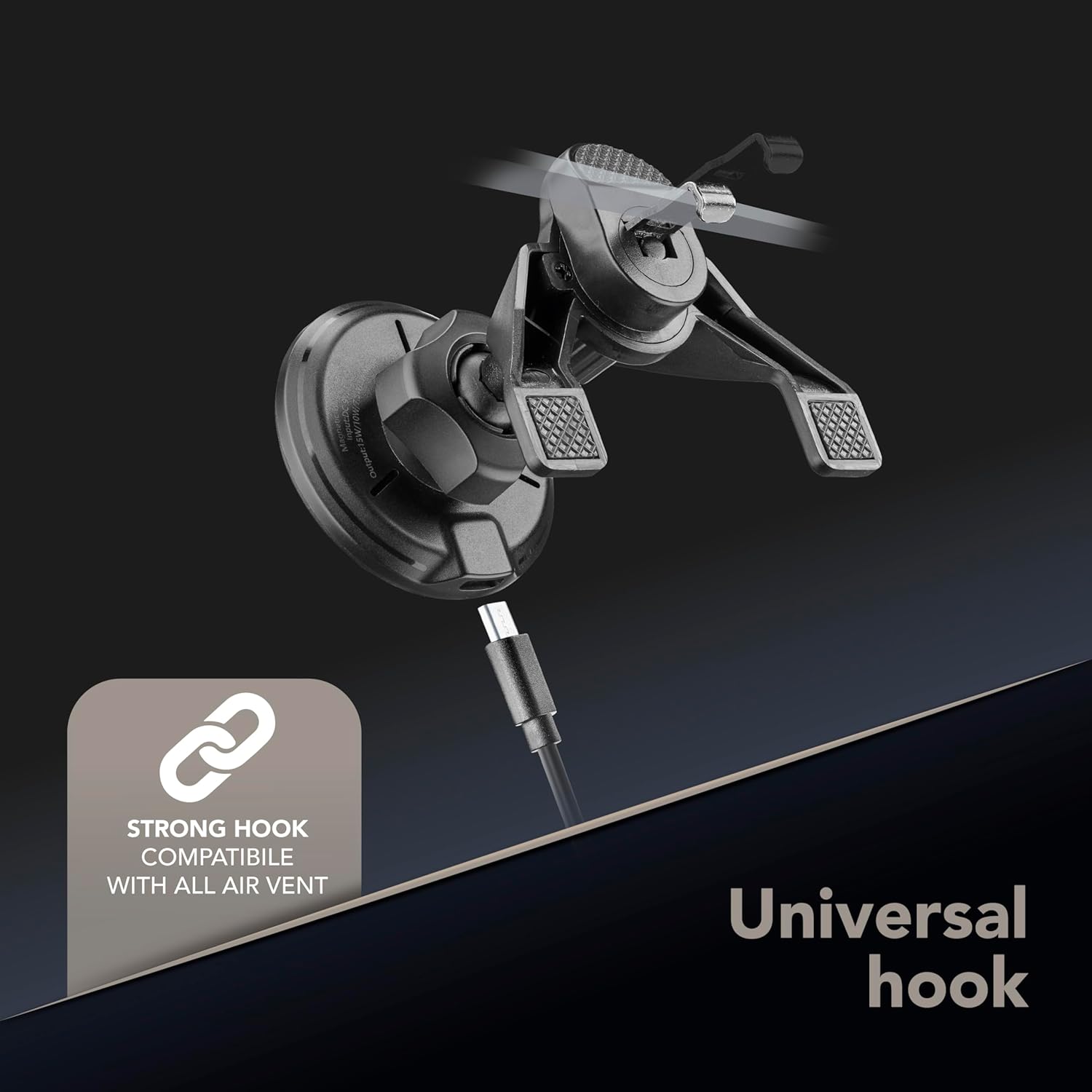
Imatge: Una imatge detallada view of the universal hook mechanism, highlighting its design for secure attachment to air vents.
4.2 Connexió de potència
- Connect the included 1-meter USB-C cable to the charging port on the MAG Wireless Charging Holder.
- Plug the other end of the USB-C cable into a compatible USB power source in your vehicle (e.g., a car charger adapter, not included). Ensure the power source can deliver sufficient power for wireless charging.
4.3 Connectar el dispositiu
- Ensure your smartphone is MagSafe-compatible. For optimal performance, use the device without a case or with a MagSafe-compatible case.
- Align the back of your MagSafe-compatible smartphone with the magnetic charging pad on the holder. The magnets will automatically snap the device into place, ensuring proper alignment for wireless charging.

Image: An illustration demonstrating the proper use of the holder with MagSafe-compatible iPhones, advising on case usage for optimal magnetic connection.
5. Instruccions de funcionament
5.1 Càrrega sense fil
Once your MagSafe-compatible device is securely attached to the holder and the holder is powered, wireless charging will begin automatically. The holder delivers up to 7.5W of power. A charging indicator on your device screen will confirm that charging is active.

Image: A smartphone displaying a 100% charge indicator, securely mounted and wirelessly charging on the cellularline holder in a vehicle.
5.2 Secure Device Mounting
The strong magnetic attachment ensures your smartphone remains stable and secure, even during vehicle movement over rugged roads, sharp turns, or speed bumps. This design prevents vibrations and accidental falls, allowing for safe navigation and hands-free use.

Image: Visual representation of the holder's strong magnetic grip, ensuring device stability during challenging driving conditions such as rugged roads, sharp turns, and speed bumps.
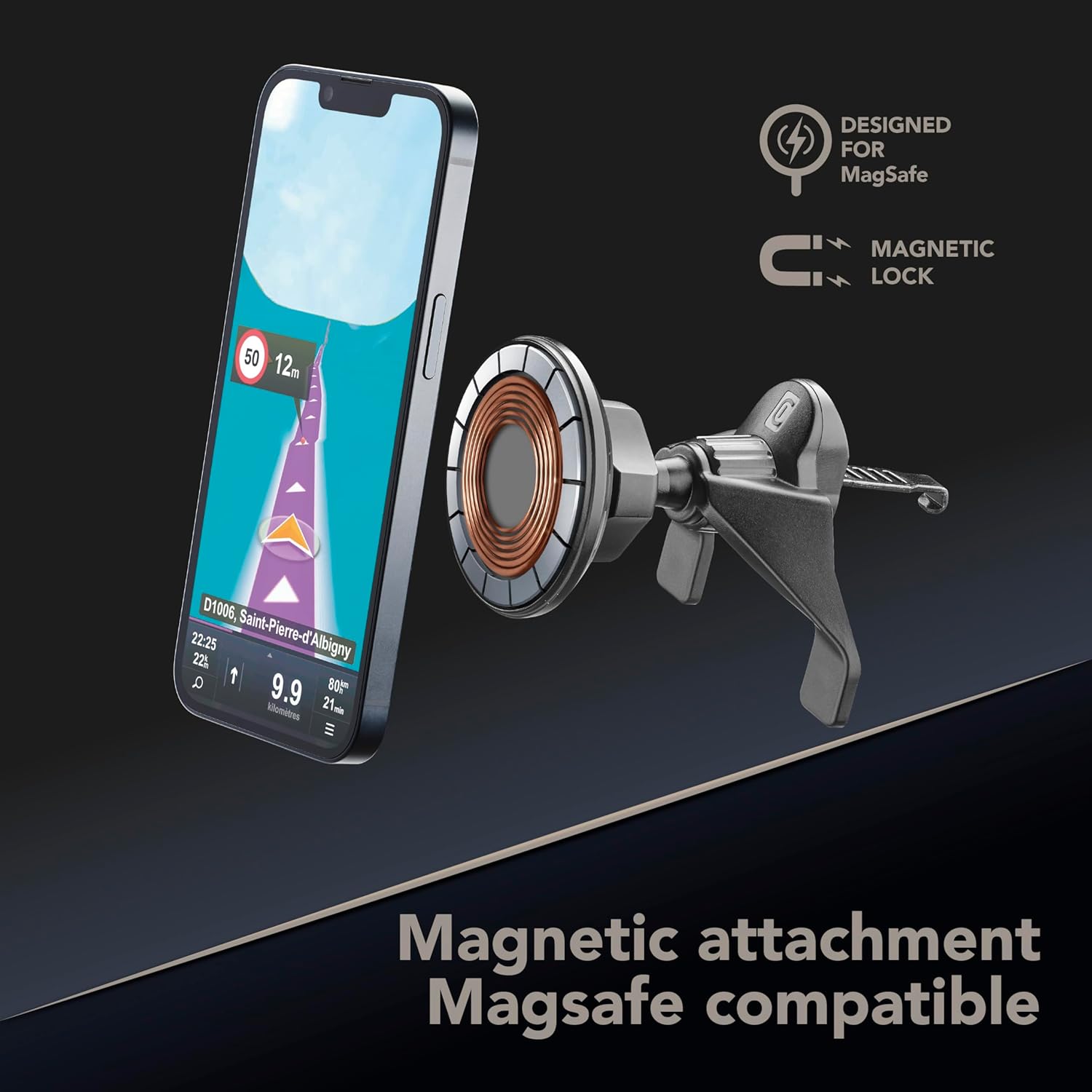
Imatge: Una imatge detallada view of the magnetic attachment point, illustrating its MagSafe compatibility and secure locking mechanism for smartphones.
6. Manteniment
To ensure the longevity and optimal performance of your cellularline MAG Wireless Charging Holder, follow these simple maintenance guidelines:
- Neteja: Utilitzeu un suau, sec o lleugerament damp cloth to wipe the surface of the holder. Avoid using harsh chemicals, abrasive cleaners, or solvents, as these can damage the material.
- Cura del cable: Handle the USB-C cable gently. Avoid bending or twisting it excessively, especially near the connectors, to prevent internal damage.
- Emmagatzematge: When not in use for extended periods, store the holder in a cool, dry place away from direct sunlight and extreme temperatures.
7. Solució De Problemes
- El dispositiu no es carrega:
- Ensure the USB-C cable is securely connected to both the holder and the vehicle's power source.
- Verify that the vehicle's power source (e.g., cigarette lighter adapter) is functioning correctly.
- Check if your smartphone is properly aligned with the magnetic charging pad. Re-position the device if necessary.
- Confirm your smartphone is MagSafe-compatible. If using a case, ensure it is a MagSafe-compatible case.
- El dispositiu no es subjecta correctament:
- Ensure your smartphone is MagSafe-compatible.
- If using a case, ensure it is a MagSafe-compatible case. Non-MagSafe cases may interfere with the magnetic connection.
- Check for any foreign objects or debris between the phone and the charging pad that might obstruct the magnetic connection.
- Holder Instability on Air Vent:
- Ensure the universal hook is fully engaged with the air vent slat.
- Adjust the position of the holder on the vent to find the most stable point.
8. Especificacions
| Característica | Detall |
|---|---|
| Nom del model | MAGWIRHOLDERVENTK |
| Marca | línia cel·lular |
| Sortida de càrrega sense fils | Fins a 7.5 W |
| Tipus de muntatge | Vent |
| Característiques especials | MagSafe, Wireless Charging |
| Dispositius compatibles | Smartphones (MagSafe-compatible recommended) |
| Cable inclòs | Cable USB-C d'1 m |
| Material | material d'art (plàstic) |
| Pes de l'article | 218 g |
| Color | Negre |
9. Garantia i Suport
For warranty information or technical support, please refer to the documentation provided with your purchase or visit the official cellularline weblloc web. Conserveu el comprovant de compra per a qualsevol reclamació de garantia.


