1. Introducció
This manual provides comprehensive instructions for the installation, operation, maintenance, and troubleshooting of your XPG DDR4 D50 RGB Desktop Memory Kit. This high-performance memory kit is designed to enhance your system's speed and responsiveness, featuring customizable RGB lighting and support for advanced overclocking profiles.
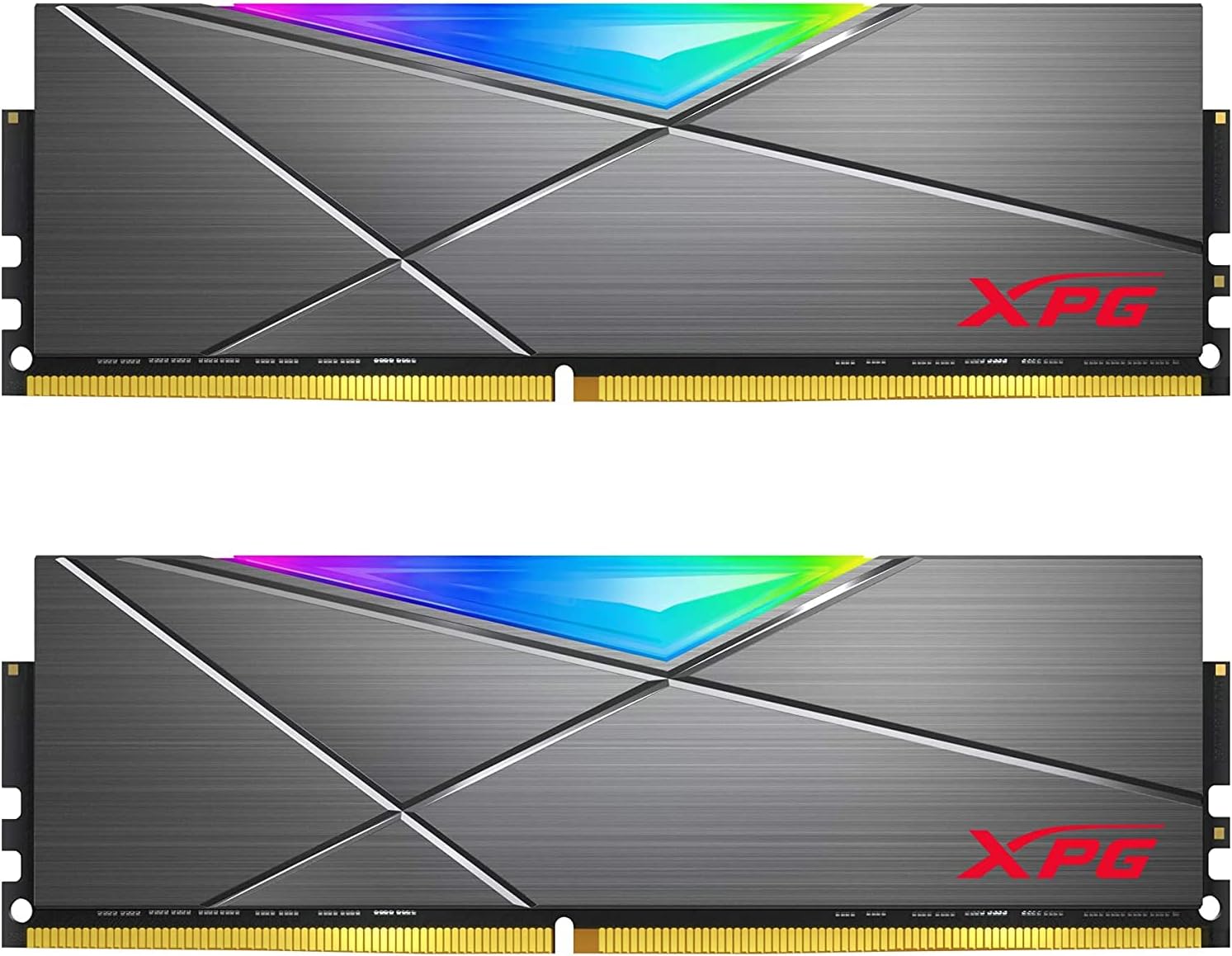
Figure 1.1: XPG DDR4 D50 RGB Memory Modules
The image displays two XPG DDR4 D50 RGB memory modules, showcasing their sleek grey heatsink design and the vibrant RGB light bar along the top edge.
2. Configuració i instal·lació
Before installing the memory modules, ensure your computer is powered off and unplugged from the wall outlet. It is recommended to wear an anti-static wrist strap to prevent electrostatic discharge (ESD) damage to your components.
2.1 Compatibilitat del sistema
This DDR4 288-Pins U-DIMM memory kit is compatible with most desktop PC motherboards. It specifically supports new Intel X299 platforms and AMD X570 chipsets. Always refer to your motherboard's manual for specific memory slot configurations and maximum supported memory capacity.
2.2 Instal·lació física
- Prepareu el vostre sistema: Power down your computer and disconnect all cables. Open your computer case.
- Localitza les ranures de memòria: Identify the DDR4 memory slots on your motherboard. These are typically long slots with clips on either end.
- Obre els clips: Gently push the clips on both ends of the memory slot outwards to open them.
- Alinea el mòdul de memòria: Align the notch on the bottom edge of the memory module with the key in the memory slot. Ensure the module is oriented correctly.
- Insereix el mòdul: Place the module into the slot and press down firmly on both ends simultaneously until the clips snap into place, securing the module.
- Repetiu per a mòduls addicionals: If installing multiple modules, repeat the process for the remaining slots, following your motherboard's dual-channel or quad-channel configuration guidelines.
- Tanqueu la carcassa i engegueu-la: Tanqueu la carcassa de l'ordinador, torneu a connectar tots els cables i engegueu el sistema.

Figure 2.1: XPG DDR4 D50 RGB Memory Kit
This image shows an angled perspective of two XPG DDR4 D50 RGB memory modules, highlighting their metallic heatsinks and the XPG branding.
3. Instruccions de funcionament
3.1 Habilitació de XMP (Extreme Memory Pro)file)
To achieve the advertised speeds of your XPG DDR4 D50 RGB memory, you must enable the Extreme Memory Profile (XMP) in your system's BIOS. By default, newly installed RAM kits operate at JEDEC standard speeds, which are lower than the advertised XMP speeds.

Figure 3.1: Extreme Memory Profile (XMP)
This graphic emphasizes the "Extreme Memory Profile XMP" feature, showing multiple XPG RGB RAM sticks glowing with various colors installed in a motherboard.
Steps to Enable XMP in BIOS:
- Enter BIOS/UEFI: Restart your computer and repeatedly press the designated key (commonly Del, F2, F10, or F12) during startup to enter the BIOS or UEFI settings. The specific key varies by motherboard manufacturer.
- Locate OC Settings: Navigate to the "OC" (Overclocking) or "Advanced Memory Settings" section within the BIOS.
- Enable XMP Profile: Find the "Extreme Memory Profile (XMP)" option. It might be labeled as "A-XMP" for AMD systems or simply "XMP Profile". Select "Enabled" or choose the desired XMP profile (e.g., Profile 1 o Profile 2 if multiple are available).
- Guardar i sortir: Save your changes and exit the BIOS. Your system will then reboot.
- Verify Speed: After rebooting, you can re-enter the BIOS or use system information software within your operating system to confirm that the memory is now running at the advertised XMP speed (e.g., 3600MHz or higher, depending on the profile).
Video 3.1: How to Set Up XMP Profile a la BIOS
This video from XPG (ADATA) provides a step-by-step guide on how to enable the XMP (Extreme Memory Profile) in your computer's BIOS to achieve optimal memory speeds. It demonstrates the process using an MSI motherboard, showing how to navigate to the OC settings, enable XMP, and verify the increased DDR speed after rebooting.
3.2 Personalització de la il·luminació RGB
The XPG D50 RGB memory features customizable RGB lighting effects. You can control these effects using the XPG RGB Sync App or compatible RGB software from major motherboard manufacturers (e.g., ASUS Aura Sync, MSI Mystic Light Sync, GIGABYTE RGB Fusion, ASRock Polychrome Sync).

Figura 3.2: Il·luminació RGB personalitzable
A close-up shot of the XPG DDR4 D50 RGB memory modules, highlighting the bright and colorful illumination from the RGB light bar, showcasinels efectes d'il·luminació personalitzables.
4. Manteniment
XPG DDR4 D50 RGB memory modules are designed for durability and require minimal maintenance.
- Manipulació: Always handle memory modules by their edges to avoid touching the gold contacts or the integrated circuits.
- Neteja: If necessary, gently clean the heatsinks with a soft, dry, lint-free cloth. Do not use liquid cleaners or abrasive materials.
- Medi ambient: Ensure your computer case has adequate airflow to prevent excessive heat buildup, which can affect memory performance and longevity.

Figure 4.1: Solid Heatsink Construction
This image highlights the robust "Solid Heatsink Construction" of the XPG DDR4 D50 RGB memory module, designed for effective heat dissipation and enhanced durability.
5. Solució De Problemes
If you encounter issues with your XPG DDR4 D50 RGB memory, refer to the following common troubleshooting steps:
- El sistema no arrenca / No hi ha pantalla:
- Ensure memory modules are fully seated in their slots. Re-seat them firmly.
- Verify that the memory modules are installed in the correct slots according to your motherboard's manual for optimal configuration.
- Test modules individually if you have multiple, to identify a potentially faulty stick.
- Advertised RAM Speed Not Showing (e.g., 3600MHz):
- By default, newly installed RAM kits operate at JEDEC standard speeds. To run at the advertised speed, you must enable and change your XMP profile in BIOS. Refer to Section 3.1 for detailed instructions.
- Inestabilitat / Fallades del sistema:
- Ensure your motherboard BIOS is updated to the latest version, as this can improve memory compatibility and stability.
- If XMP is enabled, try disabling it to see if stability improves. If it does, your system might require manual tuning or a different XMP profile.
- Check for proper cooling within your PC case to prevent overheating of components.
6. Especificacions
Below are the key specifications for the XPG DDR4 D50 RGB 16GB (2x8GB) 3600MHz Memory Kit:
| Característica | Especificació |
|---|---|
| Capacitat RAM | 16 GB (2 x 8 GB) |
| Tipus de RAM | DDR4 U-DIMM |
| Velocitat de memòria | 3600 MHz (PC4-28800) |
| Latència CAS | CL18-22-22 |
| Voltage | 1.2 Volts (Standard) |
| Pins | 288-pins |
| Color | Grey Heatsink RGB |
| Dimensions (LxWxH) | 5.25 x 1.57 x 0.31 polzades |
| Dispositius compatibles | Ordinadors d'escriptori |
7. Garantia i Suport
7.1 Informació de la garantia
XPG provides a Garantia limitada de per vida for the DDR4 D50 RGB memory modules. This warranty covers defects in material and workmanship under normal use. Please retain your proof of purchase for warranty claims. For full warranty terms and conditions, please visit the official XPG weblloc.
7.2 Atenció al client
For technical assistance, troubleshooting beyond this manual, or warranty inquiries, please contact XPG customer support through their official website. You may find FAQs, drivers, and contact information on their support pages.


