1. Introducció
The C-LOGIC 5100 is a manual ranging digital multimeter designed for precise electrical measurements. This versatile instrument is capable of measuring AC/DC voltage, AC/DC current, resistance, capacitance, frequency, temperature, and transistor hFE. It features a durable rubber housing for enhanced grip and comfort, along with a hinged bracket for convenient table-top operation. This manual provides essential information for the safe and effective use of your C-LOGIC 5100 Digital Multimeter.
2. Informació de seguretat
Always observe the following safety precautions when operating the C-LOGIC 5100 Digital Multimeter to prevent personal injury or damage to the instrument:
- Ensure the multimeter is set to the correct function and range before connecting the test leads to any circuit.
- Do not exceed the maximum input values specified for each function. The C-LOGIC 5100 is rated for CAT III 600V.
- Disconnect the test leads from the circuit before changing functions or ranges.
- Inspect test leads for damaged insulation or exposed metal before each use. Replace damaged leads immediately.
- No feu servir el multímetre si sembla que està danyat o si la carcassa està oberta.
- Aneu amb extrema precaució quan treballeu amb voltagsuperiors a 60 V CC o 30 V CA RMS, ja que representen un perill de descàrrega elèctrica.
- Remove test leads from the multimeter before opening the battery compartment or fuse cover.
3. Característiques del producte
The C-LOGIC 5100 Digital Multimeter incorporates several features designed for user convenience and functionality:
- Rubber Housing: Provides improved grip and protection against accidental drops.
- Hinged Bracket: Allows the multimeter to stand upright for hands-free operation on a workbench.
- Capacitats de mesura: Volum AC / DCtage, AC/DC Current, Resistance, Capacitance, Frequency, Temperature, and Transistor hFE.
- Display Counts: 2000-count digital display for clear readings.
- Apagat automàtic (APO): Automatically turns off the device after a period of inactivity to conserve battery life.
- Conservació de dades: Congela la lectura mostrada per a un registre còmode.
- Low Battery Display (LBD): Indicates when the battery needs replacement.
- Diode Test and Continuity Buzzer: For testing diodes and checking circuit continuity.
4. Components i controls

Figura 1: Davant view of the C-LOGIC 5100 Digital Multimeter, showing the display, function selector, and input jacks.
Familiaritzeu-vos amb els components principals del vostre multímetre:
- Pantalla LCD: Mostra lectures de mesura, unitats i indicadors de funció.
- Function/Range Selector Dial: Used to select the desired measurement function and range.
- Botó HOLD: Premeu per congelar la lectura actual a la pantalla. Premeu de nou per alliberar-la.
- Interruptor ON / OFF: Powers the multimeter on or off.
- Preses d'entrada:
- VΩHzTemp: Entrada positiva per al volumtage, resistance, frequency, temperature, capacitance, diode, and continuity measurements.
- COM: Entrada comuna (negativa) per a totes les mesures.
- mA: Positive input for current measurements up to 200mA.
- 10A: Positive input for current measurements up to 10A (MAX 30 sec. every 15 min.). This input is fused.
- hFE Socket: For testing transistor hFE (DC current gain).
5. Configuració
5.1 Instal·lació de la bateria
The C-LOGIC 5100 requires one 9V 6F22 battery (not included). To install or replace the battery:
- Assegureu-vos que el multímetre estigui apagat i desconnecteu tots els cables de prova dels endolls d'entrada.
- Localitzeu la tapa del compartiment de la bateria a la part posterior de la unitat.
- Descargoleu el(s) cargol(s) de subjecció i retireu la coberta amb cura.
- Connecteu la pila de 9 V a la pinça, respectant la polaritat correcta.
- Col·loqueu la bateria al compartiment i torneu a col·locar la tapa, fixant-la amb el(s) cargol(s).
5.2 Connexió del cable de prova
Proper connection of test leads is crucial for accurate and safe measurements:
- Per a la majoria de mesures (voltage, resistance, capacitance, frequency, temperature, diode, continuity), insert the vermell cable de prova a la VΩHzTemp jack i el negre cable de prova a la COM jack.
- For current measurements up to 200mA, insert the vermell cable de prova a la mA jack i el negre cable de prova a la COM jack.
- For current measurements up to 10A, insert the vermell cable de prova a la 10A jack i el negre cable de prova a la COM jack.
6. Instruccions de funcionament

Figura 2: The C-LOGIC 5100 Digital Multimeter actively measuring voltage en un quadre elèctric.
Follow these general steps for making measurements:
- Turn the multimeter ON using the ON/OFF switch.
- Select the desired function and appropriate range using the rotary dial. If unsure of the range, start with the highest range and work downwards.
- Connecteu els cables de prova al circuit o component que s'està provant.
- Llegiu el valor de mesura a la pantalla LCD.
- After measurement, disconnect the test leads and turn the multimeter OFF.
6.1 Funcions de mesura específiques
- DC Voltage (V=): Select the V= range. Connect the red lead to the positive side and the black lead to the negative side of the DC voltage font en paral·lel.
- Vol. ACtage (V~): Select the V~ range. Connect the test leads across the AC voltage source in parallel. Polarity is not critical for AC voltage.
- DC Current (A=): Select the A= range (mA or 10A jack). Disconnect power to the circuit. Open the circuit where current is to be measured and connect the multimeter in series. Reapply power.
- AC Current (A~): Select the A~ range (mA or 10A jack). Follow the same series connection procedure as for DC current.
- Resistència (Ω): Select the Ω range. Ensure the circuit is de-energized. Connect the test leads across the component to measure its resistance.
- Prova de continuïtat (♫): Select the continuity function. If resistance is below approximately 50Ω, the buzzer will sound, indicating continuity.
- Prova de díodes (→|→): Select the diode function. Connect the red lead to the anode and the black lead to the cathode of the diode. The display will show the forward voltage drop. Reverse the leads; the display should show 'OL' (open loop) for a good diode.
- Capacitat (F): Select the F range. Ensure the capacitor is discharged before connecting the test leads.
- Freqüència (Hz): Select the Hz range. Connect the test leads across the signal source.
- Temperatura (Temp): Select the Temp range. Connect a K-type thermocouple (if included or purchased separately) to the VΩHzTemp and COM jacks.
- Transistor hFE: Insert the transistor's emitter, base, and collector leads into the corresponding holes in the hFE socket, ensuring correct NPN/PNP type selection.
7. Manteniment
7.1 Substitució de la bateria
When the low battery indicator appears on the display, replace the 9V battery as described in Section 5.1. Using a multimeter with a low battery can lead to inaccurate readings.
7.2 Neteja
Per netejar el multímetre, netegeu la carcassa amb aiguaamp cloth and a mild detergent. Do not use abrasive cleaners, solvents, or alcohol, as these may damage the casing or display. Ensure the multimeter is completely dry before use.
7.3 Canvi de fusibles
If the 10A current measurement function stops working, the fuse may need replacement. This procedure should only be performed by qualified personnel. Refer to the specifications for the correct fuse type and rating. Always disconnect test leads and power off the unit before opening the case.
8. Solució De Problemes
If your C-LOGIC 5100 Multimeter is not functioning as expected, refer to the following common issues and solutions:
- Sense pantalla: Check if the multimeter is turned ON. Verify the 9V battery is correctly installed and has sufficient charge. Replace the battery if necessary.
- Lectures incorrectes: Ensure the correct function and range are selected for the measurement. Check that the test leads are securely connected to the correct input jacks and to the circuit. Verify the battery is not low.
- 'OL' (Overload) Indication: This indicates that the input value exceeds the selected range. Switch to a higher range or ensure the input is within the multimeter's maximum specifications.
- Sense brunzidor de continuïtat: Check if the continuity function is selected. Ensure the circuit is de-energized.
- La mesura actual no funciona: Check the fuse for the current input (especially the 10A input). Replace if blown. Ensure test leads are connected to the correct current jacks (mA or 10A) and the multimeter is in series with the circuit.
9. Especificacions

Figura 3: Detailed specifications and features of the C-LOGIC 5100 Digital Multimeter.
| Mesurament | Interval/Valor |
|---|---|
| DC Voltage | Fins a 600V |
| Vol. ACtage | Fins a 600V |
| Corrent DC | Fins a 10A |
| Corrent alterna | Fins a 10A |
| Resistència | Fins a 200 MΩ |
| Capacitat | Up to 100µF |
| Freqüència | Fins a 20 kHz |
| Temperatura | -20 °C a 1000 °C / 1 °F a 1832 °F |
| Mostra els recomptes | 2000 |
| Font d'alimentació | 1x 9V 6F22 Battery |
| Dimensions del producte (LxWxH) | 18.8 x 9.3 x 5 cm (7.4 x 3.7 x 1.96 polzades) |
| Pes del producte | 380 g (0.84 lliures) |
| Classificació de seguretat | CAT III 600V |
| Certificacions | CE, ETL, RoHS |
10. Main Applications
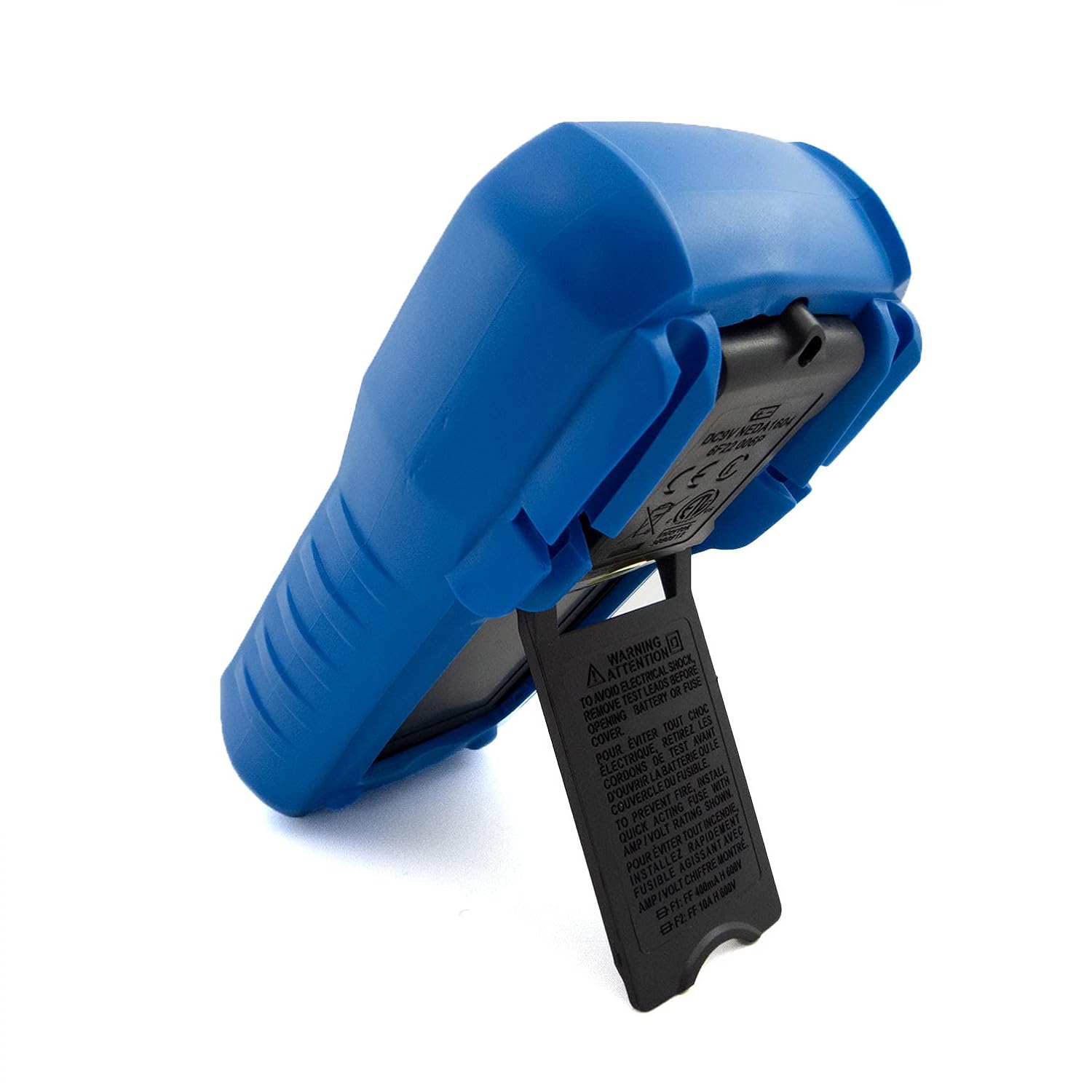
Figura 4: Visual representation of common domestic and electronics applications for the C-LOGIC 5100 Multimeter.
The C-LOGIC 5100 Digital Multimeter is suitable for a wide range of applications, including:
- Domestic Electrical Testing: Checking household wiring, outlets, batteries, and appliance continuity.
- Diagnòstic d'automoció: Testing vehicle electrical systems, battery voltage, and component resistance.
- Electronics Troubleshooting: Mesurament de voltage, current, resistance, and capacitance in electronic circuits, testing diodes and transistors.
- Comprovació del sistema de climatització: Verifying voltage and current in heating, ventilation, and air conditioning systems.
- Hobbyist and DIY Projects: Essential tool for various electrical and electronic projects.
11. Garantia i Suport
For information regarding warranty coverage, technical support, or customer service, please visit the official C-LOGIC website or contact their support team directly. You can find more product details at clogic-intl.com/clogic-5100 o el principal weblloc a clogic-intl.com.


