1. Introducció
The Douk Audio VU3 is a versatile audio device that combines the functionality of a dual analog VU meter with a 2-way amplifier and 2-way speaker switch. This unit allows users to connect two amplifiers and two pairs of speakers, providing a convenient way to switch between different audio configurations without repeatedly plugging and unplugging cables. The integrated VU meters offer a dynamic visual representation of audio signal levels.
2. Característiques del producte
- Dual Analog VU Meters: Features two 60*35mm large VU meters that provide dynamic visual effects, enhancing the audio experience.
- 2 vies Amplifier/Speaker Switch: Enables easy switching between two amplifiers and two pairs of speakers, preventing wear on connection points.
- Alta compatibilitat: All channels feature a fully isolated design with independent grounds, ensuring no mutual interference. Supports various amplifier types including BTL, Class A, Class B, Class D digital, and tube ampaixecadors.
- Disseny fàcil d'utilitzar: Powered by micro-USB 5V, includes built-in protection load for speakers.
- Comandament a distància: Allows convenient adjustment of working status from a distance.
- Funció de memòria: All settings are saved after shutdown for continued convenience.
- Construcció duradora: Housed in a solid CNC full aluminum alloy case.
3. Contingut del paquet
Si us plau, reviseu el paquet amb cura per assegurar-vos que hi hagi tots els elements:
- Douk Audio VU3 Main Unit
- Control remot
- Micro-USB Power Cable (5V)
- Guia d'inici ràpid
4. Controls i indicadors

Figure 4.1: Front Panel Controls and Indicators
- VU metres: Two large analog meters displaying audio signal levels. Each meter includes a 'PEAK' indicator LED.
- Receptor IR: Rep senyals del comandament a distància.
- Amplifier Selection Buttons (A/B): Selecciona entre Ampvidador A i Amplifier B. Corresponding LED indicators illuminate.
- Speaker Selection Buttons (1/2): Selects between Speaker 1 and Speaker 2. Corresponding LED indicators illuminate.
- Swing Range Adjustment Knob: Adjusts the sensitivity of the VU meter pointers (MIN to MAX).

Figura 4.2: Comandament a distància
The remote control provides convenient access to power on/off, amplifier selection, speaker selection, and VU meter light adjustments.
5. Connexions

Figure 5.1: Rear Panel Connections Diagram
The rear panel of the VU3 unit features clearly labeled terminals for connecting your audio equipment.
- Amplifier Inputs (A & B): Connecta els teus dos amplifiers to these terminals. Ensure correct polarity (positive to positive, negative to negative) for each channel (Left/Right).
- Speaker Outputs (1 & 2): Connect your two pairs of speakers to these terminals. Maintain correct polarity for each speaker.
- Entrada de CC de 5 V (tipus C): Connect the provided micro-USB power cable here.
6. Configuració
Follow these steps to set up your Douk Audio VU3:
- Connecta't Ampelevadors: Ensure both your amplifiers are powered off. Connect the speaker outputs of your first amplifier to the 'AMPLIFIER A' terminals on the VU3. Connect the speaker outputs of your second amplifier to the 'AMPLIFIER B' terminals. Pay close attention to positive (+) and negative (-) terminals for both left (L) and right (R) channels.
- Connectar els altaveus: Connect your first pair of speakers to the 'SPEAKER 1' terminals on the VU3. Connect your second pair of speakers to the 'SPEAKER 2' terminals. Again, observe correct polarity for all connections.
- Connectar l'alimentació: Plug the micro-USB power cable into the 'DC 5V IN' port on the rear of the VU3, then connect the other end to a suitable 5V USB power adapter (not included).
- Encesa inicial: Use the remote control to power on the VU3 unit.

Figura 6.1: Example of Rear Panel Connections
7. Funcionament
Once the VU3 is set up, you can begin using it to manage your audio system.
- Encès/apagat: Premeu el botó d'engegada del comandament a distància per encendre o apagar la unitat.
- Seleccioneu Ampmés viu: Utilitzeu el 'AMP A/B' button on the remote or the 'AMPLIFIER' button on the front panel to switch between Ampvidador A i Amplifier B. The corresponding LED indicator will light up.
- Seleccioneu altaveus: Use the 'SPEAKER 1/2' button on the remote or the 'SPEAKER' button on the front panel to switch between Speaker 1 and Speaker 2. The corresponding LED indicator will light up.
- Adjust VU Meter Sensitivity: Turn the 'SWING-RANGE' knob on the front panel to adjust how sensitive the VU meter pointers are to the audio signal. This allows you to achieve optimal needle movement for different volume levels.
- VU Meter Lighting: Use the light buttons on the remote control to adjust the brightness or mode of the VU meter backlighting.
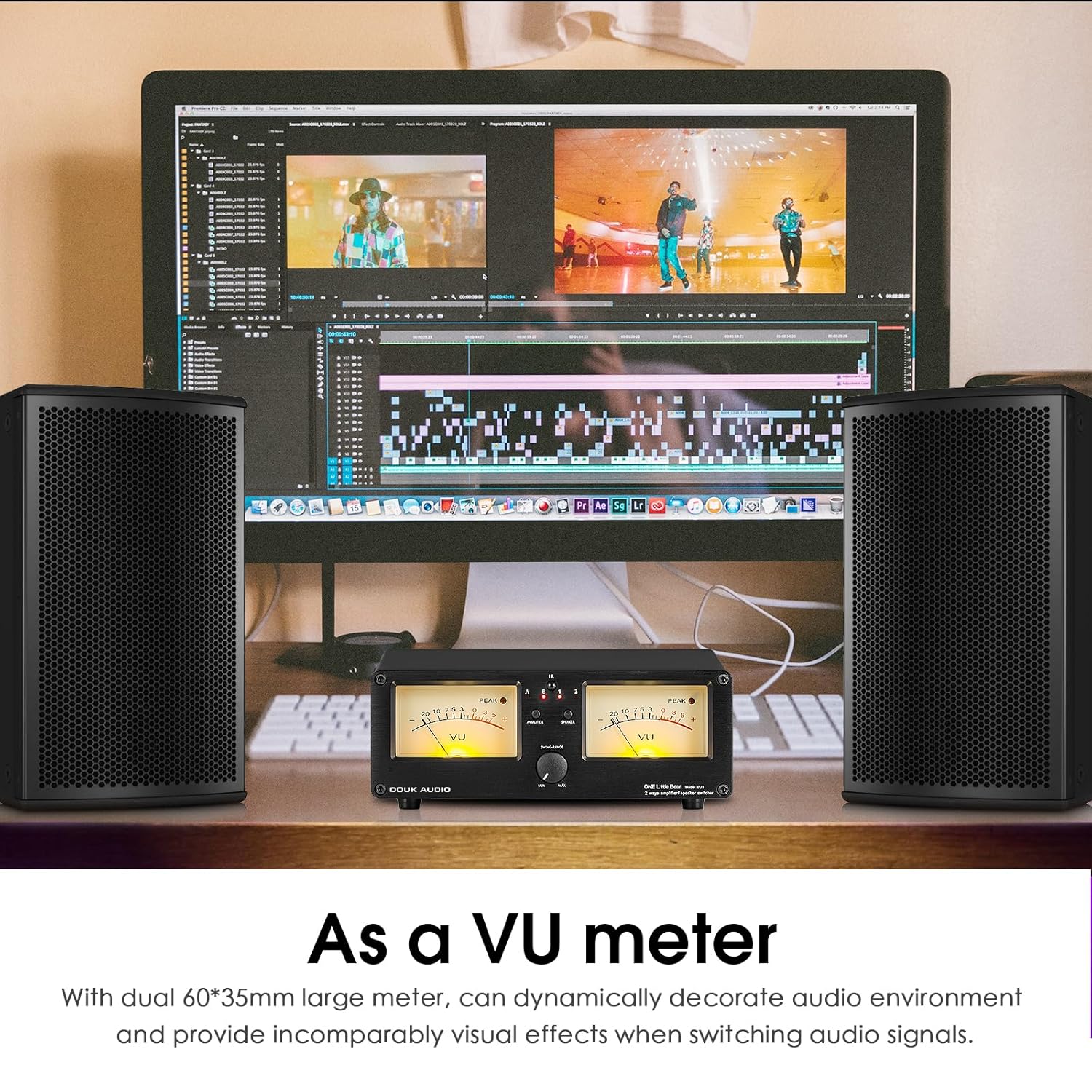
Figure 7.1: VU3 Operating as a VU Meter
8. Manteniment
To ensure the longevity and optimal performance of your Douk Audio VU3, follow these maintenance guidelines:
- Neteja: Use a soft, dry cloth to clean the exterior of the unit. Avoid using harsh chemicals or abrasive cleaners.
- Col·locació: Col·loqueu la unitat sobre una superfície estable i plana, allunyada de la llum solar directa, fonts de calor i humitat excessiva. Assegureu-vos que hi hagi una ventilació adequada.
- Connexions: Comproveu periòdicament totes les connexions dels cables per assegurar-vos que estiguin ben fixades i que no presentin corrosió.
- Potència: Always use the specified 5V DC power supply. Disconnect power when the unit is not in use for extended periods.
9. Solució De Problemes
If you encounter any issues with your Douk Audio VU3, refer to the following troubleshooting tips:
- Sense energia:
- Ensure the micro-USB power cable is securely connected to both the VU3 and a working 5V USB power adapter.
- Verify the power adapter is plugged into a live electrical outlet.
- Check if the remote control battery is functional and correctly inserted.
- Sense sortida de so:
- Confirmeu que el vostre amplifiers and speakers are correctly connected to the VU3 with proper polarity.
- Assegureu-vos el correcte amplifier (A or B) and speaker (1 or 2) are selected on the VU3.
- Comprova que el teu amplifiers are powered on and receiving an audio input signal.
- Verify that speaker cables are not damaged or short-circuited.
- VU Meters Not Moving:
- Ensure there is an active audio signal passing through the selected amplifier i altaveus.
- Adjust the 'SWING-RANGE' knob on the front panel towards 'MAX' to increase sensitivity.
- Confirmeu que la unitat està engegada.
- El control remot no respon:
- Check and replace the remote control battery (CR2032 recommended).
- Ensure there are no obstructions between the remote and the VU3's IR receiver.
- Point the remote directly at the IR receiver on the front panel.
If the issue persists after trying these steps, please contact Douk Audio customer support for further assistance.
10. Especificacions
| Especificació | Valor |
|---|---|
| Número de model | DOUK-VU3 |
| Dimensions del paquet | 9.96 x 7.01 x 3.5 polzades |
| Pes de l'article | 1.12 lliures |
| Fabricant | Douk Audio |
| Voltage | 5 volts (CC) |
| Volum de subministrament màximtage | 5 volts (CC) |
| Subministrament mínim Voltage | 5 volts (CC) |
| Tipus de muntatge | Suport al tauler |
11. Garantia i Suport
Douk Audio products are designed for reliability and performance. For warranty information or technical support, please refer to the official Douk Audio weblloc web o contacteu directament amb el seu servei d'atenció al client. Conserveu el rebut de compra com a comprovant de compra per a qualsevol reclamació de garantia.


