1. Introducció
Thank you for choosing the REXING PRD615 Smart Home Projector. This device is designed to transform your living space into an immersive entertainment hub, offering high-definition visuals, robust audio, and smart connectivity features. This manual provides essential information for setting up, operating, and maintaining your projector to ensure optimal performance and longevity.

Image: The REXING PRD615 Smart Home Projector, a sleek, rectangular device with a lens on the front and ventilation grilles on the sides.
2. Informació de seguretat
- Font d'alimentació: Feu servir només l'adaptador de corrent proporcionat. Assegureu-vos que el volumtage coincideix amb els requisits del projector.
- Ventilació: No bloquegeu les obertures de ventilació. Assegureu-vos que hi hagi un flux d'aire adequat al voltant del projector per evitar el sobreescalfament.
- Exposició líquida: Keep the projector away from water or other liquids. Do not operate in damp ambients.
- Neteja: Desconnecteu l'alimentació abans de netejar. Feu servir un drap suau i sec. Eviteu productes de neteja abrasius.
- Cura de les lents: Do not touch the projector lens directly. Use a lens cleaning cloth if necessary.
- Seguretat ocular: No mireu directament a la lent del projector quan estigui encès.amp està encès, ja que la llum brillant pot causar fatiga o danys als ulls.
- Desmuntatge: No intenteu desmuntar ni reparar el projector vosaltres mateixos. Encarregueu totes les tasques de manteniment a personal qualificat.
3. Contingut del paquet
Marqueu la casella per als elements següents:
- REXING PRD615 Smart Home Projector
- Adaptador d'alimentació
- Control remot
- Manual d'usuari
- HDMI Cable (may vary by package)
4. Producte acabatview i Característiques
The REXING PRD615 is equipped with advanced features for a superior home entertainment experience:
- Theatre Experience: Projects stunning ultra-bright 750 ANSI DLP HD video (1280x800 resolution) with a throw ratio of 1.2:1, supporting projection sizes from 40 to 150 inches.
- Àudio increïble: Features dual built-in 3W stereo speakers for clear, lag-free audio. Supports external audio via 3.5mm headphone jack or Bluetooth.
- Enfocament automàtic: Automatically calculates the distance to the projection surface for crystal-clear imaging without manual adjustment.
- Funcionalitat 3D: Supports 3D movies and games for an immersive viewing experience (3D glasses not included).
- Connectivitat multimèdia: Access thousands of apps via the Google Play Store (Android TV 9.0). Connect devices via HDMI, USB, SD card, or wirelessly via Wi-Fi and Miracast.

Image: The REXING PRD615 projector displaying its smart interface with icons for Airplay, Miracast, HDMI, App Store, YouTube, Netflix, and other apps, along with various multimedia ports on the rear.
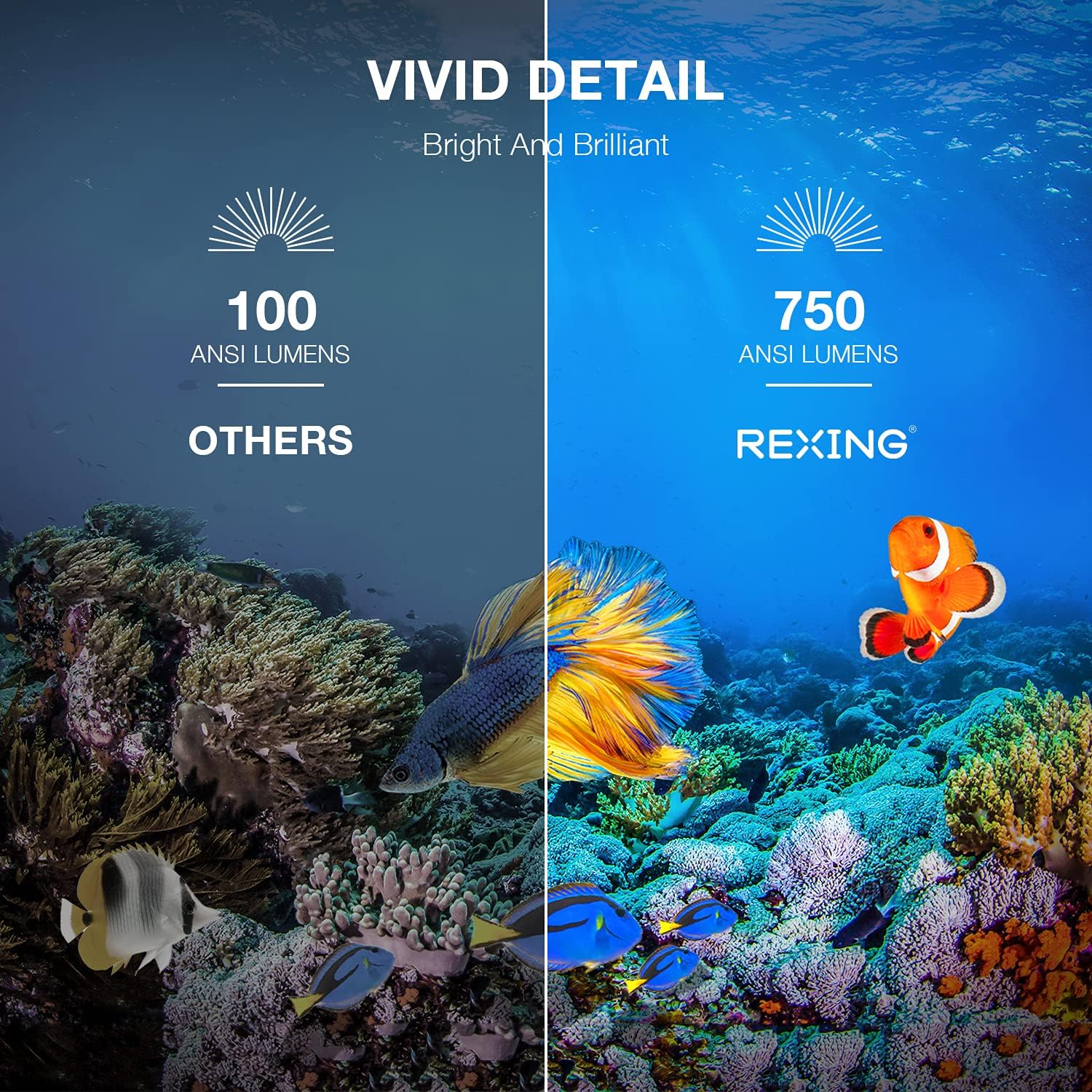
Image: A visual comparison showing the vivid detail of 750 ANSI Lumens (REXING) versus 100 ANSI Lumens (Others) in an underwater scene with colorful fish.

Image: A split screen comparison of a cityscape, demonstrating the clarity of 1080P resolution (REXING) compared to 720P (Other Projectors).
5. Configuració
5.1 Col·locació
Col·loqueu el projector sobre una superfície estable i plana. Per a una òptima viewing, ensure the projection surface (wall or screen) is clean and smooth. The projector can create an image size from 40 to 150 inches diagonally, depending on the distance from the screen.
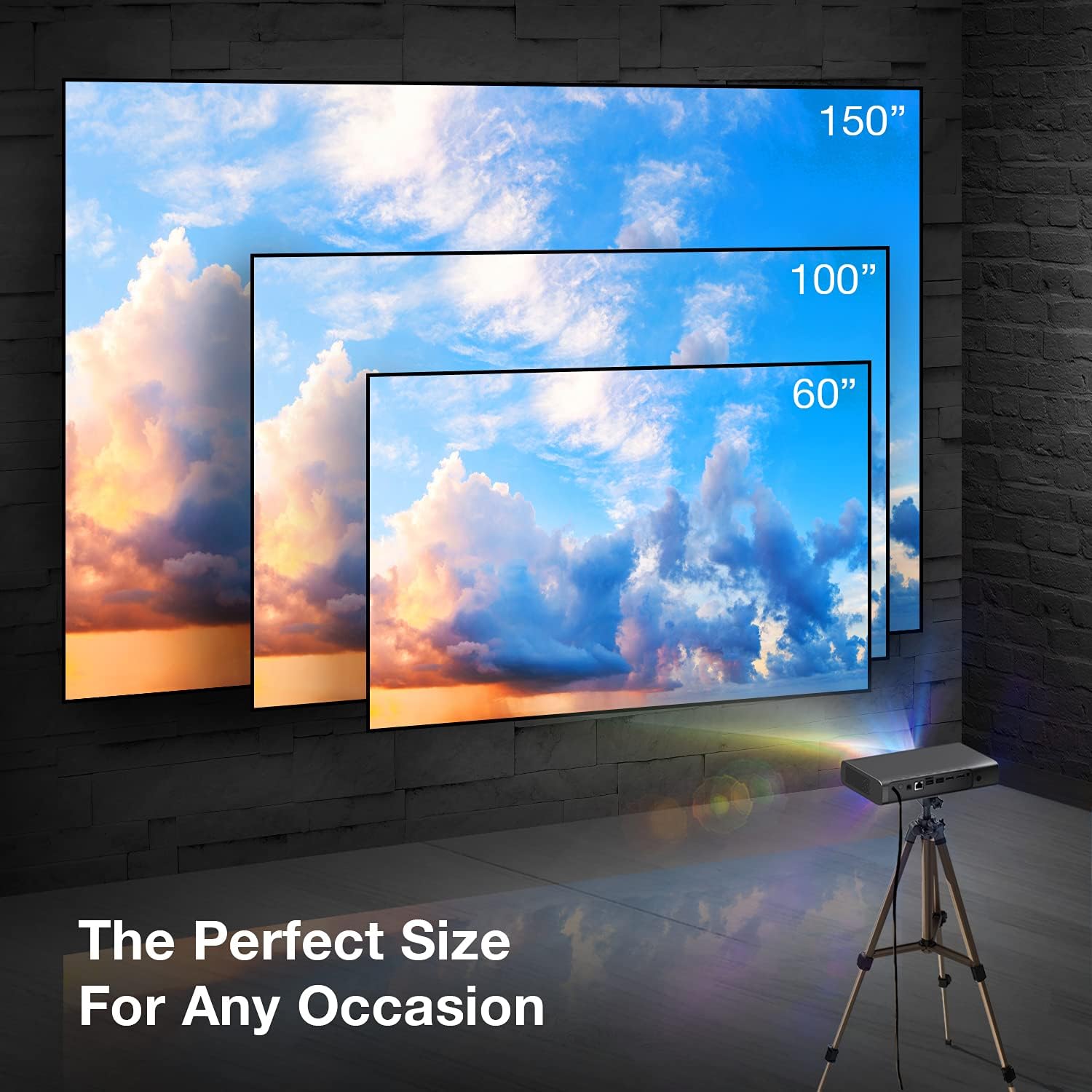
Image: A visual representation showing different projection sizes (60", 100", 150") achievable with the REXING PRD615 projector, illustrating its versatility for various room sizes.
5.2 Connexió d'alimentació
- Connecteu l'adaptador d'alimentació al port DC IN del projector.
- Connecteu l'adaptador de corrent a una presa de corrent.
- Premeu el botó d'encesa del projector o del comandament a distància per encendre el dispositiu.
5.3 Initial Configuration (Autofocus & Auto Keystone)
Upon startup, the PRD615 will automatically adjust the focus and keystone correction. This feature ensures a clear, rectangular image even if the projector is not perfectly aligned with the screen.

Imatge: Una vista aèria view showing the REXING PRD615 projector on a table, projecting an image onto a wall, with an overlay illustrating the automatic focus and keystone correction capabilities.
5.4 Connexió de xarxa
To access smart features and online content, connect the projector to your Wi-Fi network:
- Navigate to the 'Settings' menu on the projector's interface.
- Seleccioneu "Xarxa" o "Wi-Fi".
- Trieu la xarxa Wi-Fi que vulgueu de la llista i introduïu la contrasenya si se us demana.
6. Instruccions de funcionament
6.1 Connexió de dispositius externs
- HDMI: Connect Blu-ray players, gaming consoles, laptops, or other HDMI-enabled devices to the HDMI 1 or HDMI 2 ports.
- USB: Insert USB flash drives into the USB 2.0 ports to play media files directament.
- Bluetooth: Pair Bluetooth speakers or headphones for enhanced audio.
- Targeta TF: Insert a TF (microSD) card into the designated slot to access media.
6.2 Using Smart Features (Android TV, Apps, Miracast)
The REXING PRD615 runs on Android TV 9.0, providing access to a wide range of applications:
- App Store/Google Play: Download and install your favorite streaming apps like Netflix, YouTube, Chrome, and more.
- Miracast: Wirelessly mirror content from compatible smartphones, tablets, or computers to the projector screen.
- 3D Playback: For 3D content, ensure your media is in a compatible 3D format and use active shutter 3D glasses (sold separately).

Image: Two individuals playing a racing video game projected onto a large screen by the REXING PRD615, demonstrating the ability to cast content from a phone to the projector.
7. Manteniment
- Neteja de la lent: Use a professional lens cleaning cloth or air blower to gently remove dust. Do not use liquid cleaners directly on the lens.
- Neteja de la Casing: Netegeu l'exterior del projector amb un drap suau i sec. Per a marques difícils, feu un drap lleugerament sec.amp es pot fer servir un drap, seguit d'un de sec.
- Emmagatzematge: Quan no l'utilitzeu durant períodes prolongats, guardeu el projector en un lloc fresc i sec, protegit de la pols i de les temperatures extremes.
8. Solució De Problemes
| Problema | Causa possible | Solució |
|---|---|---|
| No es projecta cap imatge | Power off; input source incorrect; cable loose | Comproveu la connexió d'alimentació; seleccioneu la font d'entrada correcta; assegureu-vos que els cables estiguin connectats correctament. |
| Imatge borrosa | Out of focus; projector too close/far | Allow autofocus to adjust; reposition projector within recommended throw distance. |
| Sense so | Volume too low; audio output incorrect; external device muted | Increase projector volume; check audio settings; unmute external device. |
| El comandament a distància no funciona | Batteries low/dead; obstruction; not pointed at IR receiver | Replace batteries; remove obstructions; point remote directly at the projector's IR receiver. |
| Problemes de connexió Wi-Fi | Contrasenya incorrecta; encaminador massa lluny; interferències de xarxa | Verify password; move projector closer to router; restart router. |
9. Especificacions
| Característica | Detall |
|---|---|
| Marca | REXING |
| Model | PRD615 |
| Tecnologia de visualització | DLP |
| Brillantor | 750 lúmens ANSI |
| Resolució nativa | 1280 x 800 (HD) |
| Resolució màxima de pantalla | 1280 x 800 |
| Mida de projecció | 40-150 polzades |
| Relació de llançament | 1.2:1 |
| Tipus d'altaveu | Dual 3W Stereo, Built-In |
| Tecnologia de connectivitat | Bluetooth, USB, HDMI, Wi-Fi |
| Característiques especials | Wireless, Portable, Built-In Wi-Fi, Autofocus, Auto Keystone Correction |
| Sistema operatiu | Android TV 9.0 |
| Pes de l'article | 4.8 lliures |
| Dimensions del paquet | 11.2 x 8 x 4.6 polzades |
| Data de primera disponibilitat | 4 de juny de 2021 |
10. Garantia i Suport
REXING stands behind its products. The PRD615 Smart Home Projector comes with an 18 mesos de garantia from the date of purchase. This warranty covers manufacturing defects and ensures your product functions as intended.
For any questions, technical assistance, or warranty claims, please contact our US-Based Customer Support team. Our dedicated team is ready to assist you.
- Correu electrònic: Refer to your product packaging or the official REXING weblloc web per al correu electrònic de contacte.
- Telèfon: Refer to your product packaging or the official REXING weblloc web per al número de telèfon d'atenció al client.

Image: A customer support representative with a headset, indicating the availability of US-based customer support for the REXING PRD615 projector.


