Introducció
Welcome to the user manual for your Beats Studio Buds True Wireless Noise Cancelling Earbuds. These earbuds are designed to deliver powerful, balanced sound with the flexibility of two distinct listening modes: Active Noise Cancelling (ANC) and Transparency mode. They offer a comfortable fit, long battery life, and seamless compatibility with both Apple and Android devices.
This manual provides essential information on setting up, operating, maintaining, and troubleshooting your Studio Buds to ensure an optimal audio experience.
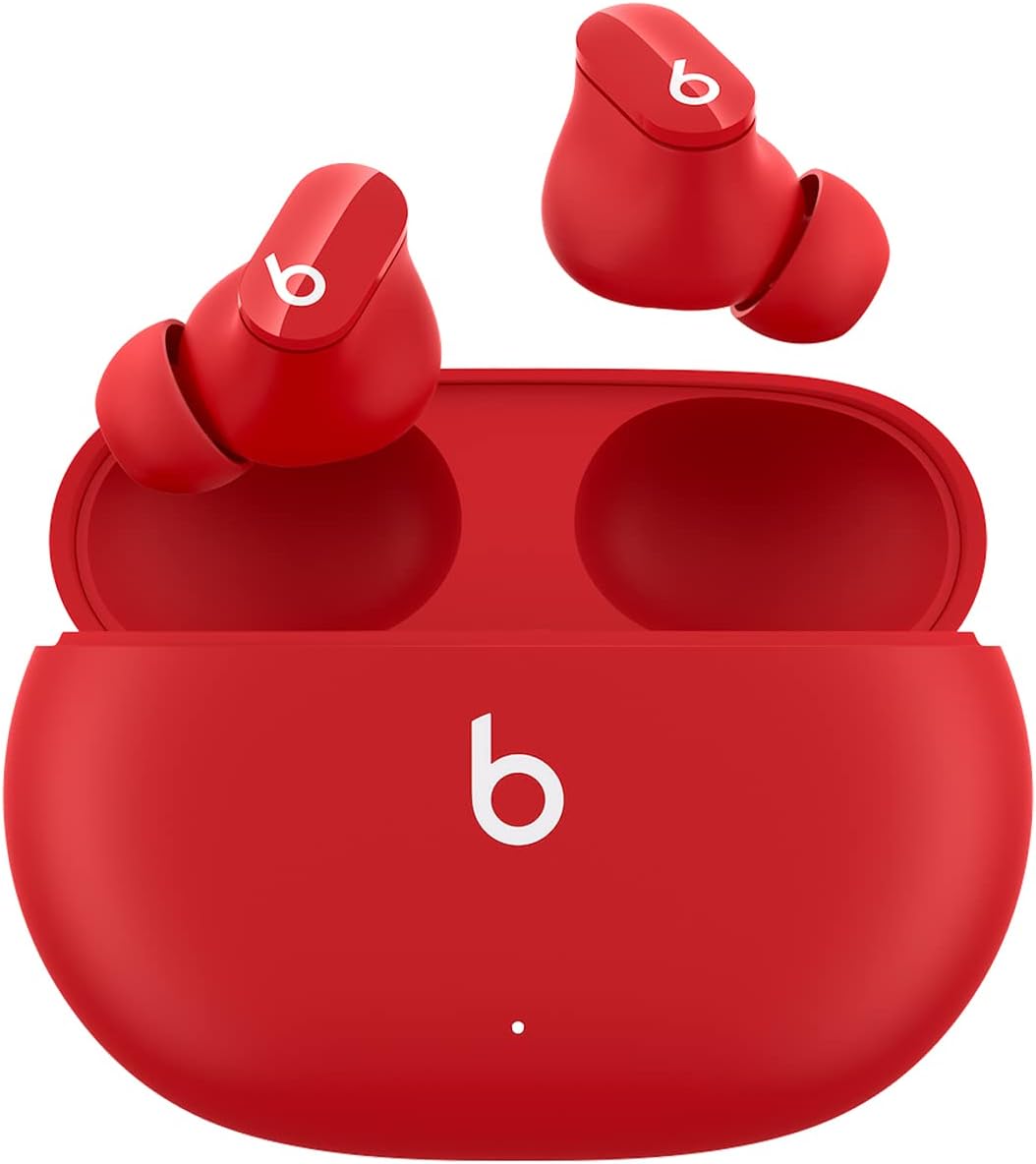
Image: Beats Studio Buds in their charging case, showcasing the compact design and vibrant red color.
Què hi ha a la caixa
Your Beats Studio Buds package includes the following components:
- Beats Studio Buds true wireless noise cancelling earphones
- Estoig de càrrega
- Ear tips with three size options (Small, Medium, Large)
- Cable de càrrega USB-C a USB-C
- Guia d'inici ràpid
- Targeta de garantia

Image: A visual representation of all items included in the Beats Studio Buds retail packaging.
Configuració
Maridatge inicial
To pair your Beats Studio Buds with your device:
- Ensure your Studio Buds are in the charging case and the case lid is open.
- For Apple devices: Hold your Studio Buds near your unlocked iPhone or iPad. A setup animation will appear on your device. Follow the on-screen instructions.
- For Android devices: Download the Beats app from the Google Play Store. Open the app and follow the on-screen instructions to pair your Studio Buds. Alternatively, go to your device's Bluetooth settings and select "Beats Studio Buds" from the list of available devices.
- Once paired, the indicator light on the charging case will turn white.

Image: Demonstrates the simple one-touch pairing process for Beats Studio Buds with a mobile device.
Fit per l'orella
Achieving a proper seal with the ear tips is crucial for optimal sound quality and effective Active Noise Cancellation. Your Studio Buds come with three sizes of silicone ear tips (Small, Medium, Large). Experiment with each size to find the one that provides a comfortable and secure fit, creating a good seal in your ear canal.
- Insert the earbud gently into your ear.
- Twist the earbud slightly forward or backward until it feels secure and forms a comfortable seal.
- If the sound quality is poor or noise cancellation is ineffective, try a different ear tip size.
Operating Your Studio Buds
Controls
Each earbud features a multi-function button (the 'b' logo) that allows you to control playback, calls, and listening modes:
- Premsa única: Reproduir/Pausa l'àudio, Respondre/Finalitzar trucada.
- Doble premsa: Saltar endavant.
- Triple premsa: Saltar cap enrere.
- Mantén premut: Toggle between Active Noise Cancellation (ANC) and Transparency mode. This action can be customized via the Beats app for Apple and Android devices to activate your voice assistant.

Image: An illustration detailing the various button press commands on the Beats Studio Buds for media, calls, and voice assistant.
Cancel·lació activa de soroll (ANC)
Active Noise Cancellation blocks external noise for an immersive listening experience. When ANC is active, the earbuds use microphones to detect external sounds and then generate an anti-noise signal to cancel them out.

Image: Visual explanation of how Active Noise Cancelling works to block external noise for an immersive sound experience.
Mode de transparència
Transparency mode allows you to hear your surroundings while still enjoying your audio. This is useful for staying aware of your environment, such as when walking in a city or listening for announcements.

Image: Visual explanation of Transparency Mode, enabling users to stay aware of their surroundings while listening to audio.
Carregant
To charge your Beats Studio Buds:
- Col·loca els auriculars a l'estoig de càrrega. Els auriculars començaran a carregar-se automàticament.
- To charge the case, connect the included USB-C to USB-C charging cable to the port on the back of the case and plug the other end into a USB-C power adapter (sold separately).
- The LED indicator on the front of the case shows the charging status:
- White (solid): Fully charged.
- White (flashing): Charging.
- Red (flashing): Low battery.
Durada de la bateria
Your Beats Studio Buds offer extended listening time:
- Up to 8 hours of listening time on a single charge (with ANC/Transparency off).
- Up to 5 hours of listening time with Active Noise Cancellation or Transparency mode enabled.
- Up to 24 hours of combined listening time with the charging case.
- Combustible ràpid: A 5-minute charge provides up to 1 hour of playback when the battery is low.

Image: An infographic detailing the battery life of Beats Studio Buds, highlighting 8 hours for earbuds and 24 hours with the charging case.
Manteniment i cura
Proper care will extend the life and performance of your Beats Studio Buds.
Neteja
- Feu servir un drap suau, sec i sense borrissol per netejar els auriculars i l'estoig de càrrega.
- Do not use abrasive cleaners, aerosols, solvents, or chemical sprays.
- For ear tips, remove them from the earbuds and wipe with a damp drap. Assegureu-vos que estiguin completament secs abans de tornar-los a enganxar.
- Eviteu que entri humitat a cap obertura.
Emmagatzematge
- Always store your Studio Buds in their charging case when not in use to protect them and keep them charged.
- Emmagatzemar en un lloc fresc i sec, allunyat de temperatures extremes i de la llum solar directa.
The Beats Studio Buds are IPX4-rated sweat and water resistant, meaning they can withstand splashes and sweat. They are not waterproof and should not be submerged in water.
Resolució de problemes
If you encounter issues with your Beats Studio Buds, try the following solutions:
- Sense so o àudio intermitent:
- Assegureu-vos que els auriculars estiguin carregats.
- Check Bluetooth connection on your device. Try turning Bluetooth off and on again.
- Apropa't més al dispositiu per evitar interferències.
- Clean any debris from the earbud speakers and ear tips.
- Els auriculars no s'aparellen:
- Ensure earbuds are in the charging case with the lid open.
- Press and hold the system button on the charging case for 5 seconds until the LED indicator flashes white.
- On your device, forget the "Beats Studio Buds" from your Bluetooth settings and try pairing again.
- Active Noise Cancellation Not Working Effectively:
- Ensure you have a proper seal with the ear tips. Try different sizes.
- Make sure ANC is enabled (toggle using the earbud button or Beats app).
- Problemes de càrrega:
- Assegureu-vos que el cable USB-C estigui connectat correctament tant a la carcassa com a l'adaptador de corrent.
- Proveu un cable USB-C o un adaptador d'alimentació diferent.
- Netegeu els contactes de càrrega dels auriculars i de l'interior de la funda.
- Resetting Your Studio Buds:
- Col·loqueu els dos auriculars a la caixa de càrrega i deixeu la tapa oberta.
- Press and hold the system button on the charging case for 15 seconds until the LED indicator light flashes red and white.
- Release the button. Your Studio Buds are now reset and ready to be paired again.
Especificacions
| Nom del model | Beats Studio Buds |
| Número de model | MJ503LL/A |
| Connectivitat | Wireless (Bluetooth Class 1) |
| Control de soroll | Cancel·lació activa de soroll, mode de transparència |
| Durada de la bateria (auriculars) | Up to 8 hours (ANC/Transparency off), Up to 5 hours (ANC/Transparency on) |
| Durada de la bateria (amb funda) | Up to 24 hours combined |
| Combustible ràpid | 5-minute charge provides 1 hour playback |
| Resistència a l'aigua | IPX4-rated sweat and water resistant |
| Pes dels auriculars (cadascun) | 5g |
| Pes de la caixa | 48 g |
| Dimensions (caixa) | 7.2 cm (L) x 5.1 cm (A) x 2.55 cm (Al) |
| Components inclosos | Earbuds, Charging Case, Ear Tips (3 sizes), USB-C Charging Cable, Quick Start Guide, Warranty Card |
Garantia i Suport
Your Beats Studio Buds are covered by a limited warranty. Please refer to the warranty card included in your product packaging for detailed terms and conditions.
For additional support, frequently asked questions, and the latest software updates, please visit the official Beats support website or refer to the full user manual PDF:


