1. Introducció
The Jebao MDP Smart DC Pump is an advanced water pump designed for precise flow control in saltwater tank systems, including reactors, sumps, or closed-loop setups. It features a 2.4G Wi-Fi connection for smartphone control via the Jebao App, alongside a manual LCD display controller. Engineered with a wear-resistant ceramic shaft and no copper components, it is suitable for both marine and fresh water environments, ensuring a longer operational life and quiet performance.
Característiques principals:
- 2.4G Wi-Fi (iOS + Android) and manual LCD display controller for versatile control.
- No exposed copper elements, making it safe for both marine and freshwater applications.
- SINE wave technology for ultra-quiet operation and stable performance.
- IC electronic detection with automatic power-off protection upon no water, and motor protection if the rotor is blocked.
- Efficient power consumption: 23-watt, 110-120V 60Hz.
2. Instruccions de seguretat
Please read all safety instructions carefully before operating the pump to prevent injury or damage. Failure to follow these instructions may result in electric shock, fire, or serious personal injury.
- Desconnecteu sempre l'alimentació abans de realitzar qualsevol manteniment o neteja.
- No feu funcionar la bomba si el cable d'alimentació o l'endoll estan danyats.
- Ensure the pump is fully submerged when in operation, unless specifically designed for external use.
- No aixequeu la bomba pel seu cable d'alimentació.
- This pump is designed for indoor use with aquariums only. Do not use it for other purposes.
- Keep the controller and power adapter away from water.
- Ensure a drip loop is formed with the power cord to prevent water from traveling along the cord and reaching the electrical outlet.
3. Contingut del paquet
Verifiqueu que tots els elements que s'enumeren a continuació s'inclouen al vostre paquet:
- Jebao MDP-2500 DC Return Pump
- Adaptador d'alimentació
- LCD Display Controller
- PVC Adapters: 1-1/4" Barbed Adapters: 3/4", 1"
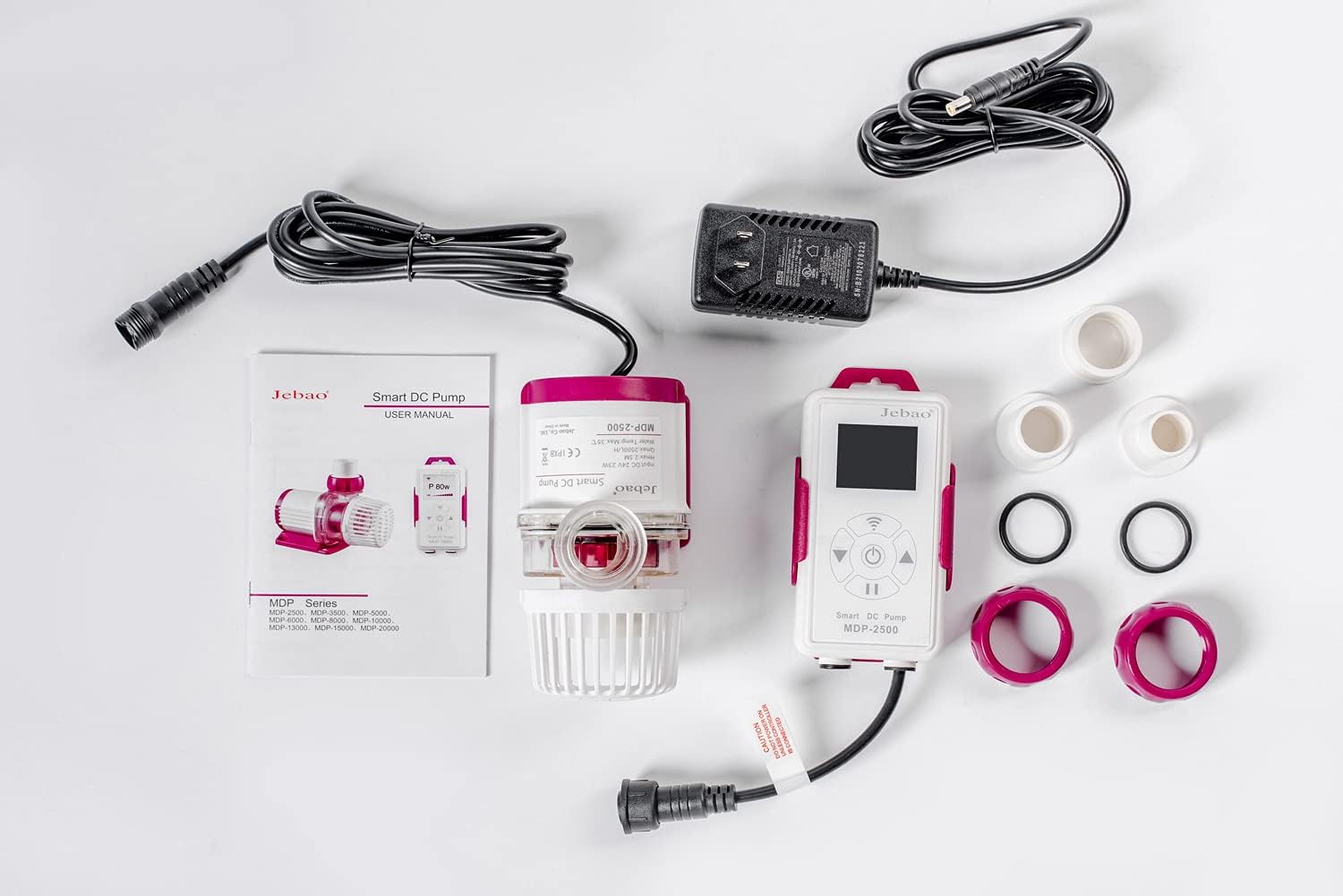
Figure 3.1: Complete package contents of the Jebao MDP-2500 Smart DC Pump.
4. Configuració i instal·lació
Follow these steps to properly set up your Jebao MDP-2500 pump:
- Desempaquetar components: Carefully remove all items from the packaging and inspect them for any damage.
- Attach Adapters: Select the appropriate PVC adapter (3/4" or 1" barbed, or 1-1/4" threaded) for your plumbing setup and securely attach it to the pump's outlet.
- Posició de la bomba: Place the pump in your aquarium sump, reactor, or desired location. Ensure it is fully submerged if used internally. The pump is designed for submersible use.
- Connectar al controlador: Connect the pump's cable to the designated port on the LCD display controller. Ensure the connection is firm.
- Connecteu l'adaptador d'alimentació: Plug the power adapter into the controller, then plug the power adapter into a grounded electrical outlet. Do not power on the pump until all connections are secure and the pump is properly positioned in water.
- Encesa inicial: Once connected and submerged, power on the unit. The LCD display will illuminate.
Connexió Wi-Fi (opcional):
To utilize the smartphone app control, download the Jebao App from your device's app store. Ensure your smartphone is connected to a 2.4 GHz Wi-Fi network, as the pump does not support 5 GHz networks. Follow the in-app instructions to pair your pump with your device. This typically involves putting the controller into pairing mode and entering your Wi-Fi credentials.

Figure 4.1: The Jebao MDP-2500 pump connected to its LCD display controller.

Figura 4.2: Detallada view of the pump unit, highlighting its compact design.
5. Instruccions de funcionament
Manual Control (LCD Display Controller):
The LCD display controller allows direct control over the pump's functions.
- Encès/apagat: Press the power button to turn the pump on or off.
- Ajustar el cabal: Use the up/down arrows to increase or decrease the pump's flow rate. The current power consumption (in watts) or flow percentage may be displayed on the LCD.
- Mode d'alimentació: Activate feed mode by pressing the designated button. This temporarily pauses the pump, allowing for feeding without circulating food particles into the filtration system. The duration of the feed mode can often be adjusted via the app or controller settings.
- Selecció del mode: Some controllers may offer different operating modes (e.g., constant flow, wave mode). Refer to the specific controller's interface for mode selection.
Smartphone App Control (Jebao App):
The Jebao App provides comprehensive control and monitoring capabilities.
- Comandament a distància: Adjust flow rate, turn on/off, and activate feed mode from your smartphone.
- Programació: Set custom schedules for pump operation, including varying flow rates throughout the day.
- Seguiment: View real-time pump status and performance data.
- Actualitzacions de firmware: The app may allow for over-the-air firmware updates for the pump and controller.
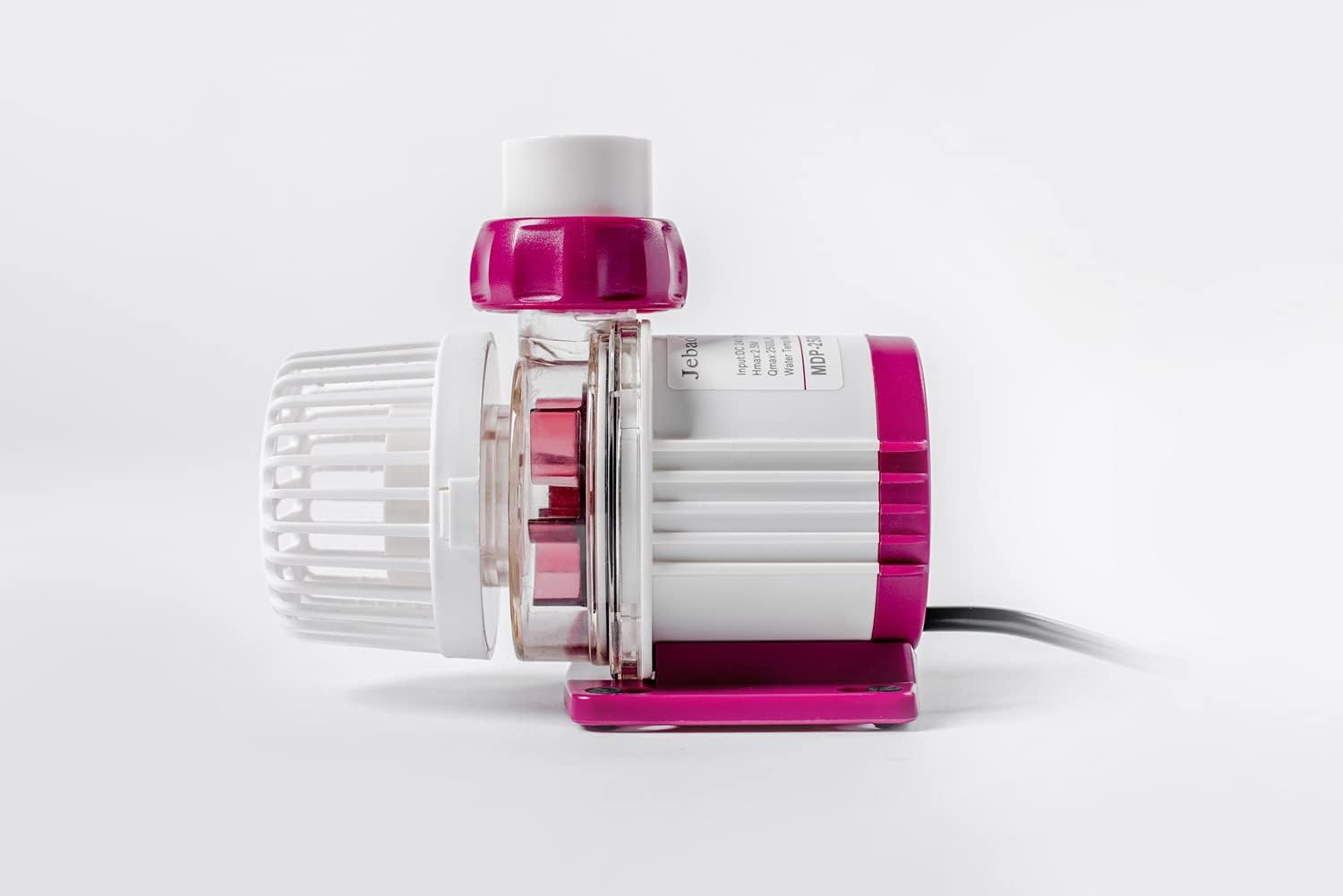
Figura 5.1: Pro lateralfile of the MDP-2500 pump.
6. Manteniment
Regular maintenance is crucial for the longevity and optimal performance of your Jebao MDP pump. It is recommended to clean the pump every 3 to 6 months, depending on your aquarium's bioload and water conditions.
- Desconnecteu l'alimentació: Always unplug the pump from the power outlet before beginning any maintenance.
- Remove from System: Carefully remove the pump from your aquarium or sump.
- Desmuntar: Disassemble the pump by removing the volute cover and impeller assembly. The ceramic shaft is wear-resistant but should be inspected for any debris or buildup.
- Components nets: Rinse all pump components (impeller, volute, housing) with clean water. Use a soft brush or cloth to remove any algae, detritus, or calcium buildup. For stubborn deposits, a mild vinegar solution can be used, followed by thorough rinsing.
- Inspeccionar: Check the impeller and ceramic shaft for any signs of wear or damage. Ensure the O-rings are clean and properly seated.
- Torneu a muntar: Reassemble the pump components in reverse order, ensuring all parts fit securely.
- Prova: Place the pump back into your system and reconnect the power. Observe its operation to ensure proper function.

Figura 6.1: A baix view of the pump, showing mounting feet.
7. Solució De Problemes
| Problema | Causa possible | Solució |
|---|---|---|
| La bomba no s'encén. | Sense alimentació, connexió fluixa, avaria de l'adaptador de corrent. | Check power outlet, ensure all cables are securely connected. Test power adapter if possible. |
| Pump runs intermittently or stops. | "No water" protection activated, rotor blocked, air in pump. | Ensure pump is fully submerged. Disconnect power, inspect impeller for blockages, clean if necessary. Gently shake pump to release trapped air. |
| Cabal reduït. | Impeller dirty/blocked, tubing kinked, calcium buildup. | Perform maintenance cleaning (Section 6). Check tubing for obstructions. |
| Excés de soroll/vibració. | Impeller damaged or dirty, air in pump, improper seating. | Clean impeller and pump housing. Ensure pump is securely placed and not vibrating against surfaces. |
| Problemes de connexió Wi-Fi. | Incorrect Wi-Fi band (5GHz), incorrect password, router distance. | Ensure your router is broadcasting a 2.4 GHz network and your phone is connected to it during setup. Re-enter Wi-Fi password carefully. Move router closer or use a Wi-Fi extender. |
8. Especificacions
| Atribut | Valor |
|---|---|
| Model | MDP-2500 |
| Poder | 23 watts |
| Voltage | 24 volts (CC) |
| Caudal màxim | 660 GPH (11 galons per minut) |
| Cap Max | 8.2 peus |
| Dimensions (L x A x A) | 5 cm de llargada x 3 cm d'amplada x 4 cm d'alçada |
| Material | Ceramic (shaft) |
| Connectivitat | 2.4G Wi-Fi, LCD Display Controller |
| Apte per | Marine and Fresh Water |
| Pes de l'article | 2.8 lliures |
9. Garantia i Suport
Jebao products are manufactured to high-quality standards. For specific warranty information regarding your MDP-2500 pump, please refer to the warranty card included with your product or visit the official Jebao website. In case of any issues or for technical assistance, please contact Jebao customer support.
Extended protection plans may be available for purchase from authorized retailers. Please check with your point of purchase for details on available plans.


