1. Introducció
This manual provides essential information for the setup, operation, and maintenance of your Anderic OEM ONN Roku TV Remote Control. Designed as a direct replacement, this remote offers seamless control for compatible ONN Roku TV models without requiring complex programming.

Imatge 1.1: Frontal i lateral view of the Anderic OEM ONN Roku TV Remote Control, highlighting its ergonomic design and button layout.
The Anderic RCAFIR remote is engineered to provide convenient access to all essential functions of your ONN Roku TV, including dedicated buttons for popular streaming services like Netflix, Disney, Hulu, and Vudu.

Image 1.2: The Anderic remote control pointing towards an ONN Roku TV, illustrating its capability to control the TV with a single device.
2. Configuració
2.1 Instal·lació de la bateria
The remote control requires two (2) AAA batteries for operation. Batteries are not included.
- Localitzeu la tapa del compartiment de la bateria a la part posterior del comandament a distància.
- Feu lliscar la coberta cap avall o premeu el pestell (si n'hi ha) i aixequeu-lo per obrir-lo.
- Introduïu dues piles AAA, assegurant-vos que els terminals positiu (+) i negatiu (-) s'alineïn correctament amb les marques de l'interior del compartiment.
- Torneu a col·locar la tapa del compartiment de la bateria fent-la lliscar fins que faci clic de manera segura.

Image 2.1: Diagram illustrating the remote control's dimensions and the required AAA batteries for operation.
2.2 Initial Use (No Programming Required)
This Anderic remote control is pre-programmed for ONN Roku TVs. No manual programming or setup is required. Once batteries are installed, the remote is ready for immediate use with compatible ONN Roku TV models.

Image 2.2: A couple comfortably using the remote control, emphasizing the 'No Programming Needed' feature for immediate enjoyment.
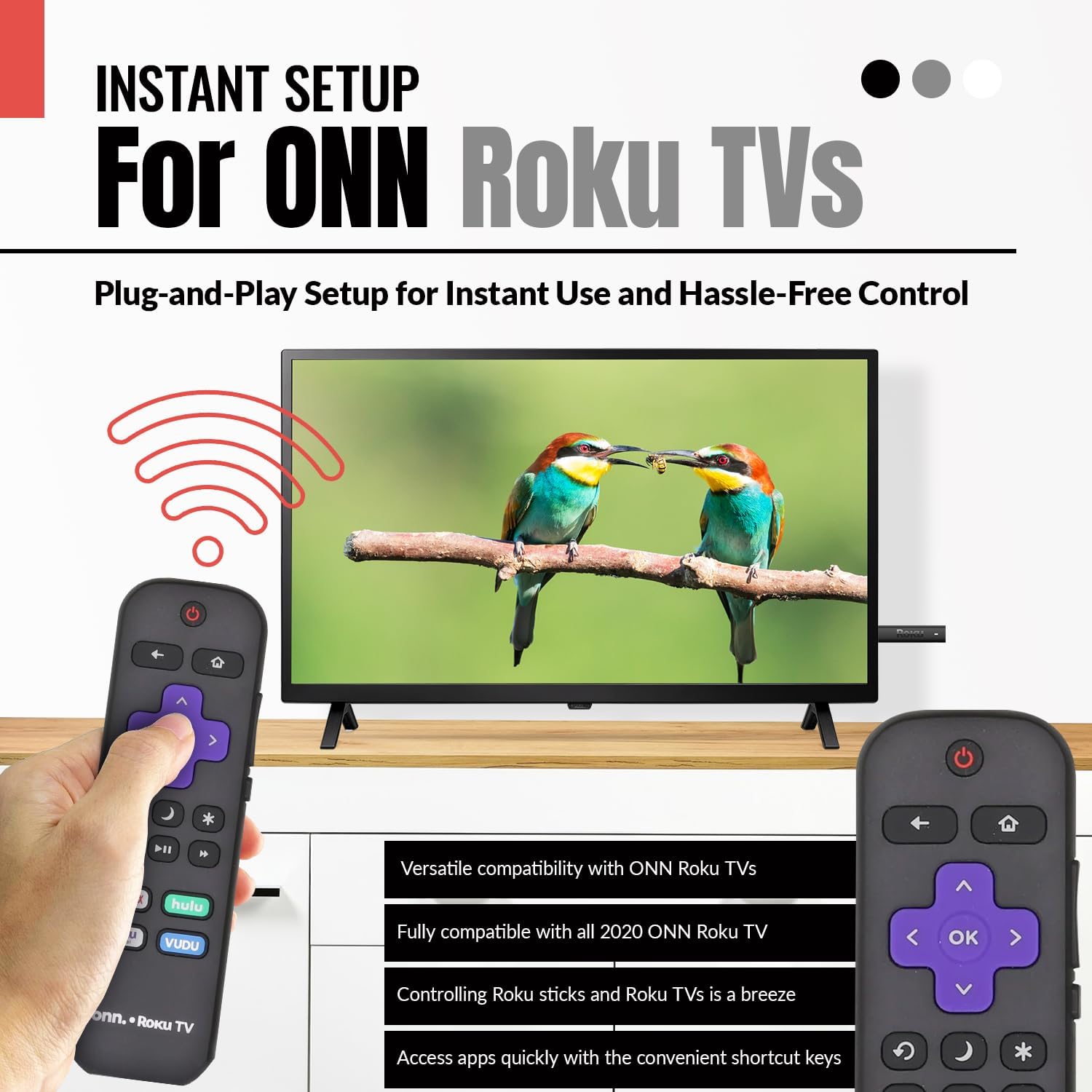
Image 2.3: A hand holding the remote control with a TV displaying content, illustrating the instant plug-and-play setup for ONN Roku TVs.
3. Instruccions de funcionament
3.1 Disposició i funcions dels botons
The Anderic ONN Roku TV remote control features a user-friendly layout with dedicated buttons for various functions. Ensure a clear line of sight between the remote and your TV's infrared sensor for optimal performance.

Imatge 3.1: Un primer pla view of the remote control, emphasizing dedicated TV power, volume buttons, and pre-programmed streaming shortcut buttons for accessibility.
- Botó d'encendre (Red Circle with Line): Encén o apaga el televisor.
- Botó enrere (Fletxa esquerra): Torna a la pantalla o menú anterior.
- Botó d'inici (Icona de casa): Navigates to the Roku Home screen.
- Directional Pad (Purple Arrows): S'utilitza per navegar pels menús i el contingut.
- OK Button (Purple 'OK'): Selecciona un element o confirma una acció.
- Botons de pujar / baixar de volum: Ajusta el volum del televisor.
- Botó de silenci: Silencia o activa l'àudio del televisor.
- Instant Replay Button (Curved Arrow): Jumps back a few seconds during video playback.
- Botó de repòs (Icona de la Lluna): Estableix un temporitzador de son per al televisor.
- Star Button (Asterisc): Accesses options or settings within certain apps.
- Botó Reproduir/Pausa (Triangle/Two Bars): Reprodueix o posa en pausa el contingut multimèdia.
- Botons d'avançament/rebobinat ràpid: Skips forward or backward in media content.
- Streaming Service Shortcut Buttons (Netflix, Hulu, Vudu, Roku Channel): Proporciona accés directe a aquestes aplicacions de transmissió en temps real.

Image 3.2: A user operating the remote control, highlighting its comprehensive functionality beyond just streaming.
4. Compatibilitat
The Anderic RCAFIR remote control is designed for broad compatibility with ONN Roku TV models. It functions as a direct replacement for several original ONN Roku remotes.
4.1 Compatible ONN Roku TV Models
This remote is fully compatible with all 2020 ONN Roku TV models and is supplied with the following specific ONN Roku TV models:
- 100005397
- 100012584
- 100012585
- 100012586
- 100012587
- 100012589
- 100012590
- 100018971
- 100021258
- 100021261
- 100024699
4.2 Replacement for Original Remotes
The RCAFIR remote serves as a direct replacement for the original ONN RCALIR Roku remote with Netflix, Disney, Hulu, and Vudu buttons, as well as other compatible models including:
- 276168
- 3226000855
- 3226000887

Image 4.1: A graphic illustrating the replacement compatibility for the ONN Roku TV RCALIR remote, highlighting preset compatibility and easy setup.

Image 4.2: A woman holding the remote control, signifying its role as a reliable replacement for entertainment mastery.
5. Solució De Problemes
5.1 El comandament a distància no respon
- Comproveu les bateries: Ensure batteries are inserted correctly with the correct polarity (+/-). Replace old or depleted batteries with fresh AAA batteries.
- Línia de visió: Verify there are no obstructions between the remote control and the TV's infrared sensor. The remote operates using infrared technology, requiring a direct line of sight.
- Potència de TV: Confirm that your ONN Roku TV is powered on and not in standby mode.
- Restabliment remot: Remove the batteries from the remote, press each button a few times to discharge any residual power, then reinsert the batteries.
5.2 Specific Button Issues
- If a specific button is not working, gently clean around the button with a soft, dry cloth to remove any dust or debris that might be interfering with its function.
- Ensure the remote is pointed directly at the TV's IR sensor when pressing the button.
6. Especificacions del producte
| Característica | Detall |
|---|---|
| Número de model | ONN-RCAFIR |
| Dimensions del producte | 5.75 x 1.75 x 1 polzades |
| Pes de l'article | 1.76 unces |
| Piles necessàries | 2 piles AAA (no incloses) |
| Tecnologia de connectivitat | Infrarojos (IR) |
| Dispositius compatibles | Television (ONN Roku TV models) |
| Característica especial | Ergonomic design, Pre-programmed |
7. Informació important
7.1 Exempció de responsabilitat legal
Anderic is a registered trademark of Dan's Electronics Etc., Inc. All Rights Reserved. We are not affiliated with Roku. Roku is a registered trademark of Roku Inc.
7.2 Informació del fabricant
Anderic, a brand of Dan's Electronics Etc., Inc., has been manufacturing replacement remote controls since 1999. The company is based in NC, USA, and focuses on providing high-quality replacement remote controls and accessories to extend the life of your equipment.


