JOLIKE M4 64GB MP3 Player User Manual
Model: M4
1. Introducció
Thank you for choosing the JOLIKE M4 64GB MP3 Player. This device is designed to provide a versatile and high-quality audio and multimedia experience. Featuring a full touch screen, Bluetooth connectivity, and a range of functions including FM radio, voice recording, and video playback, the M4 is ideal for music enthusiasts, sports, and daily entertainment. This manual will guide you through the setup, operation, and maintenance of your new MP3 player.

Image: The JOLIKE M4 MP3 Player, showcasing its sleek design and the included wired earphones. The device features a large touch screen and side buttons.
2. Informació de seguretat
- No exposeu el dispositiu a temperatures extremes, llum solar directa ni humitat elevada.
- Eviteu deixar caure o sotmetre el dispositiu a forts impactes.
- No desmunteu ni intenteu reparar el dispositiu vosaltres mateixos. Això anul·larà la garantia.
- Use only the provided charging cable or a certified 5V/1A charger.
- Escolteu a un volum moderat per evitar danys auditius.
- Mantingueu el dispositiu allunyat dels nens i de les mascotes.
3. Contingut del paquet
Si us plau, comproveu el paquet per veure si hi ha els elements següents:
- JOLIKE M4 64GB MP3 Player
- Cable de càrrega USB
- Auriculars per cable
- Manual d'usuari (aquest document)
4. Producte acabatview
Familiarize yourself with the physical components of your JOLIKE M4 MP3 Player:
- Pantalla tàctil completa de 2.4 polzades: Main interface for navigation and interaction.
- Botó d'encesa: Located on the side, used for turning the device on/off and locking/unlocking the screen.
- Botons de volum: Ajusta la sortida d'àudio.
- Presa d'auriculars (3.5 mm): Connect wired earphones.
- Port USB-C: Per a càrrega i transferència de dades.
- Ranura per a targetes Micro SD: Amplieu l'emmagatzematge fins a 128 GB.
- Altaveu HD integrat: Per a la reproducció d'àudio sense auriculars.
5. Configuració
5.1. Càrrega del dispositiu
Before first use, fully charge the MP3 player. Connect the USB charging cable to the device's USB-C port and the other end to a computer's USB port or a 5V/1A USB power adapter. The battery indicator on the screen will show charging status. A full charge typically takes 1-2 hours and provides up to 50 hours of playback time (with medium volume).
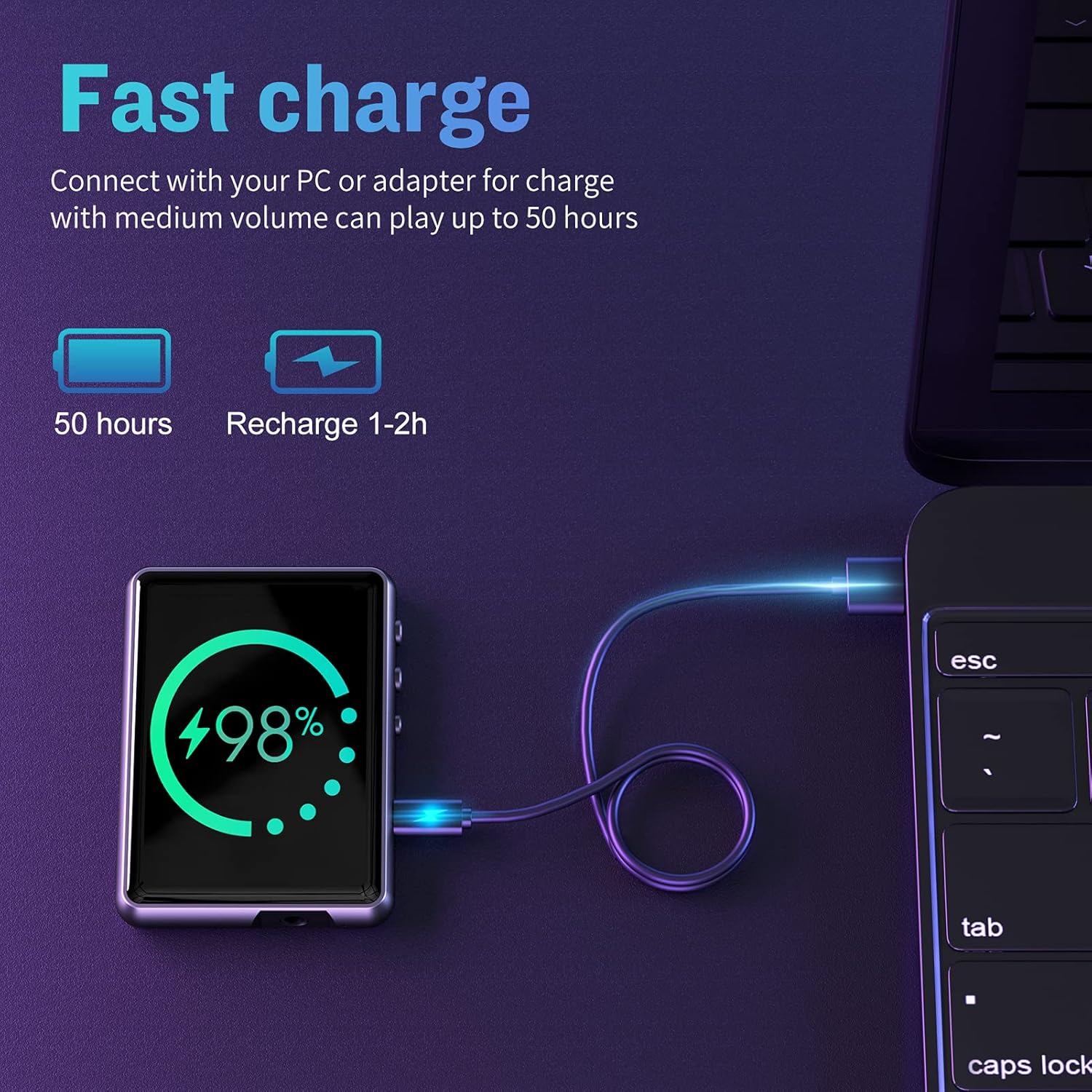
Image: The JOLIKE M4 MP3 Player connected to a laptop via a USB-C cable, displaying a 98% charge level on its screen. This illustrates the fast charging capability.
5.2. Transferència Files
To transfer music, videos, or photos to your MP3 player:
- Connecteu el reproductor MP3 a l'ordinador amb el cable USB.
- The device will appear as a removable disk or media device on your computer.
- Arrossegueu i deixeu anar el que vulgueu files into the appropriate folders (e.g., 'Music', 'Videos', 'Pictures') on the MP3 player's internal storage or inserted Micro SD card.
- Expulseu el dispositiu de l'ordinador de manera segura abans de desconnectar el cable.
5.3. Inserció d'una targeta Micro SD
The device has 16GB of built-in memory and supports expansion up to 128GB via a Micro SD card (not included). Locate the Micro SD card slot on the side of the device. Gently insert the Micro SD card until it clicks into place. To remove, push the card in slightly until it springs out.
6. Instruccions de funcionament
6.1. Encendre/Apagar i Bloquejar la Pantalla
- Encès: Manteniu premut el botó d'engegada fins que la pantalla s'encengui.
- Apagar: Press and hold the Power button until a power-off option appears, then confirm on the screen.
- Bloqueig/desbloqueig de pantalla: Premeu breument el botó d'engegada per bloquejar o desbloquejar la pantalla.
6.2. Navegació amb pantalla tàctil
The 2.4-inch full touch screen allows for intuitive navigation. Swipe left/right or up/down to browse menus and content. Tap icons to select options or open applications. Use the back arrow icon on the screen to return to the previous menu.
6.3. Reproducció de música
The JOLIKE M4 supports various audio formats including MP3, WMA, APE, FLAC, WAV, DRM, and ACELP. It features a professional intelligent digital noise reduction chip for HiFi lossless sound quality.

Image: The JOLIKE M4 MP3 Player screen showing a music playback interface with album art and an equalizer graphic, highlighting its HiFi sound quality capabilities.
- From the main menu, tap the 'Music' icon.
- Browse by artist, album, song, or folder.
- Toca una cançó per començar la reproducció.
- Use the on-screen controls for play/pause, skip, repeat, and shuffle.
6.4. Connexió Bluetooth
The device features Bluetooth 5.0 for stable and convenient wireless audio. Bluetooth coverage can extend up to 10-15 meters in open areas.

Image: The JOLIKE M4 MP3 Player screen displaying the Bluetooth icon, with illustrations showing its connectivity to wireless headphones, earbuds, and a Bluetooth speaker, indicating a 15m range.
- From the main menu, tap the 'Bluetooth' icon.
- Activa el Bluetooth.
- El reproductor cercarà dispositius Bluetooth propers.
- Select your Bluetooth headphones or speaker from the list to pair.
- Nota: This MP3 player cannot connect to mobile phones via Bluetooth.
6.5. Ràdio FM
- Connect wired earphones to the 3.5mm jack; they act as the antenna.
- From the main menu, tap the 'FM Radio' icon.
- Use the on-screen controls to scan for stations or manually tune.
6.6. Gravadora de veu
The device supports line-in recording, making it easy to copy music from other devices.

Image: The JOLIKE M4 MP3 Player connected via a 3.5mm audio cable to a smartphone, demonstrating its line-in recording capability to easily transfer music.
- From the main menu, tap the 'Record' icon.
- Tap the record button to start/stop recording.
- Recordings are saved in the 'Recordings' folder.
6.7. Lectura de llibres electrònics
- From the main menu, tap the 'E-book' icon.
- Selecciona un text file (.TXT format) to open and read.
6.8. Video Playback & Picture Browsing
- Tap 'Video' or 'Photo' from the main menu.
- Seleccioneu a file a view or play. Ensure video files are in compatible formats for optimal playback.
6.9. Configuració
Access the 'Settings' menu to customize various aspects of your device:
- Idioma: Choose from 25 supported languages.
- Visualització: Adjust brightness, screen saver, and backlight time.
- Data i hora: Estableix la data i l'hora actuals.
- Despertador: Establir alarmes.
- Podòmetre: Track your steps during activities.
- Cronòmetre: Use for timing events.
- Informació del sistema: View device details and storage.
- Format del dispositiu: Erase all data (use with caution).
7. Manteniment
- Neteja: Use a soft, dry cloth to clean the screen and body. Do not use liquid cleaners or abrasive materials.
- Emmagatzematge: Guardeu el dispositiu en un lloc fresc i sec quan no l'utilitzeu. Eviteu temperatures extremes.
- Cura de la bateria: Per allargar la durada de la bateria, eviteu descarregar-la completament amb freqüència. Carregueu el dispositiu regularment, fins i tot si no l'utilitzeu durant períodes prolongats.
8. Solució De Problemes
| Problema | Causa possible | Solució |
|---|---|---|
| El dispositiu no s’encén. | Bateria baixa; bloqueig del sistema. | Charge the device for at least 10 minutes. If unresponsive, press and hold the power button for 10-15 seconds to force restart. |
| No es pot connectar al dispositiu Bluetooth. | Bluetooth not enabled; device out of range; incompatible device. | Ensure Bluetooth is on for both devices. Move devices closer. Confirm the device is not a mobile phone. |
| No se sent so dels auriculars. | Volume too low; earphones not properly connected; faulty earphones. | Increase volume. Re-insert earphones firmly. Test with another pair of earphones. |
| Files not appearing after transfer. | Files in wrong folder; device not safely ejected. | Comproveu file locations. Ensure device was safely ejected from computer. Re-transfer if necessary. |
| La pantalla no respon. | Error temporal de programari. | Press and hold the power button for 10-15 seconds to force restart the device. |
9. Especificacions
| Característica | Detall |
|---|---|
| Nom del model | M4 |
| Marca | JOLIKE |
| Capacitat d'emmagatzematge de memòria | 64 GB (built-in 16GB, expandable to 128GB via Micro SD) |
| Mida de la pantalla | 2.4 polzades |
| Tecnologia de visualització | LED |
| Tecnologia de connectivitat | Bluetooth 5.0 |
| Formats d'àudio compatibles | MP3 / WMA / APE / FLAC / WAV / DRM / ACELP |
| Característiques especials | FM Radio, Voice Recorder, E-book Reader, Video Playback, Picture Browsing, Built-in HD Speaker, Pedometer, Stopwatch, Alarm Clock |
| Bateria | 1 bateria (inclosa) |
| Dimensions del producte | 0.3 x 1 x 2 polzades |
| Pes de l'article | 10.1 unces |
| Color | Negre |
10. Garantia i Suport
JOLIKE products come with a standard manufacturer's warranty. Please refer to the warranty card included in your package for specific terms and conditions. For technical support, troubleshooting assistance, or warranty claims, please contact JOLIKE customer service through the retailer where you purchased the product or visit the official JOLIKE weblloc per obtenir informació de contacte.
Si us plau, conserveu el comprovant de compra per motius de garantia.


