Introducció
Thank you for choosing the Raddy RD23 Portable DAB/FM Radio. This compact and versatile radio offers high-quality digital audio broadcasting (DAB/DAB+) and traditional FM radio reception, along with Bluetooth connectivity for streaming audio from your smart devices. Its lightweight design and rechargeable battery make it an ideal companion for both indoor and outdoor use. Please read this manual carefully to ensure proper operation and to fully utilize all features of your new radio.
Informació de seguretat
- No exposeu el dispositiu a la pluja, la humitat ni a temperatures extremes.
- Eviteu deixar caure o sotmetre el dispositiu a forts impactes.
- No desmunteu ni intenteu reparar la unitat vosaltres mateixos. Envieu totes les tasques de manteniment a personal qualificat.
- Mantenir fora de l'abast dels nens.
- Feu servir només el cable de càrrega i la font d'alimentació especificats.
- Elimineu les piles i els components electrònics de manera responsable d'acord amb la normativa local.
Contingut del paquet
- Raddy RD23 Portable DAB/FM Radio
- Cable de càrrega USB
- Manual d'usuari
Producte acabatview

Figura 1: Controls del panell frontal
This image displays the front of the Raddy RD23 radio, highlighting its digital display screen and the numeric keypad with navigation and function buttons. Key buttons include OK, Menu, Info, Mode, Scan, and a lock button.

Figura 2: Top Panel Ports
This image shows the top of the Raddy RD23 radio, detailing the antenna connection, headphone jack, ON/OFF switch, USB port, and TF card slot. These are the primary connection points for the device.
Controls i funcions:
- Pantalla de visualització: Shows station information, time, battery level, and menu options.
- Botons numèrics (1-6): For direct station selection or menu navigation.
- Botó D'acord: Confirma les seleccions.
- Left/Right Arrows (< / >): Navigate through menus or adjust volume/frequency.
- Botó P: Preset button for saving and recalling favorite stations.
- Botó INFO: Mostra informació addicional sobre l'emissió actual.
- Botó MENÚ: Accedeix al menú principal de configuració.
- Botó MODE: Switches between DAB, FM, and Bluetooth modes.
- Botó SCAN: Inicia l'escaneig automàtic d'emissores.
- Botó de bloqueig: Locks/unlocks the keypad to prevent accidental presses.
- Interruptor ON / OFF: Encén o apaga el dispositiu.
- Auriculars Jack: For private listening with 3.5mm headphones.
- Port USB: For charging and potentially USB stick playback.
- Ranura per a targetes TF: Per reproduir àudio files des d'una targeta TF (MicroSD).
- Antena: Antena telescòpica extensible per a una millor recepció de ràdio.
Configuració
1. Carregant la bateria

Figura 3: Charging the RD23 Radio
The image shows the Raddy RD23 radio connected to a laptop via a USB cable, indicating the charging process. The radio features a built-in rechargeable battery.
The Raddy RD23 has a built-in 700mAh rechargeable battery. Before first use, fully charge the radio.
- Connect the supplied USB charging cable to the radio's USB port.
- Connecteu l'altre extrem del cable USB a un adaptador de corrent USB (no inclòs) o al port USB d'un ordinador.
- The charging indicator on the display will show the charging status. It will turn off or change color when fully charged.
2. Encendre/apagar
Feu lliscar el ON/OFF switch located on the top of the radio to the "ON" position to power on the device. Slide it to the "OFF" position to power off.
3. Ajust de l'antena
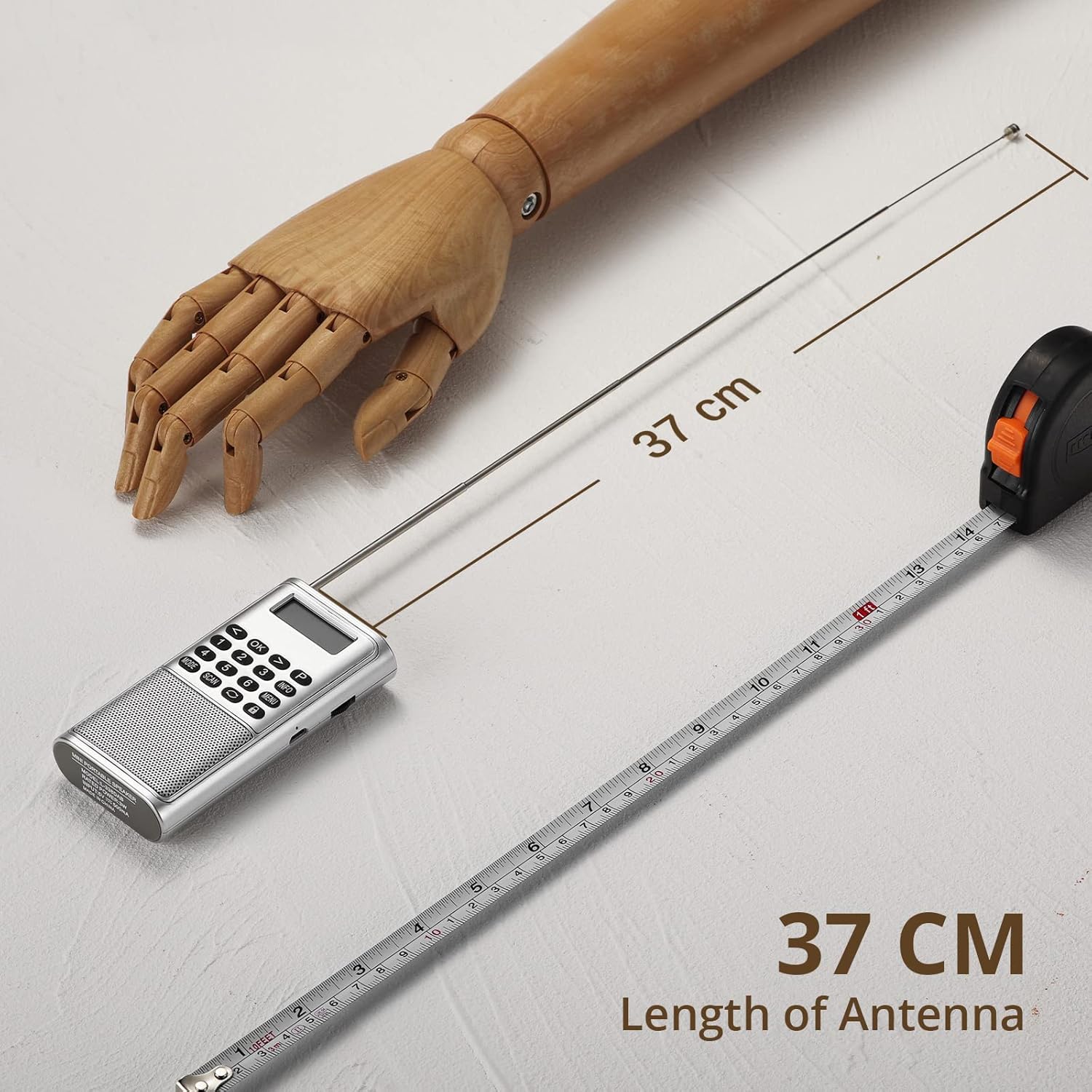
Figura 4: Antena estesa
This image illustrates the Raddy RD23 radio with its telescopic antenna fully extended, demonstrating its length for optimal signal reception. The antenna extends to approximately 37 cm.
For optimal radio reception, fully extend the telescopic antenna. Adjust its position for the best signal quality.
Instruccions de funcionament
1. Mode de ràdio DAB/DAB+
- Turn on the radio. If it's not already in DAB mode, press the MODE button until "DAB" appears on the display.
- The radio will automatically scan for available DAB/DAB+ stations upon first use or if no stations are found. To manually scan, press the ESCANEAR botó.
- Un cop finalitzada l'escaneig, utilitzeu Fletxa esquerra/dreta botons per navegar per la llista d'emissores disponibles.
- Premeu el botó OK botó per seleccionar una emissora.
- Premeu el botó INFO button to cycle through different information displays (e.g., program type, signal strength, time).
- To save a station as a preset, tune to the desired station, then press and hold the P button. Use the number buttons (1-6) to select a preset slot, then press OK to confirm. To recall a preset, press the P button, then the corresponding number button.
2. Mode de ràdio FM
- Premeu el botó MODE fins que aparegui "FM" a la pantalla.
- To auto-scan and save FM stations, press the ESCANEAR button. The radio will scan and store all strong signals.
- Per sintonitzar manualment, utilitzeu Fletxa esquerra/dreta buttons to adjust the frequency step by step. Press and hold the Fletxa esquerra/dreta buttons for automatic seek to the next strong station.
- Saving and recalling FM presets works similarly to DAB mode using the P button and number buttons.
3. Mode Bluetooth
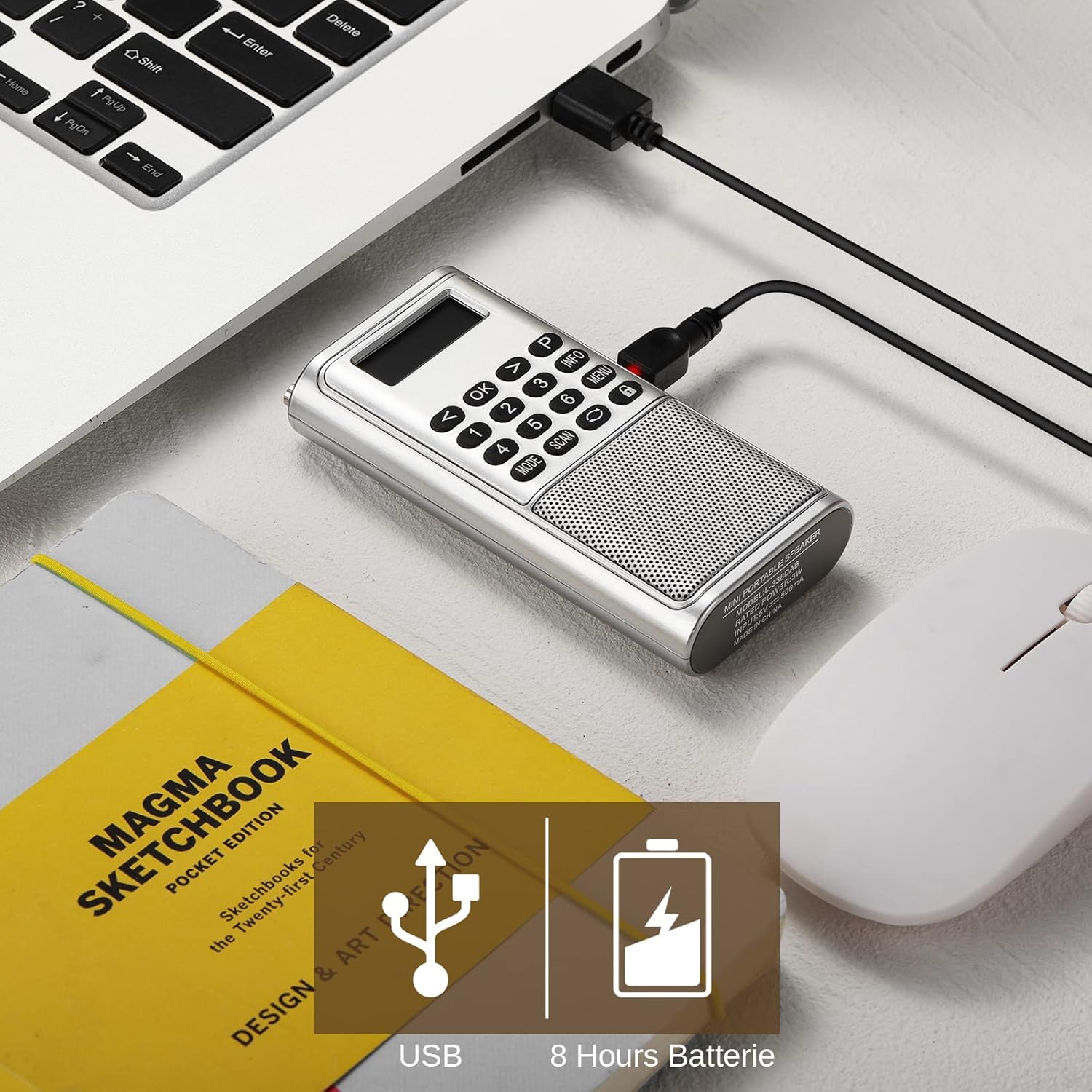
Figura 5: Connectivitat Bluetooth
This image shows the Raddy RD23 radio wirelessly connected to a smartphone via Bluetooth, demonstrating its capability to stream audio from a mobile device. The phone's screen displays a music player interface.
The Raddy RD23 can connect to your smartphone or other Bluetooth-enabled devices to stream audio.
- Premeu el botó MODE button until "Bluetooth" or a Bluetooth icon appears on the display. The radio will enter pairing mode.
- Al telèfon intel·ligent o al dispositiu Bluetooth, activeu Bluetooth i cerqueu els dispositius disponibles.
- Select "RD23" from the list of found devices.
- Un cop emparellat, pots reproduir àudio des del dispositiu a través de l'altaveu de la ràdio.
- Nota: The RD23 DAB radio cannot be connected to headphones via Bluetooth. It only functions as a Bluetooth receiver.
4. USB/TF Card Playback Mode
La ràdio admet la reproducció d'àudio files directly from a USB stick or TF (MicroSD) card.
- Insert a USB stick into the USB port or a TF card into the TF card slot.
- Premeu el botó MODE button until the display indicates USB or TF card playback.
- The radio will automatically start playing audio files. Use the navigation buttons to skip tracks or adjust volume.
5. Ús d'auriculars
Plug any standard 3.5mm headphones into the headphone jack on the top of the radio for private listening. The internal speaker will automatically mute when headphones are connected.
Manteniment
- Neteja: Netegeu la ràdio amb un drap suau i sec. No utilitzeu productes de neteja abrasius ni dissolvents.
- Cura de la bateria: To prolong battery life, avoid fully discharging the battery frequently. Charge the radio regularly, even if not in use, to maintain battery health.
- Emmagatzematge: When storing for extended periods, ensure the radio is fully charged and store it in a cool, dry place.
Resolució de problemes
| Problema | Causa possible | Solució |
|---|---|---|
| No hi ha alimentació/la ràdio no s'encén | La bateria està esgotada. | Carregueu la ràdio amb el cable USB. |
| Mala recepció de ràdio (DAB/FM) | Antena no estesa o posicionada correctament; zona de senyal feble. | Fully extend and adjust the antenna. Try moving to a different location. Perform a new scan. |
| S'ha produït un error en l'aparellament de Bluetooth | Radio not in pairing mode; device too far; Bluetooth disabled on source device. | Ensure radio is in Bluetooth mode. Keep devices within 10 meters. Enable Bluetooth on your source device and try pairing again. |
| No hi ha so de l'altaveu | Volume too low; headphones connected; mute activated. | Increase volume. Disconnect headphones. Check if mute is active. |
| La targeta USB/TF no es reprodueix | Incorrecte file format; card/USB not inserted correctly; corrupted files. | Assegureu-vos files are in a supported format (e.g., MP3). Reinsert the card/USB. Try a different card/USB. |
Especificacions
| Característica | Detall |
|---|---|
| Número de model | RD23 |
| Marca | Radioditat |
| Bandes de ràdio | DAB, DAB+, FM |
| Connectivitat | Bluetooth, USB, TF Card, 3.5mm Headphone Jack |
| Bateria | 700 mAh de liti-ió (recarregable) |
| Font d'alimentació | Alimentat per bateria (recarregable per USB) |
| Dimensions (L x A x A) | 11 x 3.2 x 7 cm (aprox. 4.3 x 1.3 x 2.8 polzades) |
| Característiques especials | Built-in Clock, Lightweight, Portable |
| Color | Plata |
Garantia i Suport
For warranty information and technical support, please refer to the warranty card included with your product or visit the official Radioddity weblloc web. Conserveu el rebut de compra com a comprovant de compra per a qualsevol reclamació de garantia.


