1. Introducció
This user manual provides comprehensive instructions for the setup, operation, and maintenance of your Ematic EPJ590WH Portable Projector. Please read this manual thoroughly before using the projector to ensure proper operation and to maximize its lifespan. Keep this manual for future reference.
The Ematic EPJ590WH is a versatile portable LCD projector designed to support various video sources, including gaming consoles, PCs, laptops, and streaming devices. It features an 800 x 480 native resolution with support for up to 1080p video input, built-in speakers, and multiple connectivity options.
2. Informació de seguretat
Per evitar incendis o descàrregues elèctriques, no exposeu aquest aparell a la pluja ni a la humitat. Per evitar descàrregues elèctriques, no obriu la carcassa. Demaneu el manteniment només a personal qualificat.
- No bloquegeu les obertures de ventilació. Assegureu-vos que hi hagi prou espai al voltant del projector per a un flux d'aire adequat.
- Do not place the projector on an unstable cart, stand, tripod, bracket, or table. The projector may fall, causing serious injury and serious damage to the appliance.
- No mireu directament a la lent del projector quan estigui encès.amp està encès. La llum brillant pot causar lesions oculars.
- Utilitzeu només accessoris/accessoris especificats pel fabricant.
- Desconnecteu aquest projector durant les tempestes llamps o quan no l'utilitzeu durant llargs períodes de temps.
- Netegeu només amb un drap sec.
3. Contingut del paquet
Please check to ensure all items are present and in good condition:
- Ematic EPJ590WH Portable Projector
- Control remot
- Adaptador d'alimentació
- Manual d'usuari (aquest document)

Image: The Ematic EPJ590WH Portable Projector shown with its accompanying remote control, illustrating the main unit and a key accessory.
4. Característiques del producte
- Adjustable Screen Size: Project an image from 50 inches up to 200 inches diagonally.
- Native Resolution: 800 x 480 pixels, supporting up to 1080p video input.
- Built-in Speakers: Integrated audio for convenient playback without external speakers.
- Multiple Connectivity Options: Includes HDMI, VGA, USB, and AUX ports for broad compatibility.
- Portable Design: Compact and lightweight for easy transport and setup.
5. Producte acabatview
5.1 Amunt View i Controls

Imatge: Superior view of the Ematic EPJ590WH projector, highlighting the focus and keystone adjustment dials, along with the navigation and selection buttons on the control panel.
The top panel of the projector features the following controls:
- Anell de focus: Ajusta la claredat de la imatge projectada.
- Correcció Keystone: Corrects trapezoidal distortion of the image.
- Botons de navegació (amunt, avall, esquerra, dreta): S'utilitza per navegar pels menús i ajustar la configuració.
- Botó D'acord: Confirma les seleccions als menús.
- Botó Font: Selecciona la font d'entrada (HDMI, VGA, USB, etc.).
- Botó de menú: Accesses the projector's main menu.
- Botó d'encesa: Encén o apaga el projector.
5.2 Part posterior i lateral Views with Ports

Imatge: Part posterior view of the Ematic EPJ590WH projector, displaying its array of input ports including AUX, AV, MicroSD, two HDMI ports, and a USB port, along with the power input.
The rear and side panels provide various connection ports:
- Ports HDMI (x2): For connecting devices like laptops, gaming consoles, and streaming sticks.
- Port USB: Per connectar unitats USB per reproduir contingut multimèdia files.
- Port VGA: Per connectar ordinadors o dispositius antics.
- AUX (3.5mm Audio Out): Per connectar altaveus externs o auriculars.
- Port AV: For connecting devices using composite video and stereo audio cables.
- Ranura per a targeta MicroSD: Per reproduir mitjans files directly from a MicroSD card.
- DC IN: Port d'entrada d'alimentació.

Imatge: Lateral view of the Ematic EPJ590WH projector, highlighting the VGA port and indicating its approximate height of 3 inches.
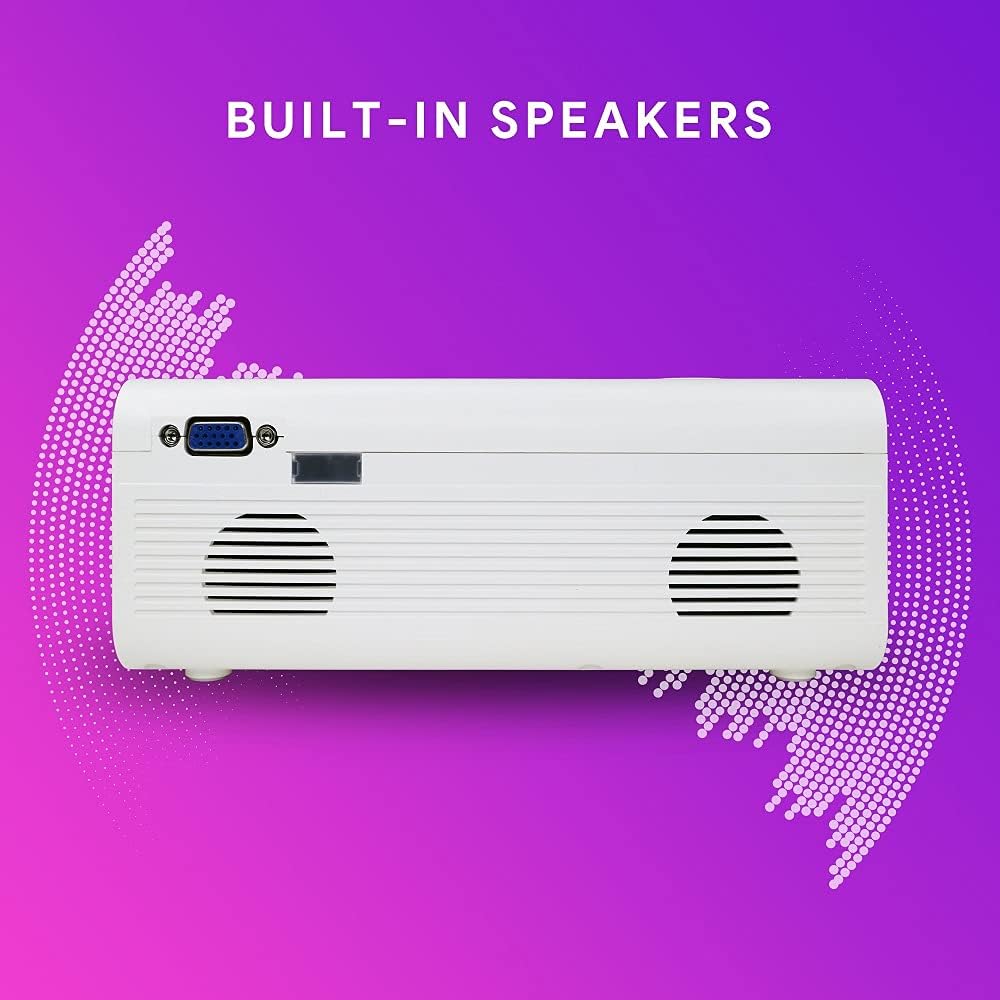
Imatge: Lateral view of the Ematic EPJ590WH projector, illustrating the location of the built-in speakers on the side panel.
6. Configuració
6.1 Col·locació
Choose a flat, stable surface for the projector. For optimal image quality, place the projector perpendicular to the projection surface (wall or screen). The projection distance will determine the image size. Ensure there is sufficient space for ventilation around the projector.
6.2 Connexió d'alimentació
- Connecteu l'adaptador d'alimentació al port DC IN del projector.
- Connecteu l'altre extrem de l'adaptador de corrent a una presa de corrent estàndard.
- L'indicador lluminós d'engegada del projector s'il·luminarà.
6.3 Connexió de dispositius
Connect your desired input device (e.g., laptop, gaming console, USB drive) to the appropriate port on the projector.
- HDMI: Use an HDMI cable to connect to an HDMI port.
- VGA: Use a VGA cable to connect to the VGA port.
- USB: Inseriu una unitat flaix USB al port USB.
- DE: Use an AV cable (not included) to connect to the AV port.
- MicroSD: Insert a MicroSD card into the MicroSD slot.
6.4 Ajust de l'enfocament i la distorsió trapezoidal
After powering on the projector and selecting an input source:
- Focus: Rotate the focus ring near the lens until the projected image is clear and sharp.
- Clau clau: If the image appears trapezoidal (wider at the top or bottom), adjust the keystone correction dial until the image is rectangular.
7. Instruccions de funcionament
7.1 Encès/Apagat
- Per encendre: Press the Power button on the projector or the remote control. The indicator light will turn blue.
- Per apagar: Press the Power button again. The indicator light will turn red.
7.2 Selecció de la font d'entrada
After connecting your device, you need to select the correct input source:
- Press the "Source" button on the projector or remote control.
- Use the navigation buttons to select the desired input (e.g., HDMI1, HDMI2, VGA, USB, AV, MicroSD).
- Press "OK" to confirm your selection.
7.3 Navegació de menús
To access and adjust projector settings:
- Press the "Menu" button on the projector or remote control.
- Use the navigation buttons to move through menu options (Picture, Sound, Time, Option).
- Press "OK" to enter a sub-menu or confirm a setting.
- Press "Menu" again to exit the menu.
7.4 Sortida d'àudio
The projector has built-in speakers. For external audio, connect headphones or external speakers to the AUX (3.5mm audio out) port.
8. Manteniment
8.1 Neteja
- Projector Casing: Use a soft, dry cloth to wipe the surface. Do not use abrasive cleaners or solvents.
- Lent: Use a lens cleaning cloth or specialized lens paper. Avoid touching the lens with your fingers.
- Obertures de ventilació: Periodically clean the ventilation openings with a soft brush or compressed air to prevent dust buildup, which can affect performance and lifespan.
8.2 Emmagatzematge
When not in use for extended periods, store the projector in a cool, dry place, away from direct sunlight and extreme temperatures. It is recommended to use the original packaging or a protective case to prevent dust and damage.
9. Solució De Problemes
| Problema | Causa possible | Solució |
|---|---|---|
| No es projecta cap imatge |
|
|
| La imatge és borrosa |
|
|
| La imatge és trapezoïdal |
|
|
| Sense so |
|
|
10. Especificacions
| Característica | Detall |
|---|---|
| Model | EPJ590WH |
| Tecnologia de visualització | LCD |
| Resolució nativa | 800 x 480 píxels |
| Resolució suportada | Fins a 1920 x 1080 (1080p) |
| Relació de contrast de la imatge | 1000:1 |
| Mida de projecció | De 50 a 200 polzades |
| Connectivitat | HDMI (x2), VGA, USB, AV, MicroSD, AUX (3.5mm Audio Out) |
| Altaveus incorporats | Sí |
| Consum d'energia | 10 watts |
| Dimensions (L x A x A) | 33.2 x 22.3 x 11.91 cm |
| Pes | 1.38 kg |
11. Garantia i Suport
For warranty information and technical support, please refer to the warranty card included with your product or visit the official Ematic weblloc web. Conserveu el rebut de compra com a comprovant de compra per a reclamacions de garantia.
For further assistance, you may contact Ematic customer service through their official channels.


