1. Introducció
This manual provides detailed instructions for the installation, operation, and maintenance of your Xigmatek Aero Black Micro-ATX Case. Please read this manual thoroughly before beginning assembly to ensure proper setup and to maximize the lifespan of your components.
2. Producte acabatview
The Xigmatek Aero is a compact Micro-ATX PC case designed for efficient component housing and airflow. It features a simple and stylish design, incorporating a tempered glass front panel and an acrylic side panel for visibility of internal components.
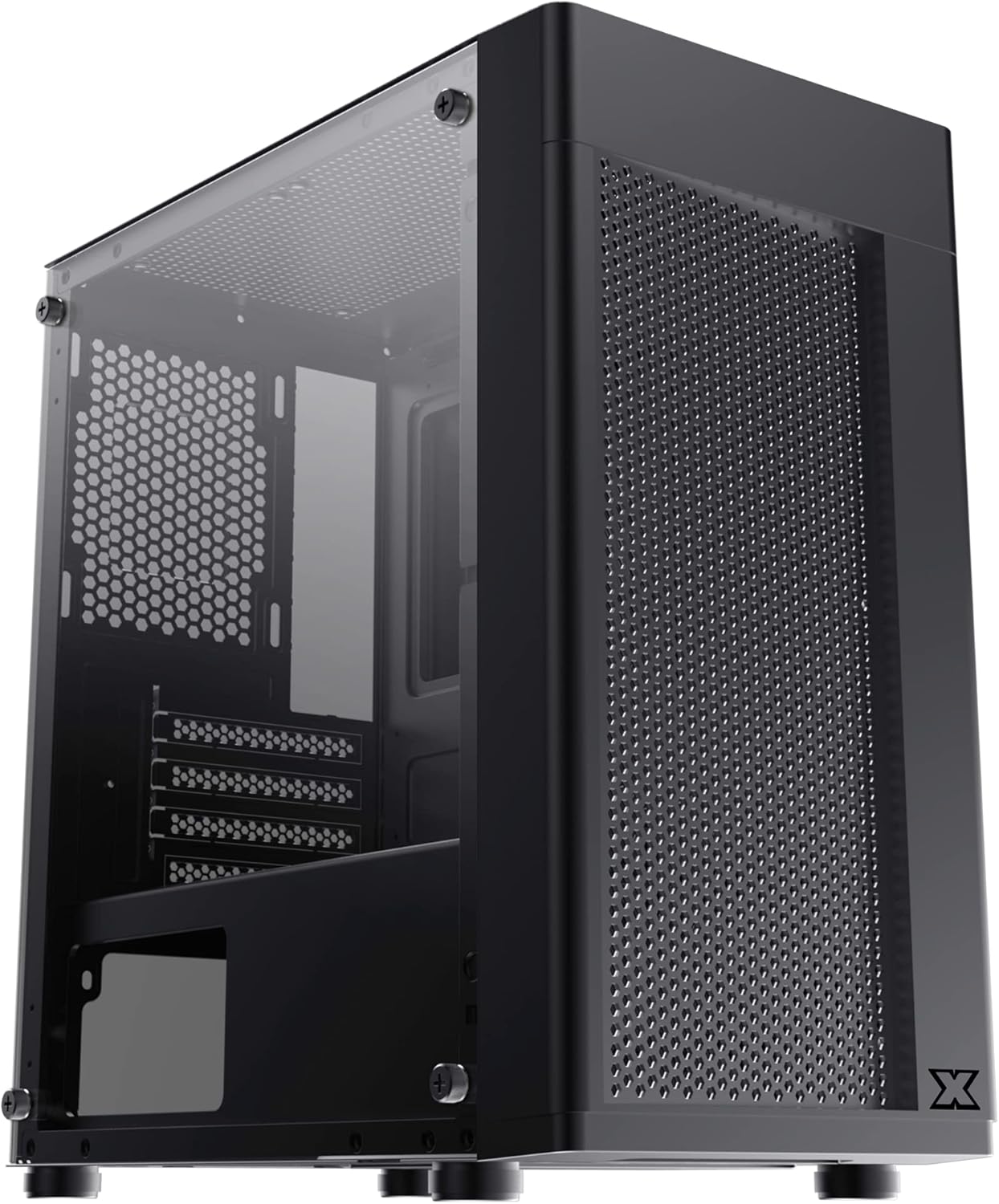
Figura 2.1: Frontal esquerre view of the Xigmatek Aero Black Micro-ATX Case, showcasing the tempered glass front panel and acrylic side panel.
3. Característiques clau
- Panell lateral de vidre temperat: Proporciona un clar view de components interns.
- Bottom Mounted PSU: Dedicated compartment for power supply unit, aiding in thermal management and cable routing.
- Mesh Design Front Panel: Enhances airflow for improved cooling performance.
- Fàcil gestió de cables: Designed with routing options and a PSU shroud to facilitate neat cable organization.
- Compact Micro-ATX Form Factor: Optimized for smaller builds while maintaining compatibility with standard components.
4. Contingut del paquet
Si us plau, comproveu que tots els elements siguin presents al paquet abans de continuar amb la instal·lació:
- Xigmatek Aero Black Micro-ATX Case
- Accessory Box (containing screws, standoffs, zip ties)
- Manual d'usuari (aquest document)
5. Configuració i instal·lació
Follow these steps carefully for proper installation of your PC components into the Xigmatek Aero case.
5.1 Preparació del cas
- Col·loqueu la caixa sobre una superfície plana i estable.
- Traieu amb cura el panell lateral de vidre temperat desenroscant els quatre cargols de polze. Col·loqueu el panell sobre una superfície suau i no abrasiva per evitar ratllades.
- Remove the rear side panel (solid metal panel) by unscrewing the two thumb screws at the back and sliding it off. This provides access for cable management.
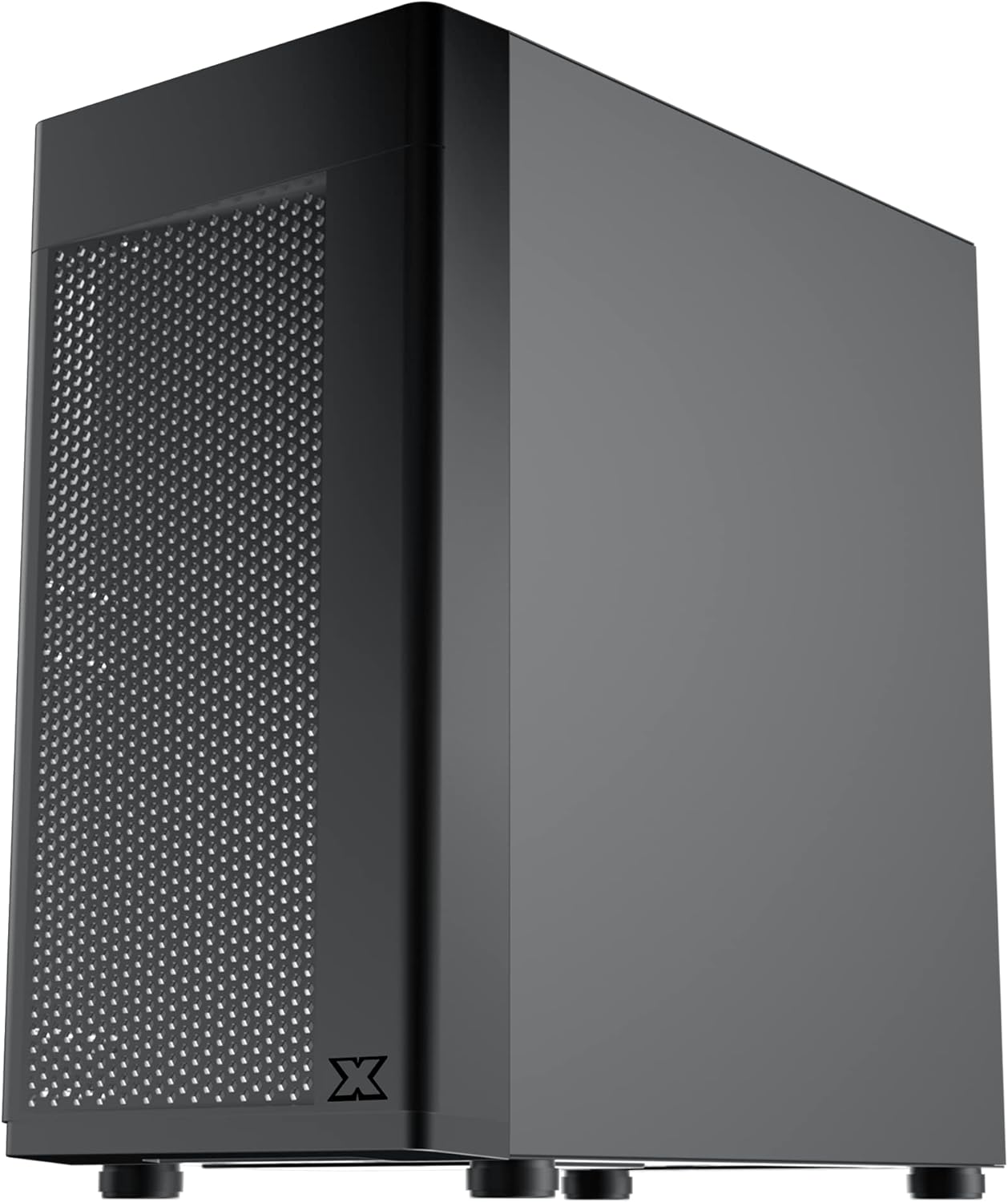
Figura 5.1: lateral view of the case, showing the tempered glass panel secured by four thumb screws.
5.2 Instal·lació de la unitat d'alimentació (PSU).
- Locate the PSU mounting area at the bottom rear of the case, within the PSU shroud.
- Slide your PSU into the designated slot from the rear of the case. Ensure the PSU fan faces downwards (if the case has a bottom vent) or upwards, depending on your cooling preference and PSU design.
- Fixeu la font d'alimentació amb els cargols de la part posterior de la carcassa.
- Route necessary PSU cables through the cutouts in the PSU shroud to the main compartment.

Figura 5.2: Intern view highlighting the PSU shroud and cable routing options.
5.3 Instal·lació de la placa base
- Install the I/O shield (if applicable) into the rear opening of the case.
- Align your Micro-ATX motherboard with the pre-installed standoffs. Ensure the screw holes on the motherboard match the standoffs.
- Fixeu la placa base amb els cargols proporcionats. No els estrenyeu massa.

Figura 5.3: Intern view of the case, showing the motherboard tray and standoff locations.
5.4 Instal·lació de la unitat d'emmagatzematge
The case supports 3.5-inch HDDs and 2.5-inch SSDs.
- Disc dur de 3.5 polzades: Locate the drive cage under the PSU shroud. Slide the HDD into the drive bay and secure with screws. Note: Some users find it easier to remove the drive caddy by unscrewing from the underside of the case first.
- SSD de 2.5 polzades: SSDs can typically be mounted on dedicated brackets behind the motherboard tray or on top of the PSU shroud. Secure with screws.
5.5 Targeta gràfica i targetes d'expansió
- Remove the necessary expansion slot covers from the rear of the case. These are break-off covers, so bend them carefully until they detach.
- Inseriu la targeta gràfica o altres targetes d'expansió a les ranures PCIe corresponents de la placa base.
- Fixeu les targetes amb cargols.

Figura 5.4: posterior view of the case, showing expansion slots and I/O shield opening.
5.6 Fan and Cooling Installation
The Xigmatek Aero supports multiple fan configurations for optimal airflow.
- Davant: Up to 2x 120mm or 140mm fans. Can also support a 240mm AIO liquid cooler.
- A dalt: Fins a 2 ventiladors de 120 mm.
- posterior: 1x 120mm fan.
Install fans by aligning them with the screw holes and securing them with fan screws. Pay attention to airflow direction (intake vs. exhaust).
5.7 Gestió de cables
Aprofita els retalls i els punts d'amarratge que hi ha darrere de la safata de la placa base per encaminar i fixar els cables. Això millora el flux d'aire i l'estètica.

Figura 5.5: View from the rear of the motherboard tray, showing space for cable routing.
5.8 Connexions del panell frontal
Connect the front panel cables (USB 3.0, USB 2.0, Audio, Power LED, HDD LED, Power Switch, Reset Switch) to the corresponding headers on your motherboard. Refer to your motherboard manual for exact pin layouts.

Figura 5.6: superior view of the case, illustrating the front I/O ports including USB 3.0 and audio jacks.
5.9 Assemblea final
- Un cop instal·lats tots els components i gestionats els cables, torneu a fixar el panell lateral posterior.
- Carefully reattach the tempered glass side panel and secure it with the four thumb screws.
6. Consideracions operatives
To ensure optimal performance and longevity of your system:
- Flux d'aire: Ensure proper fan configuration for intake and exhaust to maintain good internal temperatures. The mesh front panel is designed for excellent air intake.
- Col·locació: Place the PC case on a hard, flat surface to allow adequate airflow to the bottom-mounted PSU and any bottom intake fans. Avoid placing it on carpet.
7. Manteniment
Regular maintenance helps preserve your system's performance and extends its lifespan:
- Neteja de pols: Periodically clean dust from the case interior and fan filters. The top panel features a magnetic dust filter for easy removal and cleaning.
- Neteja exterior: Utilitzeu un suau, damp cloth to clean the exterior surfaces. Avoid abrasive cleaners. For the tempered glass and acrylic panels, use a microfiber cloth and a gentle glass cleaner.
8. Solució De Problemes
If you encounter issues during or after assembly, consider the following:
- El sistema no s'encén:
- Ensure all PSU cables are securely connected to the motherboard and components.
- Verify the front panel power switch cable is correctly connected to the motherboard header.
- Comproveu que l'interruptor de la font d'alimentació estigui a la posició "ON".
- Els ventiladors no giren:
- Confirm fan cables are properly connected to motherboard fan headers or a fan controller.
- Flux d'aire deficient/Temperatures altes:
- Check fan orientation (intake/exhaust).
- Ensure dust filters are clean.
- Comproveu que no hi hagi cables que obstrueixin el flux d'aire.
9. Especificacions
| Característica | Detall |
|---|---|
| Número de model | EN46584 |
| Factor de forma | Micro-ATX Tower |
| Dimensions (L x A x A) | 34.5 x 20 x 29 cm |
| Pes | 3.53 kg |
| Material | Tempered Glass, Acrylic, Steel |
| Compatibilitat amb la placa base | Micro ATX, Mini ITX |
| Muntatge de la font d'alimentació | Muntatge inferior |
| Drive Bays | 1x 3.5" HDD, 2x 2.5" SSD (or 2x 3.5" HDD, 1x 2.5" SSD depending on configuration) |
| Ranures d'expansió | 4 |
| Suport del ventilador (frontal) | 2x 120 mm / 140 mm |
| Suport del ventilador (superior) | 2x 120 mm |
| Suport del ventilador (posterior) | 1x 120 mm |
| Suport del radiador (davanter) | Fins a 240 mm |
| Ports d'E / S frontals | 1x USB 3.0, 2x USB 2.0, HD Audio (Mic & Headphone) |
10. Garantia i Suport
For warranty information and technical support, please refer to the official Xigmatek weblloc web o poseu-vos en contacte amb el vostre distribuïdor local. Conserveu el comprovant de compra per a reclamacions de garantia.


