1. Introducció
This manual provides comprehensive instructions for the setup, operation, and maintenance of your DIGITUS 2D Barcode Scanner (Model: DA-81002). This device is designed for efficient and accurate scanning of 1D and 2D barcodes, including QR codes, supporting bi-directional scanning at 200 scans/sec. Please read this manual thoroughly before using the scanner to ensure proper functionality and longevity.
2. Què hi ha a la caixa
En obrir el paquet, comproveu que tots els components siguin presents i no estiguin danyats:
- 1 x 2D barcode hand scanner, QR code compatible
- 1 x scanner holder
- 1 x cable, USB - RJ45, 2 m
- 1 x Guia d'instal·lació ràpida (QIG)
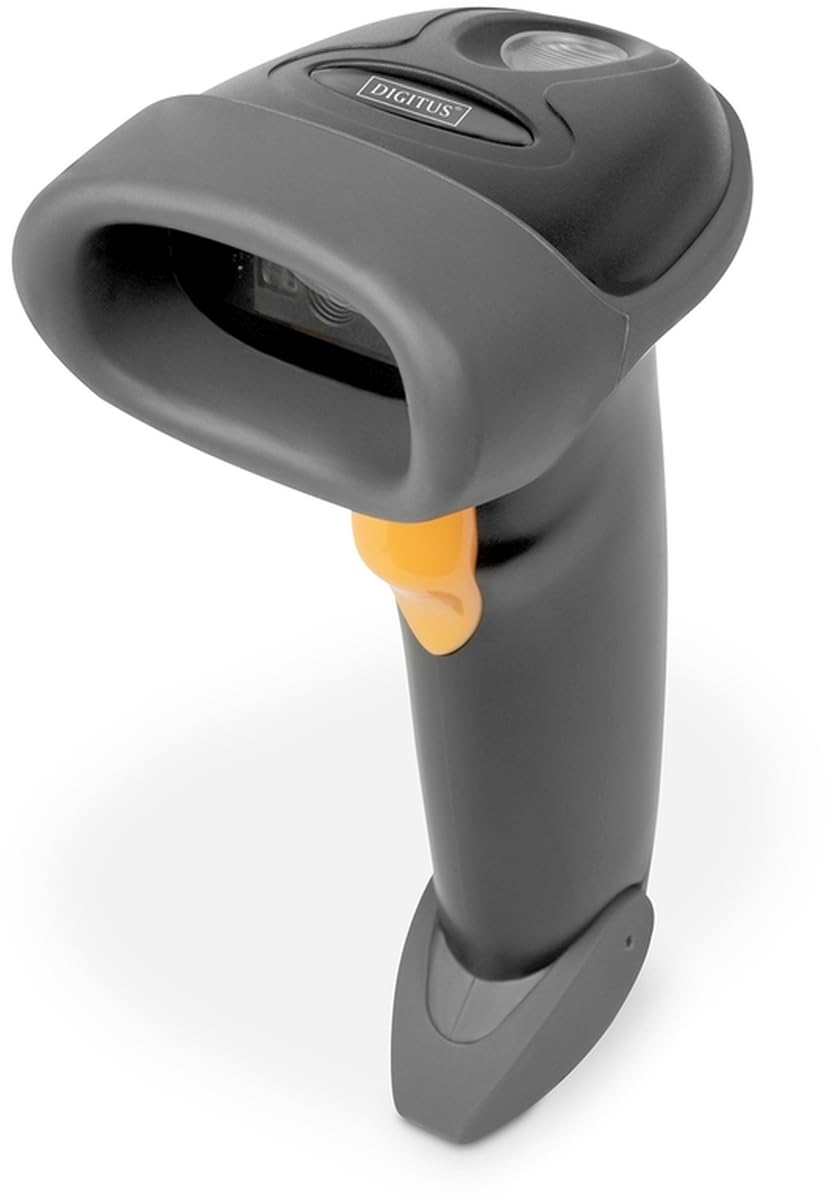
Image: The DIGITUS 2D Barcode Scanner, shown with its included stand and USB-RJ45 cable. The scanner is dark grey with an orange trigger button.
3. Configuració
- Connecteu el cable: Insert the RJ45 end of the provided cable into the port at the base of the barcode scanner. Ensure it clicks securely into place.
- Connecta't al dispositiu amfitrió: Plug the USB end of the cable into an available USB port on your computer or point-of-sale (POS) system.
- Instal·lació del controlador (Plug & Play): The scanner is typically plug-and-play and should be recognized automatically by most operating systems (Windows, macOS, Linux). No specific driver installation is usually required. If prompted, allow the system to install necessary drivers.
- Posicioneu l'escàner: Place the scanner in its holder for hands-free operation, or hold it comfortably for handheld scanning.
- Test Scan: Open a text editor (e.g., Notepad, Word) or a compatible application. Scan a known barcode. The data should appear in the open application.
4. Instruccions de funcionament
The DIGITUS 2D Barcode Scanner is designed for ease of use. Follow these steps for effective scanning:
- Encès: The scanner powers on automatically when connected to a powered USB port. A successful power-on is usually indicated by a short beep and/or a light indicator.
- Objectiu: Point the scanning window towards the barcode you wish to scan. Ensure the entire barcode is within the scanner's field of view.
- Escaneig: Press and hold the trigger button (orange button on the handle). A red aiming beam or illumination light will appear. Position the scanner so the aiming beam crosses the center of the barcode.
- Successful Scan: Upon a successful scan, the scanner will emit a short beep and/or the indicator light will flash. The scanned data will be transmitted to your connected device as if typed via a keyboard.
- Bi-Directional Scanning: The scanner supports bi-directional scanning, meaning it can read barcodes regardless of their orientation, improving scanning efficiency.
- QR Code Compatibility: This scanner is fully compatible with QR codes, allowing for versatile data capture.
5. Manteniment
Proper maintenance ensures the longevity and optimal performance of your barcode scanner:
- Neteja de la finestra d'escaneig: Netegeu regularment la finestra d'escaneig amb un drap suau i sense borrissol. Per a taques difícils, esbandiu lleugeramentampen the cloth with water or a mild, non-abrasive cleaner. Avoid harsh chemicals or abrasive materials that could scratch the window.
- Neteja general: Wipe the exterior of the scanner with a soft, dry cloth to remove dust and dirt.
- Cura del cable: Eviteu doblegar o torçar excessivament el cable USB, ja que això pot danyar els cables interns.
- Emmagatzematge: Quan no l'utilitzeu, guardeu l'escàner en un entorn net i sec, allunyat de temperatures extremes i de la llum solar directa.
- Eviteu les gotes: While designed for durability, avoid dropping the scanner, as impact can damage internal components.
6. Solució De Problemes
If you encounter issues with your DIGITUS 2D Barcode Scanner, refer to the following common problems and solutions:
| Problema | Causa possible | Solució |
|---|---|---|
| L'escàner no s'encén. | No power from USB port; loose cable connection. | Ensure USB cable is securely connected to both scanner and host device. Try a different USB port or host device. |
| L'escàner no llegeix codis de barres. | Barcode damaged/unreadable; incorrect aiming; scanner not configured for barcode type. | Ensure barcode is clear and undamaged. Aim the scanner correctly. Refer to the QIG for advanced configuration options if specific barcode types are not recognized. |
| Les dades escanejades són incorrectes o incompletes. | Partial scan; software/application issue. | Ensure the entire barcode is within the scanning area. Test with a simple text editor to rule out application-specific issues. |
| L'escàner emet un so però no apareixen dades. | Host device not receiving data; application not in focus. | Ensure the cursor is active in the target input field. Restart the application or host device. |
7. Especificacions
Key technical specifications for the DIGITUS 2D Barcode Scanner (Model: DA-81002):
- Dimensions del producte: 1.1 x 9.7 x 6.5 polzades
- Pes de l'article: 3.88 unces
- Número de model de l'article: DA-81002
- Fabricant: DIGITS
- Dispositius compatibles: Scanner (general purpose)
- Font d'alimentació: Elèctric amb cable (via USB)
- Tecnologia de connectivitat: Cable USB
- Taxa d'escaneig: 200 fps (fotogrames per segon)
- Compatibilitat amb codis de barres: 1D and 2D barcodes, including QR Code
- Longitud del cable: 2 meters (USB - RJ45)
8. Garantia i Suport
For warranty information and technical support, please refer to the Quick Installation Guide (QIG) included in your product package or visit the official Digitus weblloc web. Conserveu el rebut de compra com a comprovant de compra per a reclamacions de garantia.
For further assistance, you may contact Digitus customer support through their official channels. Details are typically provided in the product documentation or on the manufacturer's weblloc.


