Introducció
This manual provides essential instructions for setting up, operating, maintaining, and troubleshooting your BLU J6 2021 smartphone. Please read this guide thoroughly to ensure proper use and to maximize your device's performance.
Què hi ha a la caixa
Upon opening your BLU J6 package, verify that all the following items are included:
- Telèfon intel·ligent BLU J6
- Adaptador de carregador
- Cable USB
- Estoig resistent
- Guia d'inici ràpid / Documentació
- Adhesiu
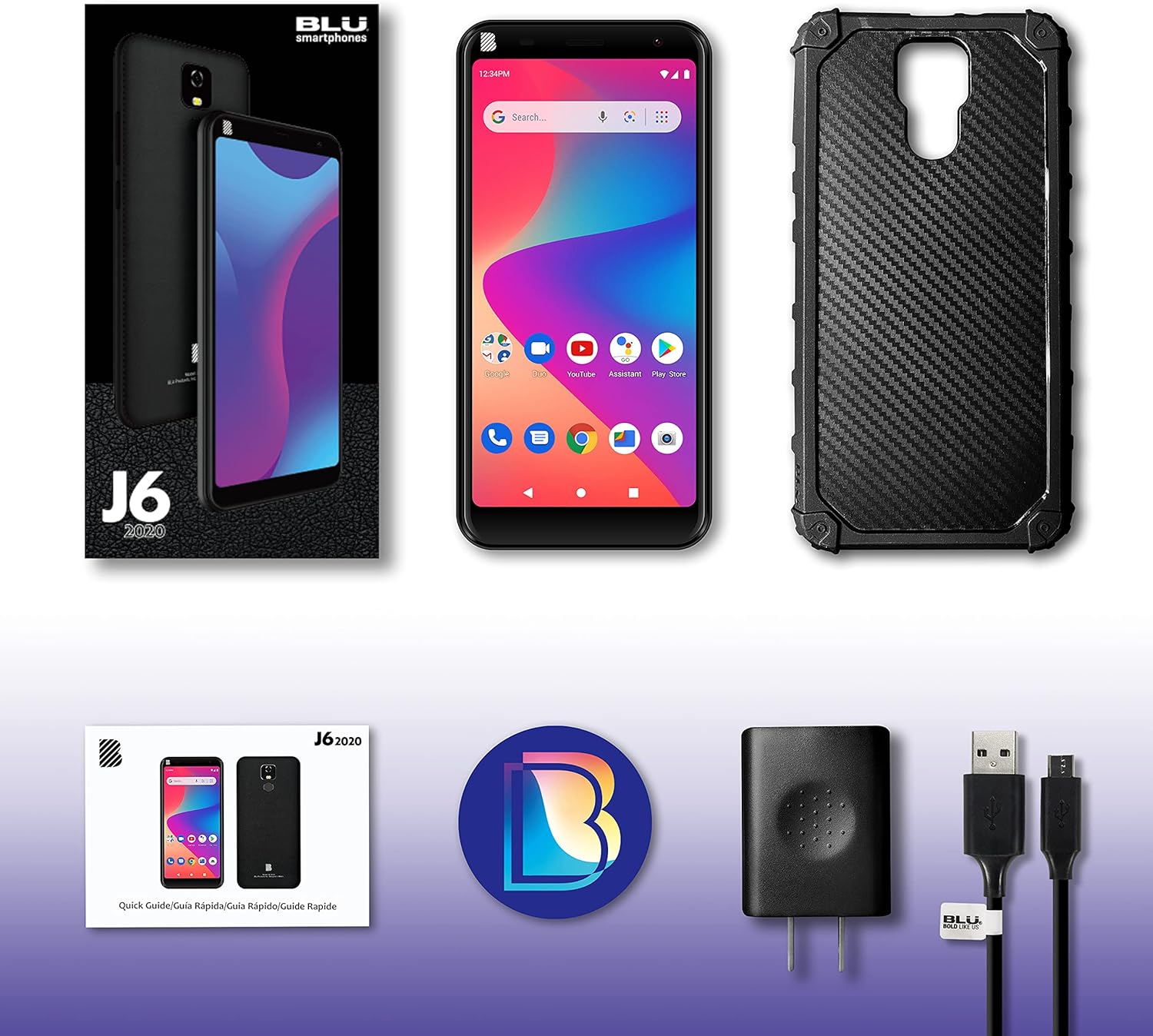
Image: Contents of the BLU J6 2021 retail package.
Configuració
Inseriu la targeta SIM
Locate the SIM card tray on the side of your BLU J6. Use the provided SIM ejector tool (if included, otherwise a small paperclip) to open the tray. Insert your Nano-SIM card(s) into the designated slots. Ensure the SIM card is correctly oriented. This device is compatible with GSM carriers such as AT&T, T-Mobile, and Metro PCS. Nota: SIM card is not included. Not compatible with NEW AT&T or Cricket activations or with CDMA Networks like Verizon, Sprint, and Boost Mobile.
Carregueu la bateria
Connect the USB cable to the charger adapter and then to your BLU J6's charging port. Plug the charger into a power outlet. Allow the phone to charge fully before initial use. The device includes a 4000mAh battery.
Engegada i configuració inicial
Press and hold the Power button until the BLU logo appears. Follow the on-screen prompts to select your language, connect to a Wi-Fi network, and set up your Google account. This will guide you through the initial setup process for the Android 10 operating system.

Imatge: Anvers i revers view of the BLU J6 2021 smartphone.
Instruccions de funcionament
Navegació bàsica (Android 10)
- Pantalla d'inici: Llisca cap a l'esquerra o la dreta per accedir a les diferents pantalles d'inici.
- Calaix d'aplicacions: Feu lliscar cap amunt des de la part inferior de la pantalla fins a view totes les aplicacions instal·lades.
- Notificacions i configuració ràpida: Llisca cap avall des de la part superior de la pantalla per accedir a les notificacions i als ajustos ràpids.
- Botons de navegació: Use the virtual buttons at the bottom of the screen for Back, Home, and Recent Apps functions.
Fer trucades i enviar missatges
- Trucades: Toqueu la icona Telèfon, introduïu el número i toqueu el botó de trucada.
- Missatges: Toca la icona Missatges, inicia una conversa nova, introdueix el destinatari i el teu missatge.
Ús de la càmera
The BLU J6 features an 8MP main camera and an 8MP front camera. Tap the Camera icon to open the camera application. You can switch between front and rear cameras, select modes, and adjust settings within the app.
Característiques de visualització
The device is equipped with a 6.0-inch HD+ 18:9 Curved Glass display. Adjust brightness, screen timeout, and other display settings in the Settings menu under "Display."

Image: Illustration of the BLU J6's 6-inch HD+ Curved Glass Display.

Image: Illustration of the BLU J6's rear fingerprint sensor for secure unlocking.
Manteniment
- Neteja: Feu servir un drap suau i sense borrissol per netejar la pantalla i la carcassa del telèfon. Eviteu utilitzar productes químics agressius o materials abrasius.
- Actualitzacions de programari: Comproveu i instal·leu regularment si hi ha actualitzacions del sistema per garantir un rendiment i una seguretat òptims. Aneu a Configuració > Sistema > Actualització del sistema.
- Cura de la bateria: To prolong battery life, avoid extreme temperatures. Do not leave the phone charging for extended periods after it reaches 100%.
- Gestió d'emmagatzematge: Netegeu periòdicament els innecessaris files and apps to maintain 32GB internal storage efficiency.
Resolució de problemes
If you encounter issues with your BLU J6, refer to the following common solutions:
- El telèfon no s'encén:
Ensure the battery is sufficiently charged. Connect the phone to its charger and allow it to charge for at least 30 minutes before attempting to power it on again. If the issue persists, perform a forced restart by holding the Power button for 10-15 seconds.
- Mala connectivitat de xarxa:
Check if your SIM card is properly inserted. Verify that you are within your carrier's network coverage area. Try restarting the phone or toggling Airplane Mode on and off.
- Les aplicacions es bloquegen o es bloquegen:
Close and reopen the problematic app. Clear the app's cache and data via Configuració > Aplicacions i notificacions > [Nom de l'aplicació] > Emmagatzematge i memòria cau. If the issue continues, uninstall and reinstall the app.
- Rendiment lent:
Close unused background applications. Clear cache and temporary files. Consider uninstalling apps you no longer use to free up storage space. A factory reset can resolve persistent performance issues, but remember to back up your data first.
Especificacions
| Característica | Detall |
|---|---|
| Nom del model | J6 |
| Sistema operatiu | Android 10.0 |
| Mostra | 6.0 Inches HD+ 18:9 Curved Glass (1440 x 720 Resolution) |
| Processador | Quad-core d'1.3 GHz |
| Emmagatzematge intern | 32 GB |
| RAM | 1 GB |
| Càmera posterior | 8 MP |
| Càmera frontal | 8 MP |
| Capacitat de la bateria | 4000 mAh d'ions de liti |
| Temps de conversa telefònica | Fins a 16 hores |
| Connectivitat | 2G Cellular, USB |
| Compatibilitat amb operadors sense fil | Unlocked for GSM Carriers (AT&T, T-Mobile, Metro PCS, etc.) |
| Pes de l'article | 14 unces |
| Dimensions | 7.2 x 3.82 x 1.93 polzades (paquet) |
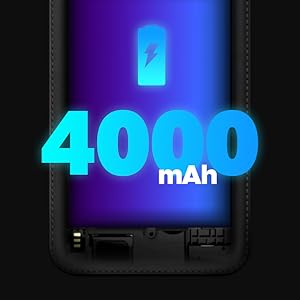
Image: Illustration of BLU J6's internal specifications.
Garantia i Suport
The BLU J6 2021 smartphone comes with a US Warranty. For specific warranty terms, conditions, and duration, please refer to the warranty card included in your product packaging or visit the official BLU Products weblloc.
For technical support, troubleshooting assistance beyond this manual, or service inquiries, please contact BLU customer support through their official channels. Contact information can typically be found on the BLU Products weblloc web o a la documentació que s'inclou amb el dispositiu.


