1. Introducció
Gràcies per la compraasing the EARISE D61 Plus Bluetooth Speaker. This manual provides important information regarding the safe operation, setup, and maintenance of your device. Please read it thoroughly before use and retain it for future reference.

Image 1.1: The EARISE D61 Plus Bluetooth Speaker, showcasing its portable design and integrated RGB lighting.
2. Informació important de seguretat
- Do not expose the speaker to water or excessive moisture, as it is not waterproof.
- Eviteu temperatures extremes, la llum solar directa o fonts de calor.
- Do not disassemble, repair, or modify the device. Refer all servicing to qualified personnel.
- Feu servir només el cable de càrrega i l'adaptador de corrent especificats.
- Mantingueu l'altaveu lluny dels nens i de les mascotes.
- No feu servir l'altaveu a volums excessivament alts durant períodes prolongats per evitar danys auditius.
3. Contingut del paquet
Si us plau, comproveu el paquet per veure si hi ha els elements següents:
- EARISE D61 Plus Bluetooth Speaker
- Cable de càrrega USB
- Manual d'usuari (aquest document)
Si falta algun element o està malmès, poseu-vos en contacte amb l'atenció al client.
4. Producte acabatview
Familiaritzeu-vos amb els components i els controls de l'altaveu.
Imatge 4.1: Frontal view of the EARISE D61 Plus speaker, highlighting the control panel and speaker grille.
4.1 Tauler de control i ports

Image 4.2: Diagram illustrating the various input options and features of the speaker, including USB, TF card, AUX, Microphone, Bluetooth, and FM radio.
- MODE/LIGHT Button: Short press to switch between input modes (Bluetooth, AUX, USB, TF, FM). Long press to change light effects.
- M-/V- Button: Short press for previous track (in music modes) or previous station (in FM mode). Long press to decrease volume.
- MSCAN/TWS Button: Short press to Play/Pause (in music modes) or auto-scan FM stations (in FM mode). Long press to activate TWS pairing.
- M+/V+ Button: Short press for next track (in music modes) or next station (in FM mode). Long press to increase volume.
- Port USB: Per a la reproducció des d'una unitat flaix USB.
- Ranura per a targetes TF: Per a la reproducció amb targeta TF (MicroSD).
- Entrada AUX: Per connectar dispositius d'àudio externs mitjançant un cable d'àudio de 3.5 mm.
- Entrada MIC: Per connectar un micròfon.
- Port de càrrega: Per carregar la bateria interna de l'altaveu.
5. Configuració
5.1 Càrrega de l'altaveu
Before first use, fully charge the speaker. Connect the provided USB charging cable to the speaker's charging port and the other end to a USB power adapter (not included) or a computer's USB port. The charging indicator will illuminate during charging and turn off when fully charged.

Image 5.1: Visual representation of the speaker being charged, indicating battery status.
5.2 Engegada/apagada
Press and hold the Power button (often integrated with the MODE button or a separate switch, refer to physical device for exact location) to turn the speaker ON or OFF. A sound prompt will indicate the power status.
5.3 Vinculació Bluetooth
- Ensure the speaker is powered on and in Bluetooth mode (indicated by a voice prompt or flashing LED). If not, short press the MODE/LIGHT button to switch to Bluetooth mode.
- Activa el Bluetooth al teu dispositiu mòbil (telèfon intel·ligent, tauleta, etc.).
- Cerca available Bluetooth devices. You should see "EARISE D61 Plus" in the list.
- Select "EARISE D61 Plus" to connect. Once paired, a confirmation sound will be heard.
- The speaker will automatically reconnect to the last paired device when in Bluetooth mode, if the device is within range and Bluetooth is enabled.
5.4 TWS (True Wireless Stereo) Emparellament
To achieve stereo sound, you can pair two EARISE D61 Plus speakers together.

Image 5.2: Illustration of two EARISE D61 Plus speakers connected via TWS for a stereo audio experience, controlled by a single smartphone.
- Ensure both EARISE D61 Plus speakers are powered on and in Bluetooth mode, but not yet connected to any device.
- On one of the speakers (this will be the primary speaker), long press the MSCAN/TWS button. You will hear a prompt indicating TWS pairing mode.
- Els dos altaveus es cercaran i es connectaran automàticament. Un so de confirmació indicarà l'emparellament TWS correcte.
- Once paired, the primary speaker will be ready for Bluetooth connection to your mobile device. Follow the steps in "5.3 Bluetooth Pairing" to connect your device to the primary speaker.
- L'àudio ara es reproduirà en estèreo pels dos altaveus.
- To disconnect TWS, long press the MSCAN/TWS button on either speaker.
6. Instruccions de funcionament
6.1 Selecció del mode
Premeu breument MODE / LLUM button to cycle through available input modes: Bluetooth, AUX, USB, TF Card, FM Radio.
6.2 Audio Playback (Bluetooth, USB, TF Card, AUX)
- Reproduir/pausa: Premeu breument MSCAN/TWS botó.
- Pista següent: Premeu breument M+/V+ botó.
- Pista anterior: Premeu breument M-/V- botó.
- Pujar el volum: Premeu llargament el botó M+/V+ botó.
- Baixar el volum: Premeu llargament el botó M-/V- botó.
6.3 Funcionament de la ràdio FM
- Canvieu al mode FM utilitzant el botó MODE / LLUM botó.
- Premeu breument MSCAN/TWS button to automatically scan and save available FM stations. The speaker will play the first saved station.
- Premsa curta M+/V+ or M-/V- per navegar entre les estacions desades.
6.4 RGB Light Effects
The speaker features dynamic RGB lighting. Long press the MODE / LLUM botó per alternar entre els diferents modes de llum o apagar els llums.
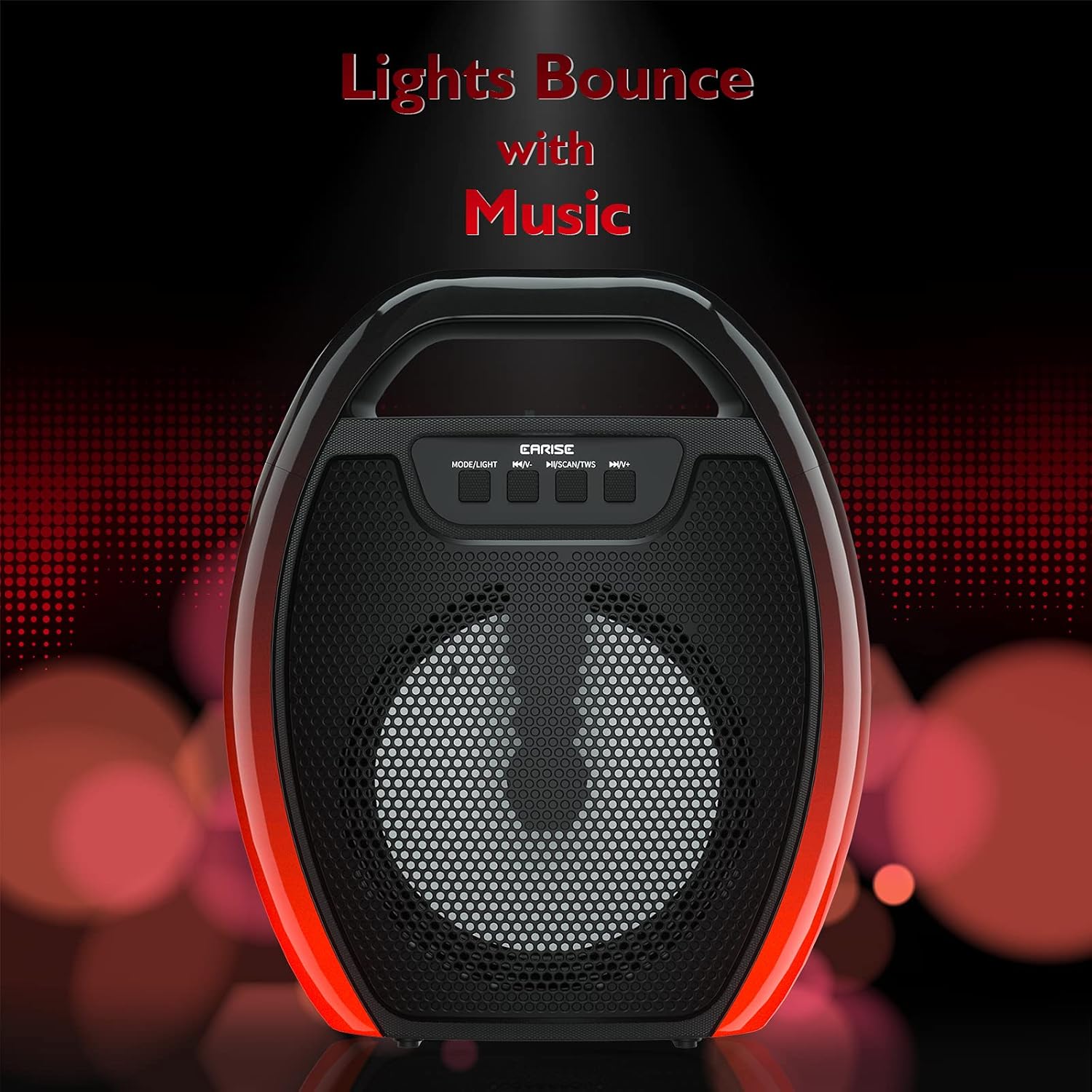
Image 6.1: The speaker displaying its light effects, which can synchronize with music playback.
6.5 Entrada de micròfon
Connect a wired microphone (not included) to the MIC input port for karaoke or public address functions. Adjust the microphone volume using the connected microphone's controls or the speaker's main volume controls.
7. Manteniment
- Neteja: Use a soft, dry cloth to clean the speaker. Do not use liquid cleaners or aerosols.
- Emmagatzematge: Guardeu l'altaveu en un lloc fresc i sec, allunyat de la llum solar directa i de temperatures extremes.
- Cura de la bateria: To prolong battery life, fully charge the speaker before long periods of inactivity and recharge it at least once every three months. Avoid completely draining the battery frequently.
8. Solució De Problemes
| Problema | Causa possible | Solució |
|---|---|---|
| L'altaveu no s'encén. | Bateria baixa; botó d'engegada no premut correctament. | Charge the speaker; Press and hold the Power button for a few seconds. |
| No es pot emparellar per Bluetooth. | L'altaveu no està en mode d'emparellament; el Bluetooth del dispositiu està desactivat; l'altaveu està massa lluny del dispositiu; ja està connectat a un altre dispositiu. | Ensure speaker is in Bluetooth pairing mode; Turn on Bluetooth on your device; Move device closer to speaker; Disconnect from other devices. |
| Sense so. | Volum massa baix; Mode d'entrada incorrecte; El dispositiu no reprodueix àudio. | Increase speaker and device volume; Switch to correct input mode (Bluetooth, AUX, etc.); Ensure audio is playing on your device. |
| L'emparellament TWS falla. | Speakers too far apart; One speaker already paired to a device; Not in TWS pairing mode. | Ensure speakers are close; Disconnect both speakers from any devices; Long press MSCAN/TWS on one speaker to initiate TWS pairing. |
| Les llums RGB no funcionen. | Llums apagades; Avaria. | Long press MODE/LIGHT button to cycle through light modes; If issue persists, contact support. |
9. Especificacions
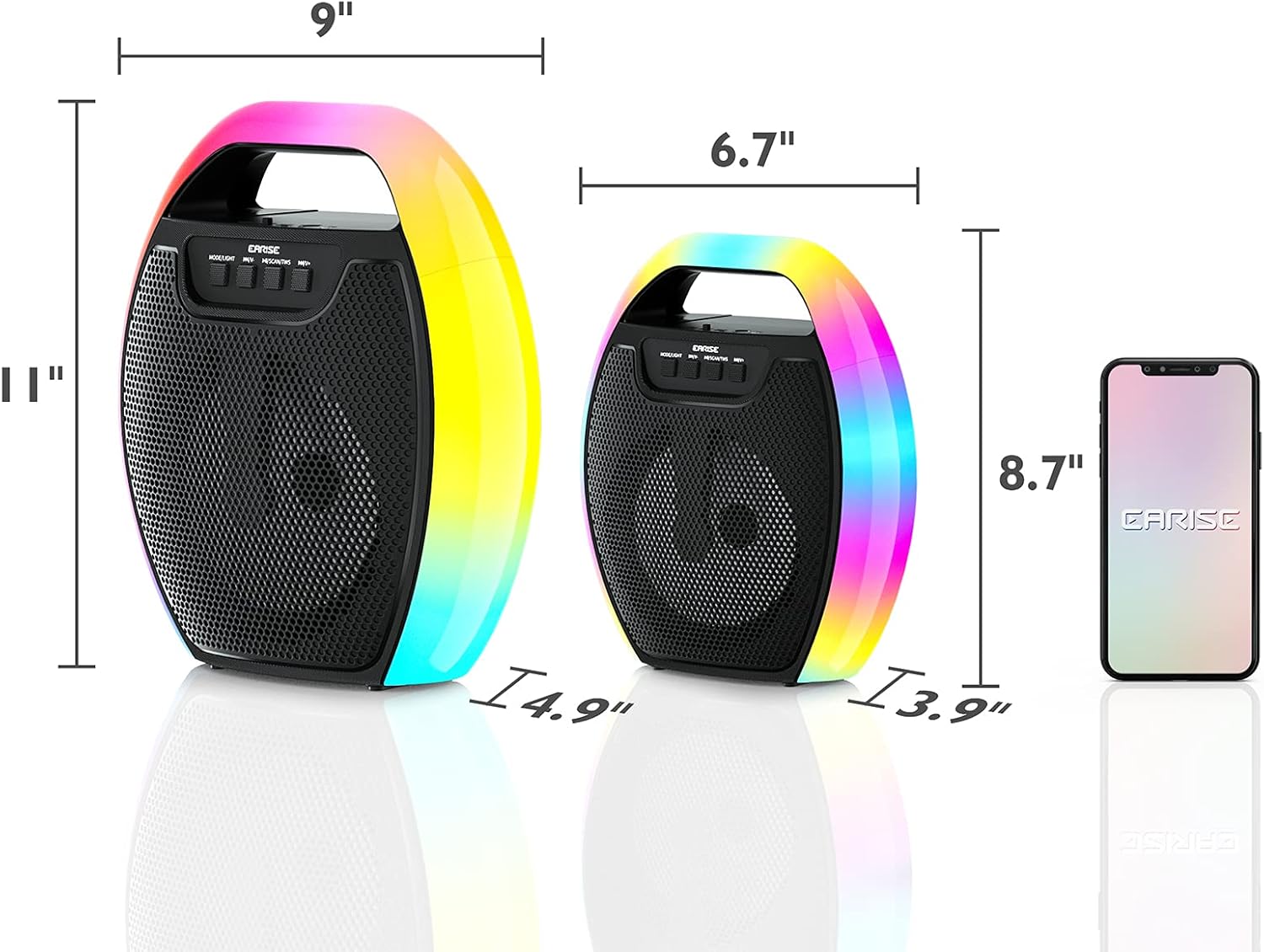
Image 9.1: Product dimensions of the EARISE D61 Plus speaker.
| Característica | Detall |
|---|---|
| Nom del model | D61 Plus |
| Marca | ARREGA |
| Tecnologia de connectivitat | Bluetooth, Auxiliary (3.5mm), USB, TF Card, FM Radio |
| Mode de sortida d'àudio | Estèreo (amb TWS) |
| Tipus d'altaveu | Altaveu exterior portàtil |
| Mida de l'altaveu | 4 polzades |
| Font d'alimentació | Funciona amb bateria |
| Durada de la bateria | Up to 12 Hours (actual playtime varies with volume and light usage) |
| Impermeable | No |
| Dimensions del producte | 9 x 5 x 11 polzades (L x A x A) |
| Pes de l'article | 2.28 lliures |
| Característiques especials | RGB Lights, TWS Pairing, Portable |
10. Garantia i Suport
EARISE products are designed and manufactured to the highest quality standards. For information regarding warranty coverage, technical support, or service inquiries, please refer to the warranty card included with your purchase or visit the official EARISE weblloc.
Conserveu el vostre comprovant de compra per a reclamacions de garantia.


