Introducció
The Logitech MX Keys Mini for Mac is a minimalist wireless keyboard optimized for macOS, iPadOS, and iOS. It is designed to provide a comfortable and precise typing experience, featuring backlit keys, USB-C charging, and multi-device connectivity. This manual will guide you through the setup, operation, and maintenance of your MX Keys Mini for Mac.

Image: The Logitech MX Keys Mini for Mac keyboard, showcasing its compact design and pale grey finish.
Què hi ha a la caixa
- Teclat Logitech MX Keys Mini per a Mac
- USB-C Charging Cable (USB-C to USB-C)
- Documentació d'usuari

Image: The keyboard, its USB-C charging cable, and packaging, illustrating the items included in the product box.
Configuració
1. Càrrega inicial
Before first use, it is recommended to fully charge your MX Keys Mini for Mac. Connect the provided USB-C charging cable to the keyboard's USB-C port and the other end to a power source (e.g., computer USB port or USB wall adapter).
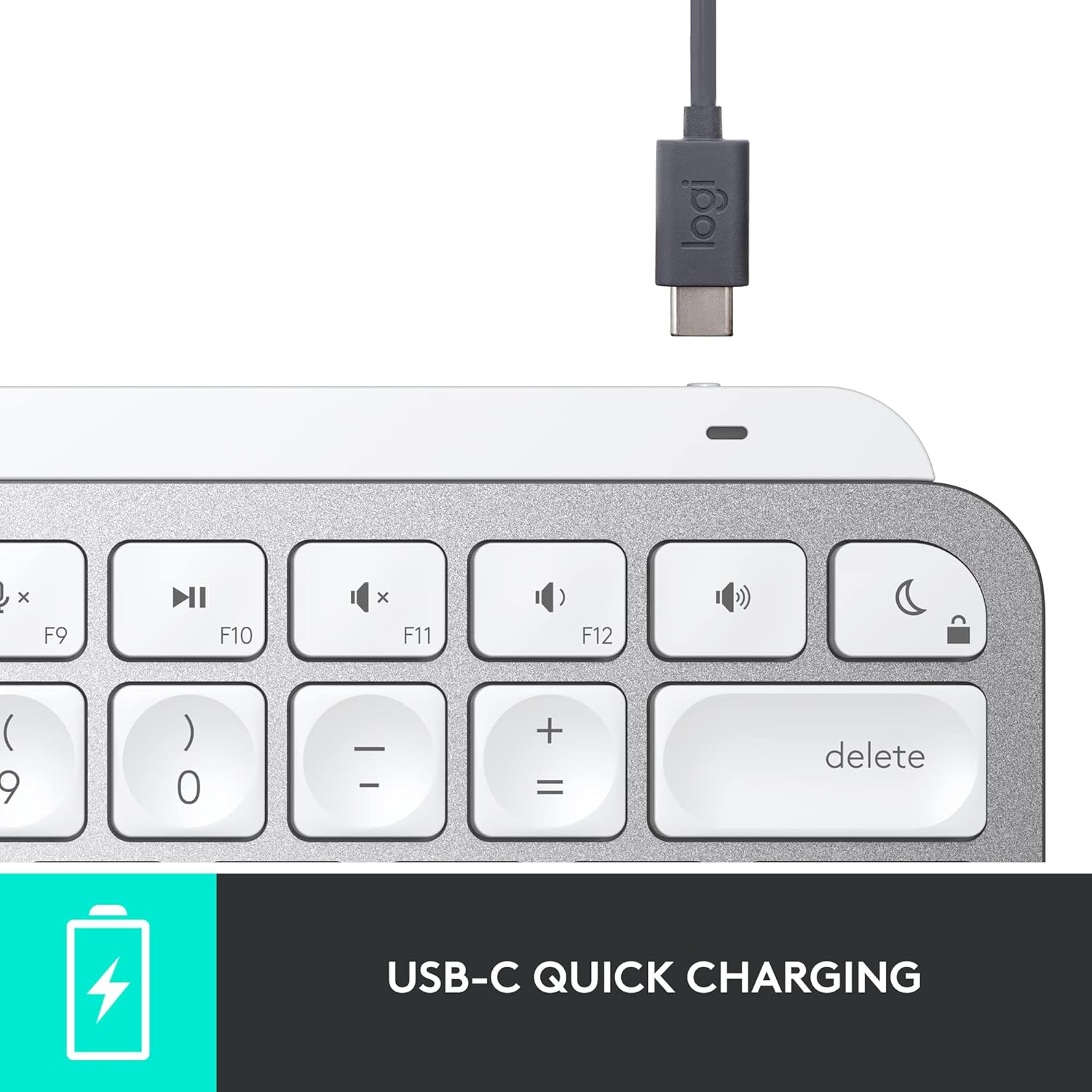
Imatge: Un primer pla view of the USB-C charging port on the keyboard, with the charging cable connected.
2. Emparellament amb el dispositiu
The MX Keys Mini for Mac connects via Bluetooth Low Energy. It can be paired with up to three Apple devices (macOS, iOS, iPadOS).
- Turn on the keyboard using the power switch located on the right side.
- Premeu i manteniu premuda una de les tecles Easy-Switch (F1, F2 o F3) durant tres segons fins que l'indicador LED que hi ha a sobre de la tecla comenci a parpellejar ràpidament. Això indica que el teclat està en mode d'emparellament.
- On your Mac, iPad, or iPhone, go to Configuració del sistema (o Preferències del sistema) > Bluetooth.
- Select 'MX Keys Mini for Mac' from the list of available devices and follow the on-screen prompts to complete the pairing.
- Once paired, the LED indicator will glow solid for 5 seconds and then turn off.
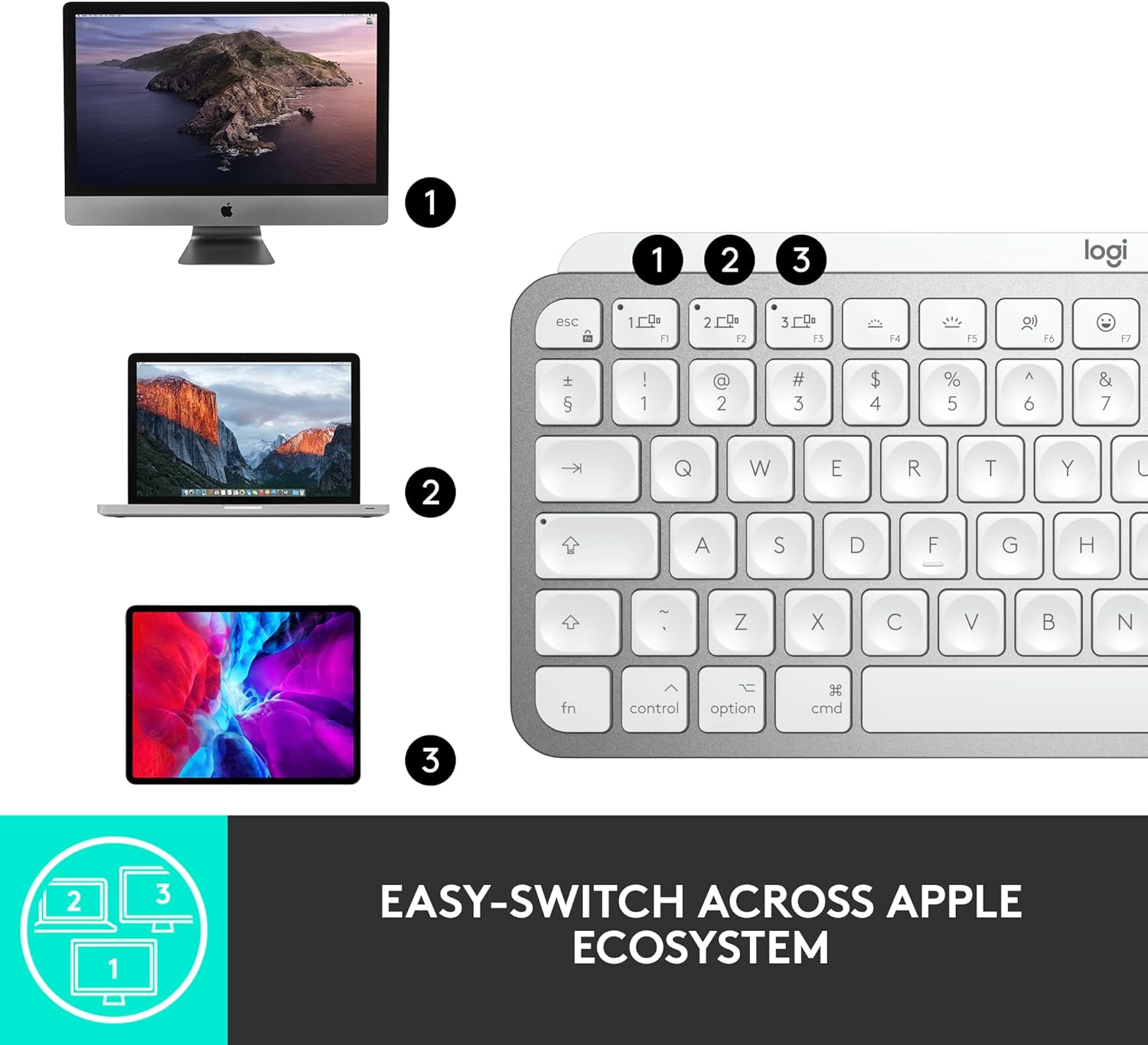
Image: The keyboard shown with an iMac, MacBook, and iPad, demonstrating its multi-device connectivity.
3. Installing Logitech Options Software (Optional but Recommended)
For full customization of Smart Keys and other advanced features, download and install the Logitech Options software from the official Logitech website. This software is available for macOS.
Funcionament del teclat
Perfect Stroke Keys
The MX Keys Mini for Mac features spherically-dished keys designed to match the shape of your fingertips, providing a fluid, efficient, and responsive typing experience.

Imatge: Una imatge detallada view of the keyboard's keys, highlighting their unique concave design for comfortable typing.
Tecles intel·ligents
The keyboard includes dedicated Smart Keys to enhance your workflow:
- Tecla de dictat: Press to activate talk-to-text functionality.
- Clau d'emojis: Instantly opens your emoji window.
- Mic Mute/Unmute Key: For seamless control during video calls.
Smart Illumination (Backlighting)
The keys light up the moment your hands approach and automatically adjust to suit changing lighting conditions, conserving battery life. You can manually adjust backlight brightness using the dedicated keys (F5 and F6).
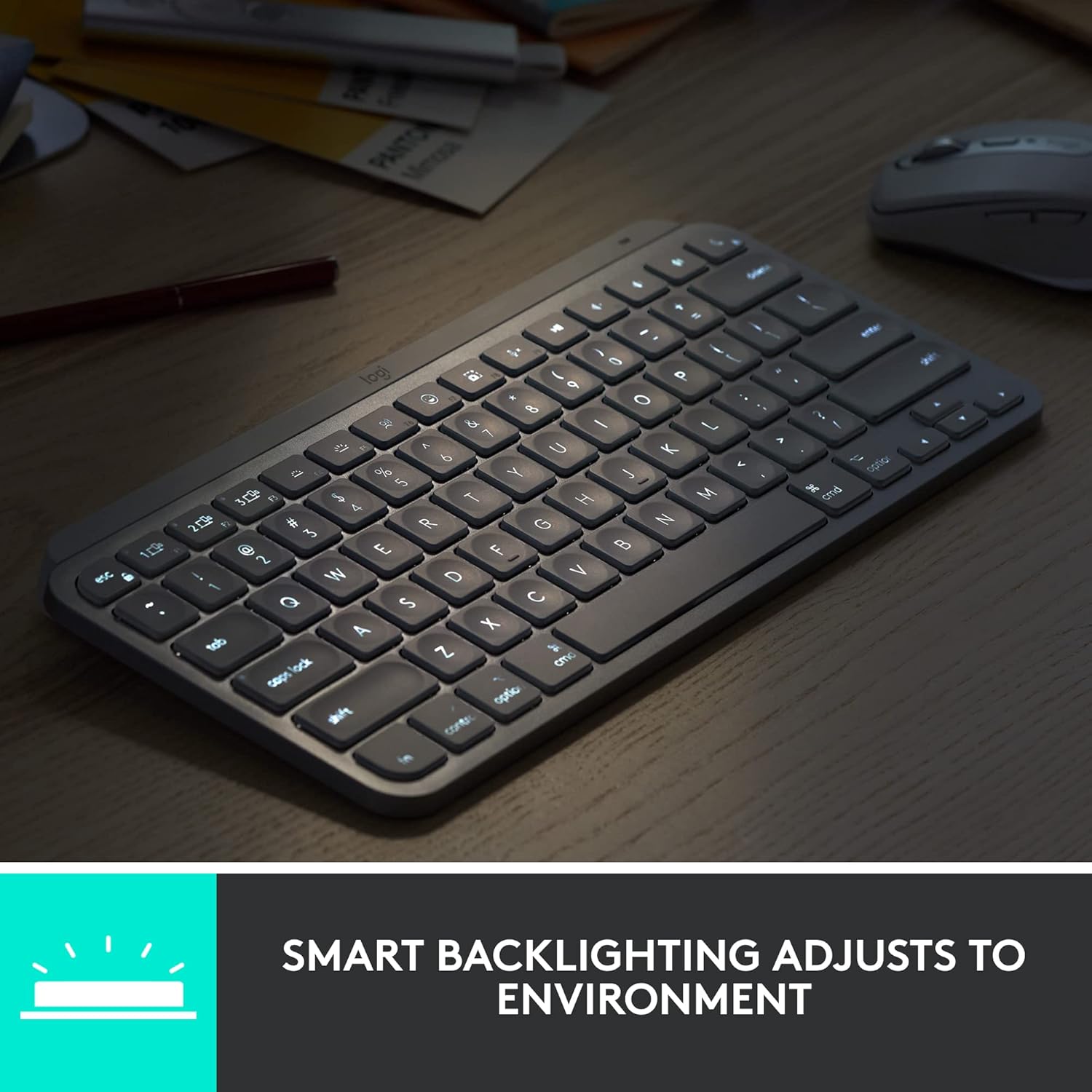
Image: The keyboard with its smart backlighting illuminated, demonstrating its visibility in low-light conditions.
Commutació multidispositiu
Easily switch between up to three paired devices by pressing the F1, F2, or F3 Easy-Switch keys. The keyboard will instantly connect to the selected device.
Compatibilitat amb Logitech Flow
When paired with a Flow-enabled Logitech mouse (e.g., MX Master 3 for Mac or MX Anywhere 3 for Mac), you can type on multiple devices in one fluid workflow. This allows you to transfer files, documents, and images across Apple devices by simply moving your cursor from one screen to another.

Image: A user at a desk with the keyboard and mouse, illustrating a seamless multi-device creative workflow.
Manteniment
Neteja
To clean your keyboard, use a soft, lint-free cloth. For stubborn dirt, slightly dampNetegeu el drap amb aigua o un netejador suau i no abrasiu. Eviteu la humitat excessiva i els productes químics agressius.
Cura de la bateria
The MX Keys Mini for Mac is equipped with a LiPo rechargeable battery. Battery life can last up to 10 days on a full charge with backlighting enabled, or up to 5 months with backlighting turned off. To prolong battery life, avoid extreme temperatures and store the keyboard in a cool, dry place when not in use for extended periods.
Resolució de problemes
El teclat no es connecta per Bluetooth
- Assegureu-vos que el teclat estigui encès i completament carregat.
- Comproveu que el Bluetooth estigui habilitat al vostre dispositiu.
- Try re-pairing the keyboard by holding an Easy-Switch key until it blinks, then re-selecting it in your device's Bluetooth settings.
- Move the keyboard closer to your device to rule out range issues.
- Reinicieu tant el teclat com el dispositiu.
La retroiluminació no funciona o és tènue
- Check the battery level; low battery can disable backlighting.
- Assegureu-vos que el sensor de llum ambiental no estigui obstruït.
- Manually adjust the brightness using the F5 (dimmer) and F6 (brighter) keys.
Les claus no responen
- Ensure the keyboard is connected to the correct device (check Easy-Switch key indicator).
- Netegeu els voltants de les tecles afectades per eliminar qualsevol residu.
- Restart the keyboard and the connected device.
Especificacions
| Característica | Detall |
|---|---|
| Número de model | 920-010389 |
| Tecnologia de connectivitat | Bluetooth de baixa energia |
| Dispositius compatibles | MacBook Pro, MacBook Air, iMac, iPad (macOS, iOS, iPadOS) |
| Descripció del teclat | Membrana |
| Nombre de claus | 64 |
| Il·luminació de fons | Smart Illumination (Single Color) |
| Font d'alimentació | Alimentat per bateria (1 bateria de polímer de liti, inclosa) |
| Durada de la bateria | Up to 10 days (with backlighting), up to 5 months (without backlighting) |
| Port de càrrega | USB-C |
| Dimensions (LxWxH) | 5.19 x 7.72 x 0.83 polzades (131.95 x 295.99 x 20.97 mm) |
| Pes de l'article | 1.5 lliures (506.4 g) |
| Color | Gris pàl·lid |
| Material | Plastic parts include certified post-consumer recycled plastic (Pale Gray: 12%) |
Garantia i Suport
Logitech products are manufactured to high quality standards and are subject to a limited hardware warranty. Specific warranty details, including duration and terms, are typically provided in the user documentation included with your product or can be found on the official Logitech support weblloc.
For technical support, FAQs, and additional resources, please visit the Logitech support website. You can also find downloadable user manuals and software updates there.
Assistència en línia: support.logi.com


