Introducció
This manual provides essential instructions for the safe and efficient use of your Lava P240 Dual SIM mobile phone. Please read this manual carefully before using your device to ensure proper operation and to prevent damage.

Imatge 1: Frontal view of the Lava P240 Dual SIM mobile phone, showing the display, keypad, and navigation buttons.
1. Configuració
1.1 Contingut del paquet
Assegureu-vos que el vostre paquet contingui els elements següents:
- Lava P240 Mobile Phone
- Bateria
- Carregador
- Manual d'usuari (aquest document)
1.2 Inserció de la targeta o targetes SIM i la bateria
- Traieu la coberta posterior: Obriu suaument la tapa posterior des de l'osca situada a la part inferior o lateral del telèfon.
- Inseriu la targeta(es) SIM: Locate the SIM card slots. Your Lava P240 supports Dual SIM. Carefully insert the SIM card(s) into the designated slots with the gold contacts facing down.
- Insereix la bateria: Align the battery contacts with the phone's contacts and gently press the battery into place.
- Substituïu la coberta posterior: Align the back cover and press it firmly until it clicks into place.
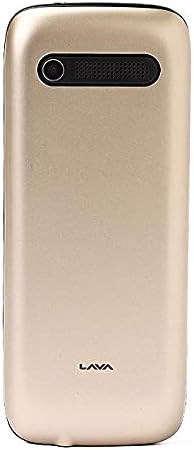
Imatge 2: Darrere view of the Lava P240 Dual SIM mobile phone, showing the camera and speaker grille.
1.3 Càrrega de la bateria
Before first use, fully charge the battery. Connect the charger to the phone's charging port and then plug it into a power outlet. The charging indicator will show the charging status. Disconnect the charger once the battery is full.
2. Instruccions de funcionament
2.1 Encès/Apagat
- Per encendre: Premeu i manteniu premut el botó d'engegada/finalització de trucada fins que la pantalla s'il·lumini.
- Per apagar: Press and hold the Power/End Call button until the power-off options appear, then select "Power Off".
2.2 Fer trucades
- Des de la pantalla inactiva, introduïu el número de telèfon amb el teclat numèric.
- Press the Call button (green receiver icon) to initiate the call.
- To end a call, press the Power/End Call button (red receiver icon).
2.3 Sending SMS Messages
- Vés a Menú > Missatges > Escriu missatge.
- Introduïu el vostre missatge amb el teclat numèric.
- Introduïu el número de telèfon del destinatari o seleccioneu-lo dels contactes.
- Premeu Enviar.
2.4 contactes
To save a new contact:
- Vés a Menú > Contactes > Afegeix un contacte nou.
- Introduïu el nom i el número de telèfon.
- Seleccioneu Desa.
2.5 Navegació de menús
Use the navigation keys (up, down, left, right) and the central selection key to navigate through the phone's menu options. The "Menu" button typically opens the main menu, and the "Back" or "Clear" button can be used to return to the previous screen.
3. Manteniment
- Neteja: Feu servir un drap suau i sec per netejar la pantalla i la carcassa del telèfon. Eviteu utilitzar netejadors líquids o materials abrasius.
- Cura de la bateria:
- No exposeu la bateria a temperatures extremes.
- Eviteu sobrecarregar o descarregar completament la bateria amb freqüència.
- If the phone will not be used for an extended period, charge the battery to about 50% before storing.
- Emmagatzematge: Guardeu el telèfon en un lloc fresc i sec, allunyat de la llum solar directa i de la humitat.
4. Solució De Problemes
| Problema | Possible solució |
|---|---|
| El telèfon no s'encén. |
|
| No es poden fer ni rebre trucades. |
|
| La bateria s'esgota ràpidament. |
|
| El teclat no respon. |
|
5. Especificacions
| Característica | Detall |
|---|---|
| Marca | Lava |
| Número de model | P240 |
| Mida de la pantalla | 2.4 polzades |
| Nombre de ranures per a targetes SIM | Doble SIM |
| Cellular Network Technology | 2G |
| Resolució de la càmera posterior | Less than 2 MP |
| Capacitat d'emmagatzematge | 32 MB |
| Memòria RAM instal·lada | 256 MB |
| Capacitat de la bateria | 1000 - 2000 mAH |
| Tecnologia de connectivitat | Bluetooth |
| Sistema operatiu | No disponible |
| Color | Or |
| Pes de l'article | 420 g |
| Dimensions del paquet | 7.1 x 3.8 x 2.5 cm |
6. Informació sobre assistència i garantia
Specific warranty details and direct support contact information are not provided in this manual. For warranty claims or technical assistance, please refer to the documentation included with your purchase or visit the official Lava weblloc web per a contactes de suport regional.


