Introducció
Thank you for choosing the AULA F2066-II USB Wired Keyboard. This manual provides essential information for setting up, operating, and maintaining your keyboard. Please read it carefully to ensure optimal performance and longevity of your device.
Instruccions de configuració
- Descomprimir el teclat: Carefully remove the AULA F2066-II keyboard from its packaging. Ensure all components are present.
- Connexió a l'ordinador: Locate an available USB port on your computer or laptop. Insert the USB connector of the keyboard firmly into the USB port.
- Instal·lació del controlador: El teclat és plug-and-play. El vostre sistema operatiu (Windows, macOS, Linux) hauria de detectar i instal·lar automàticament els controladors necessaris. Normalment no cal instal·lar cap programari addicional.
- Funcionalitat de prova: Open a text editor or any application that accepts text input and test typing to ensure all keys are functioning correctly.

Image: The AULA F2066-II USB Wired Keyboard, showcasing its full layout and RGB backlighting. This image illustrates the keyboard's design and key arrangement.
Instruccions de funcionament
The AULA F2066-II keyboard features a standard layout with additional multimedia functions. It supports both English and Arabic languages.
Ús bàsic:
- Mecanografia: Use the alphanumeric keys for standard text input.
- Tecles de funció (F1-F12): These keys perform their standard functions.
- Teclat numèric: The dedicated numeric keypad on the right provides quick entry for numbers and calculations.
Multimedia Key Combinations:
This keyboard includes various multimedia functions accessible via the FN key combined with other keys. Refer to the table below for specific combinations.
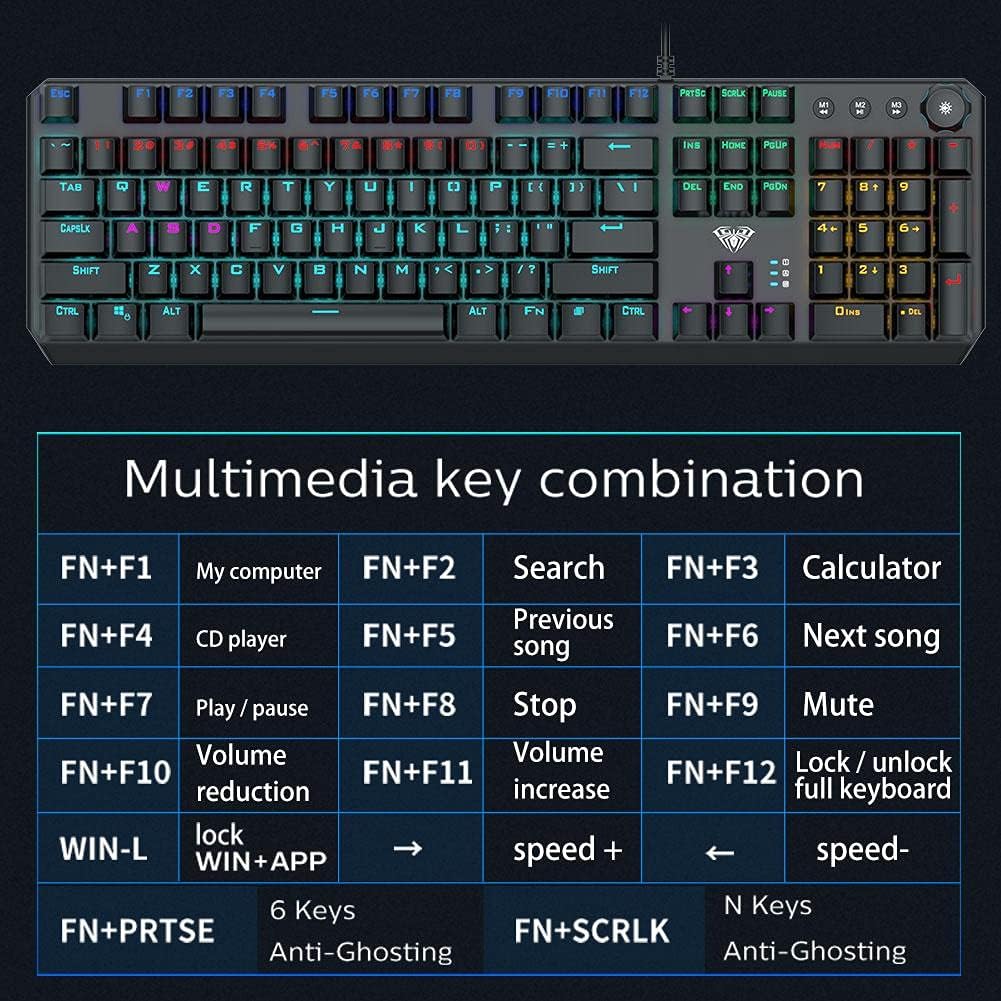
Image: A detailed table illustrating the multimedia key combinations available on the AULA F2066-II keyboard. This includes functions like volume control, media playback, and application shortcuts activated by pressing the FN key with specific function keys.
| Combinació | Funció |
|---|---|
| FN + F1 | El meu ordinador |
| FN + F2 | Cerca |
| FN + F3 | Calculadora |
| FN + F4 | Reproductor de CD |
| FN + F5 | Cançó anterior |
| FN + F6 | Següent Cançó |
| FN + F7 | Reproduir / Pausa |
| FN + F8 | Atureu-vos |
| FN + F9 | Silenciar |
| FN + F10 | Reducció de volum |
| FN + F11 | Augment de volum |
| FN + F12 | Lock / Unlock Full Keyboard |
| WIN + L | Lock WIN + APP |
| FN + PRT SC | 6 tecles anti-fantasma |
| FN + SCRLK | N Keys Anti-Ghosting |
Manteniment
Proper maintenance ensures the longevity and optimal performance of your AULA F2066-II keyboard.
- Neteja: Regularly clean the keyboard with a soft, dry cloth. For deeper cleaning, use compressed air to remove dust and debris from between the keys. Avoid using harsh chemicals or abrasive materials.
- Vessaments: In case of liquid spills, immediately disconnect the keyboard from your computer. Turn it upside down to drain any liquid and allow it to dry completely before reconnecting. Do not attempt to use the keyboard while it is wet.
- Emmagatzematge: Quan no l'utilitzeu durant períodes prolongats, guardeu el teclat en un lloc net i sec, allunyat de la llum solar directa i de temperatures extremes.
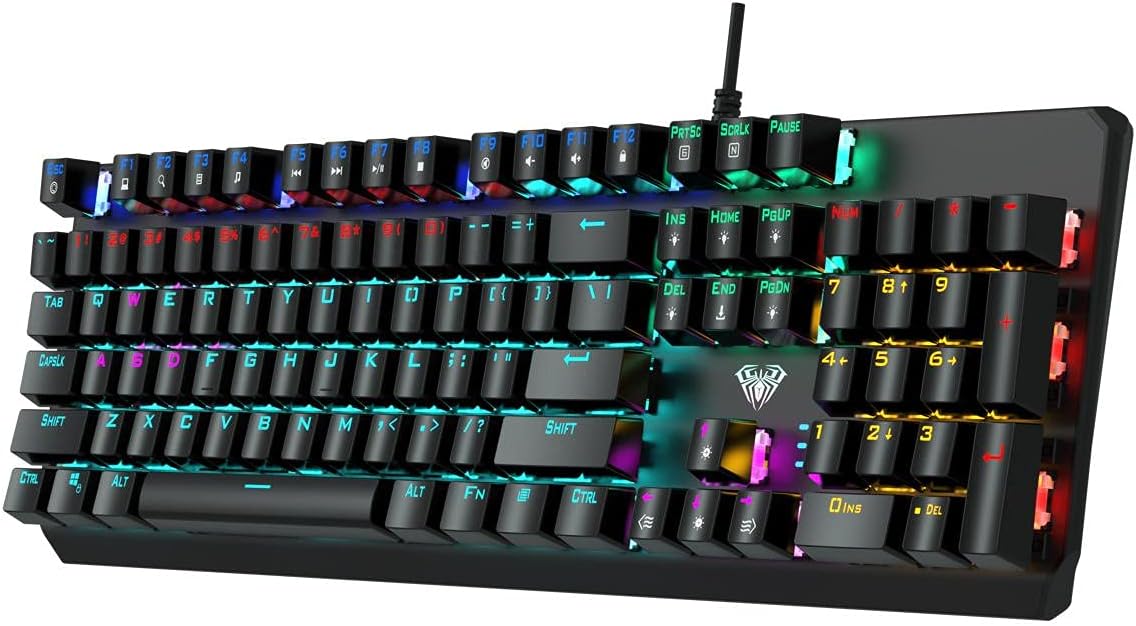
Imatge: Vista de dalt a baix view of the AULA F2066-II keyboard, highlighting the keycaps and their spacing. This perspective is useful for understanding how to clean between the keys.
Resolució de problemes
If you encounter issues with your AULA F2066-II keyboard, refer to the following common solutions:
| Problema | Solució |
|---|---|
| El teclat no respon. |
|
| Certes tecles no funcionen. |
|
| Backlighting is not working. |
|
Especificacions
| Característica | Detall |
|---|---|
| Marca | AULA |
| Número de model | F2066-II-Black-Panel |
| Tecnologia de connectivitat | Cable USB |
| Idioma del teclat | English & Arabic |
| Dispositius compatibles | PC, ordinador portàtil |
| Color | Negre |
| Color de llum de fons | Single Color (RGB effects are typically pre-set patterns, not customizable per key color) |
| Material | Plàstic |
| Dimensions (L x A x A) | 49.7 x 40.7 x 5.3 cm |
| Pes | 960 grams |
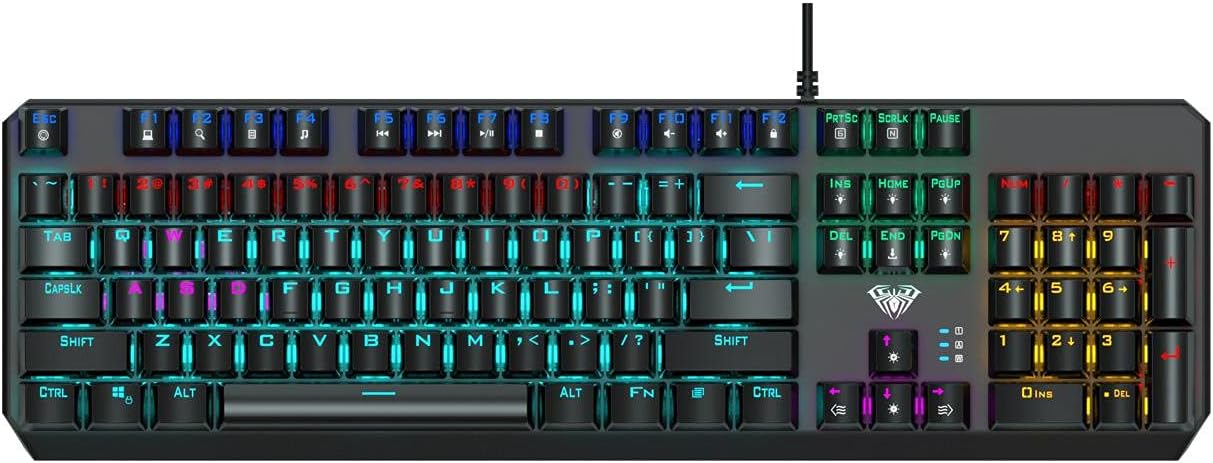
Image: The AULA F2066-II keyboard displayed alongside its retail packaging. This image provides a visual reference for the product and its box.
Garantia i Suport
For warranty information and technical support, please refer to the documentation included with your purchase or visit the official AULA weblloc web. Conserveu el comprovant de compra per a reclamacions de garantia.
Recursos en línia:
- AULA Official Weblloc: www.aulagaming.com (Note: This is a generic placeholder URL as no specific support link was provided in the product data. Please verify the correct URL.)
- Product Support Page: Check the AULA website for a dedicated support page for model F2066-II.


