1. Introducció
Thank you for choosing the ZMUIPNG 12-in-1 USB C Docking Station. This versatile hub is designed to expand the connectivity of your USB-C enabled laptop, providing multiple ports for display, data transfer, networking, and power delivery. Please read this manual carefully to ensure proper setup and operation.

Figure 1.1: ZMUIPNG 12-in-1 USB C Docking Station
2. Característiques del producte
The ZMUIPNG 12-in-1 USB C Docking Station offers a comprehensive set of ports to enhance your productivity:
- Sortida de monitor dual: 2x HDMI (4K@30Hz) and 1x VGA (1080P@60Hz) for extended or mirrored displays.
- Transferència de dades d'alta velocitat: 2x USB 3.0 ports (up to 5Gbps) and 2x USB 2.0 ports for peripherals.
- Gigabit Ethernet: RJ45 port for stable and fast wired network connection (10/100/1000Mbps).
- Subministrament d'energia: USB C PD charging port (up to 100W) to power your laptop while using the hub.
- Lectors de targetes: SD and Micro SD card slots (up to 104MB/s).
- Connectivitat d'àudio: 3.5mm Mic/Audio jack for headphones or speakers.

Figure 2.1: Detailed Port Overview
3. Guia de configuració
Follow these steps to set up your ZMUIPNG Docking Station:
- Verifica el port USB-C del portàtil: Ensure your laptop's USB-C port supports video output (DisplayPort Alternate Mode) and Power Delivery for full functionality. Not all USB-C ports are created equal. Refer to your laptop's manual or manufacturer for details.
- Connecta l'estació d'acoblament: Plug the USB-C cable from the docking station into your laptop's compatible USB-C port.
- Connecteu l'adaptador de corrent (opcional però recomanat): For stable operation and laptop charging, connect your laptop's original USB-C power adapter to the PD (Power Delivery) port on the docking station. The docking station supports up to 100W power input.
- Connecta les pantalles: Connect your HDMI or VGA monitors to the corresponding ports on the docking station.
- Connecteu els perifèrics: Plug in your USB devices (keyboard, mouse, external hard drives), Ethernet cable, SD/Micro SD cards, and audio devices as needed.

Figure 3.1: Understanding Your Laptop's USB-C Port Functionality

Figure 3.2: Power Delivery Connection
4. Instruccions de funcionament
4.1 Configuració de la pantalla
The docking station supports various display modes for Windows and Mac OS. The maximum resolution and refresh rate depend on your laptop's graphics card and the connected monitors.
Sistemes Windows:
Windows laptops with a fully functional USB-C port (supporting DisplayPort Alternate Mode) can achieve dual or triple monitor setups in both Mirror and Extended modes.

Figure 4.1: Windows Dual and Triple Display Modes
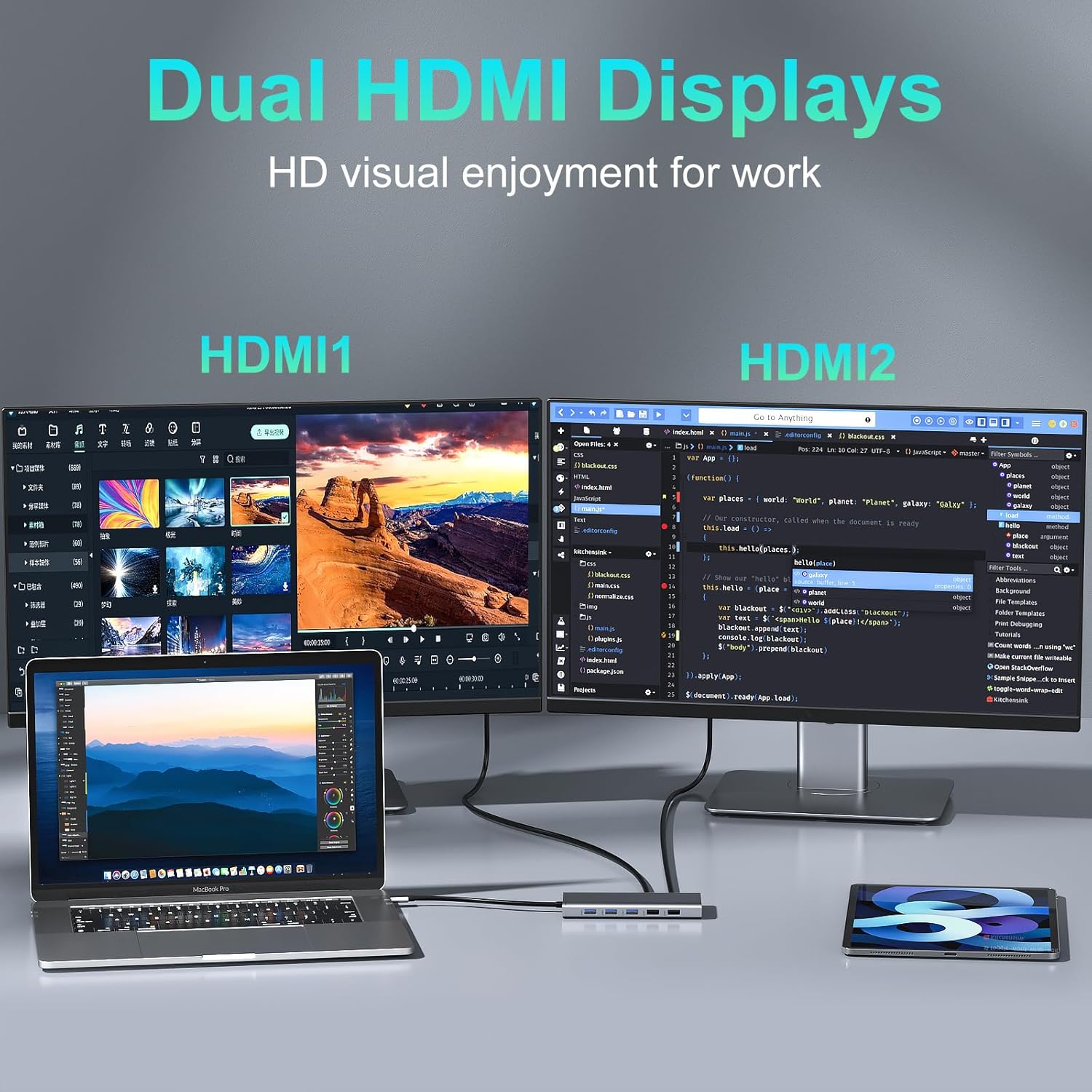
Figure 4.2: Triple Display Docking Station Setup
Mac OS Systems:
Mac OS laptops support Mirror Mode and Non-Mirror Mode (extended display) for dual monitors. Please note that Mac OS does not support extending different content across three external displays simultaneously.

Figure 4.3: Mac OS Display Modes
4.2 Transferència de dades
Utilize the USB 3.0 ports for high-speed data transfer (up to 5Gbps) with external hard drives, USB flash drives, and other compatible devices. The USB 2.0 ports are ideal for connecting keyboards, mice, and other low-bandwidth peripherals without lag. Insert SD or Micro SD cards into the dedicated slots for quick photo and file transferències.

Figure 4.4: SD/TF and USB Ports
4.3 Connexió de xarxa
For a stable and reliable internet connection, plug an Ethernet cable into the RJ45 Gigabit Ethernet port. This provides speeds up to 1000Mbps, ideal for online gaming, streaming, and large file downloads, avoiding Wi-Fi instability.
4.4 Connectivitat d'àudio
Connect your wired headphones or speakers to the 3.5mm Mic/Audio port for private listening or audio output.

Figure 4.5: Ethernet and Audio Ports
5. Manteniment
To ensure the longevity and optimal performance of your docking station, please follow these maintenance guidelines:
- Mantingueu el dispositiu net netejant-lo amb un drap suau i sec. Eviteu utilitzar netejadors líquids o aerosols.
- Do not expose the docking station to extreme temperatures, humidity, or direct sunlight.
- Eviteu deixar caure o sotmetre el dispositiu a forts impactes.
- Assegureu-vos que hi hagi una ventilació adequada al voltant de l'estació d'acoblament per evitar el sobreescalfament.
- Disconnect the device from power and your laptop when not in use for extended periods.
6. Solució De Problemes
If you encounter issues with your ZMUIPNG Docking Station, please refer to the following common problems and solutions:
| Problema | Possible causa/solució |
|---|---|
| No hi ha sortida de pantalla o la pantalla parpelleja. |
|
| USB devices not recognized or slow. |
|
| Problemes de connexió Ethernet. |
|
| El portàtil no es carrega pel port PD. |
|
7. Especificacions
| Característica | Detall |
|---|---|
| Número de model | ZM18219 |
| Dimensions (LxWxH) | 5.31 x 2.56 x 0.59 polzades |
| Pes | 4.7 unces |
| Sortida HDMI | 2x 4K @ 30Hz |
| Sortida VGA | 1x 1080P@60Hz |
| Ports USB 3.0 | 2x (up to 5Gbps) |
| Ports USB 2.0 | 2x |
| Càrrega USB-C PD | Fins a 100 W |
| Port Ethernet | RJ45 Gigabit (10/100/1000Mbps) |
| Lector de targetes | SD/Micro SD (up to 104MB/s) |
| Port d'àudio | Micròfon/àudio de 3.5 mm |
| Sistema operatiu compatible | Windows 7/10, Mac OS 9 and above |
8. Garantia i Suport
ZMUIPNG products are designed for reliability and performance. For any questions, technical support, or warranty inquiries, please contact our customer service team. We are committed to providing professional assistance and ensuring your satisfaction.
Correu electrònic d’atenció al client: zmuipng@outlook.com
Please have your product model number (ZM18219) and purchase details ready when contacting support.


