1. Introducció
Thank you for choosing the BAFANG DP E160.CAN Bus Display. This eBike display and computer is designed to provide essential riding data and control for your electric bicycle, specifically compatible with BAFANG M200 and M600 motor mid-drive kits utilizing the CAN communication protocol. This manual provides detailed instructions for installation, operation, maintenance, and troubleshooting to ensure optimal performance and longevity of your display.
2. Informació de seguretat
- Assegureu-vos sempre que la pantalla estigui ben muntada abans de conduir.
- Do not attempt to disassemble or modify the display, as this may void the warranty and cause damage.
- Keep the display clean and dry. Avoid exposing it to extreme temperatures or harsh chemicals.
- Pay attention to your surroundings while riding. Do not become overly distracted by the display.
- In case of an error code, refer to the Troubleshooting section or contact customer support.
3. Contingut del paquet
Si us plau, verifiqueu que tots els elements siguin presents al vostre paquet:
- BAFANG DP E160.CAN Bus Display Unit
- Cable de connexió
- Mounting Bracket (integrated with display)

Image: The BAFANG DP E160.CAN Bus Display unit shown with its integrated cable.
4. Producte acabatview
The DP E160.CAN display features a high-contrast IPS colorful matrix screen and an ergonomic external controller with intuitive button design for ease of use. Its compact design integrates seamlessly with your eBike's handlebar.

Image: Technical drawing illustrating the dimensions of the DP E160.CAN display, including its height, width, and cable length.
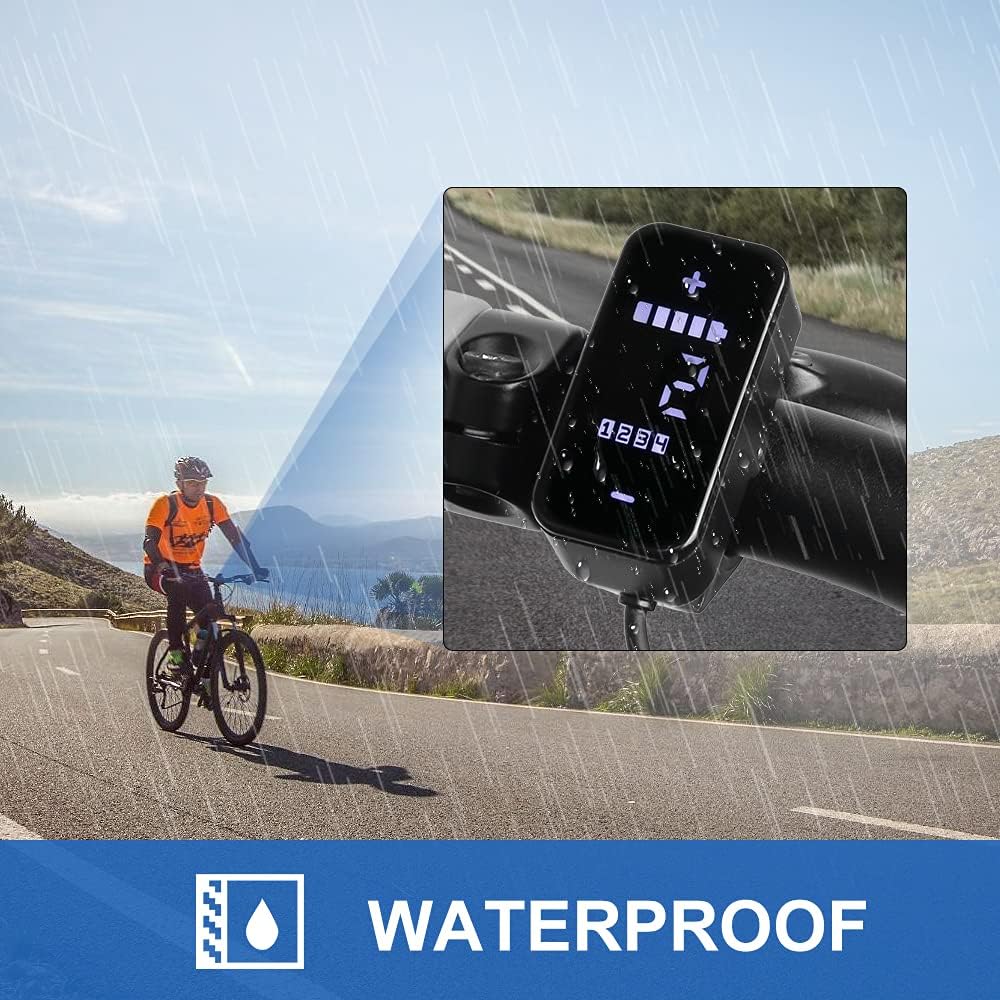
Image: The display shown in a rainy environment, highlighting its waterproof capabilities (IP54 rating).
5. Configuració i instal·lació
Installation of the DP E160.CAN display is straightforward and typically takes only a few minutes.
- Muntatge: Securely attach the display to your eBike's handlebar using the integrated mounting bracket. Ensure it is positioned for easy viewing and access to buttons without obstructing your riding.
- Connexió: Connect the display's cable to the corresponding port on your BAFANG M200 or M600 motor mid-drive kit. Ensure the connection is firm and secure. The display is designed for CAN communication protocol motors only.

Image: The DP E160.CAN display securely mounted on an eBike handlebar, showing its compact and integrated design.

Imatge: Una imatge detallada view of the display's green connector, which is designed for compatibility with BAFANG CAN communication protocol motors.
6. Instruccions de funcionament
The DP E160.CAN display provides comprehensive riding data and allows for easy control of your eBike's assist levels.
6.1 Encès/Apagat
To power on the display, press and hold the power button (usually integrated with the controller). To power off, press and hold the same button until the display shuts down.
6.2 Navegació per la pantalla
The display shows various riding parameters. Use the '+' and '-' buttons to cycle through different assist levels (0-5 levels available). The screen provides real-time information at a glance.

Image: The display screen illustrating key data points such as speed, PAS (Pedal Assist System) level (0-5), headlight status, and battery indicator.
6.3 Informació mostrada
The display provides the following data:
- Average Speed (Avg)
- Maximum Speed (Max)
- Velocitat en temps real
- Indicador de bateria
- Odometer / Trip Distance / Range
- Temps de conducció
- Rellotge
- Assist Level (0-5)
- Codi d'error
6.4 Walk Assist Feature
The DP E160.CAN display includes a "walk" assist feature. To activate it, cycle the pedal assist level down past '1' to 'OFF'. Then, press and hold the lower edge of the controller-display. The bike will move forward at a walking pace as long as the button is held. It is recommended to be in the lowest gear for optimal walk assist speed.
7. Configuració i característiques
Some parameters on the display can be adjusted to suit your bike and personal preferences. These settings are typically accessed through the controller's interface and should be adjusted carefully. Refer to your BAFANG motor's controller manual for detailed instructions on accessing and modifying advanced settings.
- Nivells d'assistència: You can select from 5 different assist levels.
- Sistema d'unitats: (e.g., Metric/Imperial) - Check your controller settings for this option.
- Diàmetre de la roda: (for accurate speed/distance) - Check your controller settings for this option.
8. Manteniment
To ensure the longevity and proper functioning of your DP E160.CAN display, follow these maintenance guidelines:
- Neteja: Netegeu la pantalla i el cos amb un drap suau iamp tela. No utilitzeu netejadors abrasius ni dissolvents.
- Emmagatzematge: When not in use for extended periods, store the eBike and display in a cool, dry place, away from direct sunlight.
- Connexions: Comproveu periòdicament totes les connexions dels cables per assegurar-vos que estiguin ben fixades i que no presentin corrosió.
9. Solució De Problemes
If you encounter issues with your DP E160.CAN display, refer to the table below. For problems not listed, please contact customer support.
| Problema | Causa possible | Solució |
|---|---|---|
| La pantalla no s'encén. | Loose cable connection, low battery, motor not powered. | Check all connections. Ensure eBike battery is charged and turned on. |
| Incorrect speed/distance readings. | Incorrect wheel diameter setting, faulty speed sensor. | Verify wheel diameter setting in controller. Check speed sensor for damage or misalignment. |
| Error Code displayed. | Indica una fallada específica del sistema. | Consult your BAFANG motor's manual for specific error code meanings and solutions. If persistent, contact support. |
| Els botons no responen. | Dirt/debris, internal malfunction. | Clean around buttons. If problem persists, contact customer service. |
10. Especificacions
| Característica | Detall |
|---|---|
| Marca | Bafang |
| Model | DP E160.CAN |
| Compatibilitat | BAFANG M200 & M600 Motor Mid Drive Kit with CAN Communication Protocol (Not compatible with BBS motor) |
| Tipus de visualització | High-contrast IPS colorful matrix screen |
| Material | ABS i PC |
| Classificació de protecció internacional | IP54 (impermeable) |
| Tipus de muntatge | Muntatge de manillar |
| Entrada de la interfície humana | Botons |
| Components inclosos | Cable |
11. Garantia i Suport
BAFANG products come with a one-year warranty. For any technical support or assistance, professional technicians are available. Please refer to your purchase documentation for specific contact details or check the official BAFANG weblloc web per obtenir informació de suport.
For customer service inquiries, please allow for a 24-hour response time.


