1. Introducció
The Wellue ER1 ECG Monitor is a portable, professional-grade device designed for personal heart health monitoring. It provides single-lead ECG data recording for up to 24 hours, enabling comprehensive tracking of cardiac activity. Equipped with advanced AI-ECG analysis capabilities, the device can detect and classify various abnormal heart events, offering valuable insights for users and healthcare professionals. This manual provides detailed instructions for the proper setup, operation, maintenance, and troubleshooting of your ER1 ECG Monitor.

Figure 1.1: Wellue ER1 ECG Monitor and its accompanying PC software interface, showing a detailed ECG waveform and analysis report.
2. Informació de seguretat
Please read all safety information carefully before using the Wellue ER1 ECG Monitor. Failure to follow these instructions may result in inaccurate readings or device malfunction.
- This device is intended for personal heart health monitoring and is not a substitute for professional medical diagnosis or treatment. Consult a healthcare professional for any health concerns.
- Do not use the device if it appears damaged or if the electrodes are compromised.
- Keep the device dry. Avoid exposure to water or excessive moisture.
- Do not use the device near strong electromagnetic fields, such as MRI machines or X-ray equipment.
- Mantenir fora de l'abast dels nens.
- Dispose of the device and its components according to local regulations for electronic waste.
3. Contingut del paquet
Verifiqueu que tots els elements siguin presents al paquet:
- Wellue ER1 ECG Monitor
- Cable de càrrega/transferència de dades USB
- Chest Strap (optional wearing mode accessory)
- Disposable ECG Electrodes (multiple pieces)
- Manual d'usuari (aquest document)

Figure 3.1: Contents included in the Wellue ER1 ECG Monitor retail package.
4. Producte acabatview
The Wellue ER1 ECG Monitor is a compact and lightweight device, weighing only 18 grams. It features a sleek design with integrated electrodes for direct skin contact or attachment to a chest strap/disposable electrodes.
4.1 Components del dispositiu
- Unitat principal: The core ECG recording device.
- Electrode Contact Points: Integrated into the device for signal acquisition.
- Port USB: For charging and data transfer (located on the side or end, typically covered).
- Llum indicadora: Provides status feedback (e.g., charging, recording).


Figura 4.1: Detallada views of the Wellue ER1 ECG Monitor device, highlighting its compact form factor.
5. Configuració
5.1 Càrrega del dispositiu
Before first use, fully charge the ER1 ECG Monitor. Connect the device to a USB power source (e.g., computer USB port, wall adapter) using the provided USB cable. The indicator light will show charging status and turn off or change color when fully charged. A full charge typically provides up to 72 hours of continuous monitoring.

Figure 5.1: The ER1 ECG Monitor connected for charging via USB.
5.2 Instal·lació del programari
The Wellue ER1 requires PC software for data download, analysis, and report generation. The software is compatible with both Mac and Windows operating systems.
- Connect the ER1 device to your computer using the USB cable. The device acts as a USB drive containing the software installer.
- Locate and run the installer file from the device's storage.
- Seguiu les instruccions a la pantalla per completar la instal·lació del programari.
- Once installed, launch the Wellue ECG software.
Note: Some antivirus software may flag the installer. If this occurs, temporarily disable your antivirus or create an exception for the installer file.
6. Instruccions de funcionament
The ER1 ECG Monitor supports two primary wearing modes for continuous monitoring.
6.1 Wearing Modes
The device automatically begins recording when proper skin contact is established.
6.1.1 Using the Chest Strap
- Attach the ER1 device to the designated clips on the chest strap.
- Position the chest strap around your upper torso, ensuring the device is centered on your chest, just below the sternum.
- Adjust the strap for a snug but comfortable fit. Ensure the device's electrode contact points are firmly against your skin.

Figure 6.1: The ER1 ECG Monitor worn with the chest strap for continuous monitoring during daily activities and sleep.
6.1.2 Using Disposable Electrodes
- Attach two disposable ECG electrodes to the back of the ER1 device, aligning them with the device's contact points.
- Peel off the backing from the electrodes and apply the device to your chest. For optimal signal quality, place the device diagonally across the chest, typically below the left collarbone and towards the right side of the lower rib cage, or as advised by a healthcare professional.
- Ensure good skin contact. Shaving hair and cleaning the skin with alcohol wipes can improve signal quality.


Figure 6.2: Attachment of disposable electrodes and recommended placement on the chest.
6.2 Starting and Stopping Recording
The ER1 ECG Monitor features automatic detection. Recording starts automatically when the device detects proper skin contact and stops when contact is lost. There are no manual buttons to press for starting or stopping a recording session.
- To start: Ensure the device is charged and apply it using one of the wearing modes described above. The indicator light may briefly flash to confirm recording has started.
- To stop: Simply remove the device from your body. The recording will automatically cease.
The device can record data for durations ranging from 5 minutes up to 24 hours continuously, capturing up to 100,000 signals.

Figure 6.3: The ER1 ECG Monitor supports continuous 24-hour monitoring for comprehensive heart health tracking.
7. Data Management and Analysis
After recording, transfer the data to your computer for detailed analysis using the Wellue ECG software.
7.1 Data Download
- Connect the ER1 device to your computer via the USB cable.
- Launch the Wellue ECG software.
- The software will automatically detect the device and prompt you to download the recorded data. Follow the on-screen instructions.
7.2 AI-ECG Analysis
The Wellue ECG software utilizes advanced AI algorithms to analyze your ECG data. This analysis can identify over 104 abnormal cardiac events across 16 categories, based on a vast database of clinical data.
- Once data is downloaded, select the recording you wish to analyze within the software.
- Initiate the AI analysis process (typically a button labeled "AI Analysis" or similar).
- The software will process the data and generate a comprehensive report.

Figure 7.1: The AI analysis feature of the Wellue ECG software, capable of diagnosing numerous abnormal heart events.
7.3 Report Generation and Sharing
El programari et permet view the detailed ECG waveform and generate PDF reports of the analysis. These reports can be saved, printed, or emailed to your healthcare provider.
- Within the software, navigate to the report section.
- Select the option to export or print the report (e.g., "Save as PDF", "Print").
- You can then share the PDF report with your doctor for professional review.
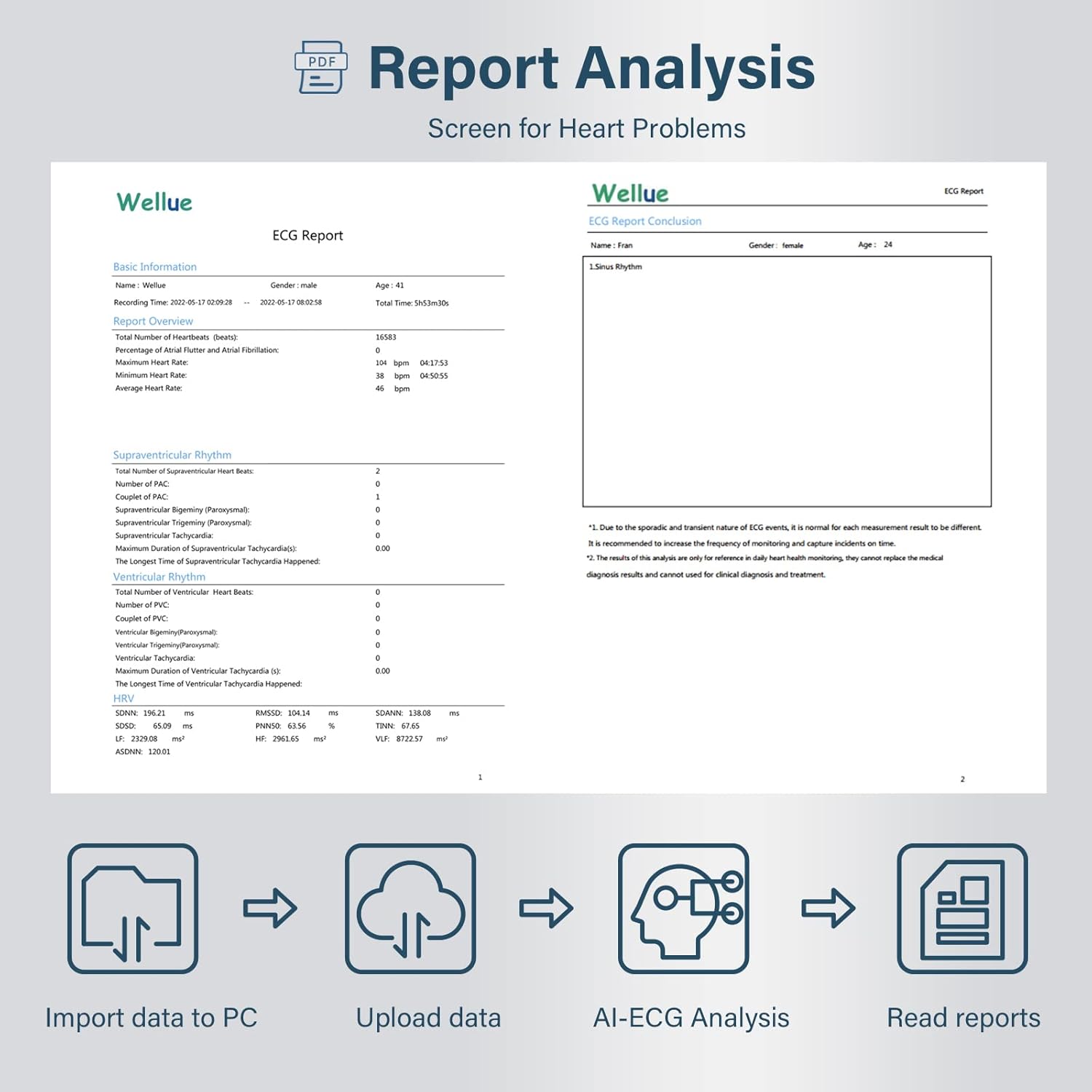
Figure 7.2: The workflow for data management: Import to PC, Upload data, AI-ECG Analysis, and Read reports.

Figure 7.3: Sharing your heart health report with a medical professional.
8. Manteniment i cura
- Neteja: Wipe the device with a soft, dry cloth. For disinfection, use a cloth lightly dampened with isopropyl alcohol. Do not immerse the device in water.
- Emmagatzematge: Guardeu el dispositiu en un lloc fresc i sec, allunyat de la llum solar directa i de temperatures extremes.
- Bateria: Recharge the battery regularly, even if not in frequent use, to maintain battery health.
- Cura dels elèctrodes: Ensure the device's electrode contact points are clean and free of residue for accurate readings.
9. Solució De Problemes
| Problema | Causa possible | Solució |
|---|---|---|
| El dispositiu no està gravant. | Poor skin contact; Low battery; Device malfunction. | Ensure firm skin contact; Recharge the device; Contact customer support. |
| Poor signal quality/noisy readings. | Insufficient skin preparation; Loose electrodes/strap; Movement during recording; Electrical interference. | Clean and dry skin thoroughly; Ensure electrodes/strap are snug; Remain still during recording; Move away from electronic devices. |
| Software not detecting device. | USB connection issue; Software not installed correctly; Driver issue. | Try a different USB port/cable; Reinstall software; Check device manager for drivers. |
| AI analysis not generating report. | Incomplete data; Internet connection required for AI analysis. | Ensure full recording session is downloaded; Verify internet connection. |
10. Especificacions
| Característica | Detall |
|---|---|
| Model | ER1-HW |
| Dimensions (L x A x A) | 10 x 2.3 x 0.83 cm |
| Pes | 18 grams (només dispositiu) |
| Tipus de bateria | 1 bateria de liti-ió (inclosa) |
| Durada de la gravació | De 5 minuts a 24 hores |
| Emmagatzematge de dades | Up to 100,000 signals |
| AI Analysis Capabilities | Detects over 104 abnormal events in 16 categories |
| PC Software Compatibility | Sistemes operatius Mac i Windows |
11. Garantia i Suport
For warranty information, technical support, or service inquiries, please refer to the warranty card included in your product package or visit the official Wellue website. Please have your model number (ER1-HW) and purchase date available when contacting support.
Fabricant: Wellue


