1. Introducció
This manual provides instructions for the installation, operation, and maintenance of the 70mai RC09 Rear Camera. The RC09 is designed as an add-on camera to enhance the functionality of compatible 70mai dash cameras, specifically the 70mai Dash Cam A400. It is not intended to function as a standalone unit.
2. Característiques del producte
- 1080P Resolution: Records clear video footage.
- 130° Wide-Angle FOV: Provides a broad view de l'entorn posterior.
- Longitud del cable estès: Equipped with a 5.5m (16.4ft) HDMI cable for flexible installation.
- Fàcil instal·lació: Designed for simple self-installation on the rear windshield.
- Compatibilitat: Specifically designed to work with the 70mai Dash Cam A400 for front and rear recording.
3. Compatibilitat
The 70mai RC09 Rear Camera is exclusively compatible with the 70mai Dash Cam A400. It requires connection to the A400 dash cam to function and cannot operate independently.
4. Guia d'instal·lació
Follow these steps for proper installation of your 70mai RC09 Rear Camera:
- Prepare the Rear Windshield: Clean the area on your rear windshield where you intend to mount the camera. Ensure it is free of dust and grease.

Imatge: Més deview of the easy installation process.
- Aplicar adhesiu electrostàtic: Place the electrostatic sticker on the cleaned area of the rear windshield. This sticker helps in easy removal and repositioning without leaving residue.
- Muntar la càmera posterior: Attach the 70mai RC09 Rear Camera onto the electrostatic sticker. Press firmly to ensure secure adhesion.
- Connecteu la font d'alimentació: Route the 5.5m HDMI cable from the rear camera to your 70mai Dash Cam A400. Ensure the cable is neatly tucked away to avoid obstructing your view or interfering with vehicle operations.
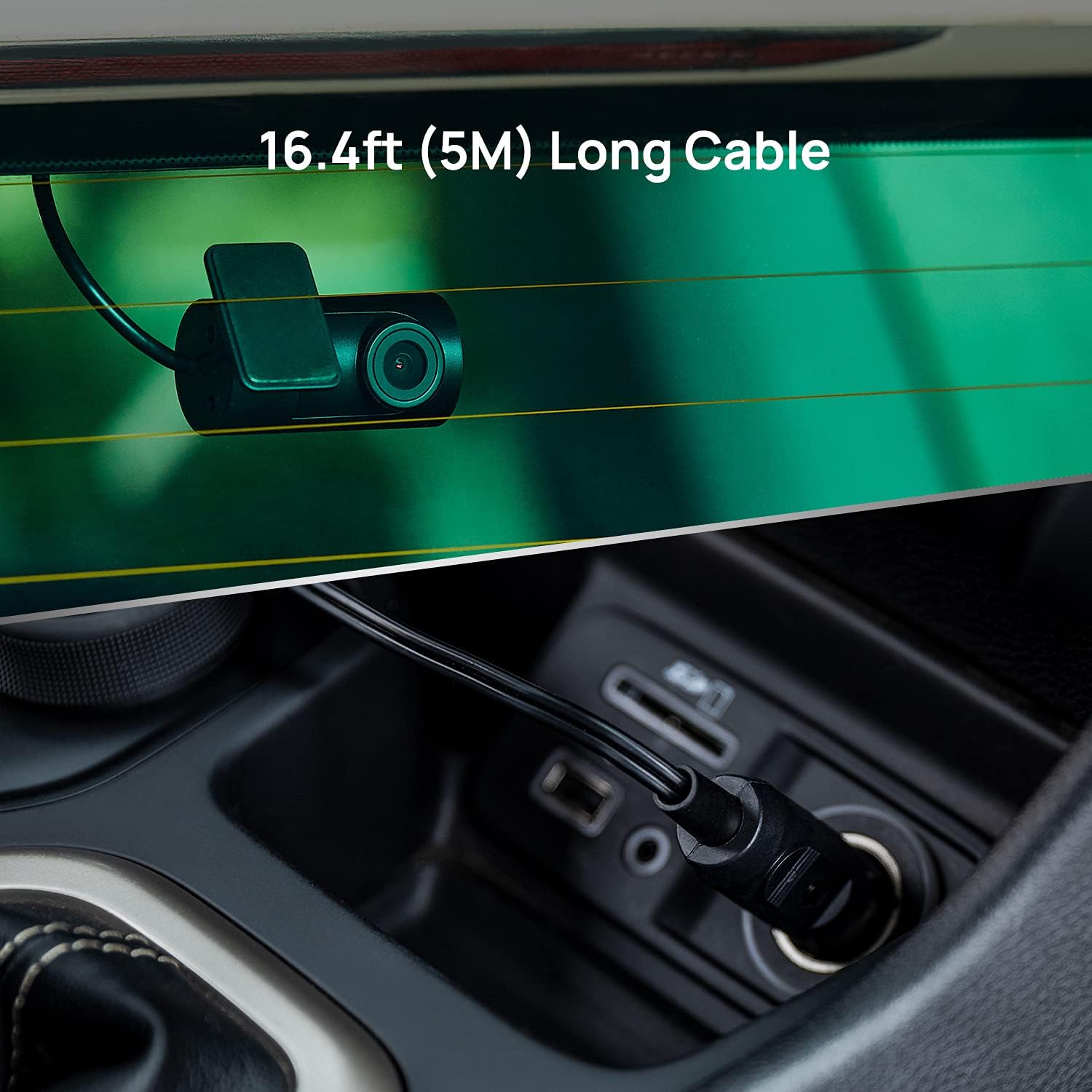
Image: The 5.5m long cable connecting the rear camera to the main dash cam.
- Adjust Dash Cam Angle: Once connected, adjust the angle of your main 70mai Dash Cam A400 to ensure optimal front and rear recording coverage.
5. Instruccions de funcionament
The 70mai RC09 Rear Camera operates in conjunction with your 70mai Dash Cam A400. Once properly installed and connected, the rear camera will automatically begin recording when the main dash cam is powered on. Footage from the rear camera will be integrated with the A400's recordings.
Refer to the 70mai Dash Cam A400 user manual for detailed instructions on accessing, viewing, and managing recorded footage, as well as configuring settings related to both front and rear cameras.

Image: The 70mai RC09 Rear Camera captures 1080P video, providing clear recordings of the road.

Image: The 130° wide-angle field of view provides extensive coverage of the rear area.
6. Manteniment
- Neteja de la lent: Gently wipe the camera lens with a soft, lint-free cloth to ensure clear video quality. Avoid abrasive materials or harsh chemicals.
- Inspecció del cable: Periodically check the HDMI cable for any signs of wear, damage, or loose connections.
- Actualitzacions de firmware: Ensure your main 70mai Dash Cam A400's firmware is up to date, as this may include improvements for connected accessories like the RC09.
7. Solució De Problemes
- No Rear Camera Feed:
- Ensure the HDMI cable is securely connected to both the RC09 and the 70mai Dash Cam A400.
- Verify that the 70mai Dash Cam A400 is powered on and functioning correctly.
- Check the settings on your A400 to ensure the rear camera option is enabled.
- Poca qualitat de vídeo:
- Clean the camera lens for any smudges or dirt.
- Assegureu-vos que la càmera estigui ben muntada i que no vibri.
- Comproveu si hi ha obstruccions al camp de la càmera view.
- Cable Length Issues: The RC09 comes with a 5.5m cable. If you experience issues with cable length, ensure proper routing and consider professional installation if necessary.
8. Especificacions
| Model | RC09 |
| Resolució | 1080P |
| Camp de View (FOV) | 130 graus |
| Longitud del cable | 5.5 m (16.4 peus) |
| Tipus de connector | HDMI |
| Dispositius compatibles | 70mai Dash Cam A400 |
| Tipus d'instal·lació | Dashboard Mount (Rear Windshield) |
| Pes de l'article | 0.952 unces |
| Fabricant | 70mai Co., Ltd. |
9. Garantia i Suport
For warranty information and technical support, please refer to the official 70mai website or contact 70mai customer service. Keep your purchase receipt as proof of purchase for warranty claims.
Official 70mai Weblloc: Visit the 70mai Store on Amazon


