
Groov-e GVBT750BK
Groov-e Ultra Wireless Bluetooth Headphones Instruction Manual GVBT750BK
Introducció
Gràcies per la compraasing the Groov-e Ultra Wireless Bluetooth Headphones. These headphones are designed to provide a superior audio experience with features such as wireless connectivity, extended battery life, and comfortable design. This manual will guide you through the setup, operation, and maintenance of your new headphones.
Contingut del paquet
Please ensure all items are present in your Groov-e Ultra headphone package:
- Groov-e Ultra Wireless Bluetooth Headphones
- Cable de càrrega USB
- Cable d'àudio de 3.5 mm
- Manual d'usuari (aquest document)
Producte acabatview
Familiarize yourself with the various components of your Groov-e Ultra headphones.
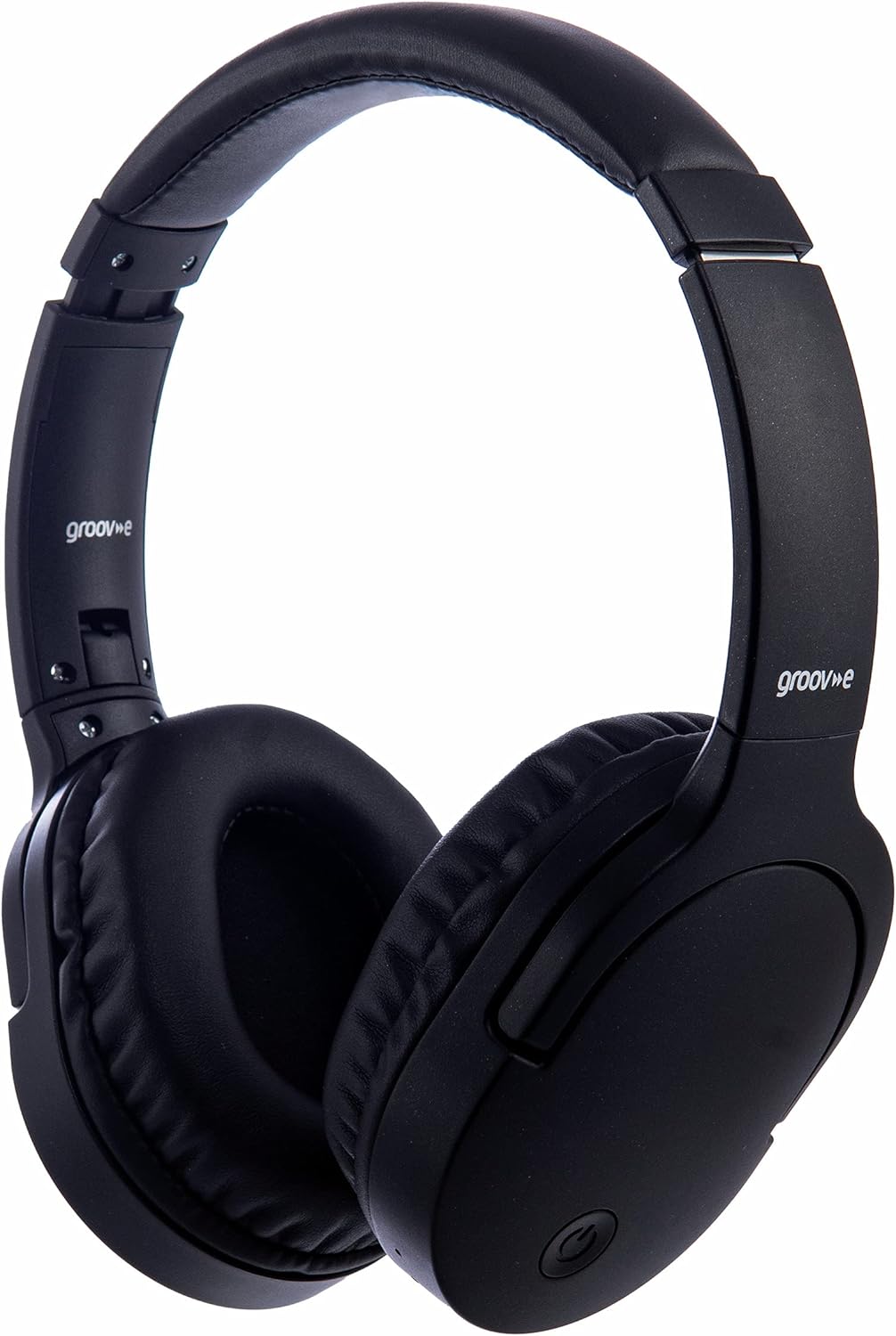
Imatge: Frontal view of the Groov-e Ultra Wireless Bluetooth Headphones in black.
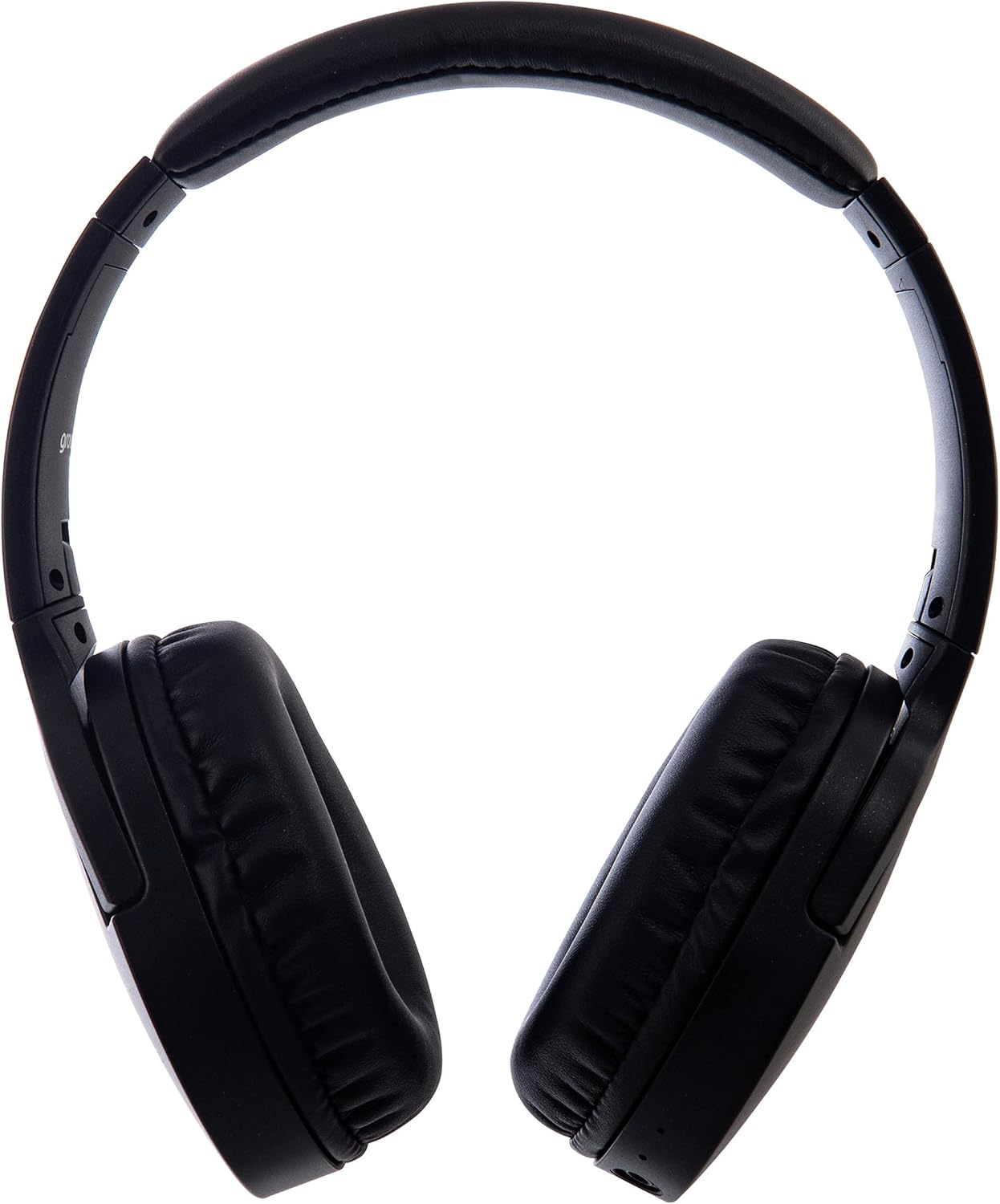
Imatge: Lateral view of the Groov-e Ultra Wireless Bluetooth Headphones, showing the earcups and headband.
Key features and controls include:
- Botó d'encesa: Located on the earcup, used for powering on/off and initiating pairing mode.
- Controls de volum: Buttons for adjusting audio volume.
- Botó multifunció: For play/pause, answer/end calls, and activating voice assistant.
- Micròfon: Integrat per a trucades de mans lliures.
- Conector d'àudio de 3.5 mm: Per a la connexió per cable a fonts d'àudio.
- Port de càrrega USB: For charging via the included USB cable.
- Àrea de càrrega sense fil: Located on the right earcup for compatible wireless charging pads.
- Indicador LED: Mostra l'estat de l'alimentació, la càrrega i l'emparellament Bluetooth.
Configuració
1. Càrrega inicial
Before first use, fully charge your headphones. The Groov-e Ultra headphones support both wired and wireless charging.
Càrrega per cable:
- Connect the supplied USB charging cable to the headphone's charging port.
- Connecteu l'altre extrem del cable USB a una font d'alimentació USB compatible (per exemple, un port USB de l'ordinador o un adaptador de paret USB).
- L'indicador LED s'il·luminarà durant la càrrega i s'apagarà o canviarà de color quan estigui completament carregat.
Càrrega sense fils:
- Place the right earcup of the headphones onto a compatible Qi-certified wireless charging pad.
- Ensure the headphones are correctly positioned on the charging pad for optimal contact.
- L'indicador LED s'il·luminarà durant la càrrega i s'apagarà o canviarà de color quan estigui completament carregat.
Una càrrega completa normalment triga aproximadament 2 hores.
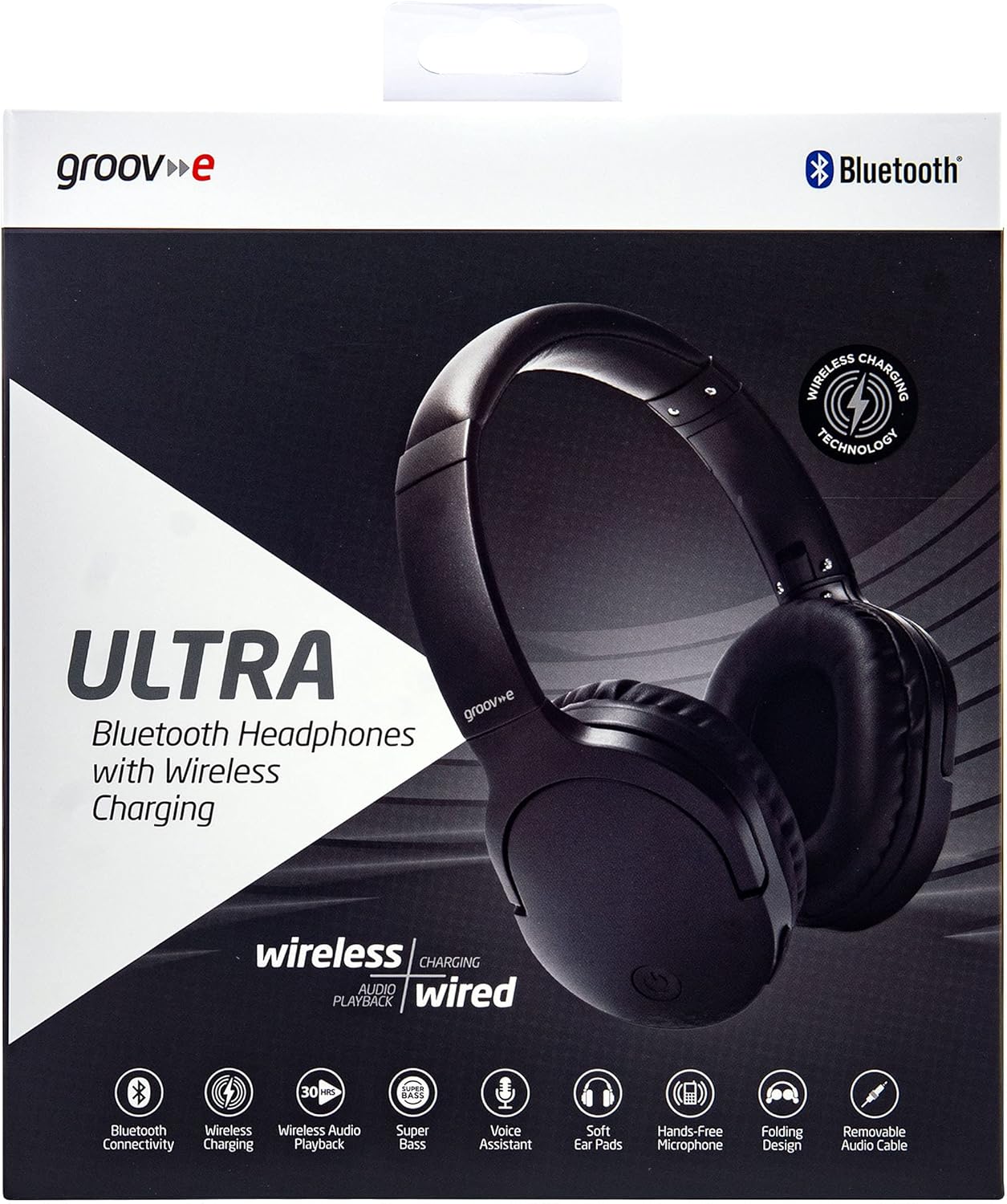
Image: Groov-e Ultra headphones charging wirelessly on a pad, with a laptop in the background.
Instruccions de funcionament
1. Encendre/apagar
- Encès: Press and hold the Power button for approximately 3 seconds until the LED indicator flashes.
- Apagar: Premeu i manteniu premut el botó d'engegada durant aproximadament 3-5 segons fins que l'indicador LED s'apagui.
2. Emparellament Bluetooth
- Assegureu-vos que els auriculars estiguin apagats.
- Premeu i manteniu premut el botó d'engegada durant aproximadament 5-7 segons fins que l'indicador LED parpellegi alternativament en vermell i blau, cosa que indica el mode d'emparellament.
- Al dispositiu (telèfon intel·ligent, tauleta, ordinador portàtil), activeu el Bluetooth i cerqueu els dispositius disponibles.
- Select "Groov-e Ultra" from the list of found devices.
- Un cop emparellat, l'indicador LED parpellejarà lentament en blau i és possible que sentiu una confirmació audible.
- Si se us demana una contrasenya, introduïu "0000".
Els auriculars intentaran tornar a connectar-se automàticament amb l'últim dispositiu emparellat quan s'engeguin.
3. Connexió amb cable (cable d'àudio de 3.5 mm)
For devices without Bluetooth or to conserve battery, you can use the supplied 3.5mm audio cable.
- Connecteu un extrem del cable d'àudio de 3.5 mm al connector d'àudio dels auriculars.
- Connecteu l'altre extrem a la sortida d'àudio de 3.5 mm del vostre dispositiu.
- The headphones will operate in passive mode, and Bluetooth functionality will be disabled.
4. Reproducció de música
- Reproduir/pausa: Premeu el botó multifunció una vegada.
- Pista següent: Premeu i manteniu premut el botó de pujar el volum.
- Pista anterior: Manteniu premut el botó de baixar el volum.
- Pujar el volum: Premeu breument el botó de pujar el volum.
- Baixar el volum: Premeu breument el botó per baixar el volum.
5. Gestió de trucades
- Respondre/Finalitzar la trucada: Premeu el botó multifunció una vegada.
- Rebutja la trucada: Manteniu premut el botó multifunció durant 2 segons.
- Assistent de veu: Double-press the Multi-function button to activate your device's voice assistant (e.g., Siri, Google Assistant).
Manteniment
To ensure the longevity and optimal performance of your Groov-e Ultra headphones, follow these maintenance guidelines:
- Neteja: Feu servir un drap suau i sec per netejar els auriculars i la diadema. No utilitzeu productes de neteja abrasius ni dissolvents.
- Emmagatzematge: Quan no els utilitzeu, guardeu els auriculars en un lloc fresc i sec, allunyats de la llum solar directa i de temperatures extremes. El disseny plegable permet un emmagatzematge compacte.
- Cura de la bateria: To preserve battery life, avoid fully discharging the headphones frequently. Charge them regularly, even if not in constant use.
- Resistència a l'aigua: The headphones are rated as "waterproof" (as per specifications), but this typically refers to resistance against splashes or light rain. Avoid submerging them in water.
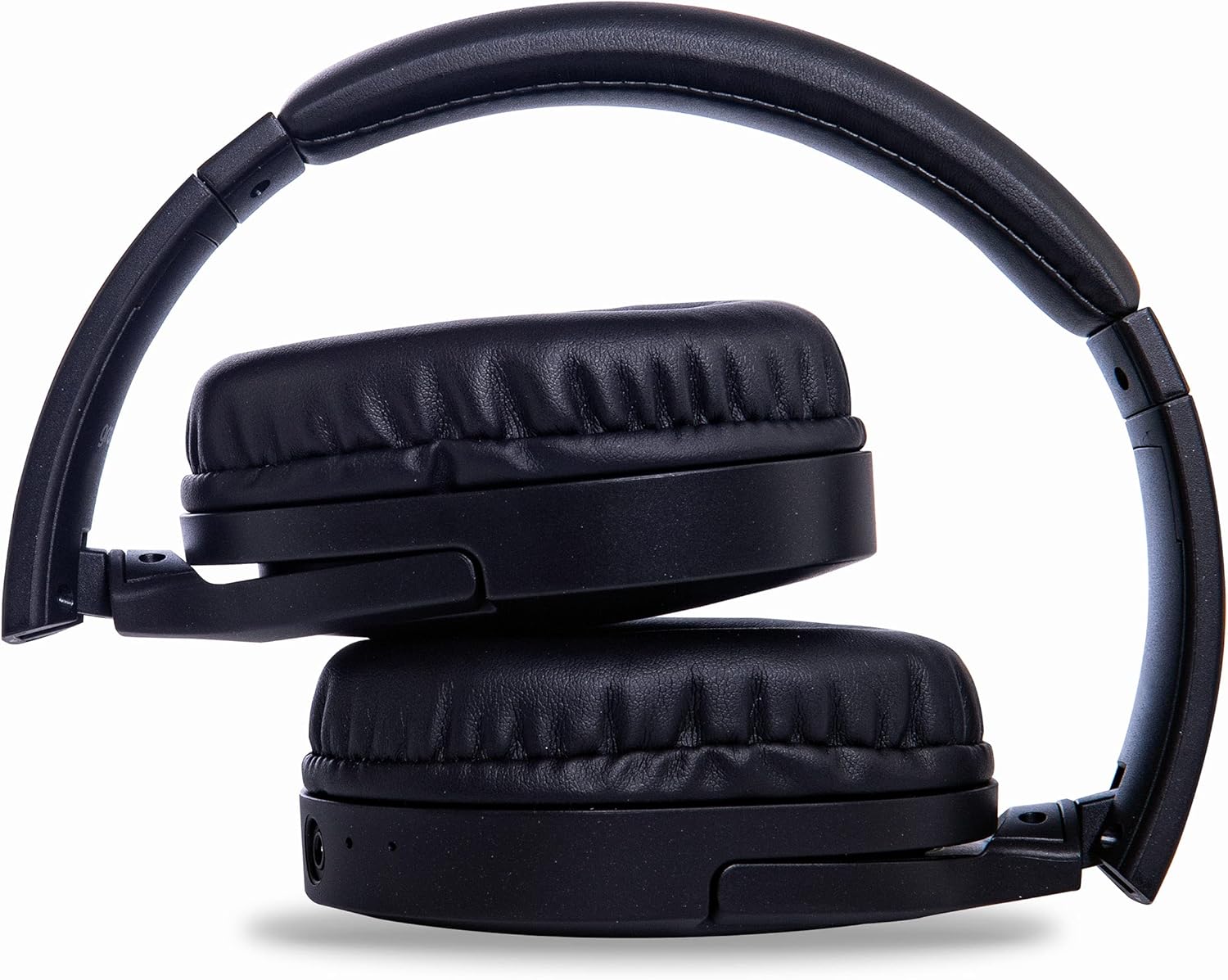
Image: Groov-e Ultra headphones folded, demonstrating their compact storage design.
Resolució de problemes
Si teniu problemes amb els auriculars, consulteu les solucions habituals següents:
| Problema | Causa possible | Solució |
|---|---|---|
| Els auriculars no s'engeguen. | Bateria baixa. | Charge the headphones fully using either wired or wireless charging. |
| No es pot emparellar per Bluetooth. | Auriculars no en mode d'emparellament; Bluetooth del dispositiu desactivat; interferències. | Ensure headphones are in pairing mode (flashing red/blue). Turn Bluetooth off and on on your device. Move closer to the device. |
| No hi ha so o hi ha mala qualitat de so. | Volume too low; incorrect source; loose wired connection; Bluetooth interference. | Increase volume on headphones and device. Check if the correct audio output is selected. Ensure 3.5mm cable is fully inserted. Re-pair Bluetooth. |
| La càrrega sense fil no funciona. | Headphones not positioned correctly; incompatible charging pad. | Adjust headphone position on the charging pad. Ensure the charging pad is Qi-certified and functioning. |
| Buzzing or too loud on Bluetooth. | Bluetooth signal issue; volume settings. | Try moving closer to the source device. Adjust volume levels on both the headphones and the connected device. |
| Cannot connect to Apple Mac Book Pro. | Compatibility issue or specific Bluetooth driver problem. | Ensure your Mac's Bluetooth drivers are up to date. Try resetting Bluetooth on your Mac. Consult Apple support or Groov-e support for specific compatibility advice. |
Especificacions
| Característica | Detall |
|---|---|
| Nom del model | Ultra |
| Número de model | GVBT750BK |
| Marca | Groove-e |
| Tecnologia de connectivitat | Sense fil (Bluetooth) |
| Tecnologia de comunicació sense fils | Bluetooth |
| Factor de forma | Supra-Aural (Over-ear) |
| Col·locació de l'orella | Supra-auriculaire |
| Aïllament del soroll | Supressió activa del soroll |
| Conector d'auriculars | 3.5 mm Jack |
| Característiques especials | Microphone included, Sweat resistant |
| Durada de la bateria | Up to 30 hours (wireless audio playback) |
| Temps de càrrega | Aproximadament 2 hores |
| Mètode de control | Tactile (Touch) |
| Interval de freqüència | 20 Hz - 20,000 Hz (Possible) |
| Nivell de resistència a l'aigua | Impermeable |
| Dispositius compatibles | Smartphones, laptops, tablets, car audio systems, music production equipment, televisions |
| Material | Cuir |
Informació de seguretat
Please read and follow these safety guidelines to prevent damage to your headphones or personal injury:
- Do not expose headphones to extreme temperatures, humidity, or corrosive environments.
- Eviteu deixar caure els auriculars ni sotmetre'ls a impactes forts.
- No intenteu desmuntar ni modificar els auriculars. Això anul·larà la garantia.
- Mantenir allunyat de nens i animals de companyia.
- Escoltar música durant molt de temps a volums alts pot causar danys auditius. Ajusteu el volum a un nivell segur.
- Exercise caution when using headphones in situations requiring awareness of your surroundings (e.g., driving, cycling, walking in traffic).
- Use only approved charging cables and power adapters.
Garantia i Suport
Groov-e products are designed and manufactured to the highest standards. For warranty information, please refer to the warranty card included with your purchase or visit the official Groov-e weblloc.
For technical support, troubleshooting assistance, or general inquiries, please contact Groov-e customer service through their official channels. Contact details can typically be found on the product packaging or the Groov-e weblloc.
Assistència en línia: www.groov-e.co.uk/support
Ask a question about this manual
Ask about setup, troubleshooting, compatibility, parts, safety, or missing instructions. Manuals+ will review the question and use this page’s manual context to help answer it.