Introducció
The Amazon Echo Dot (5th Generation) is a smart speaker with Alexa, designed to provide vibrant sound, hands-free assistance, and smart home control. This manual provides essential information for setting up, operating, and maintaining your device.

The Amazon Echo Dot (5th Gen) in Charcoal, featuring its signature spherical design and illuminated light ring, indicating active status.
Configuració
To begin using your Echo Dot, follow these steps:
- Desempaquetar el dispositiu: Remove the Echo Dot and its power adapter from the box.
- Connectar l'alimentació: Plug the included 15W power adapter into the Echo Dot and then into a wall outlet. The light ring on the device will turn blue, then orange, indicating it is ready for setup.
- Descarrega l'aplicació Alexa: On your smartphone or tablet, download the Amazon Alexa app from your device's app store (compatible with Fire OS, Android, and iOS).
- Connecta't a Wi-Fi: Open the Alexa app and follow the on-screen instructions to connect your Echo Dot to your dual-band Wi-Fi network (supports 802.11a/b/g/n/ac on 2.4 and 5 GHz). The device supports Amazon Wi-Fi simple setup for easy connection.
- Personalitza la configuració: Once connected, the app will guide you through personalizing your device, including setting your location, time zone, and preferred voice assistant language (English or Spanish).

Un detallat view of the Echo Dot's speaker grille and light ring, highlighting its compact and aesthetic design.
Funcionament del vostre Echo Dot
The Echo Dot is primarily voice-controlled via Alexa. Here are common operations:
- Comandaments de veu: Say "Alexa" followed by your command or question. For example, "Alexa, what's the weather?" or "Alexa, play music."

The Echo Dot responding to a voice command for a weather update, demonstrating its hands-free functionality in a home setting.
- Música i àudio: Stream music, audiobooks, and podcasts from services like Amazon Music, Apple Music, Spotify, and Pandora. You can also connect your mobile device via Bluetooth (A2DP support).
- Control de la llar intel·ligent: Control compatible smart home devices using your voice. The Echo Dot supports Wi-Fi, Bluetooth Low Energy Mesh, and Matter for smart home connectivity. You can also set up routines triggered by built-in motion or indoor temperature sensors.
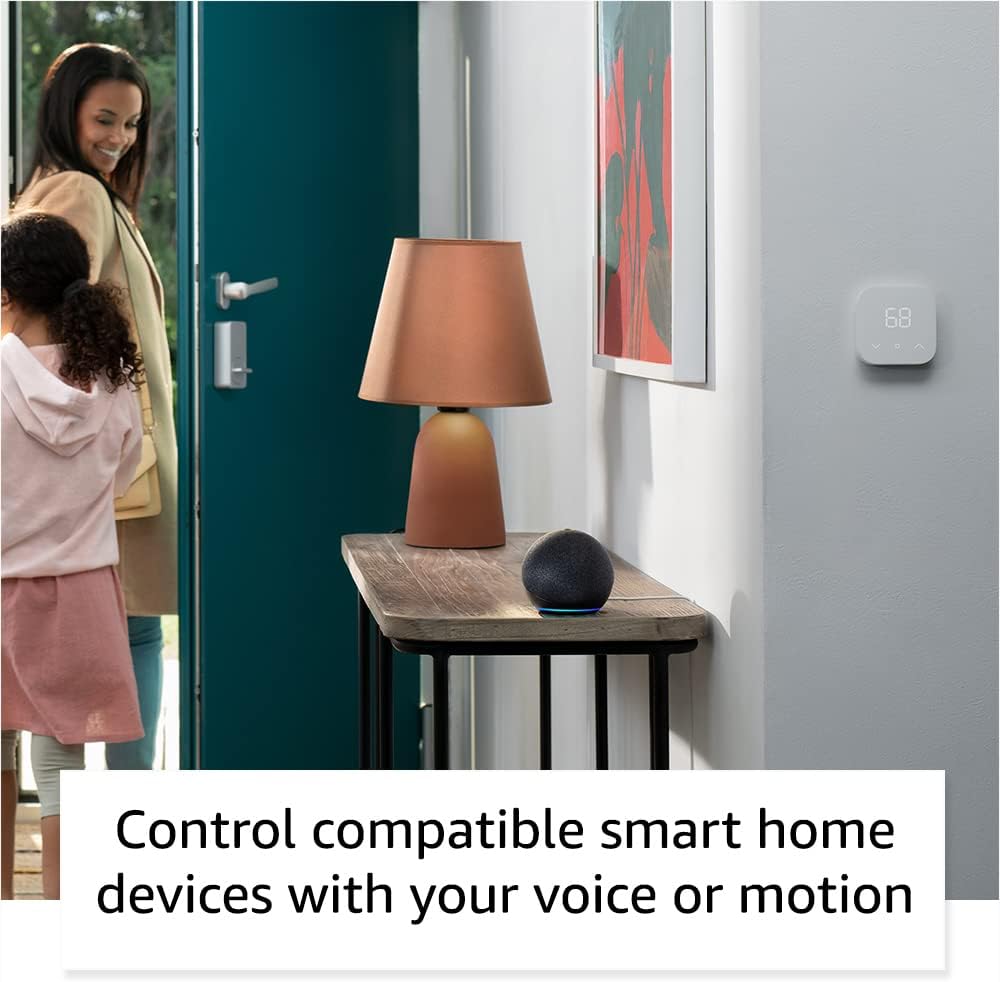
The Echo Dot seamlessly integrates into a smart home, allowing voice or motion-activated control of compatible devices like lights and thermostats.
- Controls de privadesa: The Echo Dot includes a microphone off button for privacy. Pressing this button electronically disconnects the microphones.
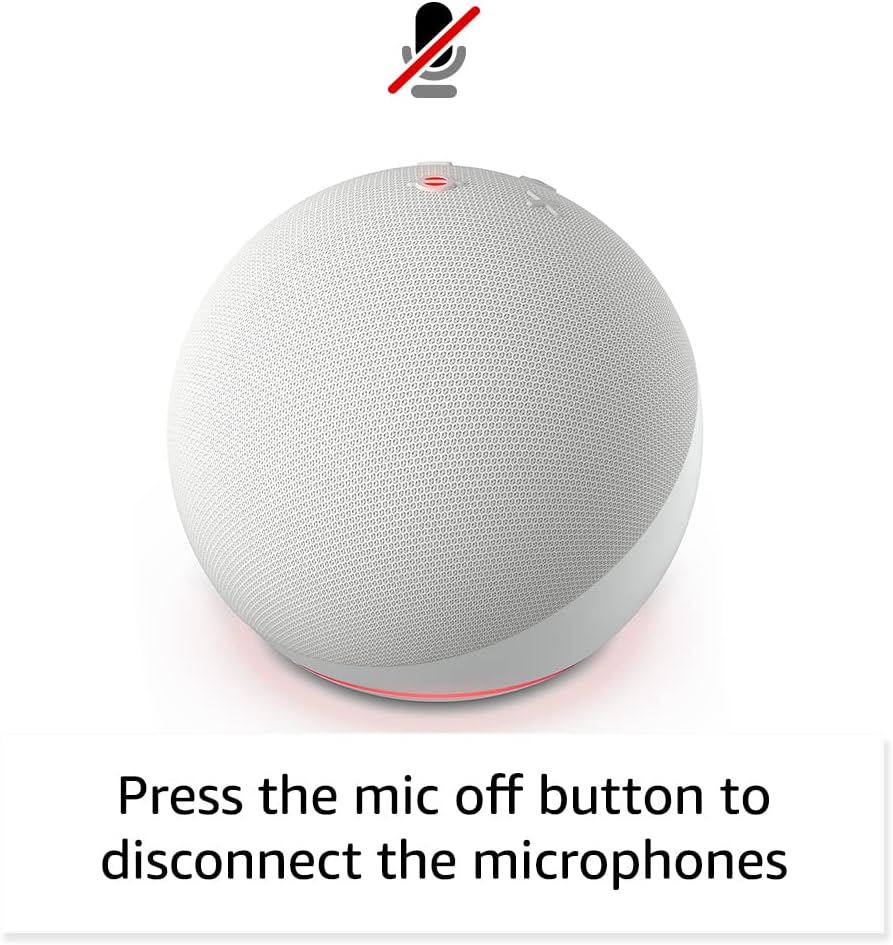
The microphone off button on the Echo Dot, providing a clear visual indicator when the microphones are disabled for enhanced privacy.
- Controls físics: Tap the top of the device to pause music or snooze an alarm. Volume buttons are also located on the top surface.

A user interacting with the Echo Dot by tapping its top surface, demonstrating the intuitive physical controls for media playback and alarms.
- Vinculació de dispositius: Pair multiple compatible Echo devices for multi-room audio, create a home theater system with Fire TV, or extend Wi-Fi coverage with a compatible eero network.
Manteniment
To ensure the longevity and optimal performance of your Echo Dot:
- Neteja: Use a soft, dry, lint-free cloth to clean the exterior of the device. Do not use abrasive cleaners or sprays.
- Col·locació: Place the device on a stable, flat surface away from direct sunlight, heat sources, and moisture. Ensure proper ventilation.
- Actualitzacions de programari: Your Echo Dot automatically receives software security updates. Ensure it is connected to Wi-Fi to receive these updates.
Resolució de problemes
If you encounter issues with your Echo Dot, consider the following:
- No Response from Alexa: Ensure the microphone is not muted (red light ring indicates mute). Check Wi-Fi connectivity. Try unplugging the device for a few seconds and plugging it back in.
- Problemes de connectivitat: Verify your Wi-Fi network is active and the Echo Dot is within range. Restart your router if necessary. Use the Alexa app to reconfigure Wi-Fi settings if needed.
- Qualitat del so: Ensure the device is not placed in an enclosed space that might muffle sound. Adjust volume via voice command or physical buttons.
- Problemes amb l'aplicació: Ensure your Alexa app is updated to the latest version. Restart the app or your mobile device.
- Ajuda addicional: For more detailed troubleshooting, visit the Alexa Privacy Hub or the 'Manage Your Content and Devices' section on the Amazon weblloc.
Especificacions
| Característica | Descripció |
|---|---|
| Mida | 3.9” x 3.9” x 3.5” (100 mm x 100 mm x 89 mm) |
| Pes | 10.7 oz (304g) |
| Àudio | 1.73” (44 mm) front-firing speaker, Lossless High Definition |
| Connectivitat Wi-Fi | Dual-band Wi-Fi supports 802.11a/b/g/n/ac (2.4 and 5 GHz) networks. |
| Connectivitat Bluetooth | A2DP support for audio streaming, AVRCP for voice control of connected mobile devices. |
| Compatibilitat amb la llar intel·ligent | WiFi, Bluetooth Low Energy Mesh, and Matter |
| Generació | Echo Dot (5th Gen) - 2022 release |
| Inclòs a la caixa | Echo Dot, power adapter (15W), Quick Start Guide. |
| Llengua | L'Alexa parla anglès i castellà |
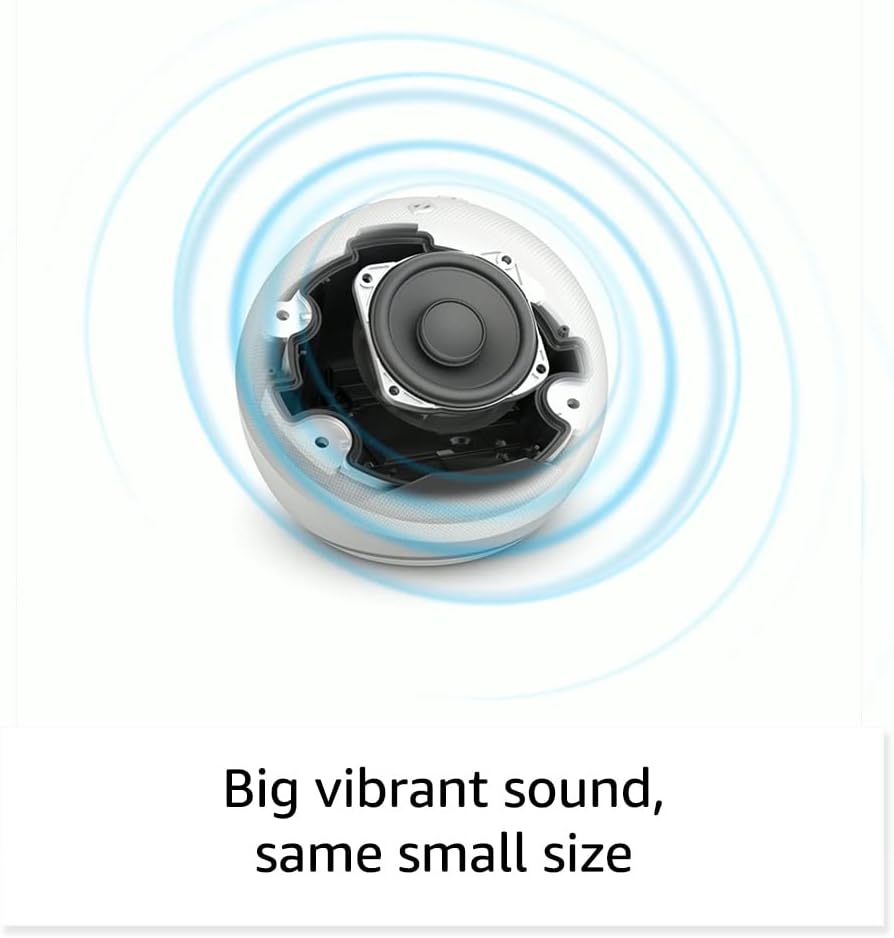
Un intern view of the Echo Dot, highlighting the 1.73-inch front-firing speaker designed for vibrant sound.
Garantia i Suport
Your Amazon Echo Dot comes with a 90-day limited warranty and service. Optional extended warranty plans (1-year, 2-year, and 3-year) are available for purchase separately for U.S. customers.
For detailed warranty terms and conditions, please refer to the documentation included with your device or visit the Amazon website. For privacy information and to manage your voice recordings, visit the Centre de privadesa d'Alexa.


