1. Producte acabatview
The TCL Breeva A3 Smart Air Purifier is designed to enhance indoor air quality through a multi-stage filtration system and smart features. This manual provides essential information for proper setup, operation, and maintenance.

Figure 1: TCL Breeva A3 Smart Air Purifier with companion app interface.
Característiques principals:
- 5-Stage Sistema de filtració: Includes pre-filter, True HEPA (H13), activated carbon filter, anion technology, and UV-C sterilization.
- Entrada d'aire de 360 graus: Efficiently draws air from all directions for whole-room circulation.
- Auto Shield Mode: Ajusta automàticament la velocitat del ventilador en funció de la qualitat de l'aire detectada.
- Control intel·ligent: Compatible with TCL Home app, Alexa, and Google Assistant.
- Funcionament ultra silenciós: Sleep mode operates at 26 decibels.
- Llum ambiental: Integrated LED ambient light for night use.
2. Configuració
Desembalatge i col·locació
- Traieu amb cura el purificador d'aire del seu embalatge.
- Place the unit on a firm, level surface, ensuring adequate space around it for optimal air intake and output. Avoid placing it directly against walls or furniture.
- Ensure the power cord is not obstructed or placed where it could be a tripping hazard.
Instal·lació de filtres
The TCL Breeva A3 comes with a pre-installed filter. Before first use, ensure the filter is correctly seated and any protective packaging is removed.
- Gireu el purificador d'aire cap per avall.
- Twist the bottom cover counter-clockwise to unlock and remove it.
- Traieu el filtre de la seva bossa de plàstic protectora.
- Insert the filter back into the unit. Ensure it is seated correctly.
- Replace the bottom cover and twist clockwise to lock it securely.
Vídeo 1: Acabatview of TCL Breeva A3 features and filter access.
3. Instruccions de funcionament
The TCL Breeva A3 features a touch-sensitive control panel on the top of the unit, as well as app and voice control options.
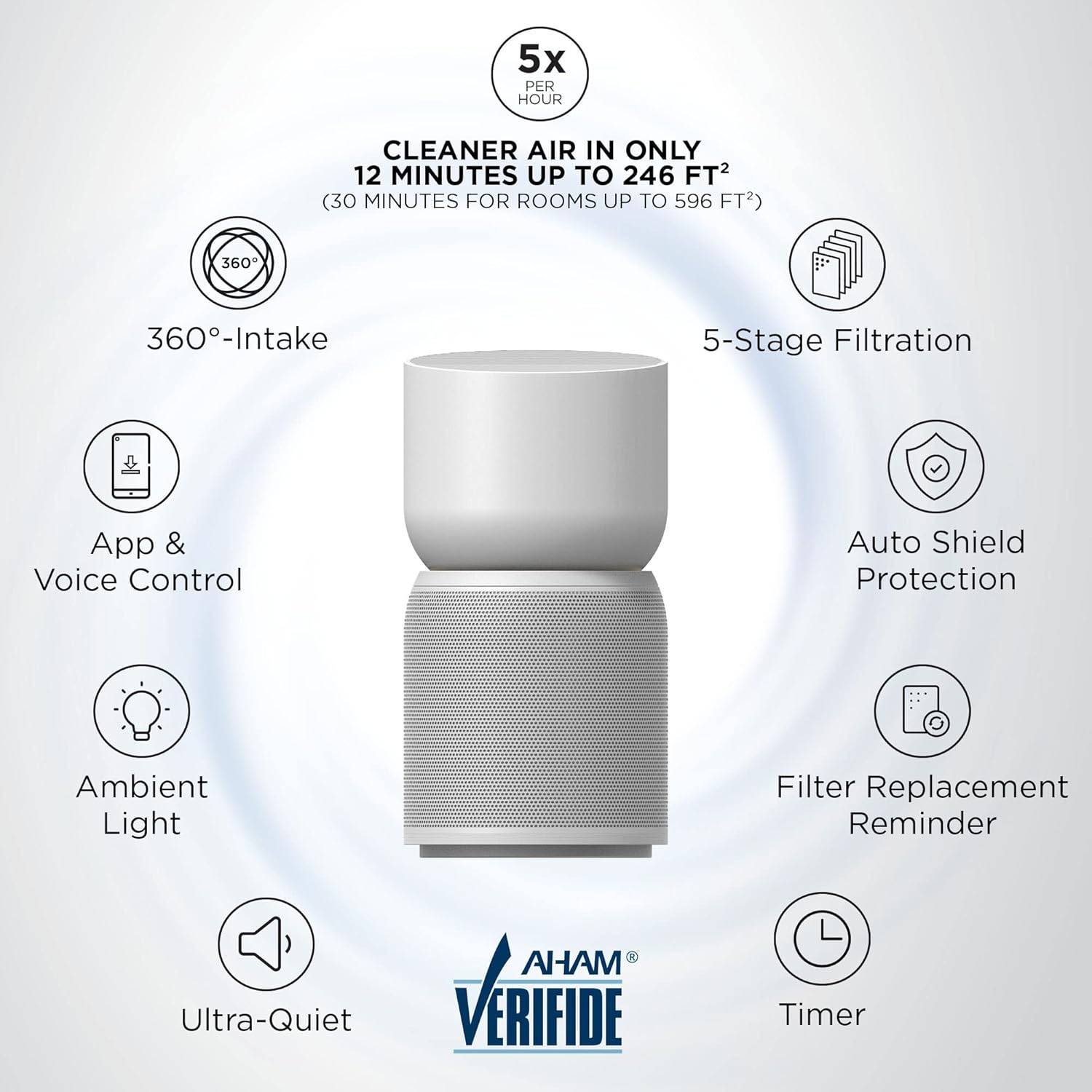
Figura 2: Mésview of TCL Breeva A3 features.
Funcions del tauler de control
- Encès/apagat: Touch the power icon to turn the unit on or off.
- Selecció del mode: Cycle through fan speeds (1, 2, 3) and special modes like Sleep Mode and Auto Shield Mode. Sleep mode operates at the lowest fan speed with dimmed lights.
- Temporitzador: Configureu el temps de funcionament a 1, 2, 4 o 8 hores.
- Restabliment del filtre: After replacing or cleaning the filter, press and hold this button for 3 seconds to reset the filter life indicator.
- Indicador de qualitat de l'aire: Displays current air quality (White: Good, Yellow: Moderate, Red: Poor).
- Breeva Shield (Anion & UV-C): Activates the anion technology and UV-C sterilization for enhanced air purification.
- Bloqueig per a nens: Press and hold for 3 seconds to lock/unlock the control panel, preventing accidental changes.
- Llum ambiental: Toggles the ambient light on/off.

Figure 3: App and Voice Control for TCL Breeva A3.
Control intel·ligent (aplicació i veu)
The TCL Breeva A3 can be controlled remotely via the TCL Home app or through voice commands using Alexa or Google Assistant devices.
- TCL Home App: Download the TCL Home app to your smartphone. Follow the in-app instructions to connect your air purifier. The app allows you to change modes, adjust fan speeds, check air quality, and set schedules.
- Control de veu: Link your Breeva A3 to your Alexa or Google Assistant devices. Use simple voice commands to control power, fan speed, and modes.

Figure 4: Auto Shield mode with air quality sensors.
4. Manteniment
Neteja i substitució del filtre
The Breeva Shield Plus 5-stage filtration system requires periodic cleaning and replacement to maintain optimal performance. The filter life is typically 3-6 months, depending on usage and air quality.

Figura 5: Les 5-Stage Filtration System components.
- Pre-filtre: The outer mesh pre-filter can be vacuumed to remove larger particles like pet hair and dust. This extends the life of the HEPA filter.
- True HEPA (H13) & Activated Carbon Filter: These internal filters are not washable and must be replaced. The unit will provide a filter replacement reminder (flashing red light and audible beeps).
- Substitució del filtre: Follow the filter installation steps in reverse to remove the old filter. Insert a new, genuine TCL Breeva A3 filter and reset the filter indicator on the control panel.
5. Solució De Problemes
If you encounter any issues with your TCL Breeva A3, refer to the following common problems and solutions:
| Problema | Possible solució |
|---|---|
| La unitat no s'encén | Ensure the power cord is securely plugged into a working outlet. Check if the filter is correctly installed and the bottom cover is locked. |
| Flux d'aire reduït o soroll inusual | Check the pre-filter for excessive dust accumulation and clean it if necessary. Ensure nothing is obstructing the air intake or outlet. |
| Filter replacement indicator remains on after changing filter | Press and hold the Filter Reset button on the control panel for 3 seconds until the indicator turns off. |
| Air quality indicator always shows 'Poor' (Red) | Ensure the air quality sensor (located at the back of the unit) is clean and not obstructed. If the issue persists, contact customer support. |
| El tauler de control no respon | Check if the Child Lock is activated. Press and hold the Child Lock button for 3 seconds to deactivate it. If unresponsive, unplug the unit for 30 seconds and plug it back in. |
6. Especificacions
- Número de model: A315W
- Dimensions del producte: 9.84 "P x 9.84" W x 18.9" H
- Pes de l'article: 8.4 lliures
- Font d'alimentació: Elèctric amb cable
- Potència nominal: 60W
- Voltage: 120V~
- Freqüència nominal: 60 Hz
- Fabricant: TCL
- Primer disponible: 27 de juliol de 2021
7. Garantia i Suport
For warranty information, technical support, or to purchase replacement filters, please refer to the official TCL weblloc web o poseu-vos en contacte amb el servei d'atenció al client. Conserveu el rebut de compra per a reclamacions de garantia.