Introducció
Thank you for choosing the Monster Bluetooth FM Transmitter. This device allows you to stream audio from your smartphone to your car's FM radio, make hands-free calls, and charge your devices quickly. Please read this manual carefully to ensure proper use and optimal performance.
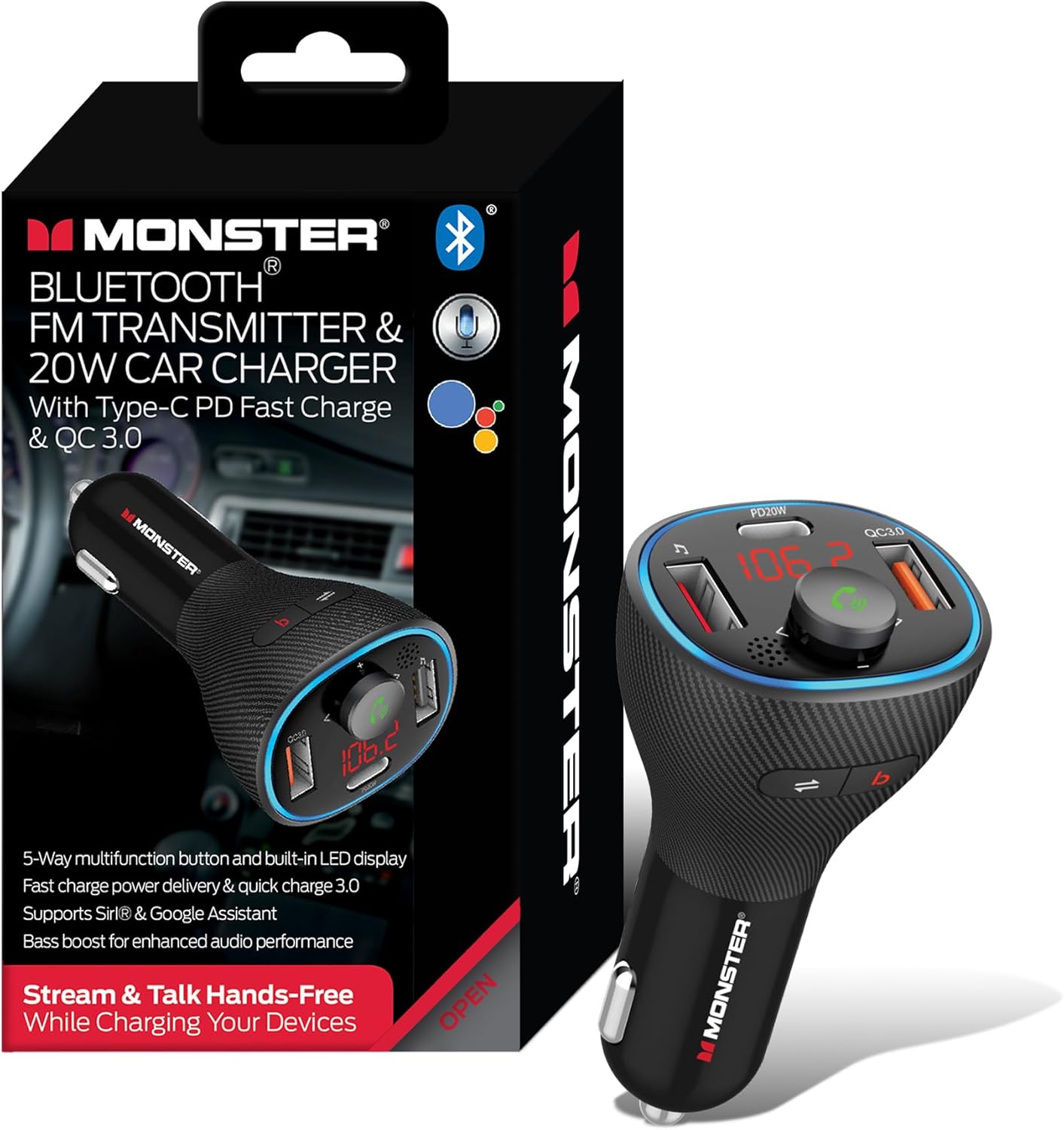
Image: The Monster Bluetooth FM Transmitter shown alongside its retail packaging, highlighting its compact design and key features.
Característiques clau
- Wireless Audio & Hands-Free Calls: Stream music and manage calls via Bluetooth.
- Powerful 20W Fast Charging: Equipped with QC3.0 USB-A and USB-C Power Delivery (PD) ports for rapid charging.
- Enhanced Sound with Bass Boost: Activate bass boost for deeper audio with a dedicated button.
- Múltiples opcions de reproducció de música: Supports Bluetooth streaming and USB flash drive playback.
- Voice Assistant & Universal Compatibility: Works with Google Voice Assistant and Siri, compatible with 12V-24V vehicles.

Image: A detailed diagram illustrating the various components of the Monster FM Transmitter, including the Bass Boost button, QC 3.0 USB Port, LED Display, Mode Switch, USB Music Port, Multifunction Button, and 20W PD Type-C Port.
Contingut del paquet
- Monster Bluetooth FM Transmitter
- Manual d'usuari
Configuració
Configuració inicial
Pas 1: encendre
Insert the Monster Bluetooth FM Transmitter into your vehicle's 12V/24V cigarette lighter socket. The LED display will light up, indicating it is powered on and ready for use.

Image: The Monster FM Transmitter securely plugged into a car's cigarette lighter socket, displaying its active LED screen and illuminated ports.
Step 2: Tuning FM Frequency
- Find an empty (static-free) FM frequency on your car's radio.
- On the transmitter, press and hold the Multifunction Button until the FM frequency on the LED display starts flashing.
- Rotate the Multifunction Button left or right to adjust the transmitter's frequency to match the empty frequency on your car radio.
- Press the Multifunction Button once to confirm the frequency setting.
Pas 3: aparellament Bluetooth
- Activa el Bluetooth al teu telèfon intel·ligent o a un altre dispositiu d'àudio.
- Cerca available Bluetooth devices and select "Monster MCC9-1035" to pair.
- Once paired, the transmitter's LED display will show a stable Bluetooth icon, and you will hear a confirmation tone.

Image: A smartphone screen displaying the Bluetooth settings menu, with the "Monster MCC9-1035" device listed and ready for connection, indicating successful pairing.
Video: An official product video demonstrating the setup and basic functions of the Monster Wireless FM Transmitter and Car Charger, including FM tuning, Bluetooth pairing, and hands-free calling.
Instruccions de funcionament
Reproducció de música
Transmissió Bluetooth
Once paired, open your favorite music app on your smartphone. Audio will automatically stream through your car's FM radio. Use the Multifunction Button to control playback:
- Press once to Play/Pause.
- Gireu en sentit horari per augmentar el volum.
- Gireu en sentit antihorari per disminuir el volum.
- Press the 'Next Track' button (▶▶) to skip to the next song.
- Press the 'Previous Track' button (◀◀) to go to the previous song.
Reproducció de la unitat flash USB
Insert a USB flash drive containing MP3, WMA, WAV, or FLAC audio files into the USB Music Port. The transmitter will automatically detect and play the music. Use the same controls as Bluetooth streaming for playback.
Trucades mans lliures
When a call comes in, the music will pause, and the transmitter will announce the incoming call. Use the Multifunction Button to manage calls:
- Press once to Answer an incoming call.
- Press once during a call to End the call.
- Press and hold to Reject an incoming call.
- Double-press to Redial the last number.

Image: A hand pressing the multifunction button on the Monster FM Transmitter, with visual cues indicating options to Answer, Hang up, or Decline a call, demonstrating its hands-free calling capability.
Funció de reforç de greus
Press the 'B' button (Bass Boost) on the transmitter to enhance the bass output of your audio. Press it again to turn off the bass boost.
Activació de l'Assistent de veu
Press and hold the Multifunction Button for 2 seconds to activate your smartphone's voice assistant (Siri or Google Assistant). You can then use voice commands for navigation, calls, or music control.

Image: A woman in a car interacting with her smartphone's voice assistant (Siri or Google Assistant) via the Monster FM Transmitter, with example voice commands like "Play my 'Favorite Road Trip' playlist" and "Give me directions to the nearest gas station" displayed.
Càrrega del dispositiu
The transmitter features a QC3.0 USB-A port and a 20W USB-C PD port for fast charging. Connect your compatible devices using appropriate charging cables to these ports.

Image: Two smartphones, one charging via USB-C PD and the other via USB-A, connected to the Monster FM Transmitter, illustrating its dual fast-charging capabilities.
Manteniment
To ensure the longevity and optimal performance of your Monster Bluetooth FM Transmitter, follow these simple maintenance guidelines:
- Neteja: Use a soft, dry cloth to wipe the surface of the device. Do not use liquid cleaners or abrasive materials, as they may damage the unit.
- Emmagatzematge: Quan no l'utilitzeu durant períodes prolongats, guardeu el dispositiu en un lloc fresc i sec, allunyat de la llum solar directa i de temperatures extremes.
- Manipulació: Avoid dropping the device or subjecting it to strong impacts, which can damage internal components.
Resolució de problemes
| Problema | Causa possible | Solució |
|---|---|---|
| Sense alimentació/pantalla LED apagada | Not properly inserted into socket; vehicle power issue. | Ensure the transmitter is fully inserted. Check vehicle's cigarette lighter fuse. |
| Estàtic o mala qualitat d'àudio | FM frequency interference; weak signal. | Find a clearer, unused FM frequency on your car radio and match the transmitter. Avoid frequencies used by strong local stations. |
| Bluetooth no connectat | Transmitter not in pairing mode; device already paired to another unit; Bluetooth off on phone. | Ensure transmitter is in pairing mode. Turn off Bluetooth on other nearby devices. Restart phone's Bluetooth. |
| No puc fer/rebre trucades | Not paired correctly; microphone blocked. | Re-pair the device. Ensure nothing is obstructing the microphone on the transmitter. |
| Càrrega lenta | Cable not compatible; device not supporting fast charge. | Use a high-quality, compatible charging cable. Ensure your device supports QC3.0 or PD fast charging. |
Especificacions
| Característica | Detall |
|---|---|
| Dimensions del producte | 2.87 x 2.15 x 4.75 polzades |
| Pes de l'article | 2.39 unces |
| Tecnologia de connectivitat | Bluetooth, USB |
| Font d'alimentació | Corded Electric (12V-24V Car Socket) |
| Ports de càrrega | QC3.0 USB-A, 20W USB-C PD |
| Formats d'àudio compatibles | MP3, WMA, WAV, FLAC (via USB Flash Drive) |
| Característica especial | Car Charger, Bass Boost, Voice Assistant Compatibility |
| Fabricant | Accessoris Jem |
| País d'origen | Xina |
Informació de seguretat
Manipulació de la bateria: Keep batteries away from extreme temperatures and humidity. Do not dispose of batteries in fire. Ús de Bluetooth: Avoid using while driving unless in a hands-free mode. Interferència: This device may interfere with other wireless devices. Dispose of according to local regulations.
Garantia i Suport
For warranty information or technical support, please refer to the contact details provided on the product packaging or visit the official XTREME DIGITAL LIFESTYLE ACCESSORIES weblloc web. Conserveu el rebut de compra com a comprovant de compra per a qualsevol reclamació de garantia.


