Introducció
This manual provides comprehensive instructions for the Monster Bluetooth FM Transmitter, Model MCC9-1033-BLK. This device allows you to wirelessly stream audio from your smartphone, tablet, or other Bluetooth-enabled devices to your car's FM stereo. It also features dual USB charging ports, an external microphone for hands-free calls, and support for various music file formats.
Informació de seguretat
Important: Always use the device within its specified maximum amperage rating. Adhere to general Bluetooth and FM transmission safety guidelines. Do not operate the device in a manner that distracts you from driving. Ensure proper ventilation and avoid exposing the device to extreme temperatures or moisture.
Producte acabatview
The Monster Bluetooth FM Transmitter is designed for convenience and functionality in your vehicle. Key components include:
- Transmissor FM: Emet àudio a la ràdio del cotxe.
- Connectivitat Bluetooth: For wireless audio streaming and hands-free calls.
- Ports de càrrega USB duals: Two ports with a combined output of 3.4 Amps for charging mobile devices.
- Micròfon extern: A 2-foot corded microphone for clear hands-free communication and voice assistant activation.
- Reproducció multimèdia: Supports music playback from USB flash drives and microSD cards.
- File Compatibilitat: Compatible with MP3, WMA, WAV, and FLAC audio formats.
- Assistència de veu: Integrates with Siri and Google Assistant.

Figure 1: Product Diagram with Labeled Components. This image illustrates the various parts of the FM transmitter, including the external microphone, USB ports, and control buttons.

Figure 2: Monster Bluetooth FM Transmitter. A front view of the device, highlighting its compact design and digital frequency display.
Instruccions de configuració
- Encès: Insert the Monster Bluetooth FM Transmitter into your vehicle's 12V power outlet (cigarette lighter socket). The device will power on automatically and its LED display will light up.
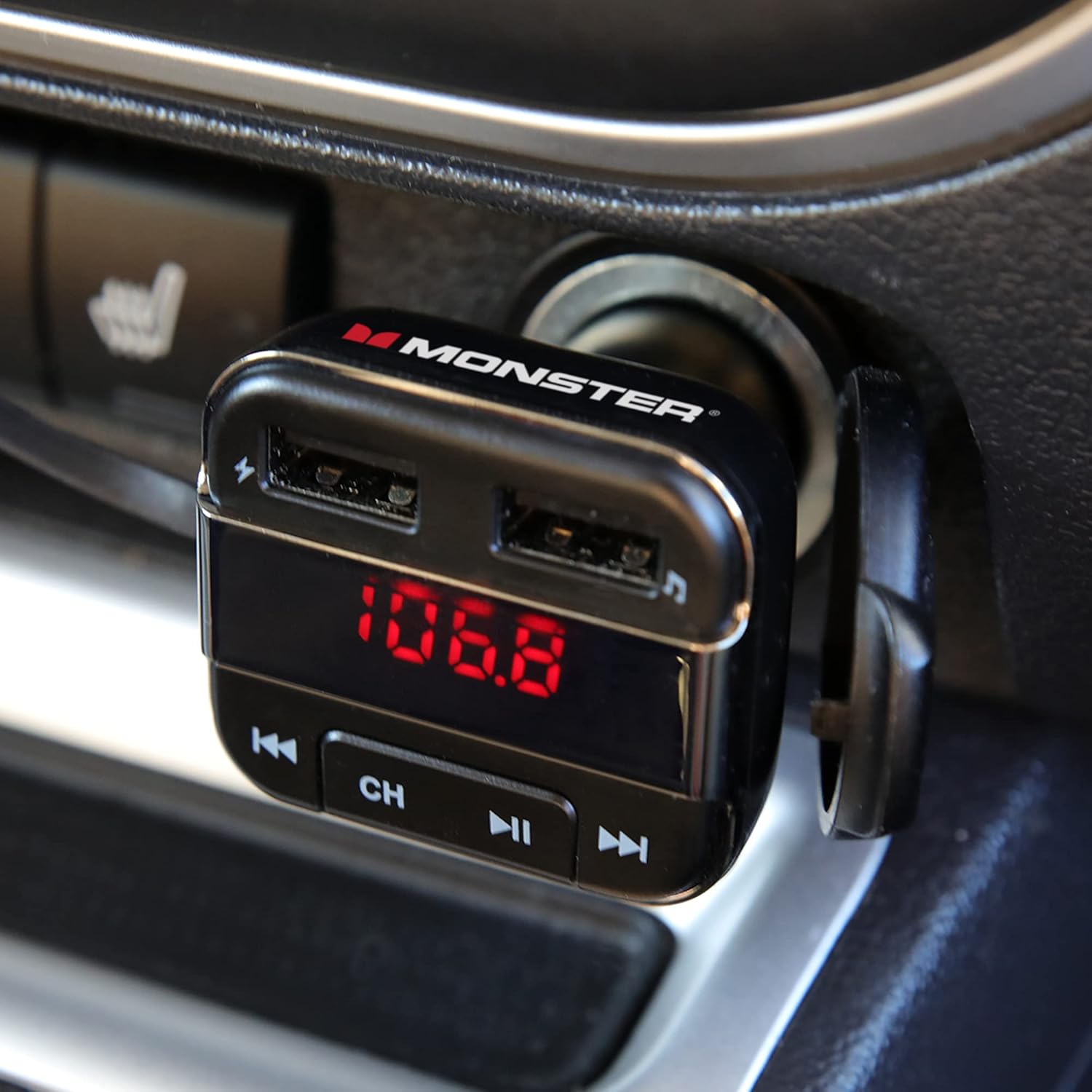
Figure 3: Device Powered On in Car Outlet. The transmitter is shown securely plugged into the vehicle's power socket, ready for operation.
- Estableix la freqüència FM:
- Tune your car's FM radio to an unused frequency. Choose a frequency that has no strong broadcast signal to minimize interference.
- On the transmitter, press the "CH" button to enter frequency adjustment mode.
- Use the "Back" (◀◀) and "Forward" (▶▶) buttons to match the transmitter's frequency to your car radio's frequency.
- Once matched, the display will stop flashing, indicating the frequency is set.
- Vincula amb el dispositiu Bluetooth:
- Al telèfon intel·ligent o al dispositiu amb Bluetooth, activeu Bluetooth i cerqueu els dispositius disponibles.
- Select "Monster BT FM" (or similar name) from the list of found devices.
- Once paired, the transmitter will confirm the connection, and you can now stream audio wirelessly.
- Position External Microphone: Attach the external microphone to a suitable location on your dashboard or near your driving position using the provided adhesive. Ensure it is positioned for optimal voice pickup during calls.

Figure 4: External Microphone Placement. The image shows the external microphone positioned on the car's dashboard for clear audio during calls.
Instruccions de funcionament
Reproducció de música:
- Transmissió Bluetooth: Once paired, play music from your connected device. Audio will transmit to your car's FM stereo.
- USB Flash Drive/MicroSD Card: Insert a USB flash drive or microSD card (up to 32GB, formatted FAT32) containing MP3, WMA, WAV, or FLAC files into the designated slot. The transmitter will automatically detect and begin playing music.
- Controls:
- Press the "Play/Pause" (▶▶) button to play or pause music.
- Press the "Back" (◀◀) button to go to the previous track.
- Press the "Forward" (▶▶) button to go to the next track.
Trucades mans lliures:
- Respondre/Finalitzar la trucada: Press the Multi-Function Button on the external microphone to answer an incoming call or end an ongoing call.
- Rebutja la trucada: Press and hold the Multi-Function Button to reject an incoming call.
- Torna a marcar: Double-press the Multi-Function Button to redial the last dialed number.
Assistent de veu (Siri/Assistent de Google):
- Activar: Long press the Multi-Function Button on the external microphone to activate your phone's voice assistant (Siri or Google Assistant).
- Speak your command clearly into the external microphone once the assistant is active.

Figure 5: Voice Assistant Integration. This image demonstrates the use of Siri and Google Assistant for hands-free control of music and navigation.
Càrrega USB:
- Connect your device's USB charging cable to either of the two USB ports on the transmitter.
- The ports provide a combined 3.4 Amps output for efficient charging of smartphones, tablets, and other USB-powered devices.
Manteniment
- Neteja: Feu servir un drap suau i sec per netejar el dispositiu. No utilitzeu netejadors líquids ni aerosols.
- Emmagatzematge: Quan no l'utilitzeu durant períodes prolongats, guardeu el dispositiu en un lloc fresc i sec, allunyat de la llum solar directa i de temperatures extremes.
- Manipulació: Eviteu deixar caure el dispositiu o sotmetre-lo a forts impactes.
Resolució de problemes
| Problema | Causa possible | Solució |
|---|---|---|
| Sense engegada/pantalla apagada | Not properly inserted into 12V outlet; vehicle power outlet is faulty. | Ensure the transmitter is fully inserted. Check if the vehicle's 12V outlet is working (e.g., by plugging in another device). |
| Estàtic o mala qualitat d'àudio | FM frequency interference; car antenna issues; low volume on source device. | Find a clearer, unused FM frequency on your car radio and transmitter. Ensure your phone/device volume is at a high level. Check car antenna. |
| No es pot emparellar per Bluetooth | Bluetooth not enabled on device; transmitter not in pairing mode; device too far. | Ensure Bluetooth is enabled on your phone. Restart both the transmitter and your phone. Keep devices within close proximity. |
| Hands-free call quality is poor | Microphone not positioned correctly; background noise. | Adjust the external microphone's position closer to your mouth. Reduce cabin noise if possible. |
| La càrrega USB no funciona | Cable faulty; device not compatible; power outlet issue. | Try a different USB cable. Ensure the device you are charging is compatible with USB charging. Verify the transmitter is powered on. |
Especificacions
- Número de model: MCC9-1033-BLK
- Connectivitat: Bluetooth, USB
- Font d'alimentació: Corded Electric (12V Car Outlet)
- Sortida USB: Dual USB, 3.4 Amps (Total)
- Formats d'àudio compatibles: MP3, WMA, WAV, FLAC
- MicroSD/USB Flash Drive Support: Up to 32GB (FAT32)
- External Microphone Cable Length: 2 peus
- Dimensions: Aproximadament 5.87 x 3.98 x 1.85 polzades (dimensions del paquet)
- Pes: Aproximadament 2.96 unces
- Color: Negre
Garantia i Suport
For warranty information and technical support, please refer to the product packaging or contact XTREME DIGITAL LIFESTYLE ACCESSORIES customer service. Keep your purchase receipt for warranty claims.
Fabricant: Accessoris Jem


