1. Introducció
This manual provides instructions for the Monoprice Dark Matter 27-inch 165Hz Gaming Monitor. This monitor features an IPS panel, a 165Hz refresh rate, and a 1920x1080p Full HD resolution. It includes Adaptive Sync technology for smooth visuals and offers multiple connectivity options, including HDMI and DisplayPort inputs.
2. Informació de seguretat
- Read all instructions before operating the monitor.
- Keep the monitor away from water or damp ambients.
- No bloquejar les obertures de ventilació.
- Feu servir només l'adaptador de corrent proporcionat pel fabricant.
- Eviteu col·locar el monitor en superfícies inestables.
- Desconnecteu el cable d'alimentació durant tempestes amb llamps o quan no l'utilitzeu durant períodes prolongats.
- Demaneu tot el servei a personal qualificat.
3. Contingut del paquet
Comproveu que el vostre paquet contingui els elements següents:
- Monoprice Dark Matter 27-inch Gaming Monitor
- Suport de monitor (base i coll)
- Adaptador d'alimentació i cable d'alimentació
- Cable HDMI
- Manual d'usuari (aquest document)
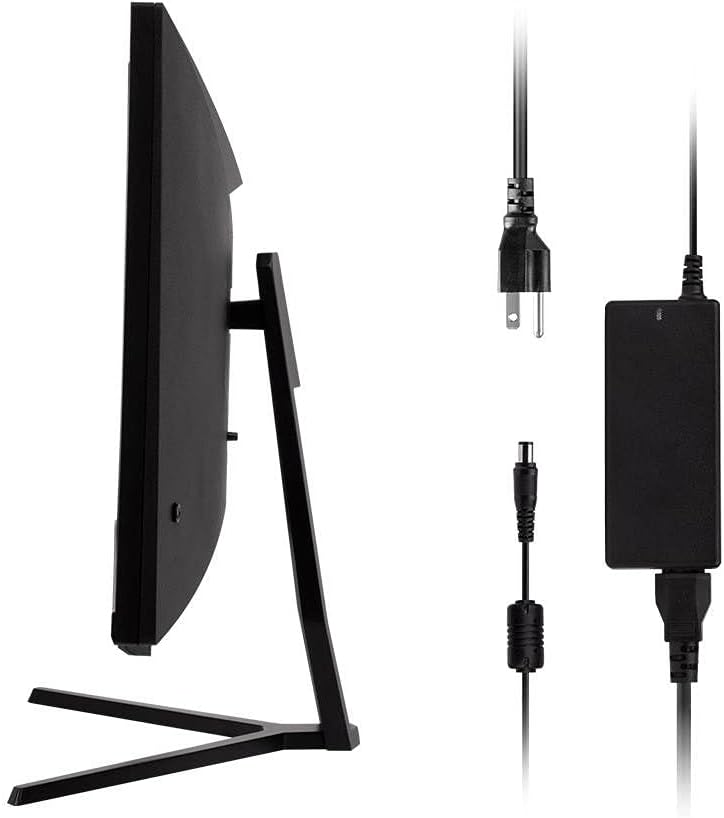
Image: Monitor side view with included power adapter and cable.
4. Monitor Overview
Davant View
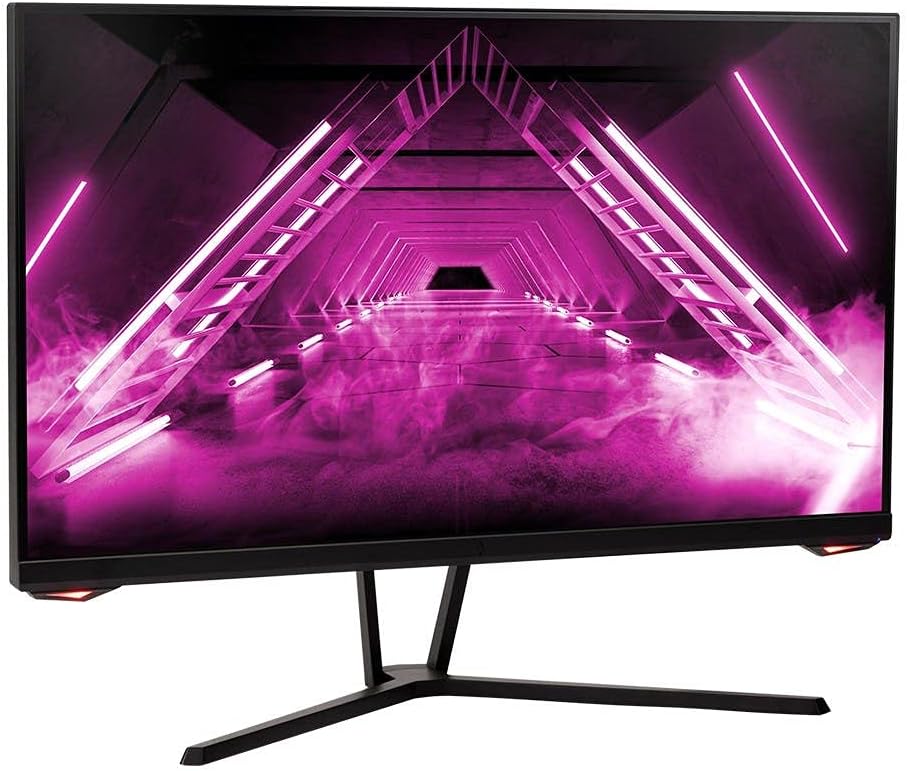
Imatge: Frontal view del monitor.
posterior View i Ports
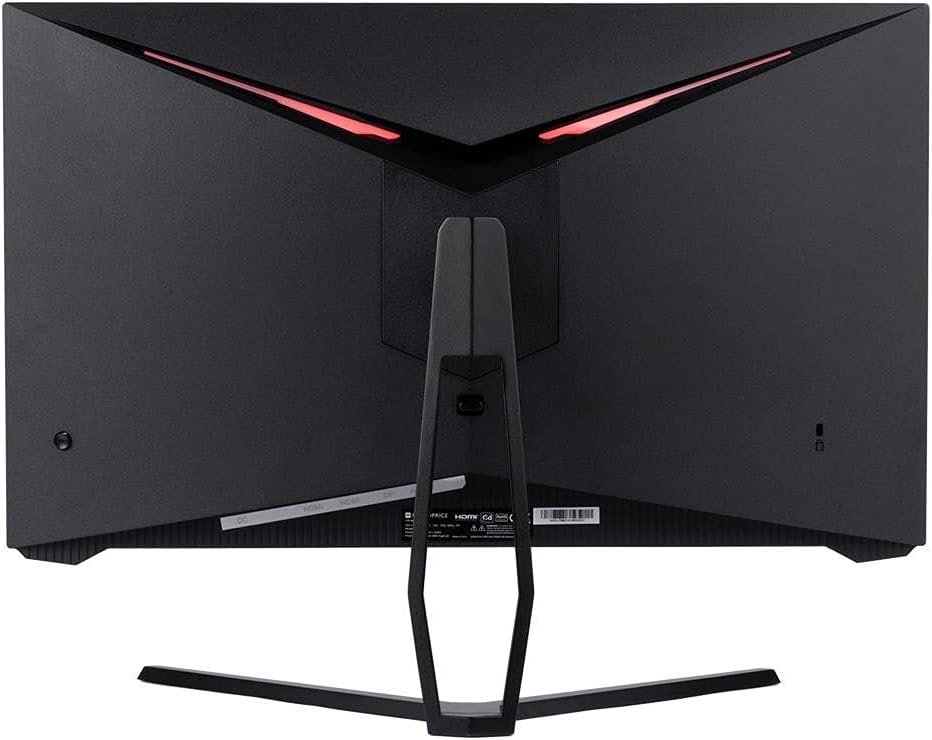
Imatge: Part posterior view of the monitor, highlighting the VESA mount and stand attachment.

Image: Close-up of the monitor's input ports.
5. Configuració
5.1 Muntatge del suport
- Traieu amb cura el monitor del seu embalatge, mantenint-lo protegit sobre una superfície tova.
- Attach the stand neck to the monitor's rear panel by aligning the tabs and securing any screws if present.
- Attach the stand base to the stand neck, ensuring it is firmly secured.
- Col·loqueu el monitor muntat sobre una superfície plana i estable.
5.2 Muntatge VESA
The monitor supports a 75x75mm VESA mount pattern. To use a wall or desk mount:
- Remove the pre-attached stand by unscrewing it from the monitor's rear panel.
- Attach your VESA-compatible mount to the monitor using the appropriate screws (not included).
- Ensure the mount is securely fastened before releasing el monitor.
5.3 Connexió a un ordinador
Connect the monitor to your computer using one of the following methods:
- DisplayPort: Connect one end of a DisplayPort cable to the DisplayPort output on your computer's graphics card and the other end to the DisplayPort input on the monitor.
- HDMI: Connect one end of an HDMI cable to an HDMI output on your computer's graphics card and the other end to one of the HDMI inputs on the monitor.
After connecting the video cable, connect the power adapter to the monitor's DC input and then plug the power cable into a wall outlet.
6. Funcionament del monitor
6.1 Encès/Apagat
Press the power button, typically located on the rear or bottom of the monitor, to turn the monitor on or off. The power indicator light will illuminate when the monitor is on.
6.2 Menú de visualització en pantalla (OSD)
The OSD menu allows you to adjust various monitor settings. Access the OSD menu by pressing the menu button (often a joystick or a series of buttons) on the monitor. Navigate through the options using the directional controls and confirm selections.
La configuració habitual de l'OSD inclou:
- Configuració de la imatge: Brillantor, contrast, nitidesa, temperatura de color.
- Selecció d'entrada: Trieu entre entrades DisplayPort i HDMI.
- Àudio: Volume control for the audio output.
- Característiques del joc: Overdrive, FreeSync/Adaptive Sync settings.
6.3 Característiques clau
- Freqüència de refresc de 165 Hz: This monitor supports a 165Hz refresh rate, providing smoother motion and reduced input lag compared to standard 60Hz monitors. Ensure your graphics card and system settings are configured to utilize this refresh rate.
- Sincronització adaptativa: This technology synchronizes the monitor's refresh rate with your graphics card's frame rate, eliminating screen tearing and stuttering for a smoother gaming experience. Enable Adaptive Sync in your graphics card's control panel and the monitor's OSD menu.
- Full HD Resolution (1920x1080p): The monitor displays content at 1920x1080 pixels, offering clear and detailed visuals.
7. Manteniment
To maintain your monitor and ensure its longevity:
- Neteja de la pantalla: Netegeu suaument la pantalla amb un drap suau i sense borrissol. Per a les marques difícils, utilitzeu una solució de neteja específica per al monitor aplicada al drap, no directament a la pantalla.
- Neteja de la Casing: Feu servir un drap suau i sec per netejar el monitor casing. Eviteu els productes de neteja abrasius.
- Ventilació: Assegureu-vos que les obertures de ventilació del monitor estiguin lliures de pols i obstruccions per evitar el sobreescalfament.
- Apagar: Turn off the monitor when not in use for extended periods.
8. Solució De Problemes
If you encounter issues with your monitor, refer to the following troubleshooting guide:
| Problema | Causa possible | Solució |
|---|---|---|
| No hi ha imatge a la pantalla / LED d'engegada apagat | Monitor not powered on; Power cable loose; Power outlet faulty. | Press the power button; Check power cable connections; Try a different power outlet. |
| Sense imatge / Missatge "Sense senyal" | Video cable loose; Incorrect input selected; Computer not outputting signal. | Check video cable connections; Select the correct input via OSD; Ensure computer is on and outputting video. |
| Screen flickers or goes black intermittently | Loose video cable; Graphics driver issue; Monitor overheating; Faulty cable. | Ensure video cable is secure; Update graphics drivers; Ensure adequate ventilation around the monitor; Try a different video cable. |
| Sobreescalfament / Fum | Blocked ventilation; Internal component issue. | Immediately unplug the monitor. Ensure ventilation is clear. Do not use the monitor if smoke is present. Contact support. |
| Red line or other display artifacts | Faulty panel; Graphics card issue. | Test with a different video cable and computer. If the issue persists, contact support. |
| Backlight turns off, requires power cycle | Power management settings; Internal fault. | Check computer's power saving settings. If issue persists, contact support. |
9. Especificacions
| Característica | Especificació |
|---|---|
| Número de model | 142771 |
| Mida de la pantalla | 27 polzades |
| Tipus de panell | IPS |
| Resolució | 1920 x 1080 (FHD 1080p) |
| Freqüència d'actualització | 165 Hz |
| Relació d'aspecte | 16:9 |
| Entrades de vídeo | 2x HDMI 1.4, 1x DisplayPort 1.2a |
| Muntatge VESA | 75x75mm |
| Dimensions (LxWxH) | 28.8 x 7.1 x 19.3 polzades |
| Pes de l'article | 15.77 lliures |
10. Garantia i Suport
10.1 Informació de la garantia
This Monoprice monitor is backed by a 1 Year PixelPerfect Guarantee. This warranty covers defects in materials and workmanship under normal use for one year from the date of purchase. Please refer to Monoprice's official weblloc per conèixer els termes i condicions de la garantia completa.
10.2 Atenció al client
For technical assistance, warranty claims, or further information, please contact Monoprice Customer Support. Contact details can typically be found on the official Monoprice weblloc web o la documentació de la compra.
11. Recursos de vídeo
No s'han trobat vídeos oficials del venedor per a aquest model.


