Introducció
This manual provides detailed instructions for the safe and effective use of your Accutime FRCA1001 Unicorn Interactive Children's Camera. Please read this manual thoroughly before operating the device and retain it for future reference.
Informació de seguretat
ADVERTIMENT:
- No apte per a nens menors de 36 mesos a causa de les peces petites. Risc d'asfixia.
- Long string: Risk of strangulation.
- Packaging components such as tape, plastic film, wire ties, stickers, and labels are not part of the product. Dispose of them safely for your child's protection.
- The packaging contains important information and should be kept for later reading.
- The appearance and color of the product may differ from the images shown.
Què hi ha a la caixa
En obrir el paquet, comproveu que hi hagi tots els elements següents:
- Accutime FRCA1001 Unicorn Interactive Children's Camera
- Targeta Micro SD
- Cable USB
- Manual d'instruccions
Producte acabatview
Familiaritzeu-vos amb els components i els controls de la càmera.
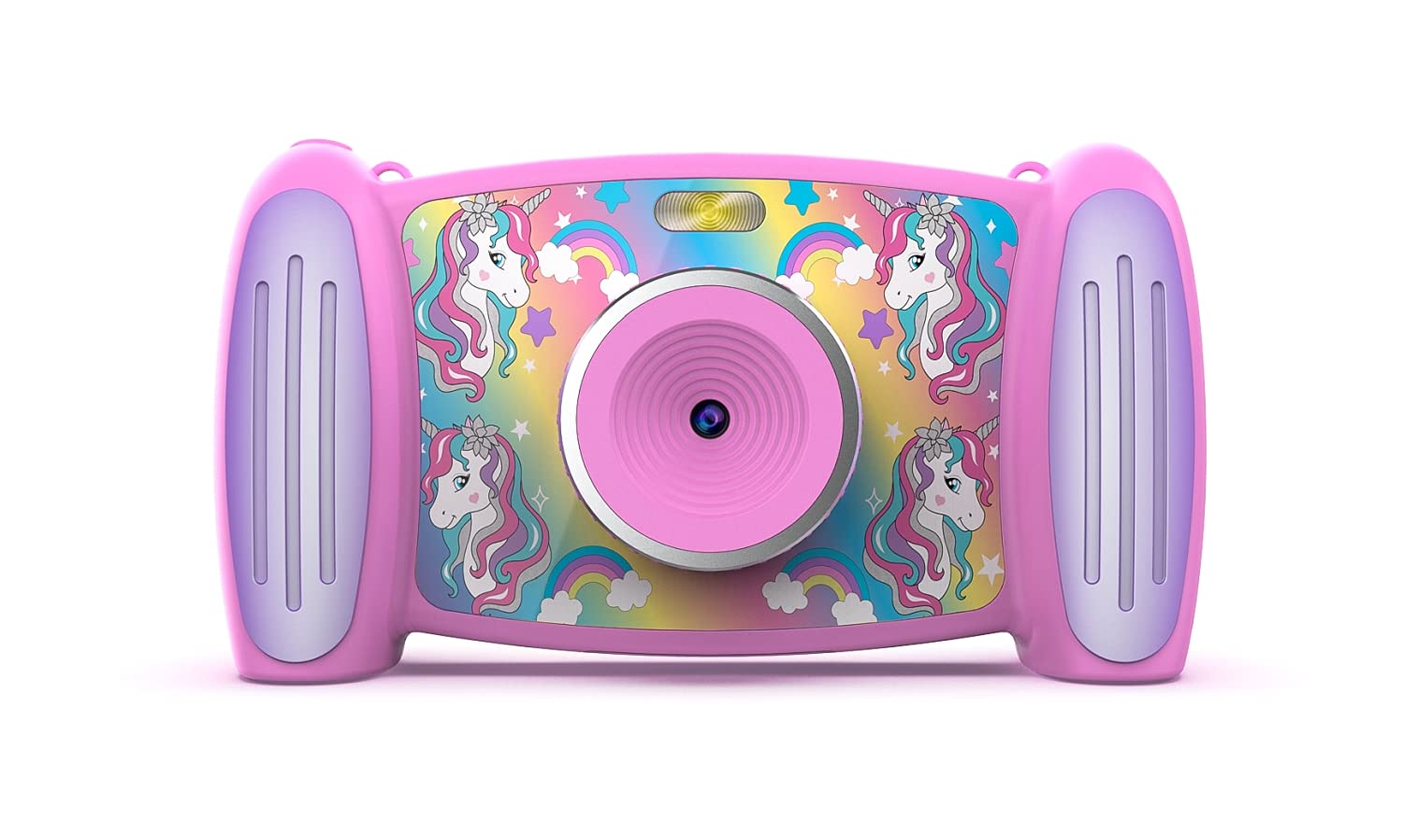
Imatge 1: Davant view of the Accutime FRCA1001 Unicorn Interactive Children's Camera, displaying the main menu with icons for photo, video, games, and settings.
The camera features a vibrant screen, intuitive buttons for navigation, and a built-in speaker. Key controls include:
- Botó d'encesa: Located on the side/bottom, used to turn the camera on and off.
- Botons direccionals (amunt, avall, esquerra, dreta): For navigating menus and selecting options.
- Botó D'acord: Confirma les seleccions.
- Botó foto/vídeo: Initiates photo capture or video recording.
- Zoom Buttons (+/-): Ajusta el zoom digital.
- Micròfon: For audio recording during videos.
- Ponent: Per a la reproducció d'àudio.
- Ranura per a targetes Micro SD: Per a l'expansió de memòria.
- Port USB: Per a càrrega i transferència de dades.
Configuració
1. Instal·lació i càrrega de la bateria
The camera includes a built-in Lithium Ion battery. Before first use, ensure the camera is fully charged.
- Connect the provided USB cable to the camera's USB port and the other end to a compatible USB power adapter (not included) or a computer's USB port.
- El llum indicador de càrrega s'il·luminarà.
- Un cop completament carregat, l'indicador lluminós canviarà o s'apagarà. Desconnecta el cable.
2. Instal·lació de la targeta Micro SD
A Micro SD card is required to save photos and videos. A card is included with your camera.
- Localitza la ranura per a targetes Micro SD a la càmera.
- Gently insert the Micro SD card into the slot with the gold contacts facing down, until it clicks into place.
- Per treure-la, torneu a prémer suaument la targeta fins que surti.
Instruccions de funcionament
1. Encès / apagat
- To turn on: Press and hold the Power button until the screen illuminates.
- To turn off: Press and hold the Power button until the screen shuts down.
2. Navegant pel menú
Use the directional buttons to move between icons on the screen. Press the OK botó per seleccionar una opció.

Imatge 2: Two children engaged in an activity, with one child holding and looking at the Accutime FRCA1001 camera, demonstrating its intended use.
3. Fer fotos
- From the main menu, select the camera icon.
- Enquadra la teva foto utilitzant la pantalla.
- Press the Photo/Video button to capture a picture.
- The camera supports 5-megapixel image resolution.
4. Gravació de vídeos
- From the main menu, select the video camera icon.
- Press the Photo/Video button to start recording.
- Press the Photo/Video button again to stop recording.
- Videos are recorded in 1080p resolution.
5. Using Filters and Special Effects
Enhance your photos and videos with built-in filters and effects.
- While in photo or video mode, navigate to the filter/effects option (refer to on-screen icons).
- Select from 5 fun filters and 5 special effects.
6. Changing Photo Frames and Backgrounds
Personalize your photos with various frames and customize the camera's display with different backgrounds.

Imatge 3: A collage showing five distinct colorful backgrounds or photo frames available for selection on the camera, featuring unicorn and rainbow themes.

Imatge 4: An illustration displaying the camera's default start screen featuring a unicorn and rainbow, along with a sample wallpaper option.
- Access the settings menu to find options for changing photo frames or display backgrounds.
- Choose from the available designs to customize your camera experience.
7. Jugar a jocs
The camera includes 4 pre-installed educational and exciting games.
- From the main menu, select the games icon.
- Choose a game from the list and follow the on-screen instructions to play.
8. Using the MP3 Player
The camera features an MP3 player with a built-in speaker.
- Transfer MP3 audio files to the Micro SD card via the USB connection.
- From the main menu, select the music icon.
- Browse and play your stored MP3 files.
9. Zoom digital
The camera features 4x digital zoom.
- While in photo or video mode, use the '+' and '-' buttons to zoom in or out.
Manteniment
Neteja
- Feu servir un drap suau i sec per netejar el cos de la càmera.
- Per a la lent, feu servir un drap especialitzat per a la neteja de lents.
- No utilitzeu netejadors líquids ni materials abrasius.
Emmagatzematge
- Guardeu la càmera en un lloc fresc i sec, allunyat de la llum solar directa.
- Ensure the camera is turned off before storing.
- Si l'emmagatzemeu durant períodes prolongats, carregueu la bateria periòdicament per mantenir-ne l'estat.
Resolució de problemes
Si teniu problemes amb la càmera, consulteu les solucions habituals següents:
- La càmera no s'encén: Assegureu-vos que la bateria estigui completament carregada. Premeu i manteniu premut el botó d'engegada durant uns segons.
- No es poden desar fotos/vídeos: Check if the Micro SD card is correctly inserted and has sufficient free space. The card may need to be formatted (refer to camera settings).
- Poca qualitat d'imatge: Ensure the lens is clean and free from smudges. Check lighting conditions.
- La càmera es congela: Try restarting the camera by holding the power button until it turns off, then turn it back on.
- No hi ha so de l'altaveu: Check volume settings in the camera menu. Ensure MP3 files are correctly formatted.
Si els problemes persisteixen, poseu-vos en contacte amb el servei d'atenció al client per obtenir més ajuda.
Especificacions
| Característica | Detall |
|---|---|
| Número de model | FRCA1001 |
| Resolució d'imatge | 5 megapíxels (MP) |
| Resolució de vídeo | 1080p |
| Zoom digital | 4x |
| Tipus de pantalla | 2-in-1 Screen |
| Emmagatzematge | Targeta Micro SD (inclosa) |
| Tipus de bateria | 1 ió de liti (inclòs) |
| Dimensions | 5.71 x 1.69 x 3.5 polzades |
| Pes de l'article | 4.9 unces |
| Característiques | 5 Fun Filters, 5 Special Effects, 4 Games, MP3 Player with Speaker |
Garantia i Suport
For warranty information or technical support, please refer to the contact details provided on the product packaging or visit the official Accutime weblloc web. Conserveu el rebut de compra com a comprovant de compra.


