1. Producte acabatview
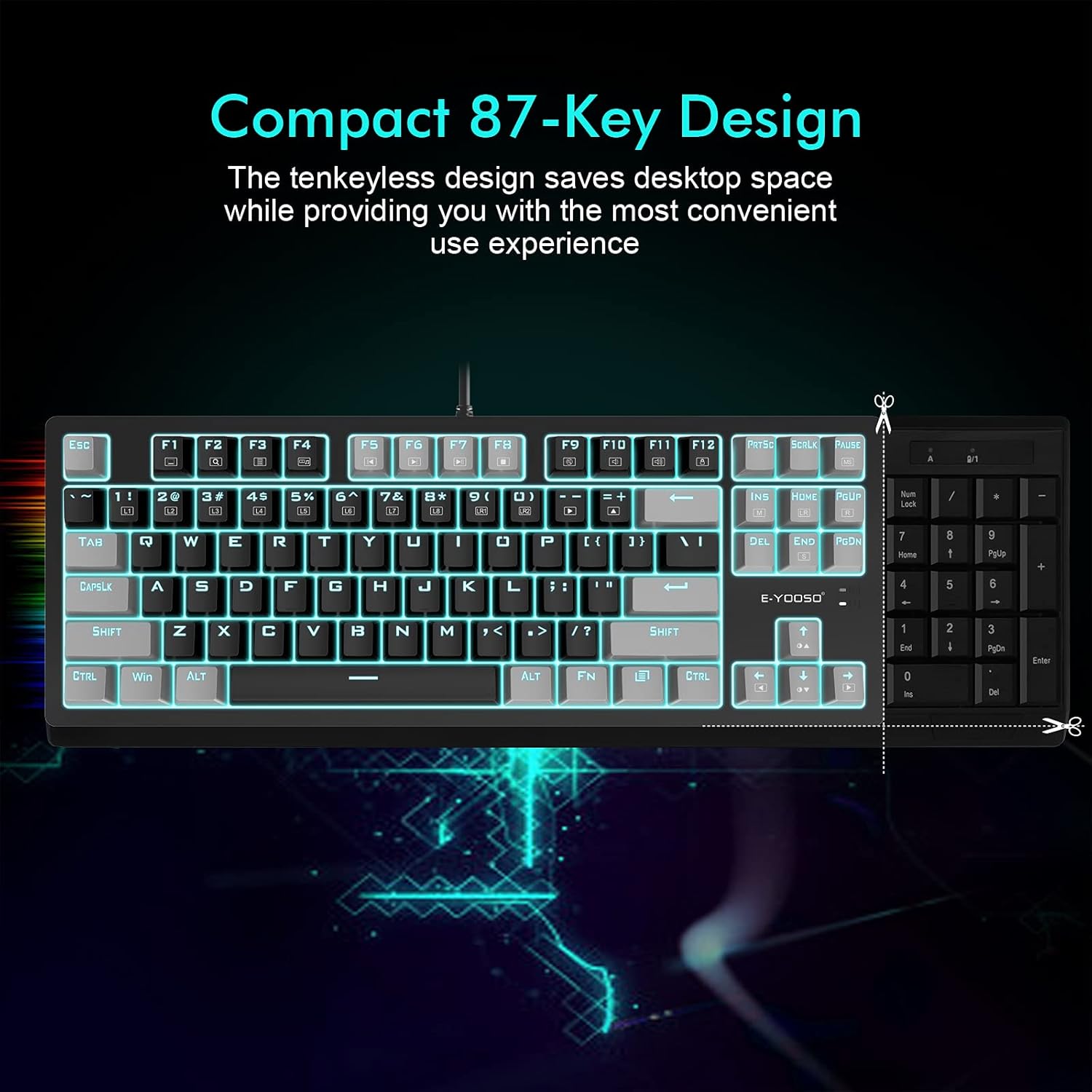
The E-YOOSO K620 is a compact 87-key Tenkeyless (TKL) wired mechanical gaming keyboard designed for various computing and gaming platforms. It features quiet Red Switches, customizable backlighting, and ergonomic design elements for enhanced user experience.

Image: E-YOOSO K620 TKL Wired Mechanical Gaming Keyboard with blue backlighting and RGB side lights.
2. Contingut del paquet
- E-YOOSO K620 Mechanical Keyboard
- Two orange keycaps (ESC and Space bar)
3. Instruccions de configuració
The E-YOOSO K620 keyboard connects via a wired USB connection. No additional software or drivers are typically required for basic functionality.
- Locate an available USB port on your computer (PC, MAC) or gaming console (PS4/PS5).
- Connecteu el connector USB del teclat al port USB.
- The keyboard should be automatically recognized by your system and ready for use.

Image: The E-YOOSO K620 keyboard connected to a computer setup, illustrating its compatibility with various devices.
4. Instruccions de funcionament
4.1. Interruptors mecànics
The K620 keyboard is equipped with quiet Red Switches, known for their linear and smooth keystrokes. These switches have a durability of 50 million keystrokes, a distance to actuation of 2±0.6mm, and an actuation force of 45±15 cN. This provides a responsive and quiet typing experience suitable for both work and gaming environments.
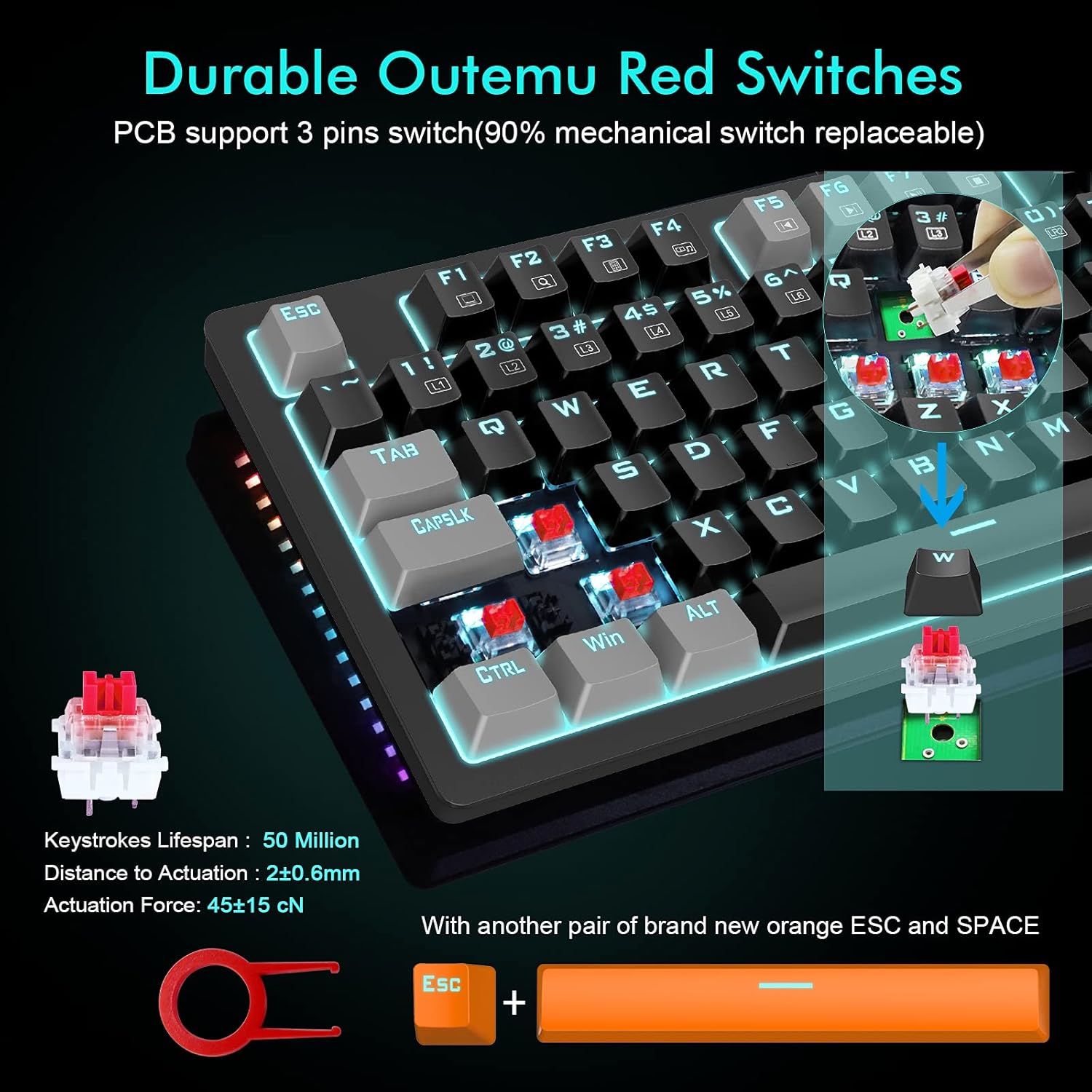
Imatge: Primer pla view of the E-YOOSO K620 keyboard, highlighting the Outemu Red Switches and included keycap puller.
4.2. Backlight and Sidelight Control
The keyboard features 18 adjustable blue backlight modes and 4 RGB sidelight modes. Use the following key combinations to control the lighting effects:
- Fn + Ins: Cycle through 8 dynamic backlight modes.
- Fn + (1-8): Select from 8 built-in gaming backlight modes.
- Fn + (9,0): Access 2 customizable backlight modes.
- Fn + Pause: Cycle through 4 RGB side lighting modes.
- Fn + Fletxa amunt/avall: Ajusteu la brillantor de la llum de fons.
- Fn + Fletxa esquerra/dreta: Ajusta la velocitat de la retroiluminació.

Image: The E-YOOSO K620 keyboard showcasing its blue backlighting and vibrant RGB side lights.

Image: Visual guide for controlling lighting effects using Fn key combinations.
4.3. Dreceres multimèdia
Utilize the Fn key in combination with the F1-F12 keys for quick access to multimedia functions:

Image: A visual representation of the multimedia function keys.
4.4. Anti-ghosting
The K620 features advanced anti-ghosting technology, allowing all 87 keys to register simultaneously. This ensures accurate and fast input, which is crucial for gaming and rapid typing.

Image: The E-YOOSO K620 keyboard in a typical gaming environment, emphasizing its full anti-ghosting capability.
5. Ergonomia i disseny
The keyboard is designed with user comfort in mind, featuring foldable back kickstands and a stepped key layout. These elements help reduce finger fatigue during extended use.

Imatge: Side profile of the E-YOOSO K620 keyboard, illustrating its ergonomic stepped key design.

Image: Diagram illustrating the ergonomic 8-degree tilt of the keyboard for comfortable typing.
5.1. Keycap Material
The keycaps are made from a 1:1 mix of high-quality PBT and ABS materials, utilizing a double-shot injection molding process. This ensures clear, uniform backlighting and prevents the legends from fading or wearing off over time.
Imatge: Detallada view of the E-YOOSO K620 keycaps, highlighting their double-shot injection and durable PBT/ABS construction.
6. Compatibilitat
The E-YOOSO K620 Mechanical Gaming Keyboard is compatible with a wide range of operating systems and devices:
- Windows 10/8/7/Vista/XP
- Limited Mac OS
- PS5 / PS4
- Desktops, Chromebooks, PCs, Laptops, Computers
7. Manteniment
To ensure the longevity and optimal performance of your E-YOOSO K620 keyboard, follow these maintenance guidelines:
- Neteja: Regularly clean the keycaps and the spaces between them using a soft brush or compressed air to remove dust and debris. For stubborn dirt, gently wipe keycaps with a damp tela.
- Resistència a vessaments: The keyboard features a splash-proof design, offering some protection against accidental spills. However, it is not fully waterproof. In case of a spill, immediately disconnect the keyboard and allow it to dry completely before reconnecting.
- Emmagatzematge: Store the keyboard in a dry, cool place away from direct sunlight and extreme temperatures.

Image: The E-YOOSO K620 keyboard demonstrating its splash-proof design with water droplets on its surface.
8. Solució De Problemes
If you encounter any issues with your E-YOOSO K620 keyboard, please refer to the following common troubleshooting steps:
- El teclat no respon:
- Assegureu-vos que el cable USB estigui ben connectat tant al teclat com a l'ordinador/consola.
- Prova de connectar el teclat a un port USB diferent.
- Test the keyboard on another computer/console to determine if the issue is with the keyboard or the host device.
- Backlight/Sidelight Not Working or Incorrect:
- Refer to Section 4.2 for detailed instructions on controlling backlight and sidelight modes using the Fn key combinations.
- Ensure the brightness is not set to the lowest level (Fn + Down Arrow).
- Claus que no es registren:
- Comproveu si hi ha obstruccions físiques o residus sota la tapa de les tecles.
- If a specific key is consistently not working, it may indicate a switch issue.
For further assistance, please contact E-YOOSO customer support.
9. Especificacions del producte
| Nom del model | K620 |
| Marca | E-YOOSO |
| Tecnologia de connectivitat | USB (per cable) |
| Descripció del teclat | Teclat de joc mecànic |
| Tipus de canvi | Interruptors vermells |
| Material de claus | Acrylonitrile Butadiene Styrene (ABS), Polybutylene Terephthalate (PBT) - 1:1 Mix |
| Il·luminació del teclat | Blue Backlight (18 modes), RGB Sidelight (4 modes) |
| Nombre de claus | 87 claus |
| Anti-fantasma | Tecles completes Anti-fantasma |
| Dimensions del producte | 14.3 x 5.2 x 0.5 polzades (36.3 x 13.2 x 1.3 cm) |
| Pes de l'article | 1.74 lliures (0.79 kg) |
| Fabricant | E-YOOSO |
| Data de primera disponibilitat | 14 d'agost de 2021 |
10. Garantia i Suport
E-YOOSO provides responsive after-sales support for the K620 Mechanical Gaming Keyboard. If you encounter any problems or have questions, please feel free to contact us.
Within 6 months of purchase, you are eligible for a free return or exchange if any issues arise with your product.


