1. Producte acabatview
The NETVUE Sentry 2 is a 1080P outdoor security camera designed to provide comprehensive surveillance for your home. It features advanced functionalities such as 360° pan and 110° tilt for wide area coverage, real-time motion and human detection, two-way audio communication, and enhanced night vision capabilities. Its IP66 weatherproof rating ensures reliable performance in various outdoor conditions.
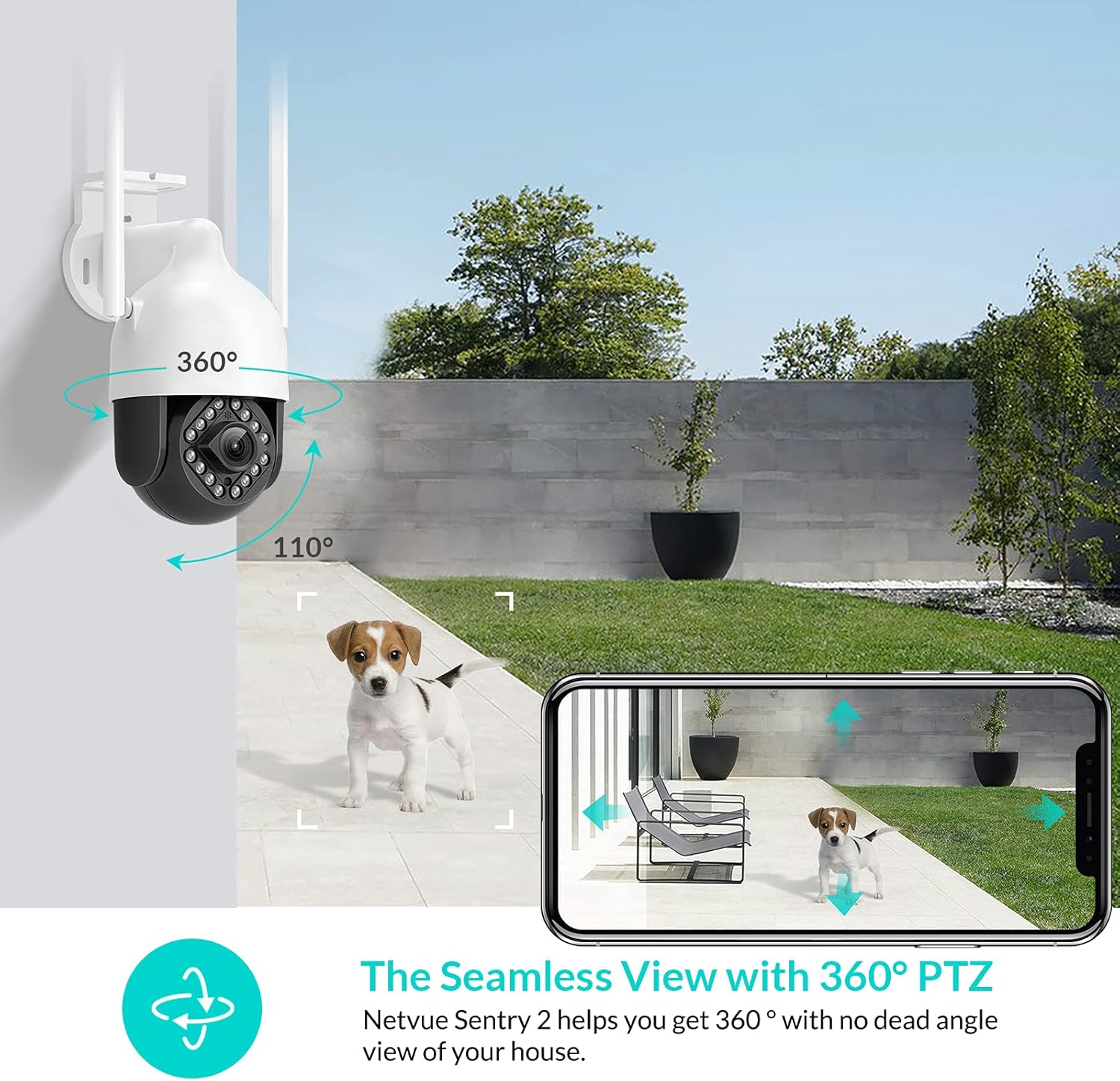
Image: NETVUE Sentry 2 Outdoor Security Camera showcasing its 360° pan and 110° tilt view.
2. Què hi ha a la caixa
Upon unboxing your NETVUE Sentry 2 camera, please verify that all components are present:
- NETVUE Sentry 2 Outdoor Security Camera
- Adaptador d'alimentació
- Suport de muntatge
- Cargols de muntatge i ancoratges de paret
- Waterproof Kit for Cable Connections
- Manual d'usuari (aquest document)
For a visual guide on the product and its components, please refer to the official product video below:
Video: Official Netvue Outdoor Security Camera Sentry 2 overview, including unboxing and installation steps.
3. Configuració i instal·lació
3.1 Encès
- Connecteu l'adaptador de corrent a l'entrada d'alimentació de la càmera.
- Connecteu l'adaptador d'alimentació a una presa de corrent estàndard.
- Wait for the camera to power on and initiate its self-test.
3.2 Descàrrega de l'aplicació i creació de compte
- Download the official NETVUE app from your device's app store (iOS or Android).
- Open the app and create a new account, or log in if you already have one.
3.3 Connexió Wi-Fi
The NETVUE Sentry 2 camera supports 2.4GHz Wi-Fi networks. Ensure your mobile device is connected to a 2.4GHz Wi-Fi network during the setup process.
- In the NETVUE app, tap 'Add Device' and select your camera model.
- Follow the on-screen instructions to connect the camera to your Wi-Fi network. This typically involves scanning a QR code generated by the app with the camera lens.

Image: NETVUE Sentry 2 camera demonstrating stable Wi-Fi connection in distance.
3.4 Instal·lació física
Choose a suitable outdoor location for mounting the camera, ensuring it has a clear view and is within Wi-Fi range. The camera is IP66 weatherproof, suitable for various outdoor conditions.
- Use the mounting bracket as a template to mark drill holes on the desired surface.
- Perforar els forats i inserir els ancoratges de paret.
- Fixeu el suport de muntatge a la superfície amb els cargols proporcionats.
- Fixeu la càmera al suport de muntatge.
- Ensure all cable connections are properly sealed using the waterproof kit to prevent water ingress.
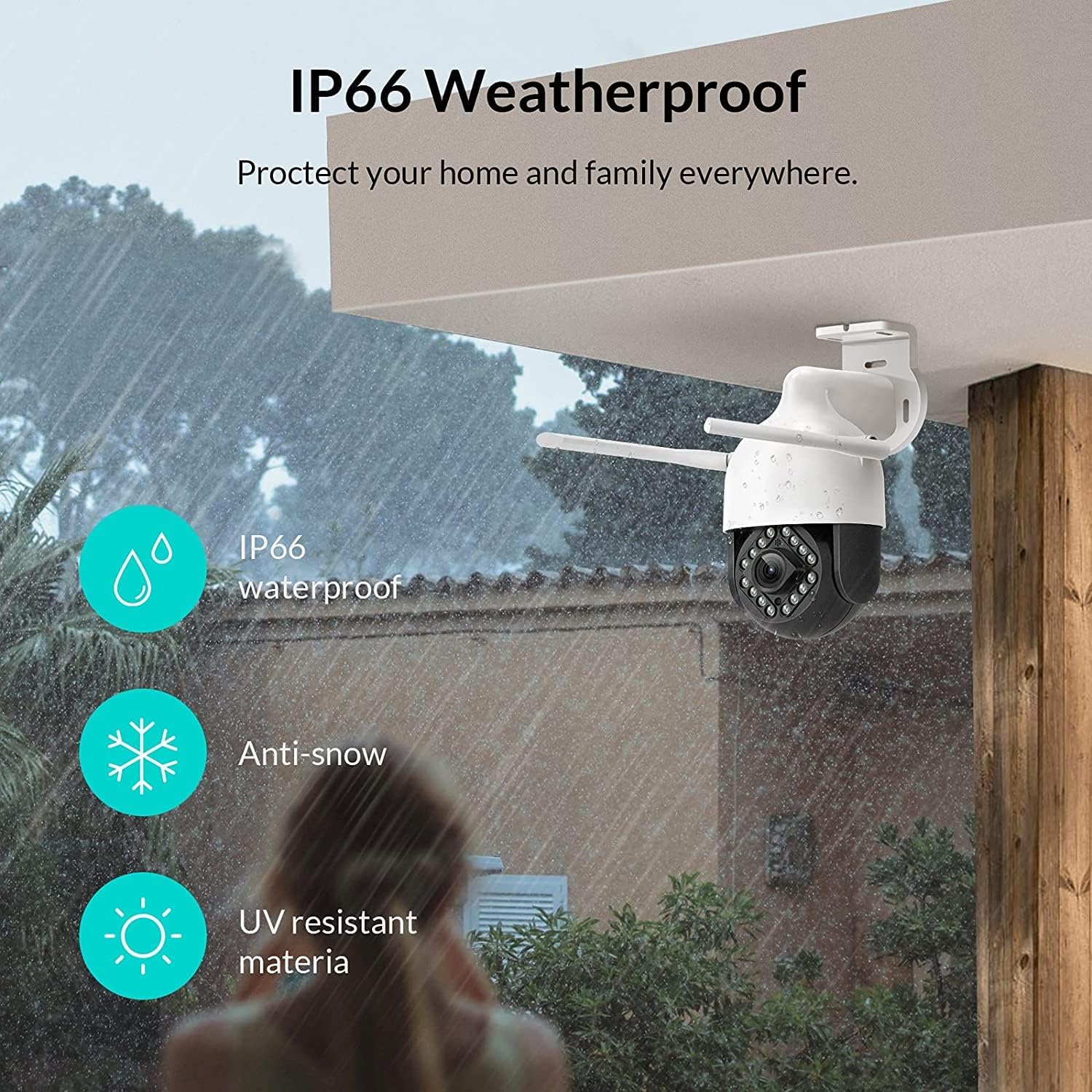
Image: NETVUE Sentry 2 camera highlighting its IP66 weatherproof features against rain and snow.
4. Funcionament de la càmera
4.1 Viu View i control de panoràmica/inclinació
Access the live video feed from your camera through the NETVUE app. You can remotely control the camera's pan (horizontal) and tilt (vertical) movements to adjust the viewangle segons sigui necessari.
4.2 Motion and Human Detection
The camera is equipped with motion and human detection capabilities. When motion or a human figure is detected, you will receive immediate notifications on your mobile device.

Image: Real-time motion detection alert displayed on a smartphone from the NETVUE Sentry 2 camera.

Image: Motion and human detection alert from the NETVUE Sentry 2 camera, showing a person at the front door.
4.3 Àudio bidireccional
Utilize the two-way audio feature to communicate with individuals near the camera. This is useful for interacting with visitors or deterring unwanted guests.

Image: Two-way audio feature of the NETVUE Sentry 2 camera, allowing communication with a delivery person.
4.4 Visió nocturna
The NETVUE Sentry 2 camera is equipped with 16 infrared lights for super night vision, providing clear video footage even in low-light or complete darkness.

Image: Close-up of the NETVUE Sentry 2 camera's 16 infrared lights for super night vision.
5. Manteniment
5.1 Neteja de la càmera
Periodically clean the camera lens and housing to ensure optimal performance. Use a soft, damp drap per netejar la pols i la brutícia. Eviteu utilitzar productes químics agressius o materials abrasius que puguin danyar la lent o l'acabat.
5.2 actualitzacions de microprogramari
Regularly check the NETVUE app for available firmware updates. Keeping your camera's firmware up-to-date ensures you have the latest features, security enhancements, and bug fixes.
5.3 Gestió d'emmagatzematge
The camera supports local storage via a microSD card (not included) and cloud storage options. If using a microSD card, ensure it is properly formatted and regularly check its status within the app to prevent recording issues.
6. Solució De Problemes
6.1 Problemes de connexió Wi-Fi
- Ensure 2.4GHz Wi-Fi: The camera only supports 2.4GHz Wi-Fi. Confirm your router is broadcasting a 2.4GHz signal and your phone is connected to it during setup.
- Intensitat del senyal: Verify the camera is installed within a strong Wi-Fi signal range. Relocate the camera or use a Wi-Fi extender if necessary.
- Configuració del router: Check your router settings for any restrictions that might prevent new devices from connecting.
6.2 SD Card Not Detected or Recording
- Reinsert SD Card: Power off the camera, remove the microSD card, and reinsert it firmly. Power the camera back on.
- Format de la targeta SD: Format the SD card through the NETVUE app. If issues persist, try a different, high-quality microSD card.
- Comproveu la configuració de l'aplicació: Ensure recording settings are correctly configured in the NETVUE app.
6.3 No Motion Alerts
- Activa les alertes: Confirm motion detection and notification alerts are enabled in the NETVUE app settings.
- Ajustar la sensibilitat: Adjust the motion detection sensitivity to an appropriate level.
- Check Schedule: Ensure motion detection is not disabled during specific times via a schedule.
6.4 Problemes generals
- Restart Camera: Disconnect the power adapter, wait 10 seconds, and reconnect it to restart the camera.
- Actualitza l'aplicació: Ensure your NETVUE app is updated to the latest version.
7. Especificacions
| Dispositius compatibles | Monitor de vídeo |
| Font d'alimentació | AC/DC |
| Protocol de connectivitat | Wi-Fi |
| Tipus de controlador | Iris |
| Tipus de muntatge | Muntatge de paret |
| Resolució de captura de vídeo | 1080p |
| Nombre d'articles | 1 |
| Nombre de canals | 1 |
| Tecnologia de comunicació sense fils | Wi-Fi |
| Necessites piles? | No |
| Tecnologia de poca llum | Color nocturn |
| Tipus d'alerta | Només moviment |
| Tipus de font de llum | infrarojos |
| Format de captura de vídeo | MPEG-4 |
| Recompte d'unitats | 1.0 recompte |
| Classificació de protecció internacional | IP66 |
| Dimensions del paquet | 11.3 x 6.1 x 5.91 polzades |
| Pes de l'article | 2.12 lliures |
| Usos recomanats per al producte | Seguretat exterior |
| Ús interior/exterior | A l'aire lliure |
8. Garantia i Suport
For warranty information and technical support, please refer to the official NETVUE website or contact NETVUE customer service directly. Keep your purchase receipt for warranty claims.


