1. Introducció
This manual provides detailed instructions for the setup, operation, maintenance, and troubleshooting of your BINNUNE BH02 USB Headset. Please read this manual thoroughly before using the product to ensure proper functionality and longevity.

Image 1.1: The BINNUNE BH02 USB Headset, featuring both USB and 3.5mm connectivity options and an in-line control unit.
2. Contingut del paquet
Si us plau, verifiqueu que tots els elements siguin presents al vostre paquet:
- BINNUNE BH02 USB Headset (Mono)
- Manual d'usuari (aquest document)
3. Característiques del producte
- Connectivitat dual: Connects via USB for computers (PC/Mac/Windows) or 3.5mm jack for mobile devices.
- Micròfon amb cancel·lació de soroll: Designed to reduce background noise for clear voice transmission.
- Controls en línia: Easy access to volume adjustment and microphone mute functions.
- Disseny lleuger: Engineered for extended wear comfort.
- Adjustable Boom Mic: Microphone can be positioned for optimal voice capture and rotated for use on either the left or right ear.
- Construcció duradora: Features a stainless-steel headband for enhanced reliability.

Image 3.1: The BINNUNE BH02 headset demonstrating its corded USB and 3.5mm connectivity options, suitable for various devices.

Image 3.2: A user wearing the BINNUNE BH02 headset, highlighting its design for all-day comfort with memory foam ear cushions and an angled ear cup.

Imatge 3.3: Un primer pla view of the BINNUNE BH02 headset's headband, emphasizing its stainless-steel construction for maximum durability.
4. Instruccions de configuració
4.1 Connexió mitjançant USB
- Localitza un port USB disponible a l'ordinador (PC o Mac).
- Plug the USB connector of the headset into the USB port.
- El vostre sistema operatiu hauria de detectar i instal·lar automàticament els controladors necessaris. Això pot trigar uns instants.
- Once installed, navigate to your computer's sound settings (e.g., Sound Control Panel on Windows, System Preferences > Sound on Mac) to ensure the BINNUNE BH02 Headset is selected as the default input and output device.
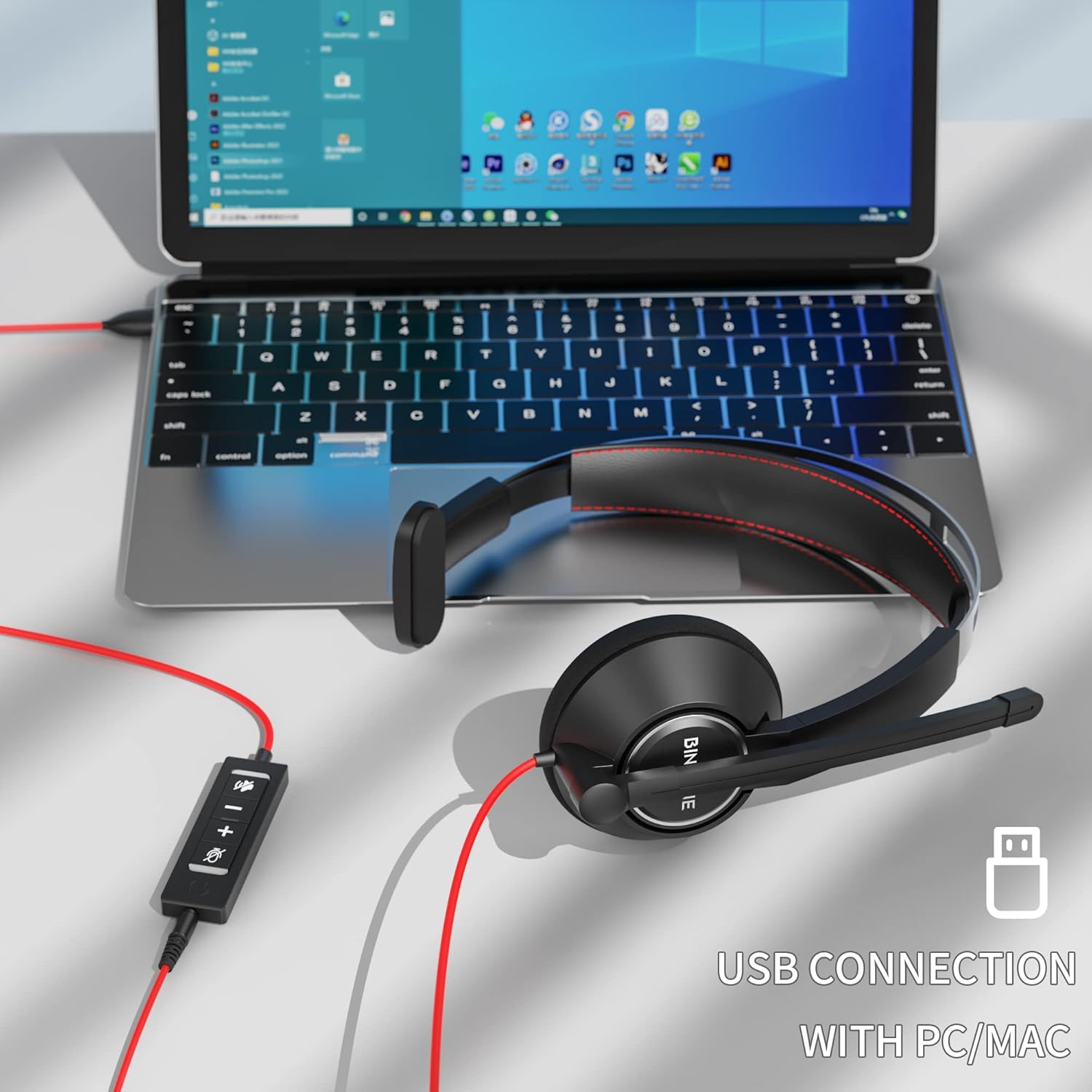
Image 4.1: The BINNUNE BH02 headset connected to a laptop via its USB cable, ready for use with PC or Mac systems.
4.2 Connexió mitjançant un jack de 3.5 mm
- Locate the 3.5mm audio jack on your mobile device, tablet, or computer.
- Plug the 3.5mm connector of the headset into the audio jack.
- The device should recognize the headset. Adjust volume directly on your device.

Image 4.2: A user engaging with a tablet while wearing the BINNUNE BH02 headset, demonstrating its 3.5mm connection capability for mobile devices.
5. Instruccions de funcionament
5.1 Com portar els auriculars
- Place the ear cup over one ear and adjust the headband for a comfortable fit.
- The microphone boom can be rotated to position the microphone on either your left or right side.

Image 5.1: Two individuals wearing the BINNUNE BH02 headset, illustrating the microphone's flexibility to be worn on either the right or left side.
5.2 Ajust del micròfon
- Gently bend the flexible microphone boom to position the microphone approximately 1-2 inches (2.5-5 cm) from your mouth.
- Ensure the microphone is aligned with your mouth for optimal voice pickup and noise cancellation.
5.3 Using In-line Controls (USB Connection Only)
The in-line control unit provides convenient access to audio functions:
- Puja el volum (+): Premeu per augmentar el volum d'escolta.
- Baixar el volum (-): Premeu per reduir el volum d'escolta.
- Botó de silenci del micròfon: Press to mute or unmute the microphone. An indicator light on the control unit may show the mute status.

Image 5.2: A user wearing the BINNUNE BH02 headset while working on a laptop, illustrating its suitability for online communication platforms like Microsoft Teams, Zoom, Skype, and FaceTime.

Image 5.3: A woman smiling while wearing the BINNUNE BH02 headset, symbolizing clear and effective communication during calls.
6. Manteniment
6.1 Neteja
- Netegeu les superfícies dels auriculars amb un drap suau i sec.
- Per a la brutícia tossuda, utilitzeu una mica damp drap amb sabó suau i després eixugueu-lo immediatament.
- No utilitzeu productes químics agressius, dissolvents ni netejadors abrasius.
- Avoid getting moisture into the ear cups or microphone.
6.2 Emmagatzematge
- Guardeu els auriculars en un lloc fresc i sec, allunyat de la llum solar directa i de temperatures extremes.
- Avoid tangling the cable by coiling it neatly.
7. Solució De Problemes
| Problema | Causa possible | Solució |
|---|---|---|
| No hi ha so dels auriculars |
|
|
| El micròfon no funciona |
|
|
| Estàtic o mala qualitat d'àudio |
|
|
| Auriculars no reconeguts per l'ordinador |
|
|
8. Especificacions
| Característica | Detall |
|---|---|
| Model | BH02 |
| Tecnologia de connectivitat | Cablejat (USB, 3.5 mm) |
| Conector d'auriculars | USB, 3.5 mm |
| Dispositius compatibles | Computers (Mac, PC, Windows), Mobile Devices |
| Format de micròfon | Boom (Noise Cancelling) |
| Tipus de control | Control de volum, silenci de micròfon |
| Estil | Mono (On Ear) |
| Impedància | 32 ohms |
| Material | Plàstic |
| Pes de l'article | 0.2 quilos |
9. Garantia i Suport
For warranty information and technical support, please refer to the documentation provided with your purchase or visit the official BINNUNE website. Contact details for customer service are typically available on the product packaging or the manufacturer's support page.


