Introducció
This manual provides comprehensive instructions for the OWC 5 Port Thunderbolt Hub. It covers setup, operation, maintenance, and troubleshooting to ensure optimal performance and longevity of your device. The OWC Thunderbolt Hub expands the connectivity of your computer, offering multiple Thunderbolt 4 ports and a USB 3.2 Gen 2 Type-A port, along with power delivery capabilities.
Informació de seguretat
- No exposeu el dispositiu a la humitat ni a temperatures extremes.
- Use only the power adapter supplied with the hub.
- Eviteu bloquejar les obertures de ventilació per evitar el sobreescalfament.
- No intenteu desmuntar ni reparar el dispositiu vosaltres mateixos. Encarregueu tot el manteniment a personal qualificat.
- Mantingueu el dispositiu allunyat de camps magnètics forts.
Contingut del paquet
Verifiqueu que tots els elements siguin presents al vostre paquet:
- OWC 5 Port Thunderbolt Hub
- Adaptador d'alimentació
- Cable Thunderbolt 4
- Guia d'inici ràpid (no inclosa en aquest manual digital)
Producte acabatview
The OWC 5 Port Thunderbolt Hub is designed to expand your computer's connectivity, providing additional Thunderbolt 4 and USB 3.2 Gen 2 Type-A ports. It features a compact design suitable for various setups.

Figura 1: Frontal view of the OWC 5 Port Thunderbolt Hub, showing the OWC logo and the USB 3.2 10Gb/s port.
Distribució del port
The hub features a variety of ports to connect your devices:
- Port amfitrió: One Thunderbolt 4 port (up to 40 Gb/s) for connecting to your computer.
- Ports del dispositiu: Three Thunderbolt 4 ports for connecting external drives, displays, and other Thunderbolt devices.
- Port USB-A: One USB 3.2 Gen 2 Type-A port (up to 10 Gb/s) for connecting USB peripherals. This port is backwards compatible with USB 2.0/3.0.
- Entrada d'alimentació: DC IN 20V 5.5A for connecting the power adapter.

Figura 2: superior i inferior views of the hub, illustrating the arrangement of the DC power input, host Thunderbolt port, three device Thunderbolt ports, and the USB 3.2 port.
Configuració
- Connectar l'alimentació: Plug the provided power adapter into the DC IN port on the OWC Thunderbolt Hub, then connect the adapter to a power outlet.
- Connectar-se a l'ordinador amfitrió: Use the included Thunderbolt 4 cable to connect the host Thunderbolt 4 port on the hub to an available Thunderbolt 3 or Thunderbolt 4 port on your computer. For USB-C equipped devices, connect to a USB-C port.
- Instal·leu els controladors (si cal): For most modern operating systems (macOS 11.1 Big Sur or later, Windows 10/11 with Thunderbolt 4), drivers are automatically installed. If prompted, follow on-screen instructions.
- Connecteu els perifèrics: Connect your Thunderbolt devices, USB devices, and displays to the available ports on the hub.

Figure 3: The hub in use, demonstrating multiple devices connected for full performance.
Instruccions de funcionament
Lliurament d'energia
- The Thunderbolt 4 host port provides up to 60W of power to charge your connected host computer.
- Each Thunderbolt 4 device port provides 15W of power for external drives and other devices.
- The USB 3.2 Gen 2 Type-A port provides up to 1.5A of power for bus-powered drives and device charging.

Figure 4: The hub actively charging a laptop and providing power to connected peripherals.
Suport de visualització
The OWC Thunderbolt Hub supports various display configurations:
- Up to one 8K display at 60Hz.
- Up to one 4K display at 120Hz.
- Up to two 4K displays at 60Hz.
- Up to two 5K displays at 60Hz.
- Display support via Thunderbolt 4: Up to 8K @ 60Hz or 4K @ 120Hz via a native Thunderbolt 4 display or other display that supports USB-C connections and DisplayPort 1.4.
- Note: Actual display support may vary based on your computer's specifications. Intel-based Apple Mac models and Thunderbolt 4 PCs typically support two displays.
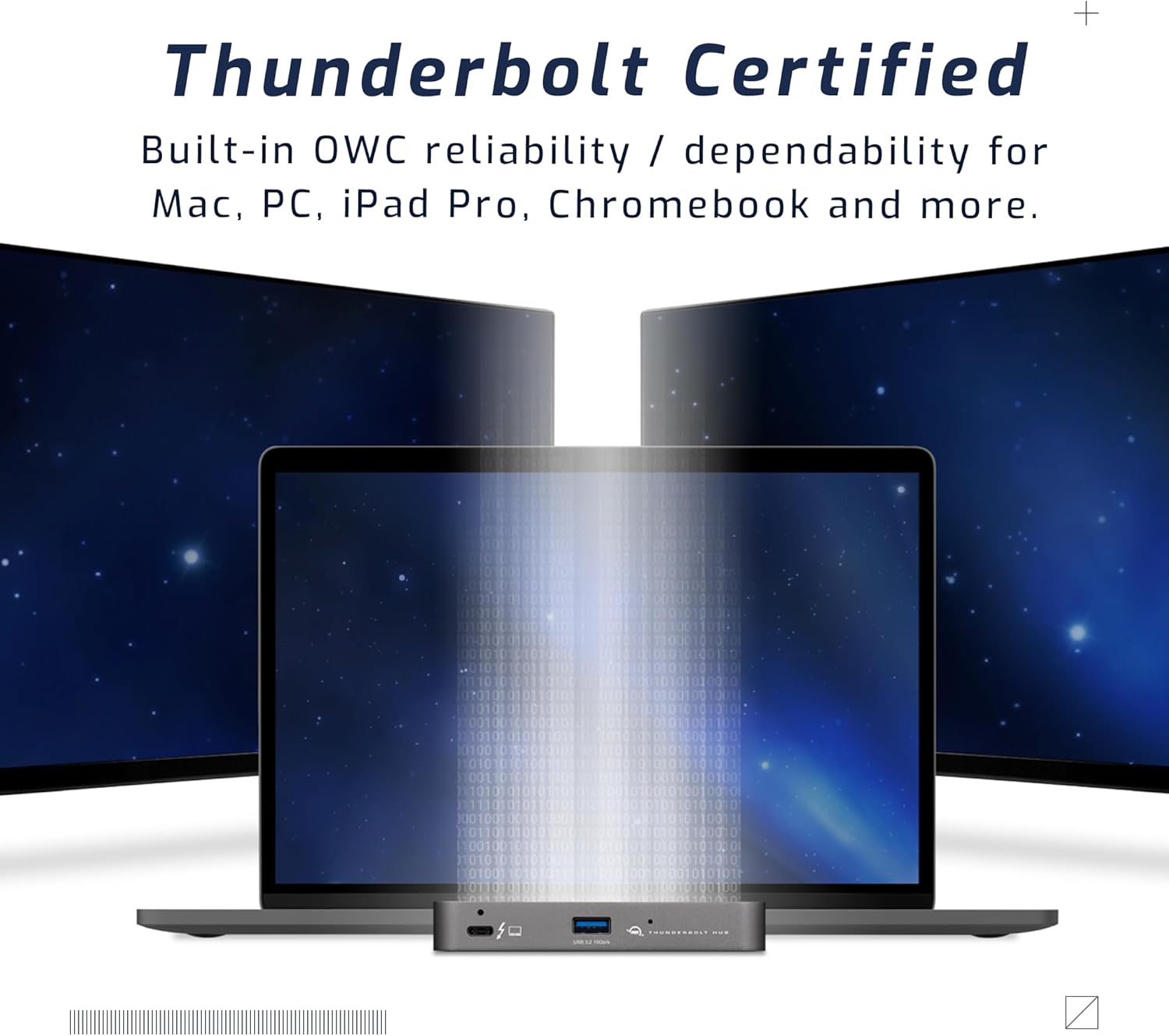
Figure 5: A setup demonstrating the hub's capability to connect a laptop to multiple external displays.
Compatibilitat
The hub is compatible with a wide range of devices:
- Macs with an available Thunderbolt 3 or later port running macOS 11.1 Big Sur or later.
- Windows PCs with an available Thunderbolt 4 port.
- Non-Thunderbolt USB-C machines like Chromebooks and iPads.
- USB-C equipped MacBooks, iPads, Chromebooks, and Android devices.
- Note: Thunderbolt/Thunderbolt 2 Mac models are supported via USB-A host connection, but Thunderbolt/Thunderbolt 2 host connection is not directly supported. USB connection may limit some functionality.
Manteniment
- Neteja: Use a soft, dry, lint-free cloth to clean the exterior of the hub. Do not use liquid cleaners or aerosols.
- Emmagatzematge: Quan no l'utilitzeu durant períodes prolongats, guardeu el concentrador en un lloc fresc i sec, allunyat de la llum solar directa.
- Gestió de cables: Ensure cables are not excessively bent or strained to prevent damage to the ports or cables.
Resolució de problemes
Problemes comuns i solucions
- Sense alimentació/Dispositiu no reconegut:
- Ensure the power adapter is securely connected to the hub and a working power outlet.
- Verify the Thunderbolt cable is firmly connected to both the hub and your computer.
- Try a different Thunderbolt port on your computer, if available.
- Reinicieu l'ordinador.
- Problemes de pantalla (sense senyal, parpelleig):
- Check all display cables (HDMI, DisplayPort, USB-C to display) are securely connected.
- Assegureu-vos que la pantalla estigui configurada a la font d'entrada correcta.
- Verify your computer's display settings (resolution, refresh rate) are compatible with the connected display and hub capabilities.
- Actualitza els controladors gràfics de l'ordinador.
- Velocitats de transferència de dades lentes:
- Ensure you are using high-quality Thunderbolt or USB 3.2 cables.
- Confirm the connected device supports the speeds advertised by the hub (e.g., a USB 2.0 device will not achieve USB 3.2 speeds).
- Avoid connecting too many high-bandwidth devices simultaneously if experiencing slowdowns.
Especificacions
| Característica | Detall |
|---|---|
| Número de model | OWCTB4HUB5P |
| Marca | OWC |
| Dimensions del producte | 19.69 x 19.69 x 11.02 polzades |
| Pes de l'article | 7 unces |
| Color | Also Black/Gray |
| Interfície del maquinari | Tronada |
| Característica especial | Alimentat |
| Port amfitrió | 1x Thunderbolt 4 (up to 40 Gb/s) |
| Ports del dispositiu | 3x Thunderbolt 4, 1x USB 3.2 Gen 2 Type-A (10 Gb/s) |
| Lliurament d'alimentació de l'amfitrió | Fins a 60 W |
| Device Power Delivery | 15W per Thunderbolt 4 port, 1.5A for USB-A port |
| Suport de visualització | Up to 8K @ 60Hz or 4K @ 120Hz (single display); Up to two 4K @ 60Hz or two 5K @ 60Hz (dual displays) |
| Dispositius compatibles | Macs with Thunderbolt 3+, Windows PCs with Thunderbolt 4, USB-C equipped MacBooks, iPads, Chromebooks, Android devices |
Informació de la garantia
The OWC 5 Port Thunderbolt Hub comes with a 2 any de garantia limitada OWC. For detailed terms and conditions, please refer to the official OWC weblloc o contacteu amb el servei d'atenció al client.
Suport
For further assistance, technical support, or warranty claims, please visit the official OWC support weblloc o poseu-vos en contacte amb el seu departament d'atenció al client.
- Suport OWC Weblloc: www.owcdigital.com/support
- Recursos en línia: FAQs, drivers, and additional documentation may be available online.


