1. Introducció
The Foxwell NT809 is a professional bidirectional scan tool designed for comprehensive automotive diagnostics. It provides OE-level system diagnosis, active tests, and over 30 maintenance services for a wide range of vehicles. This manual provides essential information for setting up, operating, and maintaining your device.

Image: Foxwell company building, representing the brand's commitment to automotive diagnostic solutions.
Vídeo: Un overview of the Foxwell NT809 All System Car Diagnostic Scanner, highlighting its key features and capabilities.
2. Què hi ha a la caixa
Upon unboxing your Foxwell NT809, please ensure all the following items are present:
- NT809 Car Scanner
- Maleta de transport
- Cable de càrrega
- Guia d'instruccions
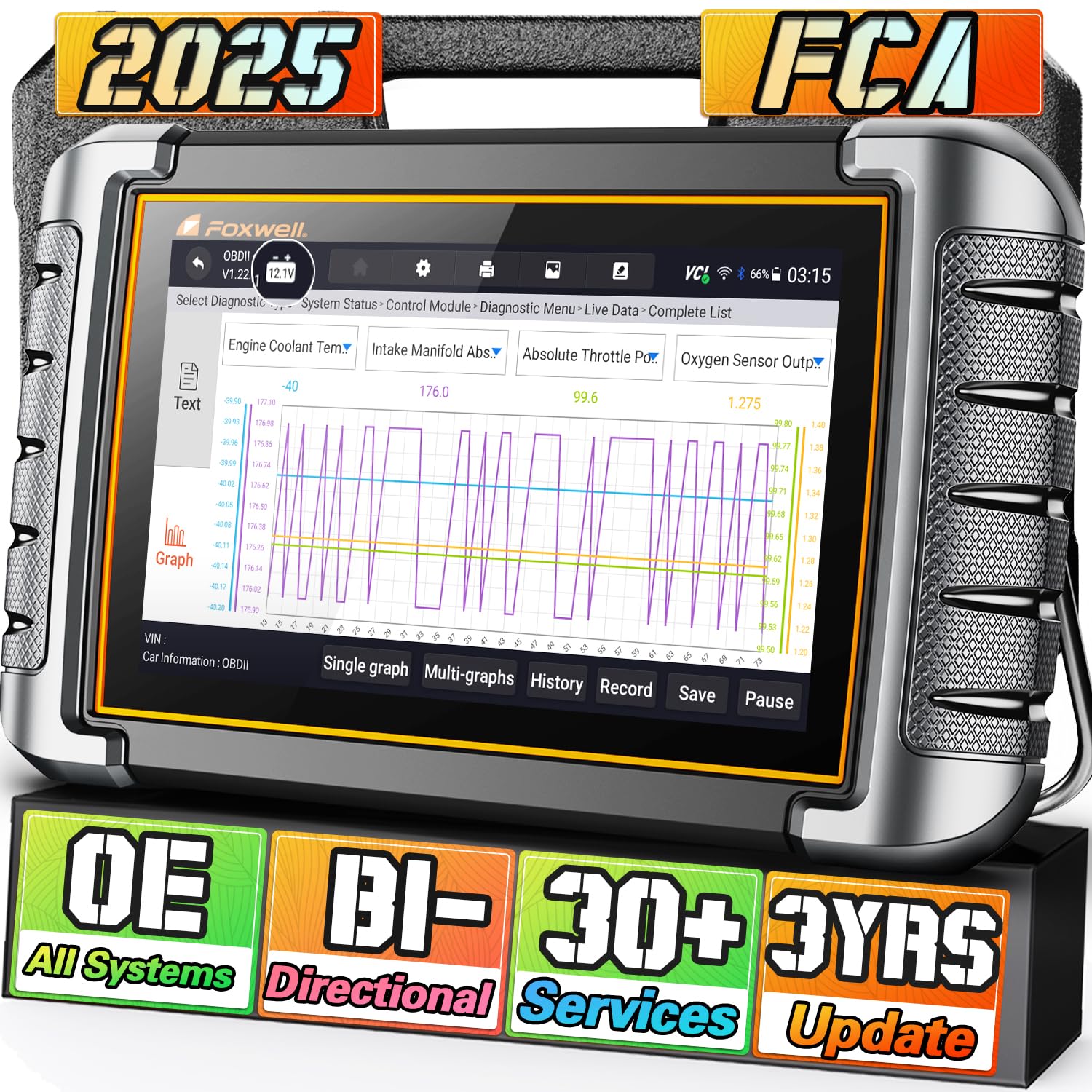
Image: The Foxwell NT809 scan tool, its protective carrying case, and included accessories.
3. Configuració
3.1 Càrrega inicial
Before first use, fully charge the NT809 device using the provided charging cable and power adapter. A full charge ensures optimal performance and uninterrupted diagnostic sessions.
3.2 Actualitzacions de programari
Connect the NT809 to a Wi-Fi network to perform software updates. Regular updates ensure compatibility with the latest vehicle models and diagnostic protocols. The device offers 3 years of free updates.

Image: The Foxwell NT809 highlighting its 3 years of free software updates, ensuring up-to-date functionality.
Video: A quick start guide demonstrating the battery registration tool function on the Foxwell NT809.
4. Funcionament de l'eina d'escaneig
4.1 OE-Level All System Diagnosis
The NT809 provides comprehensive diagnostics across all vehicle control modules, including Powertrain, Body, and Chassis systems. It covers over 1000 car lists, including FCA vehicles after 2018, with features like Wi-Fi Update, Auto VIN, Live Data, Freeze Frame, Active Test, and ECU Info.

Image: The Foxwell NT809 performing OE-Level All Control Modules Diagnosis, covering various vehicle systems.
4.2 Control bidireccional (prova activa)
Perform active tests to check if components or systems are functioning correctly without removing vehicle parts. The tool sends commands to the ECU to test actuators and components, such as wipers, windows, headlights, and door locks.

Image: The Foxwell NT809 demonstrating Bi-Directional Control Active Test, sending commands to vehicle components.
Video: Demonstration of the NT809's bidirectional control for wiper and rear mirror tests.
4.3 Live Data & Diagnostic Reports
View live sensor data in text or graph format, supporting 4-in-1 live data streams for easy comparison. The device can record and playback data, and generate detailed diagnostic reports for analysis or sharing.

Image: The Foxwell NT809's Smart Scanner features, including data recording, playback, and diagnostic report generation.
Video: A quick start guide demonstrating the 4-in-1 live data diagnostic tool function on the Foxwell NT809.
5. Serveis de manteniment
The NT809 offers over 30 commonly used maintenance and reset services, enabling you to perform various tasks typically requiring dealership visits. These services include, but are not limited to:
- Restabliment d’oli
- Sagnat de l’ABS
- Battery Registration (BRT)
- Sensor de posició de l'accelerador (TPS)
- Restabliment del sistema de control de la pressió dels pneumàtics (TPMS)
- Calibració del sensor d'angle de direcció (SAS).
- Restabliment del fre d'estacionament electrònic (EPB)
- Seat Match
- Window/Door Initialization
- Codificació d'injectors
- Reaprenentatge del cigonyal

Image: A visual representation of the 30+ maintenance services available on the Foxwell NT809.
6. Solució De Problemes
6.1 El dispositiu no s'encén
Ensure the device is fully charged. If connected to the vehicle's OBD port, verify the vehicle's ignition is on and the OBD port is supplying power. Check the charging cable and adapter for any damage.
6.2 Problemes de connectivitat
For Wi-Fi updates, ensure the device is within range of a stable Wi-Fi network. For vehicle communication, ensure the OBDII connector is securely plugged into the vehicle's DLC port.
6.3 Software Update Problems
If updates fail, try restarting the device and your Wi-Fi router. Ensure sufficient storage space on the device. If issues persist, contact customer support.
7. Especificacions
| Característica | Detall |
|---|---|
| Fabricant | FOXWELL |
| Model | NT809 |
| Pes de l'article | 4.77 lliures |
| Dimensions del producte | 14.53 x 10.75 x 3.31 polzades |
| Mida de la pantalla | 7 polzades |
| Font d'alimentació | Foxwell NT809 automotive diagnostic tool |
| Sistema operatiu | Foxwell NT809 automotive diagnostic tool |
| Data de primera disponibilitat | 8 de setembre de 2021 |
8. Garantia i assistència
8.1 Atenció al client
For any product-related inquiries, technical support, or after-sales service, please contact Foxwell customer support. You can find contact information in the device's settings under 'Customer Service Center' or refer to the included instruction guide.
8.2 Assistència a distància
The NT809 supports remote assistance via TeamViewer. This feature allows technical support personnel to remotely access your device to diagnose and resolve issues, providing efficient and convenient help.
8.3 Preguntes freqüents
- How to do if I get a used/damaged product?
Customer-returned products may be mistakenly sent out as new by Amazon. Please get in touch with us for a brand new replacement. - How Can I know if it's compatible with my vehicle?
Please check the compatibility list in the image or consult our support. - What can NT809 do?
Reads and clears car full system fault codes, Bi-directional control can locate vehicle fault location, 30+ hot service to solve vehicle problems.


