Crosscall CORE-M5 User Manual
Model: 1001011101114
Introducció
This manual provides comprehensive instructions for the setup, operation, maintenance, and troubleshooting of your Crosscall CORE-M5 rugged smartphone. Designed for durability and performance in challenging environments, the CORE-M5 is built to withstand various conditions while providing essential communication and smart device functionalities.
Si us plau, llegiu aquest manual detingudament abans d'utilitzar el dispositiu per garantir-ne el funcionament correcte i maximitzar-ne la vida útil.
Contingut del paquet
En obrir el paquet, comproveu que hi hagi tots els elements:
- Crosscall CORE-M5 Device
- Cable de càrrega USB
- Guia d'inici ràpid
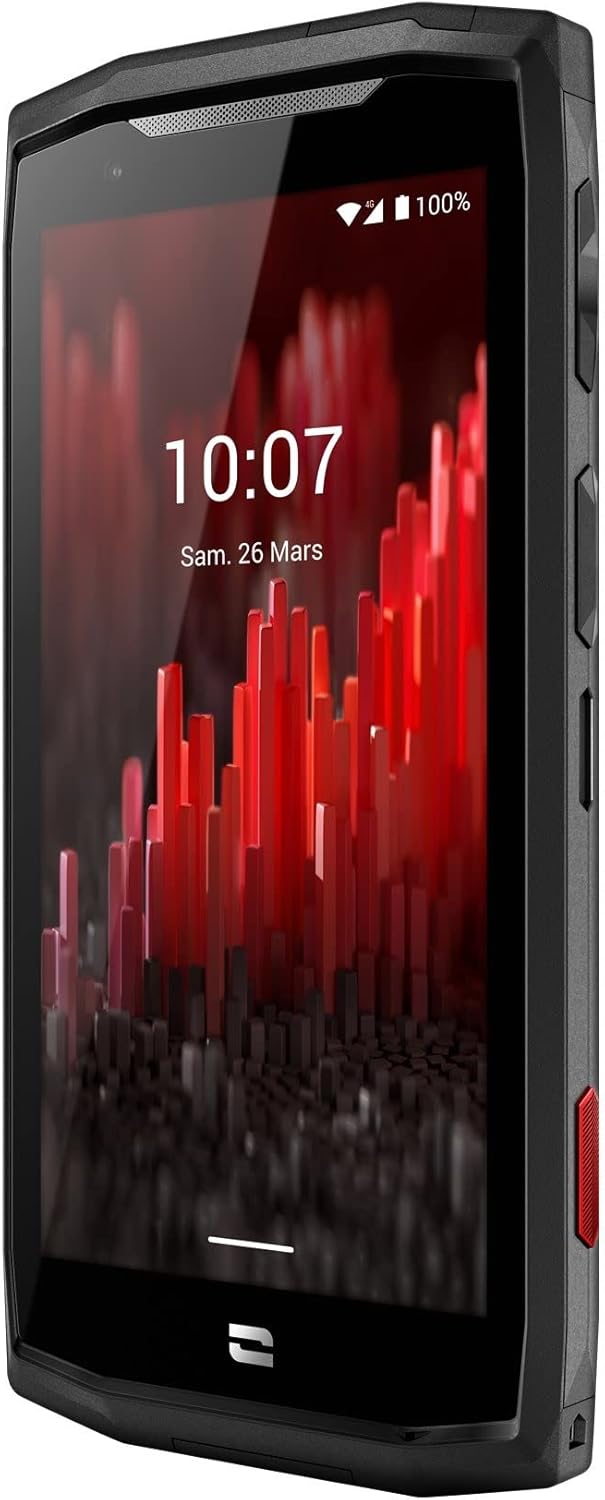
Imatge: Angle frontal view of the Crosscall CORE-M5 device, highlighting its robust design and display.
Configuració
1. Inserting the SIM Card and Memory Card
The CORE-M5 supports SIM cards for cellular connectivity and an optional memory card for expanded storage. Locate the SIM/memory card tray on the side of the device.
- Apagueu completament el dispositiu.
- Use the provided SIM ejector tool (or a small paperclip) to open the SIM/memory card tray.
- Carefully place your SIM card(s) and/or memory card into the designated slots on the tray, ensuring correct orientation as indicated on the tray.
- Empènyer suaument la safata cap al dispositiu fins que encaixi al seu lloc.

Image: A user demonstrating the insertion of a SIM card into the device's slot.
2. Càrrega inicial
Before first use, it is recommended to fully charge your CORE-M5.
- Connecteu el cable de càrrega USB al port de càrrega del dispositiu.
- Connecteu l'altre extrem del cable a un adaptador de corrent USB compatible o al port USB d'un ordinador.
- The charging indicator on the screen will show the charging status. Allow the device to charge until the battery icon indicates a full charge.
3. Engegada i configuració inicial
- Press and hold the Power button (usually located on the side) until the Crosscall logo appears.
- Segueix les instruccions que apareixen a la pantalla per completar la configuració inicial, inclosa la selecció d'idioma, la connexió Wi-Fi, la configuració del compte de Google i la configuració de seguretat.
Operating the CORE-M5
Navegació bàsica
- Pantalla tàctil: Navigate the device using taps, swipes, and pinch gestures on the 4.95-inch touchscreen display.
- Botó d'encesa: Press to turn the screen on/off, or press and hold to power off/restart the device.
- Botons de volum: Ajusta el volum multimèdia, el volum de les trucades o el volum del to de trucada.
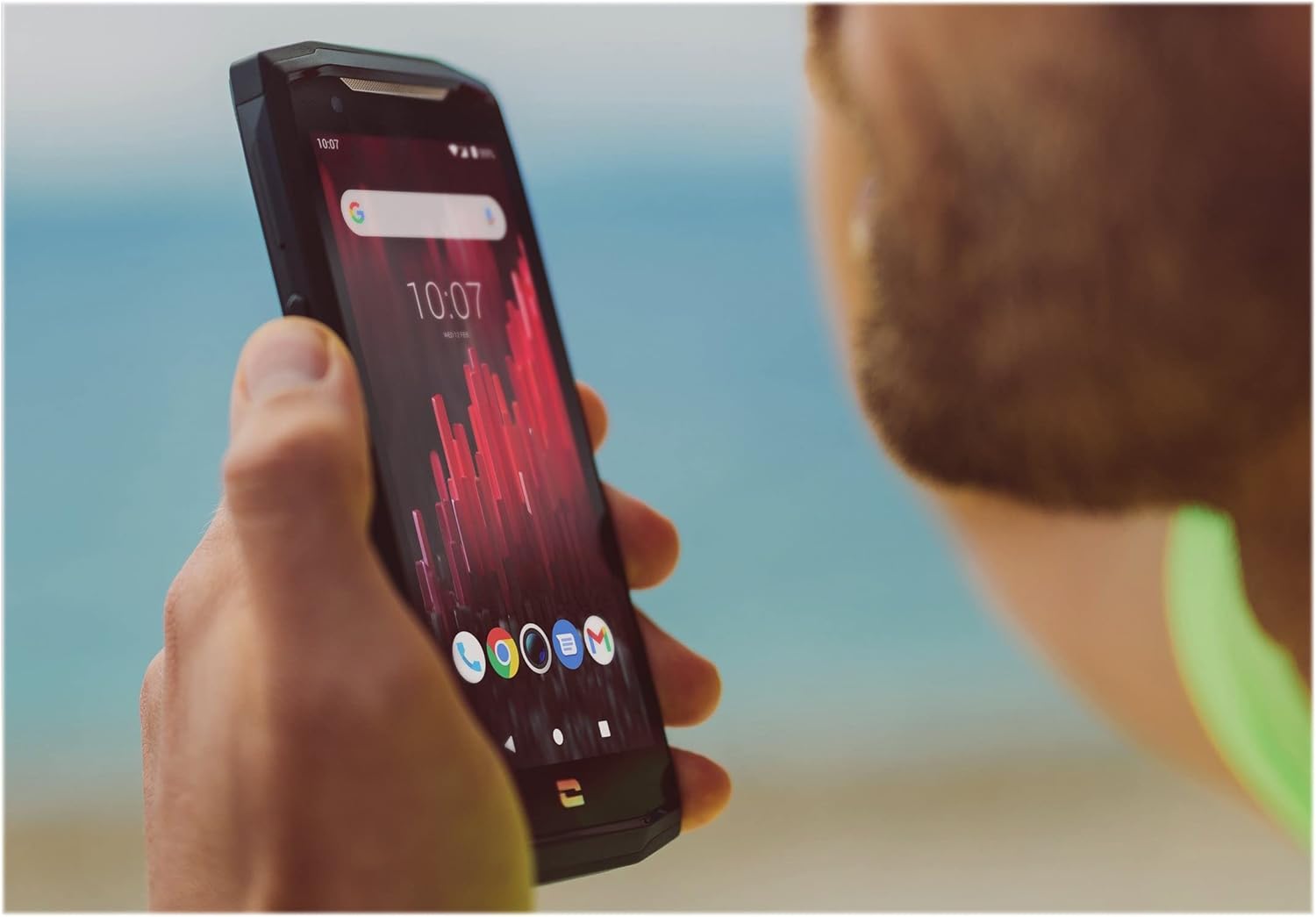
Image: The CORE-M5 in use, demonstrating its compact size and clear display for outdoor visibility.
Connectivitat
- Wi-Fi: Accediu a la configuració del Wi-Fi des del tauler Configuració ràpida o des de l'aplicació Configuració per connectar-vos a xarxes sense fil.
- Bluetooth: Pair with Bluetooth devices such as headphones, speakers, or other smartphones via the Bluetooth settings.
- USB: Connect the device to a computer using the USB cable for data transfer or charging.
- Dades mòbils: Enable or disable mobile data from the Quick Settings or Network & Internet settings. Supports 2G and 3G cellular technologies.
Funcionalitat de la càmera
The CORE-M5 features both front and rear cameras for capturing photos and videos.
- Obriu l'aplicació Càmera des de la pantalla d'inici o des del calaix d'aplicacions.
- Tap the shutter button to take a photo or switch to video mode to record.
- Feu servir els controls en pantalla per canviar entre la càmera frontal i la posterior, ajustar el zoom o aplicar filtres.
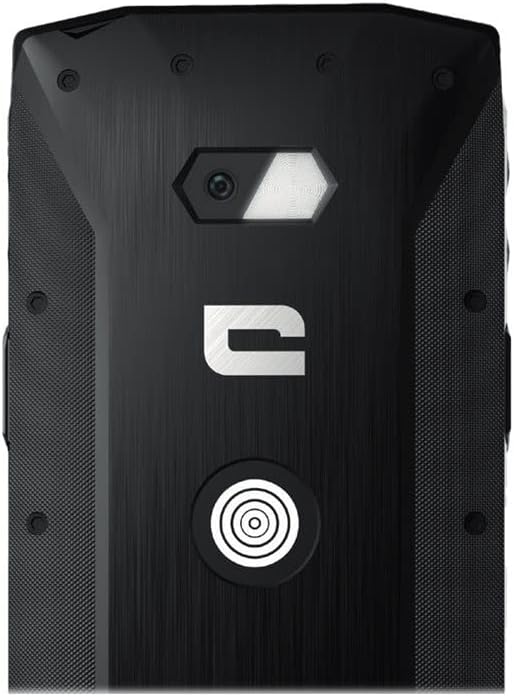
Imatge: Detallada view of the CORE-M5's rear, highlighting the camera module and the X-Link magnetic connection system.
X-Link System
The CORE-M5 is equipped with Crosscall's X-Link magnetic connection system on the back, allowing for easy attachment of compatible accessories such as chargers, mounts, and external batteries.
- Align the X-Link accessory with the magnetic connector on the back of your CORE-M5.
- The magnets will guide the accessory into place, ensuring a secure connection.

Image: The CORE-M5 securely mounted in a vehicle, demonstrating the utility of the X-Link system for hands-free use.
Manteniment
- Neteja: Utilitzeu un suau, damp cloth to clean the device. Avoid harsh chemicals or abrasive materials. Ensure all ports are closed before cleaning if exposed to water.
- Resistència a l'aigua i a la pols: The CORE-M5 is designed to be rugged. However, ensure all port covers are securely closed to maintain water and dust resistance. Avoid prolonged submersion beyond specified limits.
- Cura de la bateria: To prolong battery life, avoid extreme temperatures. Do not allow the battery to fully discharge frequently.
- Actualitzacions de programari: Comproveu i instal·leu regularment si hi ha actualitzacions del sistema per garantir un rendiment i una seguretat òptims.
Resolució de problemes
| Problema | Causa possible | Solució |
|---|---|---|
| El dispositiu no s'encén | Bateria baixa; bloqueig del programari | Carregueu el dispositiu durant almenys 30 minuts. Feu un reinici forçat mantenint premut el botó d'engegada durant 10-15 segons. |
| La pantalla no respon | Error temporal de programari | Reinicieu el dispositiu. Si no respon, feu un reinici forçat. |
| Poor call quality / No network | Weak signal; incorrect SIM insertion; network issue | Move to an area with better signal. Reinsert the SIM card. Contact your network provider. |
| Les aplicacions es bloquegen o es bloquegen | Insufficient memory; app conflict; outdated software | Close background apps. Clear app cache/data. Update apps and system software. Free up storage space. |
Especificacions
| Característica | Detall |
|---|---|
| Nom del model | 1001011101114 |
| Marca | Trucada creuada |
| Sistema operatiu | Android |
| Model de CPU | Còrtex |
| Mida de la pantalla | 4.95 polzades |
| Resolució | 1026 x 513 |
| RAM | 3 GB |
| Capacitat d'emmagatzematge de memòria | 32 GB |
| Capacitat de la bateria | 4000 mAh |
| Temps de conversa telefònica | 24 hores |
| Connectivitat | Bluetooth, Wi-Fi, USB |
| Tecnologia cel·lular | 2G, 3G |
| Operador sense fil | Desbloquejat |
| Càmeres | Darrera, davantera |
| Color | Negre |
| Dimensions del producte | 4.25 x 0.79 x 4.25 polzades |
| Pes de l'article | 8 unces (226.6 grams) |
| Primer disponible | 21 de setembre de 2021 |
Garantia i Suport
Crosscall products are known for their durability and come with a manufacturer's warranty. For specific warranty terms and conditions, please refer to the warranty card included with your product or visit the official Crosscall weblloc.
For technical support, troubleshooting assistance, or service requests, please contact Crosscall Customer Service through their official channels. Have your product model number (1001011101114) and purchase information ready when contacting support.
Official Crosscall Weblloc: www.crosscall.com