1. Introducció
Gràcies per la compraasing the Ajazz K61 60% RGB Wired Gaming Keyboard. This compact and ergonomic keyboard is designed to enhance your gaming and typing experience with its responsive keys, customizable RGB backlighting, and anti-ghosting features. This manual provides detailed instructions on how to set up, operate, maintain, and troubleshoot your keyboard.

Figure 1: Ajazz K61 60% RGB Wired Gaming Keyboard, showcasinel seu disseny compacte i la vibrant il·luminació RGB.
2. Informació de seguretat
- No exposeu el teclat a líquids ni a una humitat excessiva.
- Eviteu les temperatures extremes i la llum solar directa.
- Do not attempt to disassemble or modify the keyboard, as this will void the warranty and may cause damage.
- Mantenir fora de l'abast dels nens petits.
3. Contingut del paquet
- Ajazz K61 60% Gaming Keyboard x 1
- Cable USB x 1
- Manual d'usuari x 1
4. Producte acabatview i Característiques
The Ajazz K61 keyboard is engineered for performance and comfort, featuring a compact 60% layout that saves desk space while retaining essential functionality through FN key combinations.
Característiques principals:
- Disseny compacte al 60%: Standard UK layout with 62 keys, providing more desktop space. Direction key conversion is available via FN + W, A, S, D.
- Retroil·luminació RGB: Supports 7 types of RGB light modes and 8 monochrome backlight modes. Brightness and breathing speed are adjustable.
- Anti-fantasma: Features 19 anti-ghosting keys for accurate and reliable input during intense gaming sessions.
- Tecles multimèdia: Includes 12 multimedia keys accessible via FN combinations for convenient control.
- Disseny ergonòmic: Designed for comfort during long periods of use, with adjustable keyboard brackets to provide an optimal typing angle.
- Construcció duradora: High-quality injection molded laser engraved ABS keycaps ensure durability. The keyboard is also resistant to general liquid spills.
- Àmplia compatibilitat: Compatible with Windows XP, Win7/8/10, Mac OS2.0, and other operating systems.

Figure 2: Illustrates the tactile feedback and low noise operation of the keys, enhancing typing and gaming performance.

Figure 3: Highlights the compact 60% design, RGB backlighting, and water/dust resistance of the keyboard.
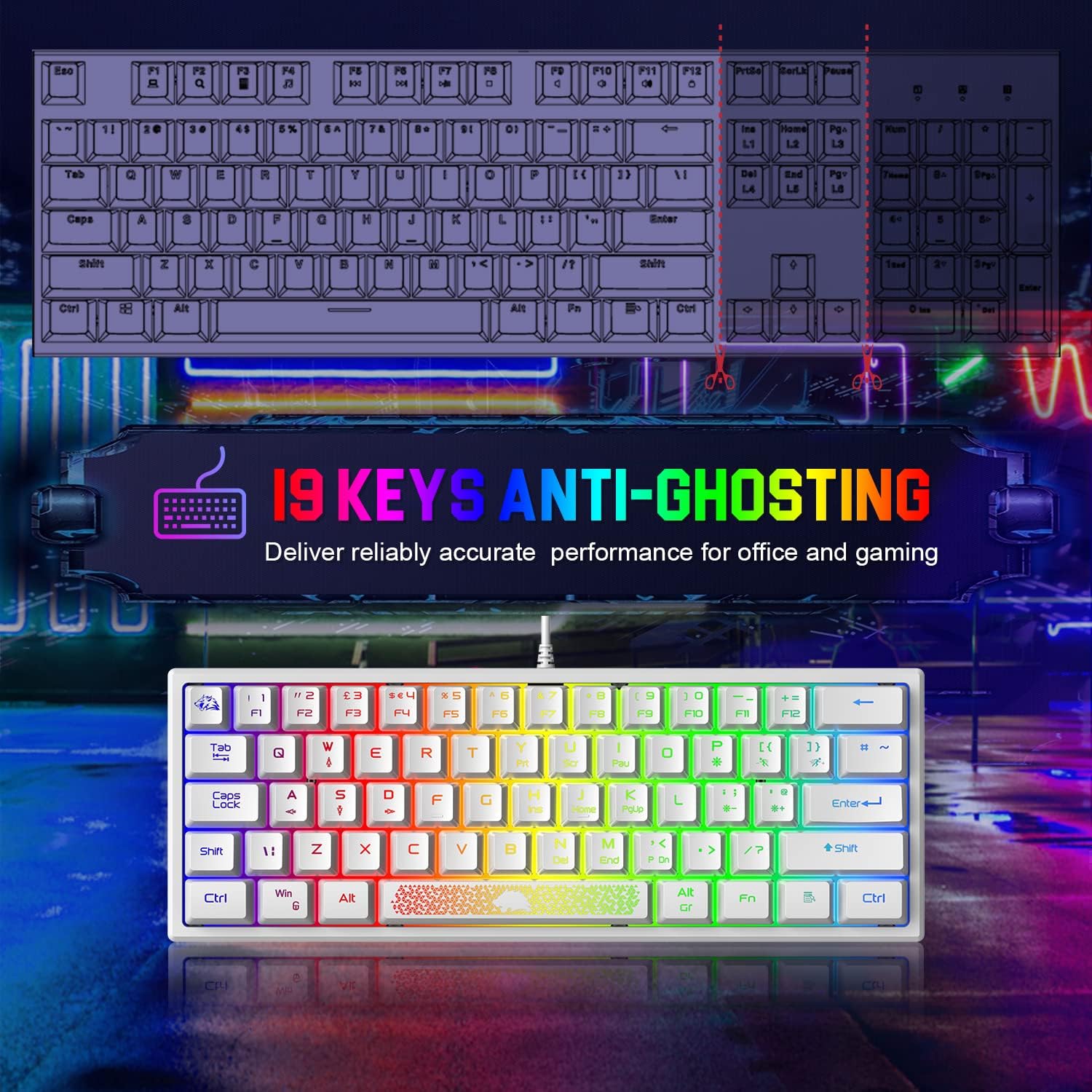
Figure 4: Demonstrates the 19-key anti-ghosting capability, ensuring precise input for gaming and office tasks.

Figure 5: Shows the keyboard's portability and ergonomic design, making it suitable for travel and comfortable use.
5. Configuració
Setting up your Ajazz K61 keyboard is straightforward. Follow these steps to get started:
- Descomprimir el teclat: Carefully remove the keyboard and USB cable from the packaging.
- Connecteu el cable USB: Insert the USB-A end of the cable into an available USB port on your computer (PC, laptop, or Mac).
- Connect to Keyboard: Insert the other end of the USB cable into the port on the keyboard.
- Instal·lació del controlador: The keyboard is plug-and-play. Your operating system (Windows, Mac OS) will automatically detect and install the necessary drivers. No additional software installation is required.
- Ajusta l'angle del teclat: Extend the two keyboard brackets on the underside of the keyboard to adjust the typing angle for optimal comfort.
6. Instruccions de funcionament
The Ajazz K61 keyboard utilizes Function (FN) key combinations to access various features and multimedia controls due to its compact layout.
6.1. Control de retroiluminació RGB
- Canvia el mode de retroiluminació: Premeu FN + P to cycle through 7 RGB light modes and 8 monochrome backlight modes.
- Decrease Backlight Brightness: Premeu FN + = (equals key) to decrease the backlight brightness.
- Increase Backlight Brightness: Premeu FN + ' (apostrophe key) to increase the backlight brightness.

Figure 6: Displays the variety of 7 Chroma RGB lighting modes available on the keyboard.
6.2. Function Key Combinations
Access standard F-keys and other special functions using the FN key:
| Combinació | Funció |
|---|---|
| FN + 1 | F1 |
| FN + 2 | F2 |
| FN + 3 | F3 |
| FN + 4 | F4 |
| FN + 5 | F5 |
| FN + 6 | F6 |
| FN + 7 | F7 |
| FN + 8 | F8 |
| FN + 9 | F9 |
| FN + 0 | F10 |
| FN + - | F11 |
| FN + + | F12 |
| FN + N | ELIMINAR |
| FN + Y | Print Screen (PrtSc) |
| FN + U | Scroll Lock (ScrLk) |
| FN + I | Pausa |
| FN + H | Insert (Ins) |
| FN + J | Casa |
| FN + K | Page Up (PgUp) |
| FN + M | Final |
| FN + , | Pàg avall (PgDn) |
| FN + GUANYA | Bloqueja la clau de Windows |

Figure 7: Illustrates the 12 convenient shortcuts accessible via FN key combinations.
6.3. Direction Key Conversion
To convert the W, A, S, D keys into arrow keys, press FN + W. Press FN + W again to revert them to their standard functions.
7. Manteniment
Proper maintenance will ensure the longevity and optimal performance of your Ajazz K61 keyboard.
- Neteja: Utilitzeu un drap suau i sense pelusa lleugerament dampened with water or a mild cleaning solution to wipe down the keycaps and keyboard surface. Avoid harsh chemicals.
- Eliminació de pols: Feu servir aire comprimit per eliminar la pols i les restes que hi ha entre les tecles.
- Gestió de vessaments: While the keyboard is resistant to general spills, in case of a liquid spill, immediately disconnect the keyboard from your computer and allow it to dry completely before reconnecting.
- Emmagatzematge: Quan no l'utilitzeu durant períodes prolongats, guardeu el teclat en un lloc sec i fresc, allunyat de la llum solar directa.
8. Solució De Problemes
If you encounter any issues with your Ajazz K61 keyboard, refer to the following common problems and solutions:
- El teclat no respon:
- Assegureu-vos que el cable USB estigui connectat correctament tant al teclat com a l'ordinador.
- Prova de connectar el teclat a un port USB diferent de l'ordinador.
- Test the keyboard on another computer to determine if the issue is with the keyboard or the computer's USB port.
- Tecles específiques que no funcionen:
- Check for any physical obstructions or debris under the non-functional key.
- If the key is part of a function combination (e.g., F1-F12), ensure you are pressing the FN key simultaneously.
- For the Windows key, ensure it is not locked (press FN + WIN to toggle).
- La retroiluminació no funciona o és incorrecta:
- Ensure the backlight is turned on and brightness is not set to minimum (use FN + ' to increase brightness).
- Cycle through backlight modes using FN + P to see if it resolves the issue.
- Direction Keys (W, A, S, D) Not Functioning as Expected:
- Press FN + W to toggle the direction key conversion mode.
9. Especificacions
| Característica | Especificació |
|---|---|
| Marca | AJAZZ |
| Model | K61 |
| Mida del teclat | Aprox. 30.48 x 10.92 x 3.05 cm (12 x 4.3 x 1.2 polzades) |
| Pes del teclat | Aprox. 611 g (13 unces) |
| Nombre de claus | 62 |
| Disseny | 60% UK Standard Layout |
| Tipus de connexió | Cable USB |
| Llum de fons | RGB (7 modes, 8 monochrome modes) |
| Anti-fantasma | 19 claus |
| Material de claus | ABS (Injection molded, laser engraved) |
| Tipus de canvi | Tactile (Membrane with mechanical feel) |
| Compatibilitat | Windows 10/8/7/XP, Mac OS 2.0+ |
| Color | Blanc |
10. Garantia i Suport
Ajazz products are designed and manufactured to the highest quality standards. For warranty information or technical support, please refer to the contact details provided with your purchase or visit the official Ajazz weblloc web. Si us plau, conserveu el comprovant de compra per a reclamacions de garantia.


