1. Introducció
The Hama MW-650 is a versatile 6-button optical wireless mouse designed for multi-device use. It offers flexible connectivity options via a 2.4 GHz USB-A receiver and Bluetooth, allowing seamless switching between up to three devices. The optical sensor provides precise cursor control, and adjustable DPI settings cater to various user preferences. This manual provides detailed instructions for setup, operation, maintenance, and troubleshooting to ensure optimal performance of your device.
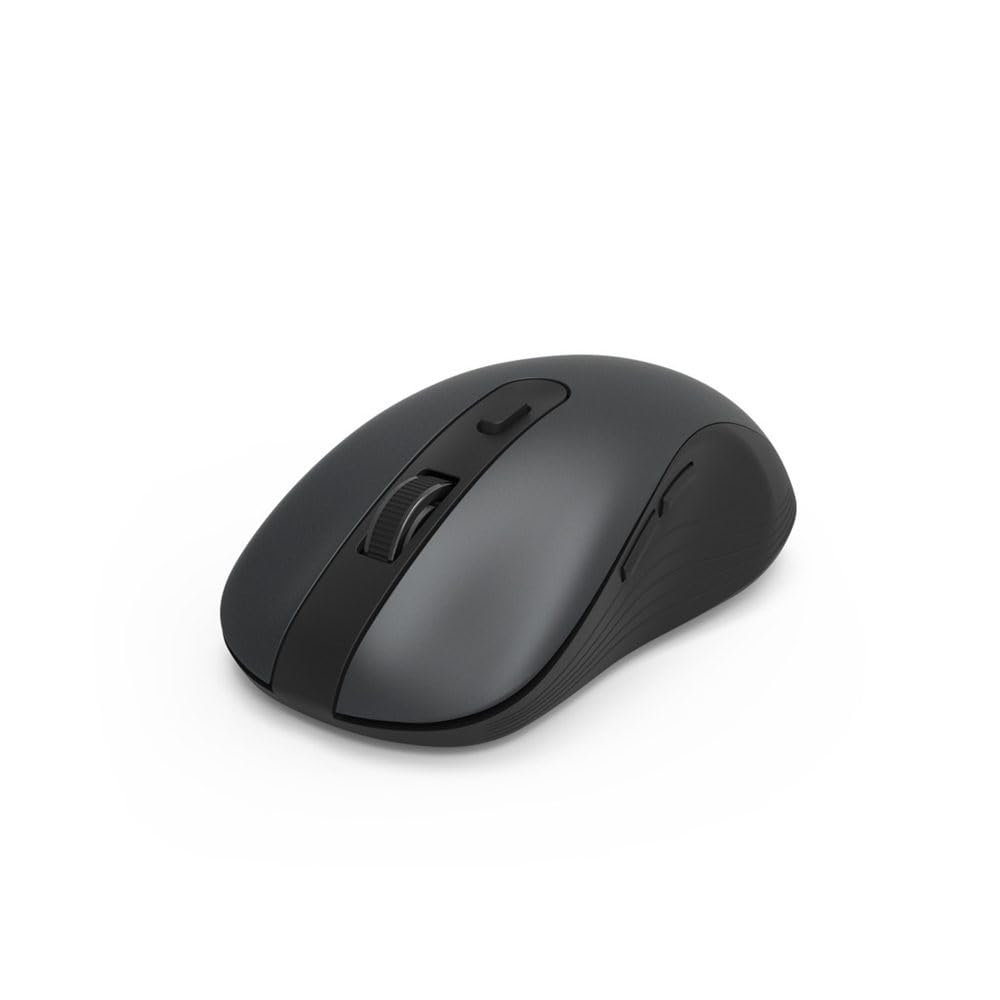
Image 1.1: Hama MW-650 Wireless Mouse (Top View)
2. Contingut del paquet
Si us plau, comproveu el paquet per veure si hi ha els elements següents:
- 1 x Hama MW-650 6-Button Optical Wireless Mouse
- 1 x Receptor USB-A
- 2 x AA Mignon Batteries
- 1 x Manual d'instruccions (aquest document)

Image 2.1: Hama MW-650 Product Packaging
3. Configuració
3.1. Instal·lació de la bateria
- Localitzeu el compartiment de la bateria a la part inferior del ratolí.
- Obriu la tapa del compartiment de la bateria.
- Insert the two AA Mignon batteries, ensuring correct polarity (+/-).
- Tanqueu bé la tapa del compartiment de la bateria.
3.2. Encendre/apagar
On the underside of the mouse, slide the ON/OFF switch to the 'ON' position to power on the mouse. Slide it to 'OFF' when not in use to conserve battery life.

Image 3.1: Underside of Hama MW-650 Mouse with ON/OFF Switch and Receiver
3.3. Opcions de connectivitat
The Hama MW-650 mouse supports two wireless connection methods: 2.4 GHz via USB-A receiver and Bluetooth.
3.3.1. 2.4 GHz USB-A Receiver Connection
- Remove the USB-A receiver from its storage slot on the underside of the mouse.
- Plug the USB-A receiver into an available USB-A port on your computer or laptop.
- The operating system should automatically detect and install the necessary drivers.
- The mouse will connect automatically. The LED indicator for BT1/BT2 will not be lit when using the USB receiver.
3.3.2. Connexió Bluetooth
The mouse can connect to two separate Bluetooth devices (BT1 and BT2).
- Assegureu-vos que el ratolí estigui encès.
- Press the 'BT1' or 'BT2' button on the underside of the mouse to select the desired Bluetooth channel. The corresponding LED will flash slowly.
- To enter pairing mode, press and hold the selected 'BT1' or 'BT2' button for approximately 3 seconds until the LED flashes rapidly.
- Al dispositiu (PC, portàtil, tauleta, telèfon intel·ligent), activeu el Bluetooth i cerqueu dispositius nous.
- Select "Hama MW-650" from the list of available devices to pair.
- Once successfully paired, the LED will stop flashing and remain steadily lit for a few seconds before turning off.
4. Instruccions de funcionament
4.1. Funcions bàsiques del ratolí
The Hama MW-650 features 6 buttons and a scroll wheel:
- Botó esquerre de clic: Primary function, typically for selecting items or opening links.
- Botó dret: Secondary function, typically for context menus.
- Roda de desplaçament: For scrolling up and down documents or web pages. Can also be pressed for a middle-click function.
- Botó DPI: Located behind the scroll wheel, used to adjust cursor sensitivity.
- Botons Endavant/Enrere: Located on the side of the mouse, typically used for navigating web pàgines o carpetes.
4.2. Canviar entre dispositius
The MW-650 mouse allows you to switch between three connected devices (one via USB receiver, two via Bluetooth).
- To switch to a Bluetooth-connected device, press the 'BT1' or 'BT2' button on the underside of the mouse. The corresponding LED will light up briefly.
- To switch to the device connected via the USB receiver, press the 'USB' button (or the button without a BT label) on the underside of the mouse.

Image 4.1: Multi-Device Connectivity Example

Image 4.2: Multi-Device Setup with Monitor
4.3. DPI Sensitivity Adjustment
The mouse offers adjustable DPI (Dots Per Inch) settings to control cursor speed and sensitivity. Press the DPI button located behind the scroll wheel to cycle through the available sensitivities:
- 800 DPI
- 1200 DPI (predeterminat)
- 1600 DPI
- 2000 DPI
- 2400 DPI
Each press of the DPI button will change the sensitivity, allowing you to find the setting that best suits your task or preference.
5. Gestió d'energia
The Hama MW-650 mouse is designed with intelligent power management features to conserve battery life:
- Mode d'espera automàtic: The mouse will automatically enter a standby mode after a period of inactivity. To wake it up, simply move the mouse or click any button.
- Interruptor d'encesa/apagada: For extended periods of non-use, slide the ON/OFF switch on the underside of the mouse to the 'OFF' position to completely power down the device and maximize battery life.
6. Cura i Manteniment
6.1. Neteja
Per mantenir el rendiment i l'aspecte del ratolí:
- Assegureu-vos que el ratolí estigui apagat abans de netejar-lo.
- Feu servir un drap suau, sec i sense borrissol per netejar la superfície del ratolí.
- Per a la brutícia persistent, lleugerament dampNetegeu el drap amb aigua o una solució de neteja suau. Eviteu productes químics agressius o materials abrasius.
- Clean the optical sensor area on the underside of the mouse periodically with a cotton swab to ensure accurate tracking.
6.2. Substitució de la bateria
Quan el rendiment del ratolí disminueix o deixa de respondre, pot ser hora de substituir les piles.
- Power off the mouse using the ON/OFF switch.
- Obriu el compartiment de la bateria a la part inferior.
- Remove the old AA batteries and dispose of them according to local regulations.
- Insert new AA Mignon batteries, observing correct polarity.
- Tanqueu el compartiment de la bateria.
7. Solució De Problemes
If you encounter issues with your Hama MW-650 mouse, please refer to the following common solutions:
| Problema | Possible solució |
|---|---|
| El ratolí no respon. |
|
| El moviment del cursor és erràtic o lent. |
|
| No es pot canviar entre dispositius. |
|
| L'aparellament de Bluetooth falla. |
|
8. Especificacions tècniques
| Número de model | 00182617 (MW-650) |
| Tecnologia de connectivitat | 2.4GHz RF (USB-A Receiver), Bluetooth 5.0 |
| Tecnologia de detecció de moviment | Òptic |
| Sensibilitat DPI | 800 / 1200 / 1600 / 2000 / 2400 DPI (adjustable) |
| Nombre de botons | 6 (inclosa la roda de desplaçament) |
| Factor de forma | Mà dreta |
| Font d'alimentació | 2 x AA Mignon Batteries (included) |
| Durada de la bateria | Fins a 288 dies (segons l'ús) |
| Sistemes operatius compatibles | Windows 11/10/8/7, Android 4.3 or higher, macOS 10.10 or higher, iOS 13 or higher |
| Dimensions del producte (L x A x A) | 11.3 x 6.3 x 4 cm (4.41 x 2.48 x 1.57 polzades) |
| Pes de l'article | 3.62 unces |
| Color | Negre |
9. Garantia i Suport
Per obtenir informació sobre la garantia i assistència tècnica, consulteu la pàgina oficial de Hama. weblloc web o contacteu directament amb el seu servei d'atenció al client. Conserveu el comprovant de compra per a qualsevol reclamació de garantia.
- Fabricant: Hama GmbH & Co KG
- Weblloc: www.hama.com