1. Introducció
The Poly Studio X70 is an advanced video bar designed for large conference rooms, offering a comprehensive solution for high-quality audio and video conferencing. This all-in-one device integrates a camera, speakers, and microphones to provide a seamless and professional meeting experience. It is engineered for simplicity, reducing cable clutter and IT complexity.

Figura 1.1: Frontal view of the Poly Studio X70 Video Bar, showcasing its sleek design and integrated camera system.
2. Què hi ha a la caixa
Upon unboxing your Poly Studio X70, please verify that all components are present:
- Barra de vídeo Poly Studio X70
- Monitor clamp
- Cable bundle (including necessary power and HDMI cables)
3. Guia de configuració
Follow these steps to set up your Poly Studio X70 Video Bar for optimal performance in your conference room environment.
3.1 Muntatge del dispositiu
The Poly Studio X70 can be mounted above or below your display using the included monitor clamp. Ensure the device is securely fastened and positioned centrally for the best camera coverage.

Figure 3.1: The Poly Studio X70 installed in a large conference room, demonstrating its ideal placement above dual displays for effective video conferencing.
3.2 Cables de connexió
- Connect the power cable to the video bar and a suitable power outlet.
- Connect the HDMI cable from the video bar to your display(s). The Studio X70 supports 4K resolution.
- For network connectivity, connect an Ethernet cable to the video bar's network port.
- If connecting to a PC or other devices, utilize the available USB ports.

Figura 3.2: posterior view of the Poly Studio X70, highlighting the various connectivity ports for power, HDMI, Ethernet, and USB.
4. Instruccions de funcionament
The Poly Studio X70 is designed for intuitive operation, providing a seamless experience for video conferencing.
4.1 Engegada i configuració inicial
Once connected, the device will power on automatically. Follow the on-screen prompts for initial network configuration and integration with your preferred cloud video service.
4.2 Video and Camera Features
The Studio X70 features dual 4K lenses and 20-megapixel camera sensors, delivering life-like video quality. It includes advanced capabilities such as automatic speaker tracking and group framing to ensure all participants are clearly visible.

Figura 4.1: Detall view of the Poly Studio X70's dual 4K lenses, which provide exceptional video clarity and resolution.

Figure 4.2: Illustration of the automatic speaker tracking and group framing capabilities, ensuring dynamic and inclusive video calls.
4.3 Funcions d'àudio
Experience boardroom-filling audio with two-way stereo speakers, aluminum cone tweeters, and advanced bass ports. The device incorporates NoiseBlockAI and Acoustic Fence technology to suppress distracting noises and side conversations, ensuring clear communication.
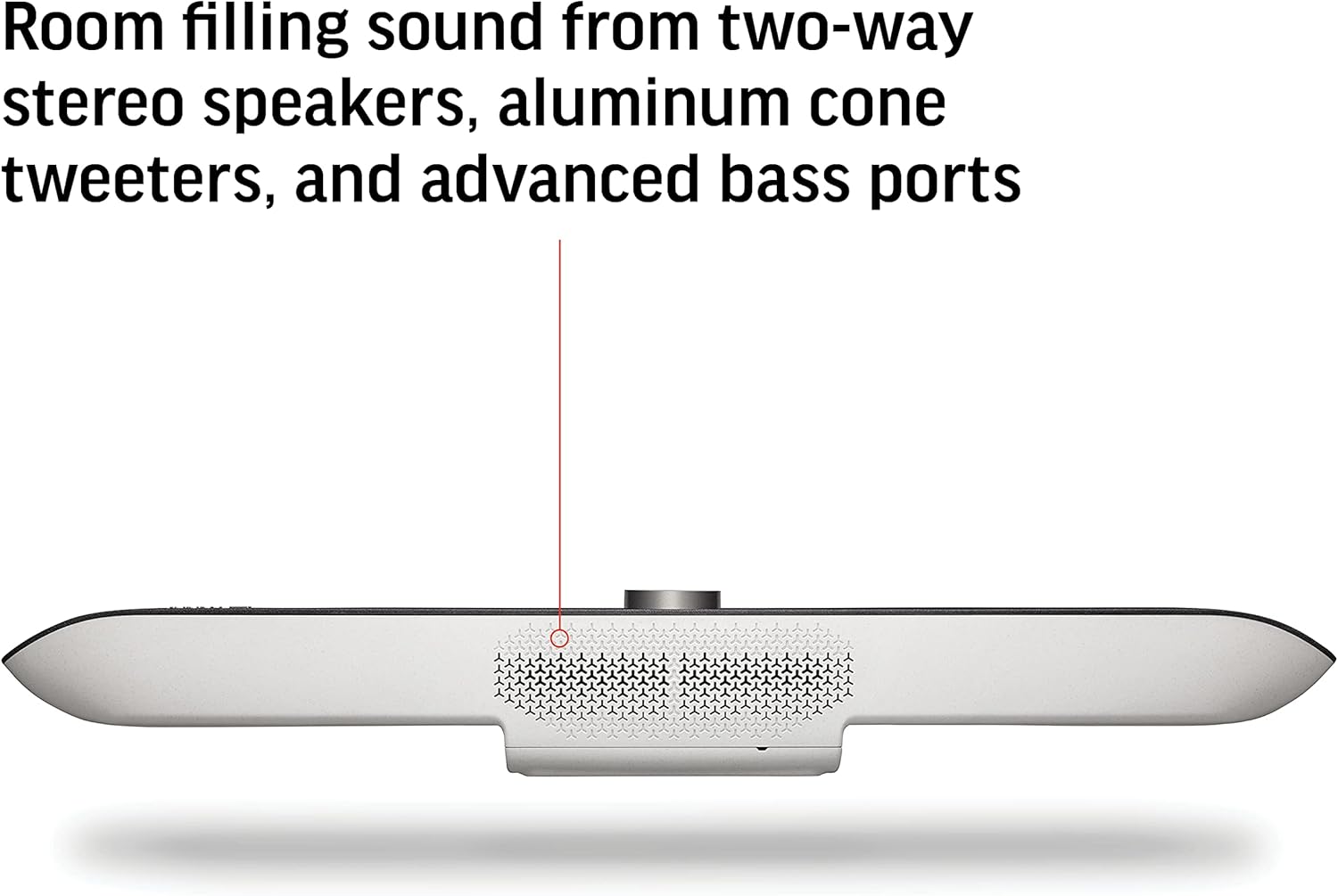
Figure 4.3: The underside of the Poly Studio X70, revealing the design of the stereo speakers and bass ports for rich audio output.

Figure 4.4: The Poly Studio X70's microphone array, featuring NoiseBlockAI and Acoustic Fence technologies to eliminate background noise and improve voice clarity.
4.4 Compartició de contingut
The Poly Studio X70 allows for wireless content sharing from most personal devices, facilitating collaborative presentations and discussions.

Figure 4.5: The Poly Studio X70 supports wireless content sharing from various personal devices, enhancing collaboration during meetings.
5. Manteniment
To ensure the longevity and optimal performance of your Poly Studio X70, follow these maintenance guidelines:
- Neteja: Gently wipe the exterior surfaces with a soft, dry, lint-free cloth. Do not use abrasive cleaners, waxes, or solvents.
- Ventilació: Assegureu-vos que les obertures de ventilació no estiguin bloquejades per evitar el sobreescalfament.
- Actualitzacions de programari: Regularly check for and install software updates via the Poly Lens management platform to access the latest features and performance improvements.
6. Solució De Problemes
This section provides solutions to common issues you might encounter with your Poly Studio X70.
6.1 Sense sortida de vídeo
- Check all HDMI cable connections between the video bar and the display(s).
- Assegureu-vos que la pantalla estigui configurada a la font d'entrada correcta.
- Verify the video bar is powered on.
6.2 Sense àudio o mala qualitat d'àudio
- Check the volume levels on the video bar and the connected display.
- Ensure microphones are not muted.
- Verify that NoiseBlockAI and Acoustic Fence are configured correctly in the settings to optimize sound.
6.3 Problemes de connectivitat de xarxa
- Confirm the Ethernet cable is securely connected to both the video bar and the network switch/router.
- Check your network settings and ensure the device has a valid IP address.
- Restart your network equipment (router, modem) if necessary.
7. Especificacions
Detailed technical specifications for the Poly Studio X70 Video Bar:
| Característica | Especificació |
|---|---|
| Número de model | 7200-87290-001 |
| Resolució de pantalla màxima | 4K |
| Resolució de captura de vídeo | 4K |
| Sensors de càmera | Dual de 20 megapíxels |
| Funcions d'àudio | Two-way stereo speakers, aluminum cone tweeters, advanced bass ports, NoiseBlockAI, Acoustic Fence |
| Tecnologia de connectivitat | HDMI, Ethernet, USB |
| Pes de l'article | 14.57 lliures |
| Dimensions del paquet | 36.2 x 9.2 x 6.2 polzades |
| Color | Gris |
| Plataforma de maquinari | PC |
8. Management and Support
The Poly Studio X70 can be easily managed using the Poly Lens cloud-based device management software. This platform helps ensure high uptime and provides advanced analytics for your collaborative devices.
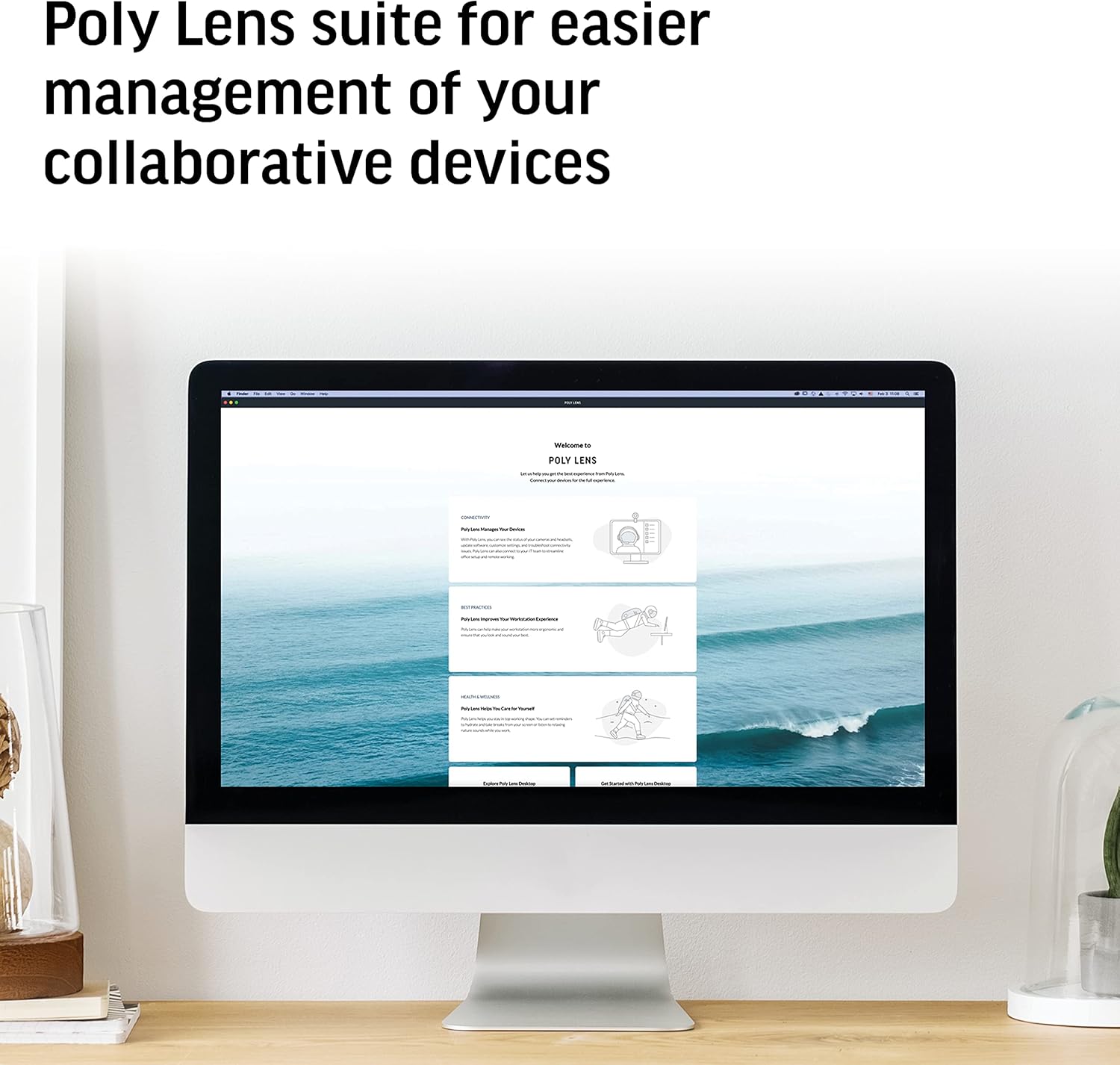
Figure 8.1: The Poly Lens suite provides a centralized platform for managing and monitoring your Poly collaborative devices.
For further assistance, technical support, or warranty information, please refer to the official Plantronics (Poly) website or contact their customer service directly. Poly has been a leader in communication technology since 1969, committed to enabling seamless work from anywhere.

Figure 8.2: The official Poly logo, representing the brand's commitment to innovative communication solutions.


