Introducció
This manual provides detailed instructions for the installation, operation, maintenance, and troubleshooting of your SHZSR Car Radio Multi-Touch Screen for Infiniti JX35 / QX60. Please read this manual thoroughly before using the product to ensure proper functionality and safety.
The SHZSR Car Radio is designed to enhance your in-car entertainment and navigation experience, featuring a large 12.1-inch vertical HD display, Android operating system, and support for various connectivity options including CarPlay and Android Auto.
Configuració i instal·lació
The SHZSR Car Radio is designed for specific Infiniti JX35 / QX60 models (2016-2021). Professional installation is recommended. Ensure the screen size does not obstruct existing buttons or vent holes in your vehicle's dashboard.
Comprovació de compatibilitat
Before installation, verify that your vehicle's center console matches the design shown in the image below, particularly regarding the stitching at the top of the dashboard.
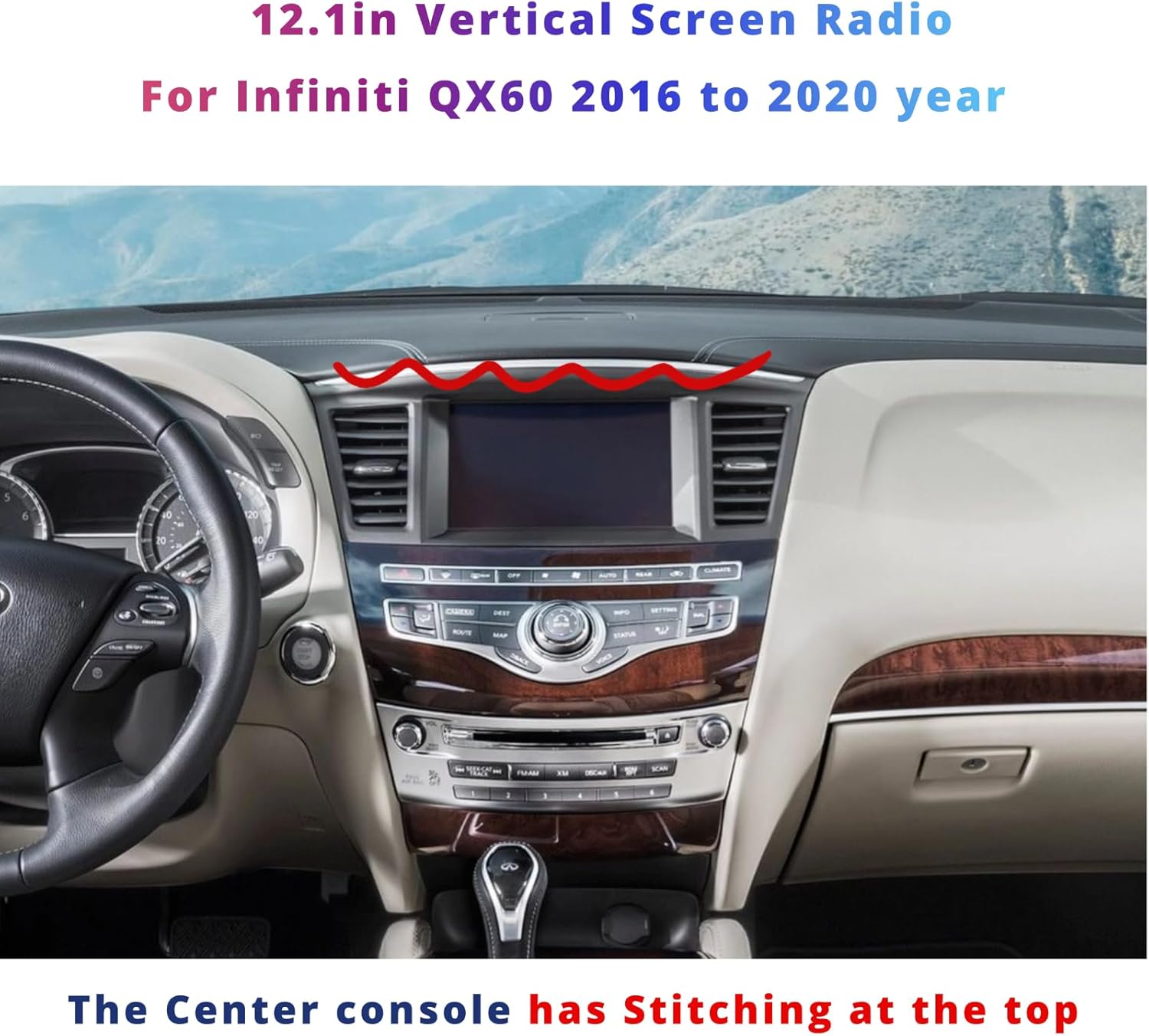
Figure 1: SHZSR Car Radio installed in an Infiniti QX60 dashboard. Note the dashboard stitching for compatibility verification.
Passos d'instal·lació (generals)
- Preparació: Ensure the vehicle's power is off and the battery is disconnected before beginning installation.
- Removal of Original Unit: Carefully remove the existing car radio and dashboard components as per your vehicle's service manual.
- Cablejat: Connect the provided cables to the SHZSR unit and the vehicle's wiring harness. The unit supports plug-and-play functionality; however, refer to the included installation instructions for specific wiring diagrams.
- Integració: The unit retains factory backup camera, USB, steering wheel controls, and AUX input. Ensure all these connections are properly made.
- Muntatge: Securely mount the SHZSR unit into the dashboard.
- Prova: Reconnect the battery and power on the vehicle to test all functions before fully reassembling the dashboard.
For detailed wiring and mounting instructions, please refer to the separate installation guide included in your package.
Instruccions de funcionament
The SHZSR Car Radio features a 12.1-inch multi-touch HD display running on an Android operating system, providing a user-friendly interface for various functions.
Navegació bàsica
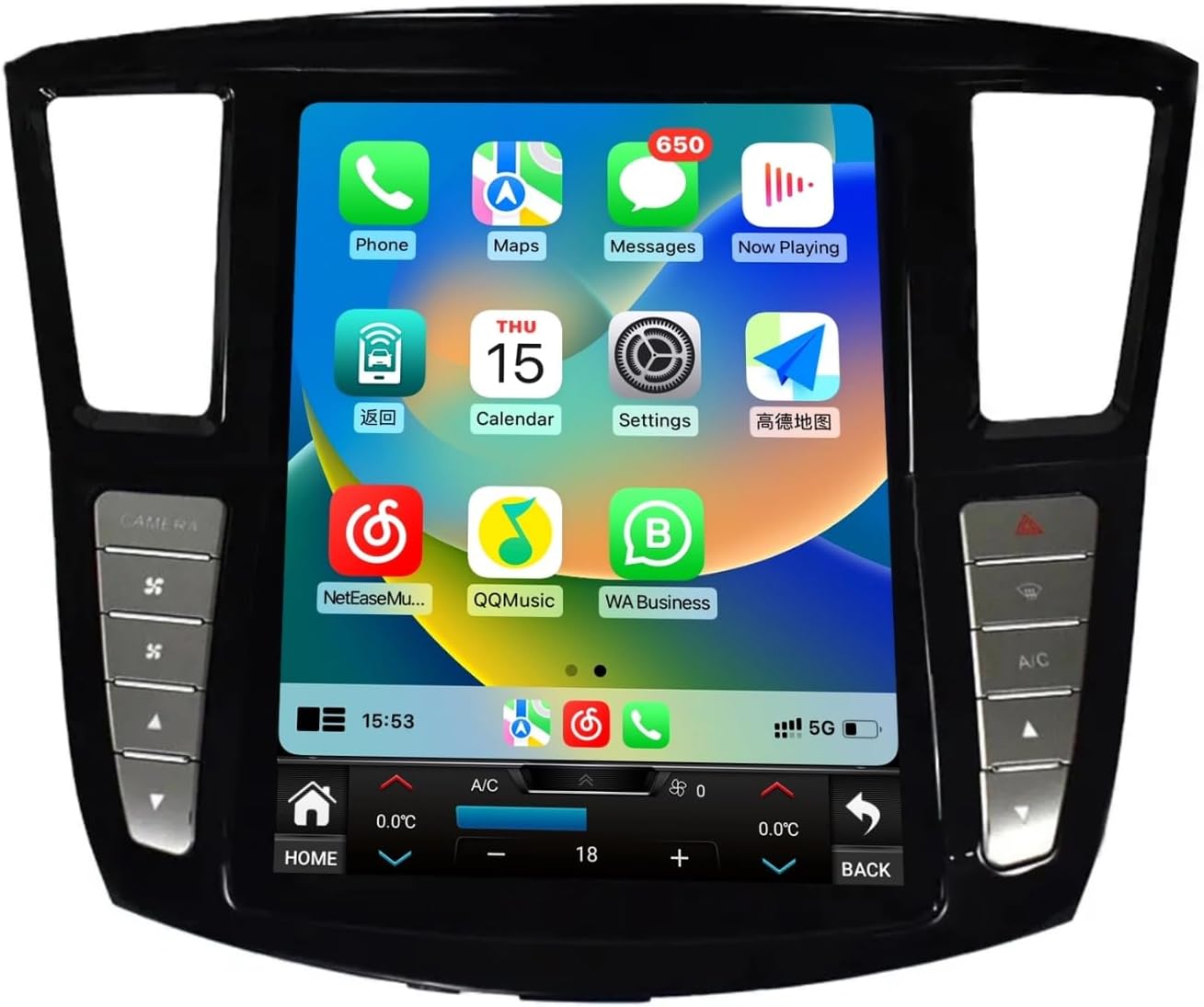
Figure 2: Main user interface with various application icons.
- Pantalla tàctil: Navegueu pels menús i les aplicacions tocant la pantalla.
- Botó d'inici: Located at the bottom left of the screen, returns you to the main home screen.
- Botó enrere: Located at the bottom right of the screen, returns to the previous screen.
- Control de volum: Use the physical buttons on the side bezel or the on-screen controls.
Característiques de connectivitat
The unit supports various connectivity options for enhanced functionality.
- Bluetooth: For hands-free calling and audio streaming. Pair your mobile device via the Bluetooth settings menu.
- Wi-Fi: Connecteu-vos a un punt d'accés Wi-Fi per accedir a Internet, descarregar aplicacions i accedir a serveis en línia.
- Xarxa 4G: If equipped, insert a 4G SIM card for direct internet access.
- USB: Connect USB devices for media playback or data transfer.
CarPlay i Android Auto
The unit features built-in Wireless CarPlay and wired/wireless Android Auto for seamless smartphone integration.
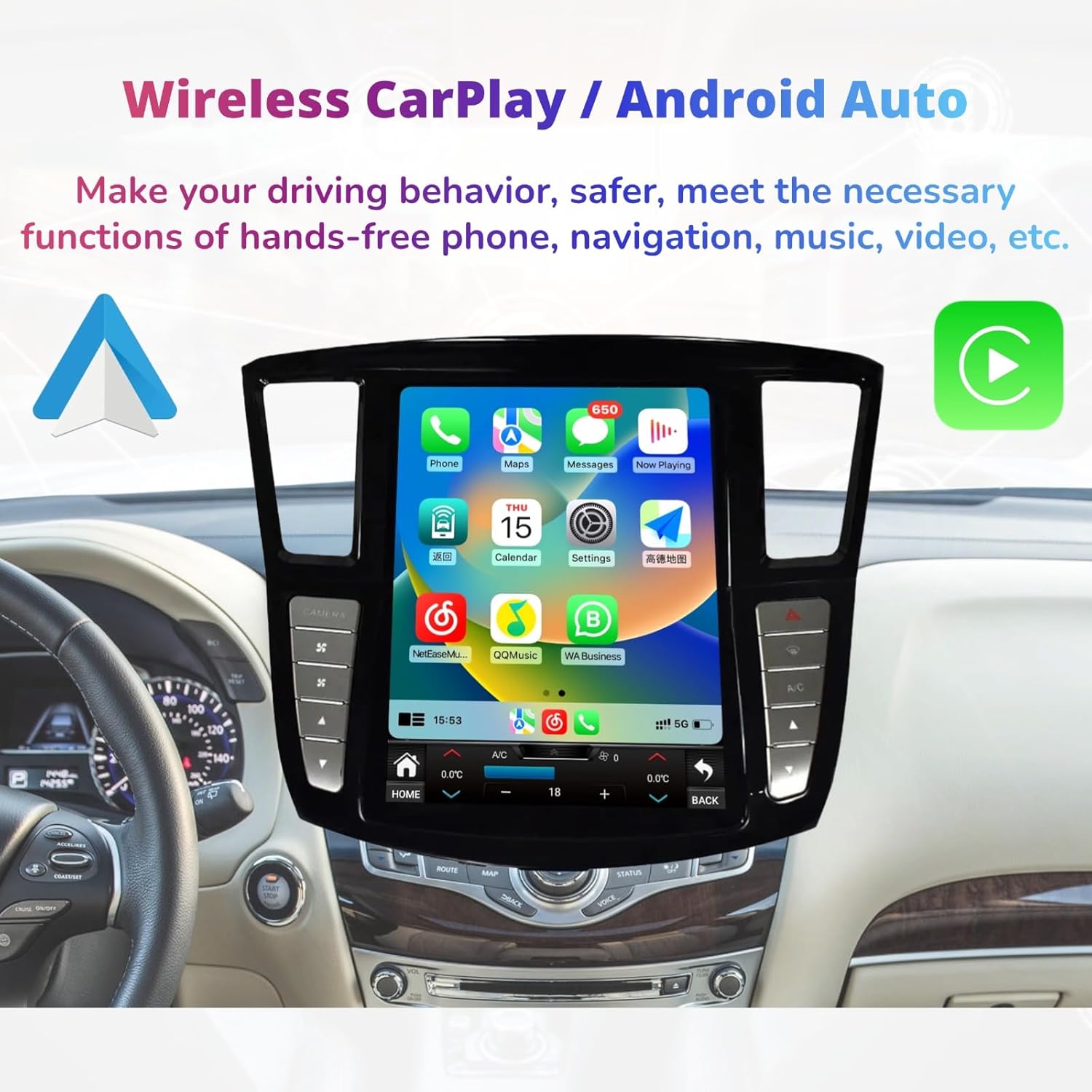
Figure 3: Wireless CarPlay interface for smartphone integration.
- CarPlay: Connect your iPhone wirelessly or via USB to access navigation, messages, calls, and music directly on the car's display.
- Android Auto: Connect your Android phone wirelessly or via USB to use Google Maps, send messages, make calls, and play music.
- Activació: Access CarPlay or Android Auto through their respective icons on the main screen or by connecting your device.
Climate Control and Vehicle Settings
The unit integrates with your vehicle's climate control system and other settings, accessible via the touch screen.

Figure 4: Integrated climate control interface and physical control buttons.
- Control climàtic: Adjust temperature, fan speed, and air distribution directly from the touch screen.
- Botons físics: Dedicated physical buttons on the bezel provide quick access to functions like camera view, A/C, and warning lights.
- Control del volant: The unit supports existing steering wheel controls for audio, calls, and other functions.
App Store and Multimedia
Access a wide range of applications and multimedia features.

Figure 5: App Store interface with various downloadable applications.
- App Store: Download and install Android applications from the Play Store or "Unknown sources" (exercise caution with unknown sources).
- Reproducció multimèdia: Play MP3/MP4 files from USB, stream music via Bluetooth, or use installed streaming apps.
- Navegació GPS: Utilize built-in GPS with pre-installed maps or download preferred navigation apps like Google Maps.
Manteniment
Regular maintenance ensures the longevity and optimal performance of your SHZSR Car Radio.
- Neteja de pantalla: Utilitzeu un drap suau i sense pelusa lleugerament dampNetegeu-ho amb aigua o amb un netejador de pantalles dissenyat específicament per a pantalles electròniques. Eviteu productes químics agressius o materials abrasius.
- Actualitzacions de programari: Periodically check for software updates through the system settings to ensure you have the latest features and security patches.
- Restabliment del sistema: If the system becomes unresponsive, a soft reset can often resolve the issue. Refer to the system settings for reset options.
- Eviteu temperatures extremes: Do not expose the unit to extreme heat or cold for extended periods, as this can affect performance and lifespan.
Resolució de problemes
This section addresses common issues you might encounter with your SHZSR Car Radio.
| Problema | Causa possible | Solució |
|---|---|---|
| La unitat no s'encén. | Connexió d'alimentació fluixa, fusible fundit, problema amb la bateria del vehicle. | Comproveu els cables d'alimentació i les connexions. Inspeccioneu els fusibles del vehicle. Assegureu-vos que la bateria del vehicle estigui carregada. |
| La pantalla tàctil no respon. | Error de programari, problema de calibratge de la pantalla. | Perform a soft reset of the unit. If issue persists, check for software updates. |
| Sense sortida d'àudio. | Volume too low, incorrect audio source selected, loose speaker connections. | Increase volume. Verify correct audio source (e.g., Radio, Bluetooth, USB). Check speaker wiring. |
| Senyal GPS perdut o inexacte. | Poor satellite reception, outdated map data, antenna issue. | Ensure the vehicle is in an open area. Update GPS maps. Check GPS antenna connection. |
| El CarPlay/Android Auto no es connecta. | Incorrect USB cable, phone settings, software incompatibility. | Use a high-quality USB cable. Ensure CarPlay/Android Auto is enabled on your phone. Update phone OS and unit software. |
Si trobeu problemes que no figuren aquí o si les solucions suggerides no resolen el problema, poseu-vos en contacte amb l'atenció al client.
Especificacions
Key technical specifications of the SHZSR Car Radio Multi-Touch Screen.

Figura 6: Mésview de les característiques i especificacions clau.
| Característica | Detall |
|---|---|
| Nom del model | Infiniti QX60 |
| Vehicles compatibles | Infiniti JX35 / QX60 (2016 - 2021) |
| Mida de la pantalla | 12.1 polzades |
| Resolució de visualització | 1280 x 480 píxels (HD) |
| Sistema operatiu | Android 9 (Quick start) / Android 12 (as per image) - Note: Product description states Android 9, image states Android 12. Please verify with product packaging. |
| CPU Frequency Platform | PX6: 6 cores |
| RAM | 6GB (as per image) |
| ROM (emmagatzematge) | 128 GB |
| Connectivitat | Bluetooth, Wi-Fi, 4G, USB |
| Característiques especials | Multi-Touch Screen, Built-in GPS, Wireless CarPlay, Android Auto, DSP Support, Steering Wheel Control Support, Factory Backup Camera Retention, AUX Input, Touchscreen Climate Control. |
| Pes de l'article | 3.9 quilos |
| Número de peça del fabricant | 367-153-998 |
Informació de la garantia
The SHZSR Car Radio Multi-Touch Screen comes with a 1 any de garantia des de la data de compra. Aquesta garantia cobreix defectes de fabricació i avaries en condicions d'ús normal.
The warranty does not cover damage caused by improper installation, misuse, accidents, unauthorized repairs, or normal wear and tear. Please retain your proof of purchase for warranty claims.
Atenció al client
For technical assistance, troubleshooting beyond this manual, or warranty claims, please contact SHZSR customer support.
- Suport per correu electrònic: You can reach our professional technical support team via Amazon email. Please provide your order number and a detailed description of the issue for prompt assistance.
- Recursos en línia: Visit the SHZSR official website (if available) for additional FAQs, software updates, and support documentation.
We are committed to providing the best products and excellent customer service.


