1. Producte acabatview
The SOOMFON Bluetooth 5.0 Audio Transmitter Adapter is designed to wirelessly transmit audio from devices lacking Bluetooth capabilities to Bluetooth-enabled headphones, earphones, or speakers. It features Bluetooth 5.0 technology for stable connections and low latency, ensuring synchronized audio. This adapter includes a built-in microphone for in-game chat and supports simultaneous connection to two devices, allowing for shared audio experiences. Its compact and portable design makes it ideal for various uses, including gaming and music listening.

Image 1.1: The SOOMFON Bluetooth 5.0 Audio Transmitter Adapter, showcasing el seu disseny compacte.
2. Contingut del paquet
- SOOMFON Bluetooth 5.0 Audio Transmitter Adapter
- Cable de càrrega USB-C
- Manual d'usuari
3. Diagrama del producte
The SOOMFON Bluetooth Audio Transmitter features a 3.5mm audio jack for input, a USB-C port for charging, and a multifunction button for control. A separate switch is provided for the built-in microphone.
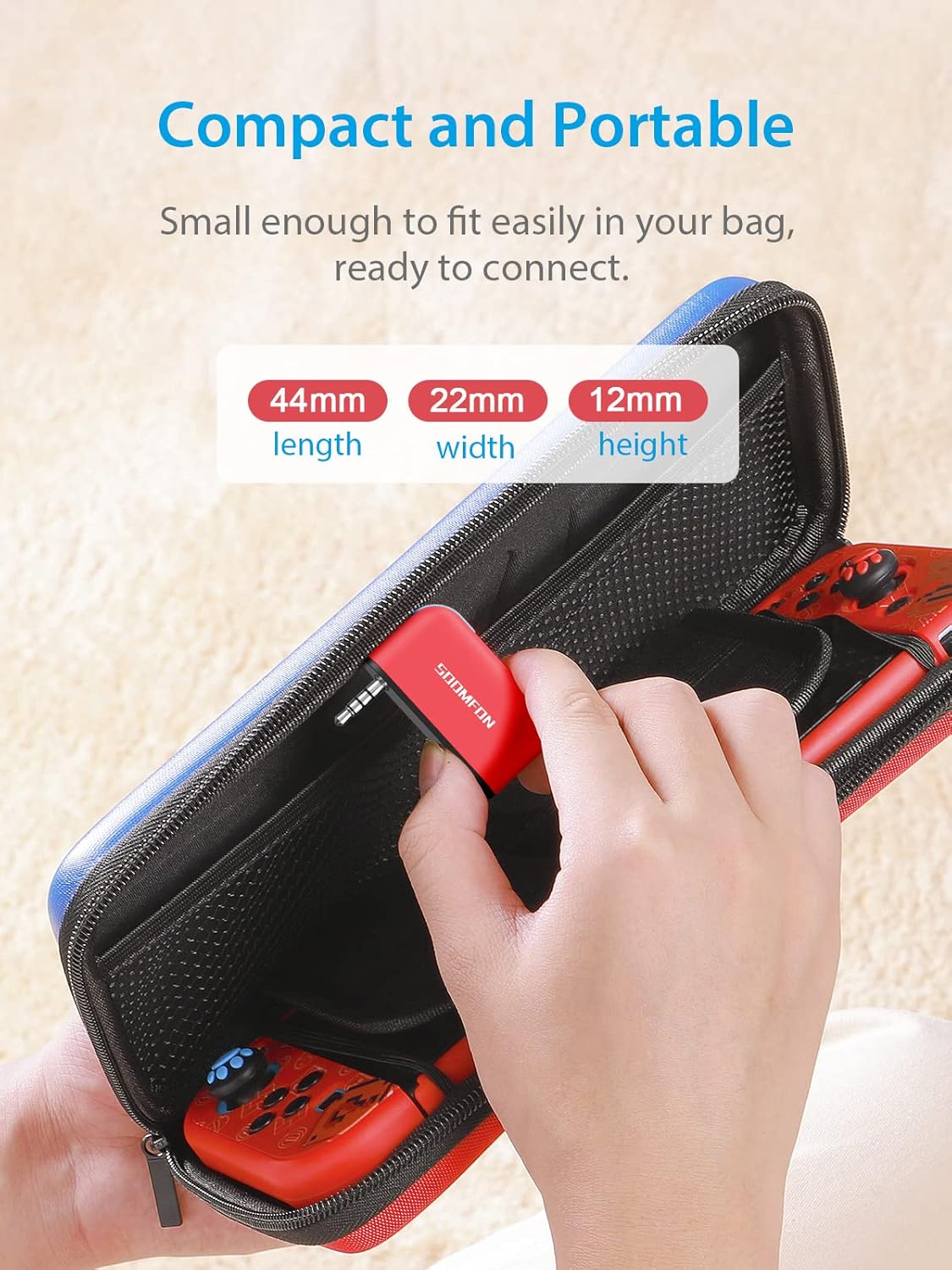
Image 3.1: The compact design of the transmitter, highlighting its dimensions (44mm length, 22mm width, 12mm height).
4. Especificacions
| Característica | Detall |
|---|---|
| Dimensions del producte | 1.73 x 1.52 x 0.49 polzades |
| Pes de l'article | 0.307 unces |
| Versió Bluetooth | 5.0 |
| Bateria | Ió de liti de 100 mAh (recarregable) |
| Port de càrrega | USB-C |
| Temps de càrrega | Aprox. 1.5 hores |
| Temps de joc | Aprox. 8 hores |
| Tipus de connector | Auxiliary (3.5mm), USB Type C |
| Dispositius compatibles | Nintendo Switch, Xbox, PS3, PS4, PC, TV, iPod, MP3/MP4 players |
5. Configuració
5.1 Engegada inicial i emparellament
- Encès: Press and hold the multifunction button for 3 seconds to turn on the adapter.
- Connecta't al dispositiu: Plug the 3.5mm audio jack of the adapter into the audio output port of your desired device (e.g., Nintendo Switch, PC, TV).
- Introduïu el mode de vinculació: Press the multifunction button twice quickly. The blue light on the adapter will flash rapidly, indicating it is in pairing mode.
- Pair with Headphones/Speakers: Poseu els auriculars o altaveus Bluetooth en mode d'emparellament. Consulteu el manual del dispositiu d'àudio per obtenir instruccions específiques.
- Confirmació de connexió: Once pairing is successful, the blue light on the adapter will flash every 10 seconds.
The SOOMFON adapter is plug-and-play, requiring no driver or software installation. Once connected, it will automatically pair with the last connected device the next time it is powered on.

Image 5.1: The transmitter operates without requiring driver installation.
5.2 Connexió a la Nintendo Switch
For Nintendo Switch in handheld mode, simply plug the adapter into the 3.5mm audio jack. For TV Dock mode, use a USB-A to AUX 3.5mm adapter (not included) to connect the transmitter to the dock's USB port, then plug the 3.5mm jack into the adapter.

Image 5.2: The transmitter connected to a Nintendo Switch in handheld mode and illustrating TV Dock mode usage.
6. Instruccions de funcionament
6.1 Ús del micròfon integrat
The adapter features a built-in microphone for voice communication, particularly useful for in-game chat. A separate switch allows you to turn the microphone on or off as needed.

Image 6.1: Demonstrating live and remote communication during gaming using the transmitter's microphone.
6.2 Compatibilitat àmplia
The SOOMFON Bluetooth 3.5mm audio adapter is compatible with a wide range of devices, including Nintendo Switch, Xbox, PS3, PS4, PC, TV, iPod, MP3, and MP4 players. It can transmit audio to various Bluetooth receiving devices such as earphones, speakers, and headphones.

Image 6.2: Visual representation of the transmitter's compatibility with multiple input sources and output audio devices.
6.3 Connexió de dos dispositius simultàniament
The adapter supports connecting to two Bluetooth audio devices at the same time. To do this, first pair with one device as described in Section 5.1. Once connected, put the second Bluetooth audio device into pairing mode and then press the multifunction button on the SOOMFON adapter twice again to enter pairing mode. The adapter will attempt to connect to the second device. This allows two users to share audio from a single source.

Image 6.3: The transmitter supports multiple usage scenarios, including connecting to two devices for shared experiences.
6.4 Càrrega i durada de la bateria
The adapter has a built-in 100mAh rechargeable battery. Connect the included USB-C charging cable to the adapter's USB-C port and a power source (e.g., USB wall adapter, computer USB port). A full charge takes approximately 1.5 hours and provides up to 8 hours of playing time.

Image 6.4: Illustration of the internal battery and USB-C charging port, indicating 1.5 hours for full charge and 8 hours of playing time.
7. Manteniment
- Neteja: Wipe the adapter with a soft, dry cloth. Avoid using harsh chemicals or abrasive materials.
- Emmagatzematge: Guardeu l'adaptador en un lloc fresc i sec, allunyat de la llum solar directa i de temperatures extremes.
- Cura de la bateria: Per allargar la durada de la bateria, eviteu descarregar-la completament amb freqüència. Carregueu el dispositiu regularment, fins i tot si no l'utilitzeu durant períodes prolongats.
- Manipulació: Avoid dropping the device or exposing it to water.
8. Solució De Problemes
| Problema | Causa possible | Solució |
|---|---|---|
| Cannot pair with Bluetooth headphones/speakers. | Audio device is already connected to another device or not in pairing mode. | Ensure your Bluetooth audio device is disconnected from all other devices. Put both the SOOMFON adapter (press multifunction button twice) and your audio device into pairing mode simultaneously. |
| Sense so o amb mala qualitat d'àudio. | Incorrect connection, low battery, or interference. | Ensure the 3.5mm jack is fully inserted. Check if the adapter is charged. Move closer to the audio device to reduce interference. Re-pair the devices. |
| Humming sound when charging and using simultaneously (e.g., with Switch dock). | Ground loop interference from power source. | Avoid charging the adapter while using it with certain devices if a humming sound occurs. Use the adapter on battery power for optimal audio. |
| Durada de la bateria curta. | Bateria no completament carregada o bateria envellida. | Ensure the adapter is fully charged for 1.5 hours. Battery performance may degrade over time. |
9. Garantia i Suport
SOOMFON products are designed for reliability and performance. For warranty information, technical support, or customer service inquiries, please refer to the contact details provided on the product packaging or the official SOOMFON weblloc web. Si us plau, conserveu el comprovant de compra per a reclamacions de garantia.


