Introducció
This manual provides comprehensive instructions for setting up, operating, maintaining, and troubleshooting your Apple iPad (9th Generation). Please read this guide thoroughly to ensure optimal use of your device.

Imatge: Frontal view of the Apple iPad (9th Generation) with its display active.
1. Configuració
1.1 Desembalatge i inspecció inicial
Traieu amb cura tots els components de l'embalatge. Verifiqueu que tots els elements que s'enumeren a continuació siguin presents i no estiguin danyats.
- iPad (9a generació)
- Cable USB-C a Lightning
- Adaptador d'alimentació USB-C de 20W
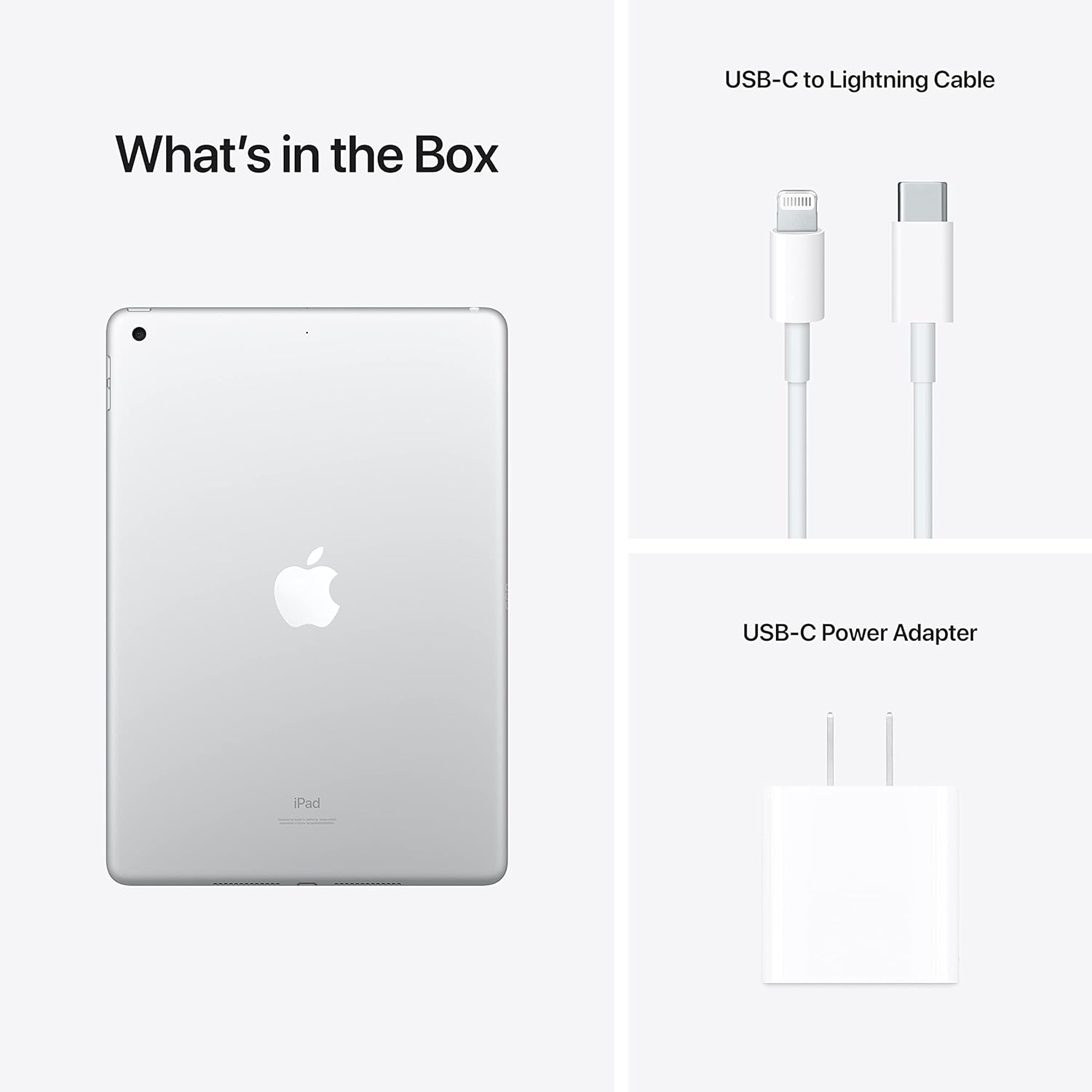
Image: The iPad and its included accessories: USB-C to Lightning Cable and 20W USB-C Power Adapter.
1.2 Charging the iPad
Before first use, it is recommended to fully charge your iPad. Connect the USB-C to Lightning cable to the iPad's Lightning port and the 20W USB-C Power Adapter. Plug the adapter into a power outlet.
The battery icon on the screen will indicate charging status. A full charge typically takes a few hours.
1.3 Engegada i configuració inicial
- Manteniu premut el botó Botó superior until the Apple logo appears.
- Segueix les instruccions que apareixen a la pantalla per seleccionar l'idioma i la regió i connectar-te a una xarxa Wi-Fi.
- Set up Touch ID for secure unlocking and purchases.
- Sign in with your Apple ID or create a new one. This is essential for downloading apps and using Apple services.
- Configure other settings such as Location Services, Siri, and analytics preferences.
2. Operating Your iPad
2.1 Navegació bàsica
- Botó d'inici: Premeu una vegada per tornar a la pantalla d'inici. Premeu dues vegades per obrir el selector d'aplicacions. Mantingueu premut per a Siri.
- Touch ID: Integrated into the Home button for secure authentication.
- Botó superior: Press to wake or sleep the iPad. Press and hold to power off.
- Botons de volum: Located on the side to adjust audio volume.

Image: Detail of the iPad's side, highlighting the top button, volume controls, and rear camera lens.
2.2 iPadOS and Applications
Your iPad runs on iPadOS, designed for intuitive multi-touch gestures. Swipe from the bottom to go home, swipe down from the top-right for Control Center, and swipe down from the center for Search.
Access millions of applications through the App Store. Essential apps like Safari, Mail, Photos, and Messages are pre-installed.
Connectivitat Wi-Fi 2.3
Per connectar-se a una xarxa Wi-Fi:
- Vés a Configuració > Wi-Fi.
- Activa la Wi-Fi.
- Seleccioneu la xarxa desitjada de la llista.
- Introduïu la contrasenya si us demana i toqueu Uneix-te.
2.4 Ús de les càmeres
The iPad (9th Generation) features a 12MP Ultra Wide front camera with Center Stage and an 8MP Wide back camera.
- Obriu el Càmera aplicació.
- Toqueu el botó de l'obturador per fer fotos.
- Switch between photo, video, and other modes by swiping.
- Centre Staget manté automàticament en l'enquadrament durant les videotrucades.
2.5 Accessories (Sold Separately)
The iPad (9th Generation) is compatible with the Apple Pencil (1st Generation) for drawing and note-taking, and the Teclat intel·ligent for a comfortable typing experience.

Image: User interacting with the iPad and Smart Keyboard.

Image: Visual representation of core features including the A13 Bionic chip, battery life, camera, and accessory compatibility.
3. Manteniment
3.1 Cleaning Your iPad
To clean your iPad, use a soft, lint-free cloth. Avoid abrasive materials, aerosols, solvents, or ammonia-based cleaners. For stubborn marks, slightly dampen the cloth with water. Do not spray cleaners directly onto the iPad.
3.2 Cura de la bateria
Per maximitzar la vida útil de la bateria:
- Eviteu temperatures extremes.
- Mantingueu el programari actualitzat.
- Optimitza la configuració com la brillantor de la pantalla i l'actualització de les aplicacions en segon pla.
- For long-term storage, charge the iPad to about 50% and power it off.
3.3 Actualitzacions de programari
Actualitza el teu iPadOS regularment per garantir un rendiment òptim, seguretat i accés a les funcions més recents. Ves a Configuració > General > Actualització de programari per comprovar i instal·lar actualitzacions.
3.4 Gestió d'emmagatzematge
To manage your iPad's storage, go to Configuració > General > Emmagatzematge per a iPad. Here you can see how much space is used by apps and media, and offload or delete content to free up space.
4. Solució De Problemes
4.1 El dispositiu no respon
Si el teu iPad no respon, prova de reiniciar-lo forçadament:
- Premeu i manteniu premuts tots dos Botó d'inici i el Botó superior simultàniament.
- Continue holding until the Apple logo appears.
- Deixeu anar els dos botons.
4.2 Problemes de connexió Wi-Fi
- Assegureu-vos que el Wi-Fi estigui activat a Configuració > Wi-Fi.
- Reinicieu el vostre encaminador Wi-Fi.
- Oblida't de la xarxa i torna a connectar-te: vés a Configuració > Wi-Fi, tap the "i" next to your network, then tap Oblida't d'aquesta xarxaTorna a unir-te a la xarxa.
- Reset Network Settings: Go to Configuració > General > Transferir o restablir l'iPad > Restableix > Restableix la configuració de la xarxa. This will reset all network settings, including Wi-Fi passwords.
4.3 Problemes amb l'aplicació
Si una aplicació no funciona correctament:
- Force quit the app: Double-press the Home button, then swipe the app's preview amunt i fora de la pantalla. Torna a obrir l'aplicació.
- Reinicieu el vostre iPad.
- Comprova si hi ha actualitzacions de l'aplicació a l'App Store.
- Suprimeix i torna a instal·lar l'aplicació.
4.4 Factory Reset (Data Erase)
Avís: A factory reset will erase all data and settings from your iPad. Back up your device before proceeding.
Per restablir la configuració de fàbrica: aneu a Configuració > General > Transferir o restablir l'iPad > Esborra tot el contingut i la configuracióSeguiu les instruccions que apareixen a la pantalla.
5. Especificacions
| Característica | Detall |
|---|---|
| Número de model | MK2P3LL/A |
| Marca | Apple |
| Nom del model | iPad (9a generació) |
| Capacitat d'emmagatzematge de memòria | 256 GB |
| Mida de la pantalla | 10.2 polzades |
| Resolució de pantalla màxima | 2160 x 1620 píxels |
| Dimensions del producte | 9.87 x 6.85 x 0.3 polzades |
| Pes de l'article | 1.07 lliures |
| Bateries | 1 bateria de ions de liti (inclosa) |
| Data de primera disponibilitat | 14 de setembre de 2021 |
6. Informació de la garantia
Your Apple iPad (9th Generation) is covered by a limited warranty provided by Apple. This warranty typically covers manufacturing defects for a specified period from the date of purchase.
For detailed information regarding warranty terms, conditions, and coverage, please refer to the official Apple warranty documentation included with your product or visit the official Apple Support weblloc:
Informació sobre la garantia del producte Apple
Additional protection plans, such as AppleCare+, may be available for purchase separately to extend coverage and support.
7. Suport i Recursos
For further assistance, technical support, or to explore more features of your iPad, please visit the official Apple Support weblloc:
Assistència per a l'iPad d'Apple
You can find articles, user guides, community forums, and contact options for Apple support specialists.


