Introducció
This manual provides instructions for the proper installation, operation, and maintenance of your Rebel KOM1030 Wi-Fi Signal Amplifier. This device is designed to extend the coverage of your existing Wi-Fi network, providing a stronger and more reliable wireless signal in areas with weak or no coverage.

Image: The Rebel KOM1030 Wi-Fi Signal Amplifier shown with an Ethernet cable and a separate power adapter, illustrating the product and its basic components.
Contingut del paquet
Assegureu-vos que tots els elements siguin presents al paquet:
- Senyal Wi-Fi Rebel KOM1030 Ampmés viu
- Manual d'usuari (aquest document)
Característiques clau
- Supports up to 10 simultaneous users.
- Operates on 2.4 GHz frequency band.
- Data transfer rate up to 300 Mbit/s.
- Wireless range up to 100 meters (328 feet).
- Equipped with 2 integrated antennas.
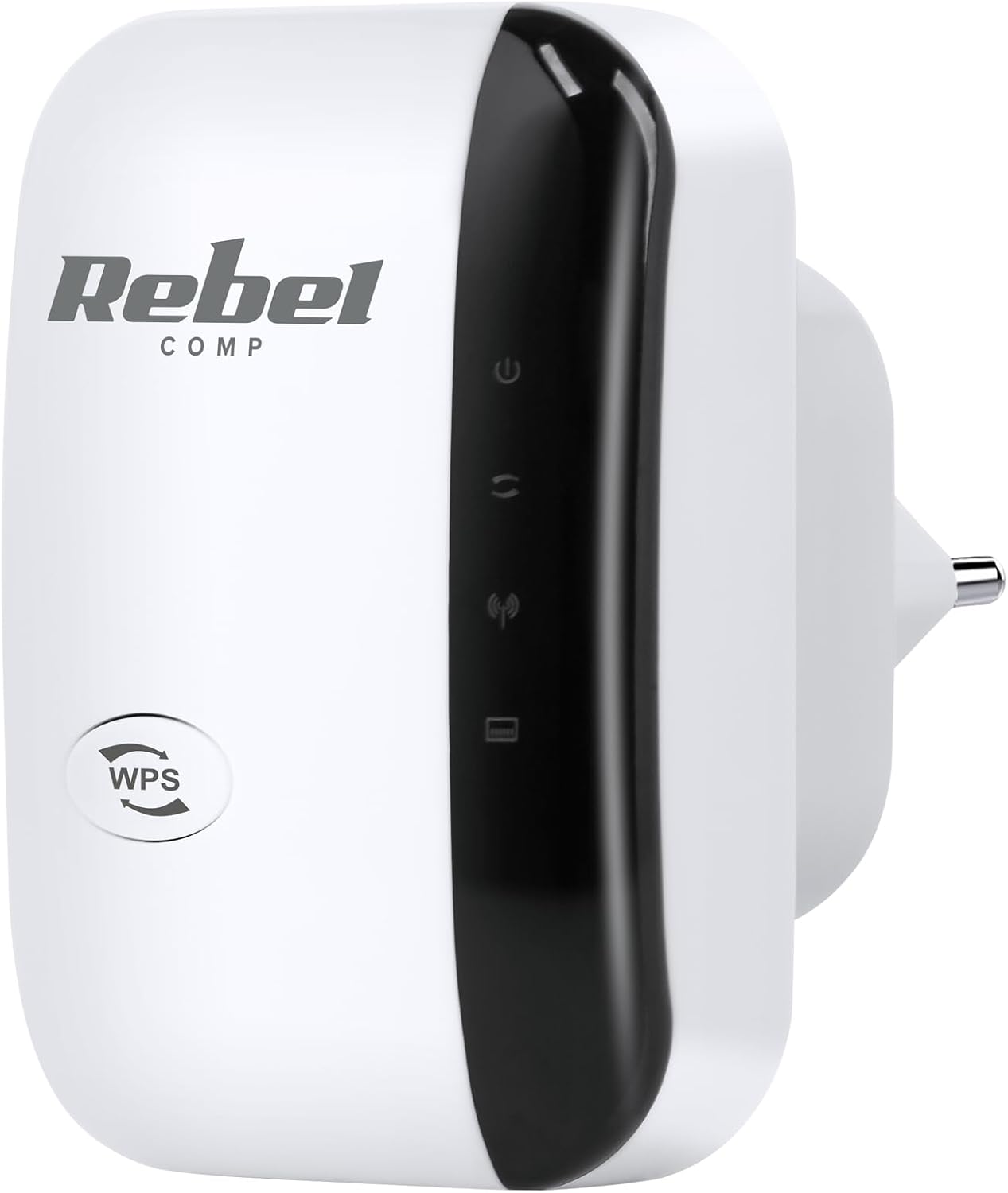
Imatge: Frontal view of the Rebel KOM1030 Wi-Fi Signal Amplifier, showing the WPS button and indicator lights.
Instruccions de configuració
1. Connexió física
- Desempaquetar el dispositiu: Carefully remove the Rebel KOM1030 from its packaging.
- Connectar: Insert the device directly into a standard electrical outlet. Ensure it is securely plugged in.

Image: The Rebel KOM1030 Wi-Fi Signal Amplifier plugged into a wall power outlet, demonstrating proper physical connection.
2. Mètodes de configuració
The Rebel KOM1030 can be configured using two primary methods: WPS (Wi-Fi Protected Setup) or via a web navegador.
Method A: WPS Setup (Recommended for compatible routers)
- Encès: Plug the Rebel KOM1030 into a power outlet near your main router.
- Activa el WPS al router: Press the WPS button on your main Wi-Fi router. Refer to your router's manual for the exact location and procedure.
- Activate WPS on Repeater: Within two minutes, press the WPS button on the Rebel KOM1030. The WPS indicator light on the repeater should start blinking.
- Espera la connexió: The devices will attempt to establish a connection. Once connected, the Wi-Fi indicator light on the repeater will become solid.
- Relocate (Optional): After successful setup, you can unplug the repeater and move it to a more central location between your router and the area needing extended coverage.

Imatge: Lateral view of the Rebel KOM1030, highlighting the WPS button and the LAN port, which are crucial for setup and wired connections.
Mètode B: Web Configuració del navegador
- Encès: Plug the Rebel KOM1030 into a power outlet.
- Connect to Repeater's Wi-Fi: On your computer or mobile device, connect to the Wi-Fi network broadcast by the repeater (e.g., "Rebel_Repeater" or similar, check the device label if available). This network will not have internet access initially.
- Accés Web Interfície: Obre a web navegador i introduïu l'adreça IP predeterminada (p. ex., http://192.168.10.1) o nom de domini (per exemple, http://rebelrepeater.net). Refer to the device label or packaging for the exact address.
- Inicieu sessió: Enter the default username and password (commonly "admin" for both, or as specified on the device label).
- Seleccioneu el mode: Choose "Repeater Mode" or "Extender Mode" from the setup wizard.
- Escaneja per a xarxes: The repeater will scan for available Wi-Fi networks. Select your main Wi-Fi network from the list.
- Introduïu la contrasenya: Input the password for your main Wi-Fi network.
- Configure Repeater SSID (Optional): You can choose to keep the same network name (SSID) as your main router or create a new one (e.g., "YourNetwork_EXT").
- Aplica la configuració: Save the settings and wait for the repeater to restart.
- Verifica la connexió: Once restarted, the Wi-Fi indicator light should be solid, indicating a successful connection.
3. Col·locació òptima
For best performance, place the Rebel KOM1030 in a location that is:
- Approximately halfway between your main router and the area where you need improved Wi-Fi coverage.
- Within the range of your existing Wi-Fi network, where the signal is still strong and stable.
- Away from large metal objects, concrete walls, microwaves, and other devices that may cause interference.

Image: The Rebel KOM1030 Wi-Fi Signal Amplifier mounted on a wall, demonstrating a typical placement for extending Wi-Fi coverage.

Image: An overhead floor plan illustrating how a Wi-Fi repeater extends network coverage from a central router to previously uncovered areas.
Funcionament del dispositiu
Once configured, the Rebel KOM1030 operates automatically to extend your Wi-Fi signal. Observe the indicator lights for status information.
Llums indicadores
- Indicador d'alimentació: La llum fixa indica que el dispositiu està encès.
- Indicador de Wi-Fi:
- Solid: Successfully connected to the main Wi-Fi network and extending signal.
- Blinking: Attempting to connect or WPS pairing in progress.
- Off: No Wi-Fi connection or device is not configured.
- Indicador LAN: Solid or blinking light indicates an active connection through the Ethernet port.
Ús del port Ethernet
The integrated LAN port allows you to connect a wired device (e.g., a desktop computer, gaming console, or smart TV) to the repeater, providing network access to devices that do not have Wi-Fi capabilities or for a more stable connection.
Manteniment
- Neteja: Feu servir un drap suau i sec per netejar el dispositiu. No utilitzeu netejadors líquids ni aerosols.
- Actualitzacions de firmware: Reviseu periòdicament el fabricant website for firmware updates. Updates can improve performance, add features, or fix bugs. Refer to the manufacturer's instructions for updating firmware.
- Restablir el dispositiu: If the device is not functioning correctly, you may perform a factory reset. Locate the "Reset" button (often a small pinhole) on the device. With the device powered on, use a paperclip or similar pointed object to press and hold the Reset button for approximately 5-10 seconds until the lights flash. The device will revert to factory default settings, requiring re-configuration.
Resolució de problemes
Sense accés a Internet després de la configuració
- Ensure the repeater is within range of your main router and receiving a strong signal.
- Verifiqueu que el vostre encaminador principal tingui una connexió a Internet activa.
- Re-run the setup process, ensuring the correct Wi-Fi network and password are selected.
- Try relocating the repeater to a different power outlet or a more optimal position.
Velocitat de connexió lenta
- The repeater might be too far from the main router. Move it closer to improve signal strength.
- Comproveu si hi ha interferències d'altres dispositius electrònics (per exemple, microones, telèfons sense fil).
- Assegureu-vos que el vostre encaminador principal ofereixi una velocitat adequada.
- Consider connecting wired devices directly to the repeater's LAN port for potentially better performance.
WPS Setup Fails
- Ensure you press the WPS button on both the router and the repeater within the specified time frame (usually 2 minutes).
- Some routers may require WPS to be enabled in their settings.
- Si el WPS continua fallant, feu servir el web mètode de configuració del navegador.
No es pot accedir Web Pàgina de gestió
- Ensure your device is connected to the repeater's Wi-Fi network (not your main router's).
- Verify the IP address or domain name entered in the browser is correct.
- Prova d'esborrar la memòria cau del navegador o utilitza un altre navegador.
- Perform a factory reset on the repeater and try again.
Especificacions
| Característica | Detall |
|---|---|
| Marca | Rebel |
| Número de model | KOM1030 |
| Comunicació sense fils estàndard | 802.11bgn |
| Banda de freqüència | 2.4 GHz |
| Velocitat de transferència de dades | Fins a 300 Mbps |
| abast sense fils | Fins a 100 metres (328 peus) |
| Antenes | 2 antenes integrades |
| Usuaris suportats | Up to 10 simultaneous users |
| Components inclosos | Repeater, User Manual |
| Pes de l'article | 65 grams |

Image: The Rebel KOM1030 Wi-Fi Signal Amplifier displayed alongside its key technical specifications, including IEEE 802.11 b/g/n, 2.4 GHz frequency, and 300 Mb/s data rate.
Garantia i Suport
For warranty information and technical support, please refer to the documentation provided with your purchase or visit the official Rebel brand weblloc web. Els termes de garantia específics poden variar segons la regió i el distribuïdor.
Contacte amb l'assistència: If you encounter issues not covered in this manual, please contact Rebel customer support through their official channels.


