Introducció
Thank you for choosing the HTC True Wireless Bluetooth Earbuds 2. This manual provides detailed instructions on how to set up, operate, and maintain your earbuds to ensure optimal performance and longevity. Please read this manual carefully before using the product.
Què hi ha a la caixa
- 1x estoig de recàrrega
- 1 cable USB tipus C
- 1x Guia d’inici ràpid
- 2x True Wireless Earbuds (Left and Right)
- 2x pairs of rubber tips (large and small) - Note: A medium pair is likely pre-installed.
Producte acabatview
Familiarize yourself with the components of your HTC True Wireless Bluetooth Earbuds 2 and their charging case.

Image: The HTC True Wireless Earbuds 2, with one earbud outside the open charging case, showing the charging contacts and indicator light.
The charging case features a USB-C port for charging and an LED indicator to show charging status. Each earbud has touch-sensitive surfaces for control and charging contacts at the bottom.
Configuració
1. Càrrega dels auriculars i l'estoig
Abans del primer ús, assegureu-vos que tant els auriculars com l'estoig de càrrega estiguin completament carregats.
- Place the earbuds into the charging case. Ensure they are correctly seated; the indicator lights on the earbuds should illuminate, indicating charging.
- Connect the USB Type-C cable to the charging port on the case and the other end to a USB power source (e.g., computer, wall adapter).
- The charging case's indicator light will show charging status. A full charge for the case provides up to 3 additional charges for the earbuds, extending total playtime to 32 hours.

Image: The HTC True Wireless Earbuds 2 in their charging case, illustrating the long battery life performance with up to 8 hours listening time per charge and 32 hours total with the 500mAh charging case.
2. Vinculació amb un dispositiu
The earbuds utilize Bluetooth 5.1 for fast and stable connections.
- Obre l'estoig de càrrega. Els auriculars entraran automàticament en mode d'emparellament.
- Al dispositiu (telèfon intel·ligent, tauleta, ordinador portàtil), activeu el Bluetooth.
- Cerca "HTC TWS3" or "HTC True Wireless Earbuds 2" in the list of available Bluetooth devices.
- Select the earbuds to connect. Once connected, you will hear a confirmation tone.

Image: The HTC True Wireless Earbuds 2 and their charging case positioned near a smartphone, demonstrating the quick and easy pairing process facilitated by the latest Bluetooth 5.1 chipset.
The earbuds can be used individually or together. For optimal stereo sound, use both earbuds. They maintain a stable connection up to 10 meters (32 feet) from your device.
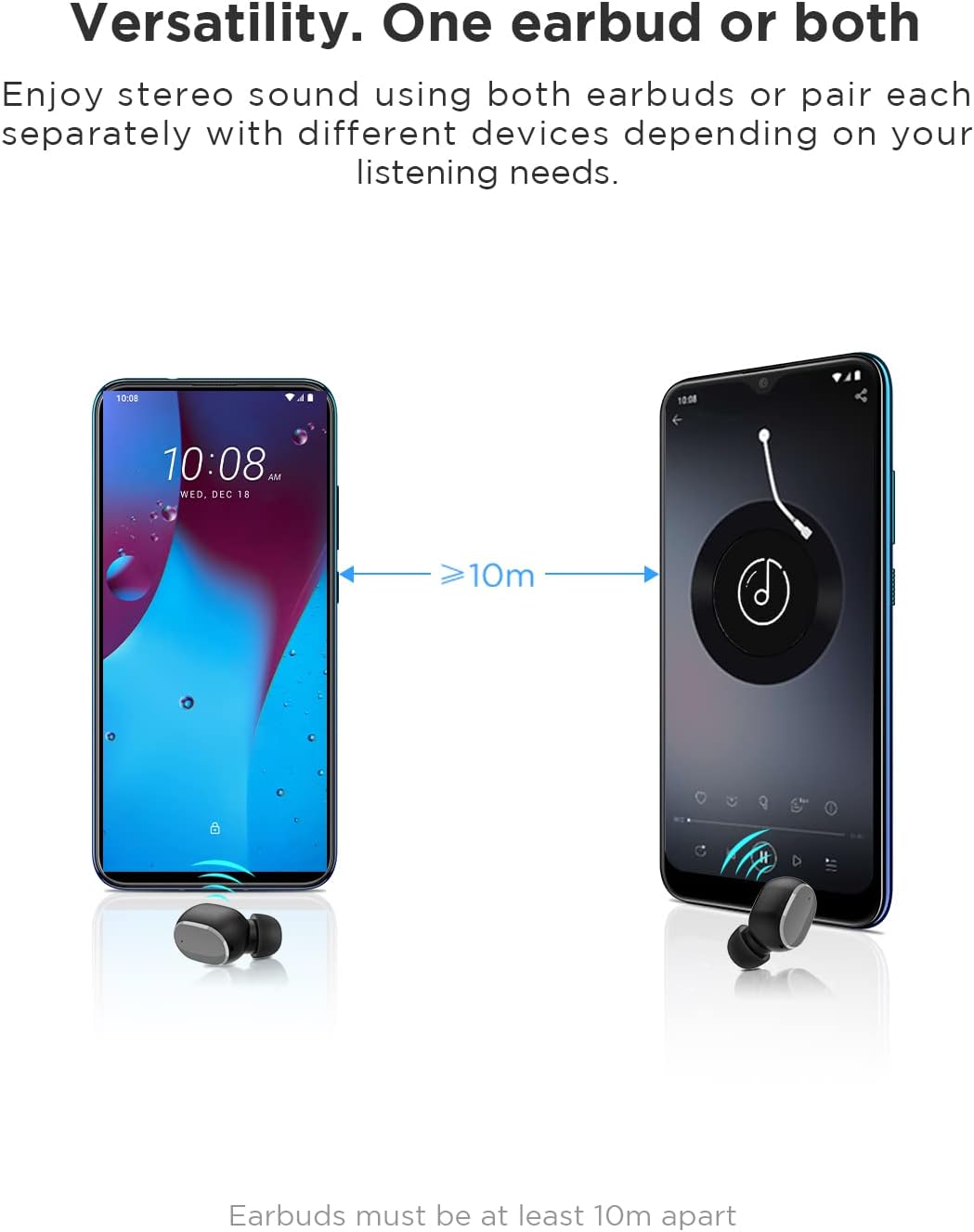
Image: An illustration showing two smartphones and earbuds, emphasizing the versatility of using one or both earbuds and the effective operating range of at least 10 meters.
Instruccions de funcionament
The HTC True Wireless Bluetooth Earbuds 2 feature intuitive touch controls for various functions.

Image: A detailed diagram illustrating the simple touch controls for the HTC True Wireless Earbuds 2, including commands for play/pause, track navigation, call management, voice assistant, and volume control.
| Acció | Funció |
|---|---|
| Toqueu qualsevol dels auriculars una vegada | Play / Pause music, Answer / End call |
| Toca l'auricular esquerre dues vegades | Augmenta el volum |
| Toca l'auricular dret dues vegades | Disminuir el volum |
| Toqueu qualsevol dels auriculars tres vegades | Activa l'Assistent de veu |
| Toca i mantén premut l'auricular esquerre durant 2 segons | Reprodueix la cançó anterior |
| Mantén premut l'auricular dret durant 2 segons | Reprodueix la cançó següent |
| Tap and hold either earbud for 2 seconds (during incoming call) | Rebutja la trucada |
| Tap either earbud 5 times | Clear pairing / Restore factory settings |
The earbuds are designed for comfortable, long-term wear, weighing only 4.4g per earbud. They come with three different sizes of ear tips to ensure a secure and comfortable fit.

Image: A person comfortably wearing an HTC earbud, accompanied by illustrations highlighting the ergonomic design, skin-friendly material, and the inclusion of three different earplug sizes for optimal fit and comfort.
Manteniment
Neteja
Una neteja regular ajuda a mantenir la qualitat del so i la higiene.
- Feu servir un drap suau, sec i sense borrissol per netejar els auriculars i l'estoig de càrrega.
- Per a la cera o les restes a les puntes de les orelles o a la malla de l'altaveu, feu servir un raspall petit i suau o un bastonet de cotó. No feu servir objectes punxeguts.
- Eviteu utilitzar netejadors abrasius, alcohol o dissolvents químics.
Emmagatzematge
Quan no els utilitzeu, guardeu els auriculars a la seva funda de càrrega per protegir-los i mantenir-los carregats.
- Emmagatzemar en un lloc fresc i sec, allunyat de temperatures extremes i de la llum solar directa.
- Eviteu emmagatzemar en ambients polsegosos o bruts.
Resistència a l'aigua (IPX5)
The HTC True Wireless Bluetooth Earbuds 2 are rated IPX5 water-resistant, meaning they can withstand a sustained, low-pressure water jet spray. This makes them suitable for workouts and light rain.
- No submergiu els auriculars a l'aigua.
- The charging case is not water-resistant. Keep it dry.
- Assegureu-vos que els auriculars estiguin secs abans de tornar-los a col·locar a l'estoig de càrrega per evitar que es facin malbé.
Resolució de problemes
Si teniu problemes amb els auriculars, consulteu les solucions habituals següents:
| Problema | Solució |
|---|---|
| Els auriculars no es combinen amb el dispositiu |
|
| Només un auricular té so |
|
| Els auriculars no es carreguen |
|
| Mala qualitat de so o desconnexions |
|
Especificacions
Detailed technical specifications for the HTC True Wireless Bluetooth Earbuds 2.
| Característica | Detall |
|---|---|
| Nom del model | TWS 2 (HTC TWS3) |
| Tecnologia de connectivitat | Sense fil (Bluetooth 5.1) |
| Conector d'auriculars | USB (per a la caixa de càrrega) |
| Tipus de control | Tàctil, control de volum |
| Nivell de resistència a l'aigua | IPX5 (auriculars) |
| Format de micròfon | Built-In, Stereo |
| Temps de reproducció (auriculars) | Fins a 8 hores (una sola càrrega) |
| Talk Time (Earbuds) | Fins a 6 hores (una sola càrrega) |
| Temps de reproducció total amb estoig de càrrega | Fins a 32 hores |
| Caixa de càrrega Capacitat de la bateria | 500 mAh |
| Pes dels auriculars (individuals) | 4.4 g |
| Distància màxima de funcionament | 32 peus (aprox. 10 metres) |
| Dispositius compatibles | Android, Laptops, iPhone |
| Material | Plàstic |
| Dimensions del producte | 4.34 x 4.34 x 3.45 cm; 160 g (overall package) |
Informació de seguretat
Please observe the following safety guidelines for safe and effective use:
- No desmunteu, repareu ni modifiqueu el producte. Això pot provocar incendis, descàrregues elèctriques o danys totals al producte.
- Mantingueu el producte allunyat de temperatures extremes, llum solar directa i humitat elevada.
- Eviteu deixar caure o sotmetre el producte a forts impactes.
- No utilitzeu els auriculars a volums excessivament alts durant períodes prolongats, ja que això pot causar danys auditius.
- Mantenir fora de l'abast dels nens i mascotes.
- Dispose of the product and its batteries responsibly according to local regulations.
Atenció al client
For further assistance or inquiries, please contact HTC customer support through their official channels. Refer to the product packaging or the official HTC weblloc per obtenir informació de contacte.
Note: Specific warranty details are not provided in this manual. Please refer to your purchase documentation or the manufacturer's weblloc per obtenir informació sobre la garantia.


