Introducció
This manual provides essential information for the proper installation, operation, and maintenance of your Denso Ten ECLIPSE AVN-LS02 Car Navigation System. Please read this manual thoroughly before using the product to ensure safe and optimal performance.
Informació de seguretat
- Feu servir sempre el dispositiu de manera responsable i d'acord amb les normes de trànsit locals.
- Do not attempt to operate the navigation system or view video content while driving, as this can distract from the road and lead to accidents.
- Ensure the unit is securely installed to prevent detachment during vehicle movement.
- Consult a qualified technician for installation if you are unsure about the process.
Contingut del paquet
Verifiqueu que tots els elements siguin presents al paquet:
- ECLIPSE AVN-LS02 Car Navigation Unit
- Film Antenna
- Cable d'alimentació
- Manual d'instal·lació
- Manual d'instruccions (aquest document)
Configuració i instal·lació
Proper installation is crucial for the functionality and safety of your AVN-LS02 system. Refer to the dedicated Installation Manual included with your product for detailed wiring diagrams and mounting instructions.
Consideracions clau per a la instal·lació:
- Connexió d'alimentació: Connect the power cord according to the vehicle's electrical system specifications.
- Connexió d'antena: Securely attach the film antenna for optimal GPS and digital TV reception.
- Muntatge: Ensure the unit is firmly mounted in the dashboard, providing clear visibility and accessibility without obstructing driving.
- Configuració inicial: After installation, follow the on-screen prompts for initial system configuration, including language settings and time zone.
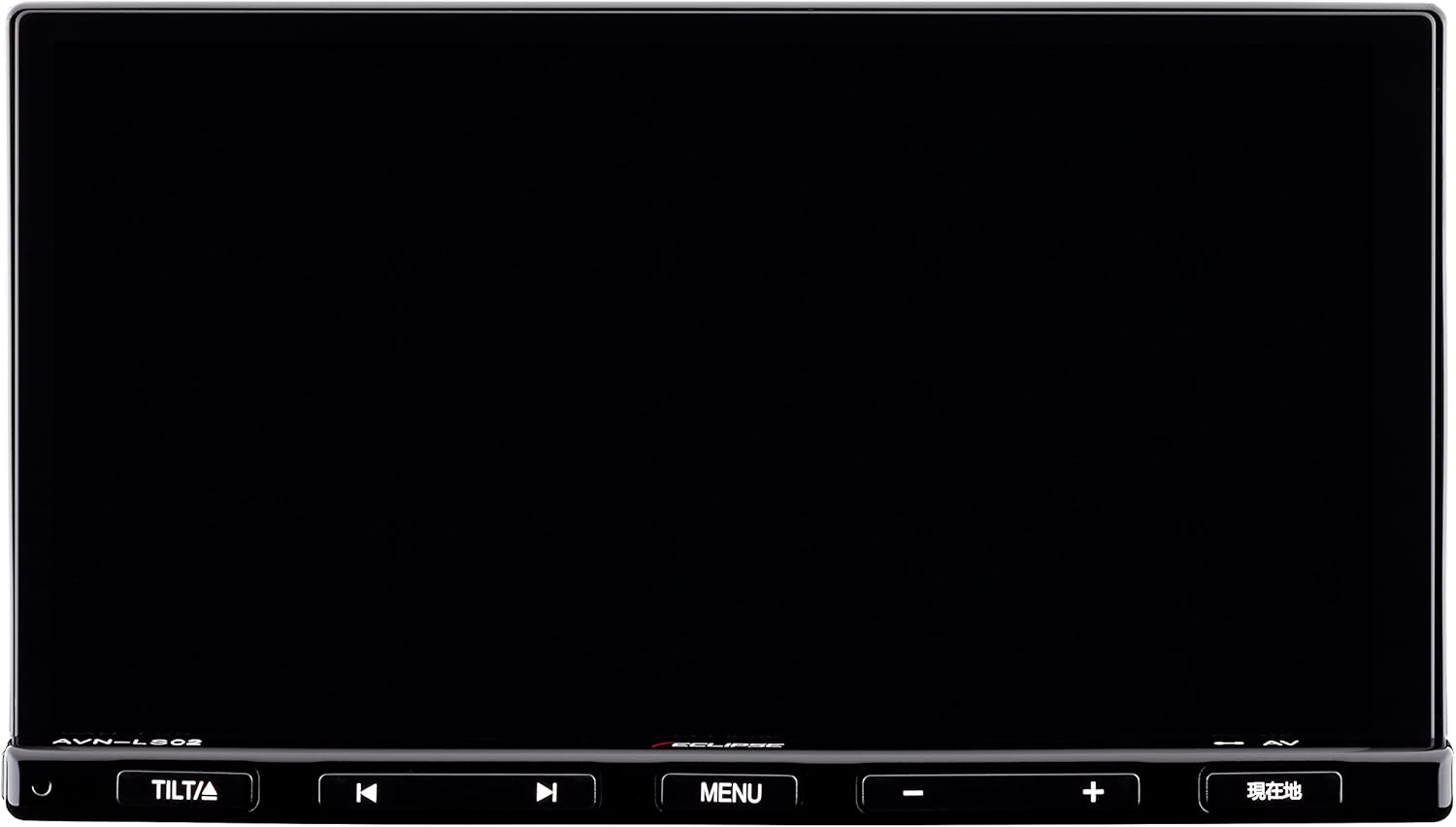
Figura 1: Frontal view of the ECLIPSE AVN-LS02 unit, showing the 7-inch display and control buttons.
Instruccions de funcionament
Sistema de navegació
The AVN-LS02 features a comprehensive navigation system with VICS Wide support for real-time traffic information.
- Visualització del mapa: The 7-inch LCD provides a clear and detailed map view.
- Guia de ruta: Enter your destination using the touchscreen or voice commands (if supported) to receive turn-by-turn directions.
- VICS Wide: Utilize VICS Wide for updated traffic conditions, helping you avoid congestion and optimize your travel time.
- POI Search: Cerca points of interest such as gas stations, restaurants, and parking facilities.

Figure 2: Navigation map display on the ECLIPSE AVN-LS02, showing route information and surrounding areas.
Audio and Bluetooth Functions
Enjoy various audio sources, including CD, DVD, and Bluetooth streaming.
- Reproducció de CD/DVD: Insert audio CDs or video DVDs into the disc slot for playback.
- Connectivitat Bluetooth: Pair your smartphone or other Bluetooth-enabled devices to stream music wirelessly or make hands-free calls.
- Controls d'àudio: Adjust volume, bass, treble, and balance using the on-screen controls or physical buttons.

Figure 3: Bluetooth audio streaming from a smartphone to the AVN-LS02 system.
Digital TV (Full Seg)
The integrated Full Seg tuner allows you to enjoy digital television broadcasts.
- Sintonització de canals: Scan for available digital TV channels in your area.
- Pantalla dual: The system supports a split-screen display, allowing you to view TV content alongside the navigation map.
- Característica de seguretat: For safety, video display of TV content is typically restricted while the vehicle is in motion; only audio may be available.
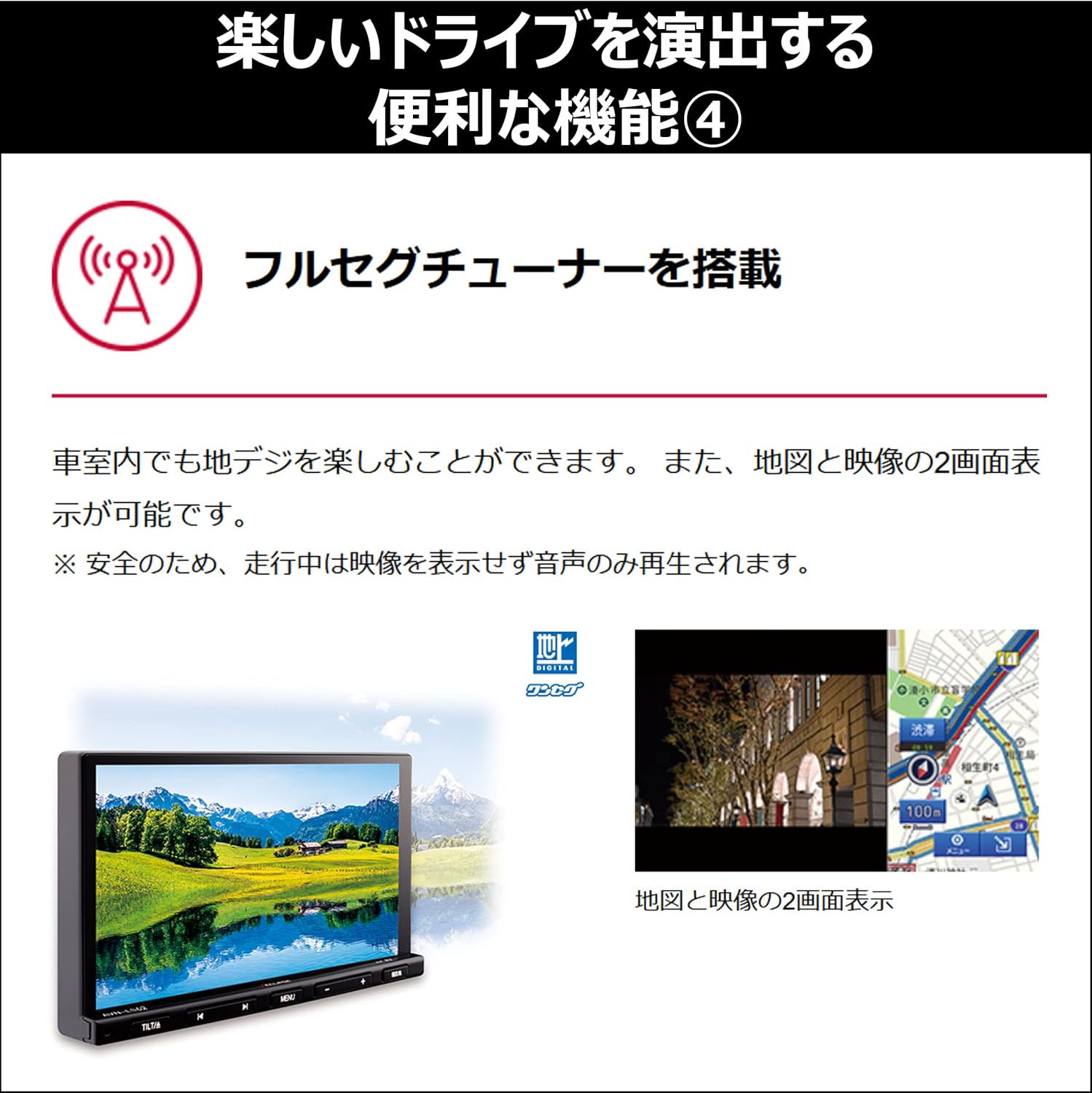
Figura 4: Pantalla dividida view showing digital TV and navigation simultaneously.
Rendiment del sistema
The AVN-LS02 is equipped with a quad-core CPU for smooth and responsive operation.
- Multitasca: The powerful processor enables seamless switching between applications and efficient handling of multiple functions simultaneously.
- Responsive Interface: Experience quick loading times and fluid interactions with the touchscreen interface.

Figura 5: Intern view highlighting the quad-core CPU for enhanced performance.
Manteniment
Regular maintenance ensures the longevity and optimal performance of your navigation system.
- Neteja de pantalla: Use a soft, lint-free cloth specifically designed for electronics screens. Gently wipe the display to remove dust and fingerprints. Avoid abrasive cleaners or harsh chemicals.
- Neteja de la unitat: Wipe the exterior of the unit with a soft, dry cloth. Do not allow liquids to enter the unit.
- Actualitzacions de programari: Reviseu periòdicament el fabricant website for available software or map updates to ensure your system has the latest features and data.
Resolució de problemes
If you encounter issues with your AVN-LS02, refer to the following common solutions:
- Sense energia: Comproveu les connexions d'alimentació i la caixa de fusibles del vehicle. Assegureu-vos que el contacte estigui posat.
- Sense senyal GPS: Verify that the GPS antenna is properly connected and has a clear view del cel. Si cal, traslladeu el vehicle a una zona oberta.
- Sense àudio: Check the volume settings, ensure the mute function is not active, and verify speaker connections.
- Problemes de vinculació de Bluetooth: Ensure Bluetooth is enabled on both the AVN-LS02 and your device. Delete previous pairings and attempt to re-pair.
- La pantalla no respon: Try restarting the unit. If the issue persists, a factory reset (refer to the full manual for instructions) might be necessary, but note this will erase personal settings.
For persistent issues, contact customer support or a qualified service technician.
Especificacions
| Característica | Detall |
|---|---|
| Marca | ECLIPSE (Denso Ten) |
| Número de model | AVN-LS02 |
| Mida de la pantalla | 7 polzades |
| Tipus de visualització | LCD, pantalla a color |
| Capacitat d'emmagatzematge de memòria | 32 GB |
| Característiques especials | VICS/VICS WIDE, Full Seg Tuner |
| Tecnologia de connectivitat | Bluetooth |
| Entrada de la interfície humana | Botons, pantalla tàctil |
| Dimensions del producte | 26.2 x 33.5 x 20 cm |
| Pes de l'article | 4.01 kg |
Garantia i Suport
For warranty information, please refer to the warranty card included with your product or visit the official ECLIPSE (Denso Ten) website. For technical support, product inquiries, or service, please contact your authorized dealer or the manufacturer's customer service department.
Conserveu el rebut de compra com a comprovant de compra per a reclamacions de garantia.


