1. Introducció
This manual provides comprehensive instructions for the safe and efficient use of your Grundig 10000 mAh Powerbank. Please read this manual thoroughly before operating the device and retain it for future reference.
The Grundig 10000 mAh Powerbank is a portable charging device designed to provide power to your electronic devices on the go. It features a high-capacity battery and multiple USB ports for versatile charging of smartphones, tablets, smartwatches, and other USB-powered devices.
2. Contingut del paquet
Verifiqueu que tots els elements estiguin presents i en bon estat en obrir el paquet:
- 1 x Grundig 10000 mAh Powerbank
- 1 x Micro USB to USB-C Cable
3. Producte acabatview
The Grundig 10000 mAh Powerbank is designed for portability and efficiency. It features a compact form factor and essential ports for charging and recharging.
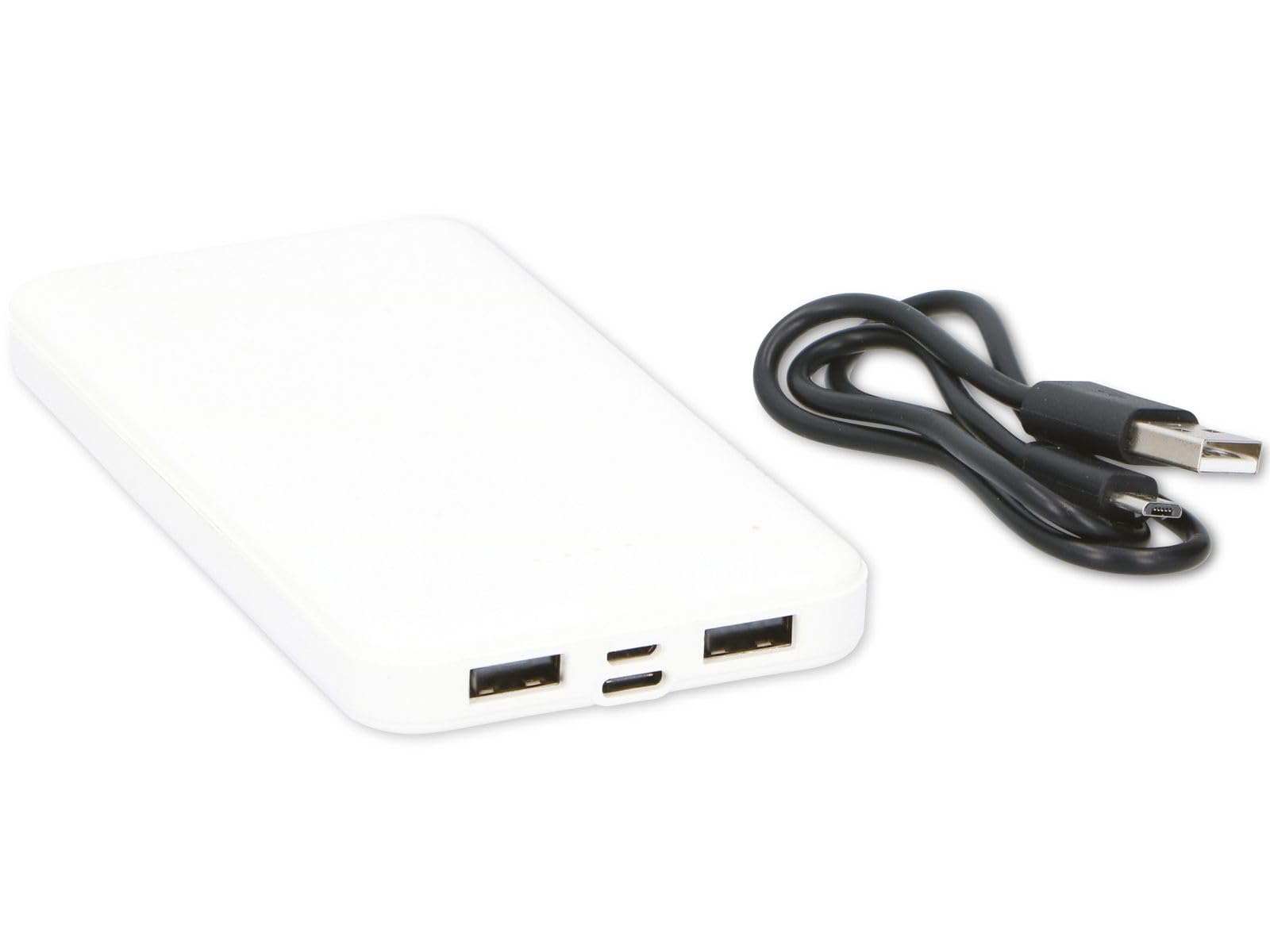
Figure 1: Grundig 10000 mAh Powerbank. This image displays the Grundig 10000 mAh Powerbank, highlighting its sleek white casing and the various input/output ports located on its side.
Característiques principals:
- Alta capacitat: 10000 mAh battery for extended power.
- Ports d'entrada dual: Micro USB and USB-C for recharging the power bank.
- Ports de sortida dual: Two standard USB-A ports for charging devices.
- Disseny compacte: Slim and lightweight for easy portability.
4. Configuració
4.1 Initial Charging of the Powerbank
Before first use, fully charge the Grundig Powerbank. This ensures optimal battery performance and longevity.
- Connect the included Micro USB to USB-C cable to either the Micro USB input port or the USB-C input port on the power bank.
- Connect the other end of the cable to a compatible USB power adapter (e.g., a smartphone charger, not included) or a computer's USB port.
- The power bank's indicator lights will illuminate to show the charging status. Allow the power bank to charge until all indicator lights are solid, indicating a full charge.
Note: Charging times may vary depending on the power source.
5. Instruccions de funcionament
5.1 Càrrega de dispositius externs
The Grundig Powerbank can charge a wide range of USB-powered devices.
- Assegureu-vos que el banc d'energia estigui prou carregat.
- Connect your device's charging cable (e.g., USB-A to Lightning, USB-A to USB-C, etc.) to one of the two USB output ports on the power bank.
- Connect the other end of the cable to your smartphone, tablet, smartwatch, or other compatible device.
- The power bank will automatically begin charging your device. The indicator lights on the power bank will show its remaining charge level.
Podeu carregar dos dispositius simultàniament utilitzant els dos ports de sortida USB.
5.2 Comprovació del nivell de la bateria
Press the power button (if present, or observe automatic indication) to check the remaining battery level of the power bank via the LED indicator lights.
6. Manteniment i cura
- Neteja: Netegeu el banc d'energia amb un drap suau i sec. No utilitzeu productes químics agressius ni materials abrasius.
- Emmagatzematge: Guarda el banc d'energia en un lloc fresc i sec, allunyat de la llum solar directa i de temperatures extremes.
- Salut de la bateria: If storing for extended periods, recharge the power bank every 3-6 months to prevent deep discharge and maintain battery health.
- Eviteu la humitat: Mantingueu el dispositiu allunyat de l'aigua i la humitat elevada.
7. Solució De Problemes
| Problema | Causa possible | Solució |
|---|---|---|
| El dispositiu no es carrega des del banc d'energia. | La bateria del banc d'energia extern està esgotada. Cable de càrrega defectuós. El dispositiu no és compatible. | Recarrega el banc d'energia. Prova un cable de càrrega diferent. Ensure your device is USB-powered. |
| El banc d'energia no es carrega. | Cable o adaptador de càrrega defectuós. Input port issue. | Try a different Micro USB/USB-C cable and a different USB power adapter. Ensure the cable is fully inserted into the input port. |
| Càrrega lenta. | Low power adapter used for recharging. Cable resistance. | Utilitzeu una potència més altatage USB power adapter (e.g., 5V/2A). Use a high-quality charging cable. |
8. Especificacions
| Marca | Grundig |
| Model | Powerbank de 10000 mAh |
| Capacitat de la bateria | 10000 mAh |
| Ports d'entrada | Micro USB, USB-C |
| Ports de sortida | 2 x USB-A |
| Dimensions (L x A x A) | 13.9 x 6.8 x 1.2 cm |
| Pes | 165 grams |
| Color | Blanc |
| Dispositius compatibles | Smartphone, Smartwatch, Tablet |
| País d'origen | Xina |
9. Informació de seguretat
Si us plau, observeu les següents precaucions de seguretat per evitar danys al dispositiu o lesions personals:
- No desmunteu, modifiqueu ni intenteu reparar el banc d'energia extern.
- Avoid dropping, puncturing, or subjecting the power bank to strong impacts.
- Keep the power bank away from fire, high temperatures, and direct sunlight.
- No exposeu el banc d'energia a aigua o altres líquids.
- Mantenir fora de l'abast dels nens.
- Desfeu-vos del banc d'energia de manera responsable d'acord amb la normativa local sobre residus electrònics.
10. Garantia i Suport
For warranty information, technical support, or service inquiries, please contact your retailer or refer to the official Grundig website. Please have your proof of purchase and product model information ready when contacting support.
Nota: Els termes de garantia específics poden variar segons la regió i el distribuïdor.


