1. Introducció
Thank you for choosing the Tunturi C60 Performance Crosstrainer. This manual provides essential information for the safe and effective use of your new fitness equipment. Please read this manual thoroughly before assembly and use, and keep it for future reference.
The Tunturi C60 is a professional elliptical trainer designed for comprehensive cardiovascular workouts. It features a 5.5-inch LCD display, 32 resistance levels, and 24 training programs. Key components include a 32 kg flywheel, 40 cm stride length, and an EMS brake system. It also includes pulse sensors and is compatible with a chest strap for heart rate monitoring. For enhanced training experiences, the C60 is compatible with Tunturi Routes, iConsole+, and Kinomap applications.
2. Instruccions de seguretat importants
- Consulteu un metge abans de començar qualsevol programa d'exercici.
- Utilitzeu l'equip només per a la finalitat prevista, tal com es descriu en aquest manual.
- Mantingueu els nens i les mascotes lluny de l'equip durant l'ús.
- Place the crosstrainer on a stable, level surface with adequate clearance around it.
- Inspeccioneu l'equip per detectar peces desgastades o soltes abans de cada ús. No l'utilitzeu si està danyat.
- Porteu roba i calçat esportiu adequats.
- No supereu el pes màxim de l'usuari de 135 kg.
- Deixa de fer exercici immediatament si et sents dèbil, marejat o tens dolor.
3. Muntatge i muntatge
The Tunturi C60 Performance Crosstrainer requires assembly. Please follow the separate assembly guide provided with your product for detailed step-by-step instructions. Ensure all components are present and undamaged before beginning assembly.
3.1 Desembalatge
Carefully remove all components from the packaging. Verify that all parts listed in the assembly guide are included. Keep packaging materials until assembly is complete in case of returns or missing parts.
3.2 Col·locació
Place the crosstrainer on a firm, level surface. Ensure there is sufficient space around the equipment for safe operation and movement. A minimum of 0.6 meters (2 feet) of clear space is recommended around the entire unit.
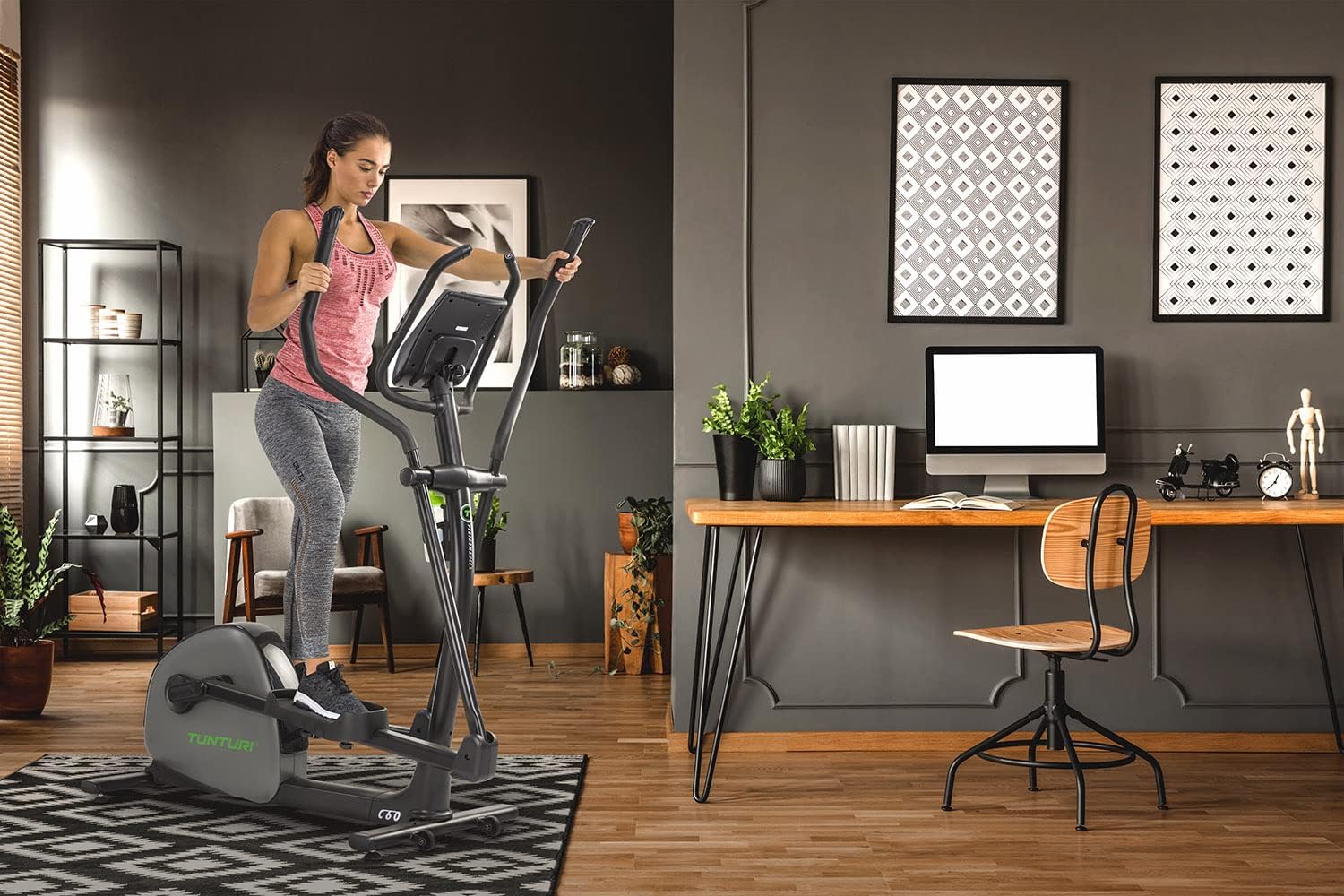
Image: The Tunturi C60 Performance Crosstrainer positioned in a home environment, demonstrating typical usage space.
3.3 Connexió d'alimentació
Connect the power adapter to the crosstrainer and then to a suitable wall outlet. Ensure the power cable is not a tripping hazard and is not pinched by the equipment.
4. Instruccions de funcionament
4.1 Consola completaview
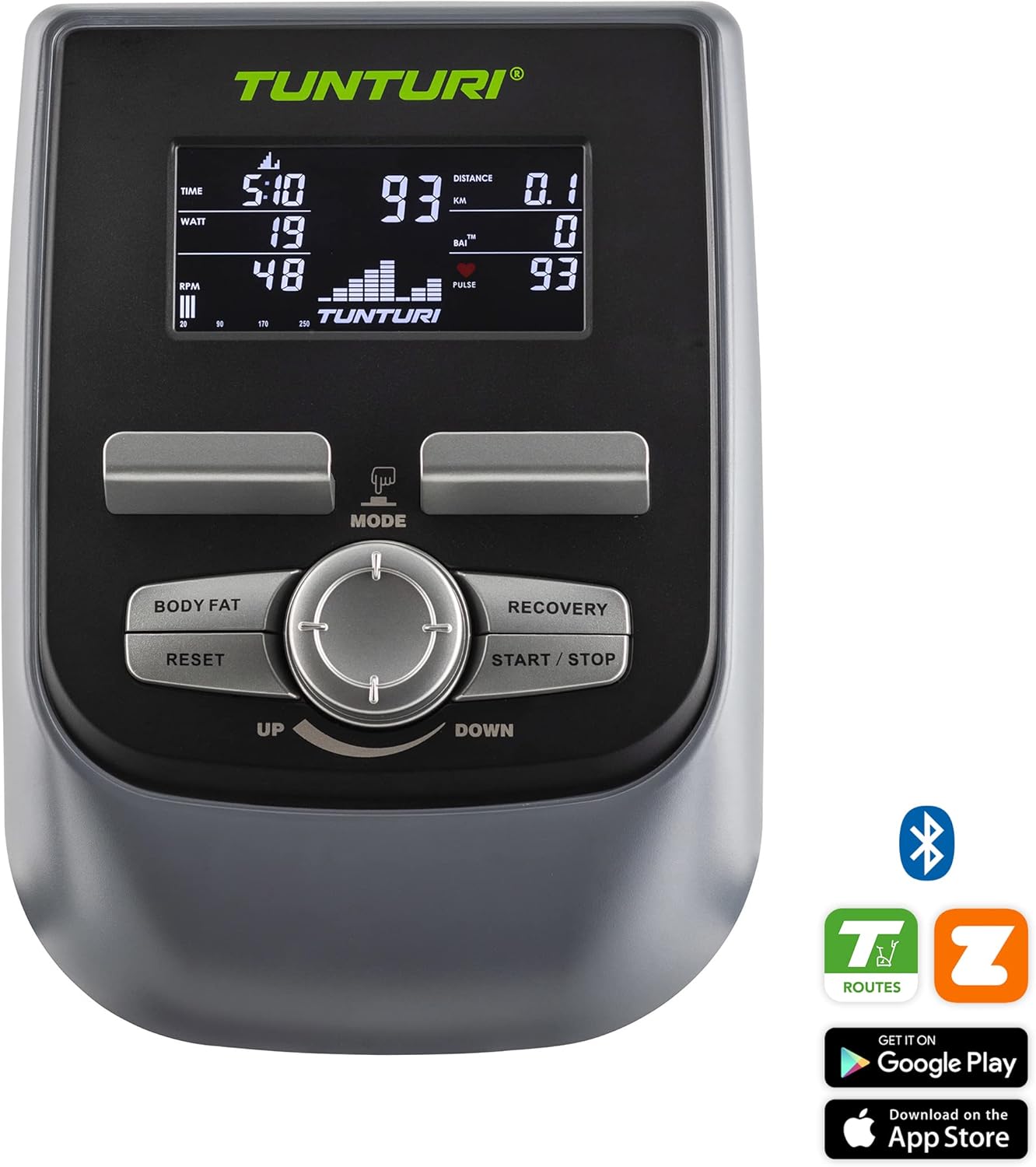
Imatge: Detallada view of the Tunturi C60 console, showing the 5.5-inch LCD display and control buttons.
The Tunturi C60 features a 5.5-inch LCD display that shows key workout data such as time, distance, speed, calories, watts, RPM, and pulse. The console includes buttons for MODE, BODY FAT, RECOVERY, RESET, START/STOP, and a central dial for UP/DOWN adjustments.
4.2 Començar un entrenament
- Step onto the crosstrainer, placing your feet firmly on the pedals.
- Grasp the moving handlebars or the stationary pulse sensors.
- Premeu el botó INICI/PARA button to begin a quick start workout, or use the MODE button and UP/DOWN dial to select a program.
- Adjust the resistance level using the UP/DOWN dial during your workout. The C60 offers 32 levels of resistance.
4.3 Programes de formació
The C60 Performance Crosstrainer comes with 24 pre-set training programs designed for various fitness goals. Use the MODE button to navigate through program options and the UP/DOWN dial to select your desired program. Follow the on-screen prompts to set your workout parameters.
4.4 Monitorització de la freqüència cardíaca
The crosstrainer is equipped with hand pulse sensors on the stationary handlebars. For more accurate and continuous heart rate monitoring, the C60 is compatible with a wireless chest strap (not included). Your heart rate will be displayed on the console.
4.5 Connectivitat de l'aplicació
Enhance your training experience by connecting your Tunturi C60 to compatible fitness applications via Bluetooth. The crosstrainer supports Tunturi Routes, iConsole+, and Kinomap.

Image: The Tunturi C60 console with a tablet mounted, showing the Tunturi Routes application in use, offering interactive training.
- Rutes de Tunturi: Offers real-world video routes, challenges, and online coaching. Download from your device's app store.
- iConsole+: Provides various training programs and allows you to track your progress.
- Kinomap: Interactive video training app that syncs with your equipment.
Refer to the specific app's instructions for pairing and usage.
5. Manteniment
Regular maintenance ensures the longevity and optimal performance of your Tunturi C60 Crosstrainer.
5.1 Neteja
- Netegeu l'equip després de cada ús amb anuncis.amp drap per eliminar la suor i la pols.
- Do not use abrasive cleaners or solvents, as these can damage the finish and electronic components.
- Keep the display clean and dry.
5.2 Inspecció
- Periodically check all bolts and nuts for tightness. Tighten if necessary.
- Inspect moving parts, such as pedals and handlebars, for any signs of wear or damage.
- Ensure the power cable is in good condition and free from kinks or cuts.
5.3 Emmagatzematge
Store the crosstrainer in a dry, clean environment, away from direct sunlight and extreme temperatures.
6. Solució De Problemes
| Problema | Causa possible | Solució |
|---|---|---|
| La consola no s'encén. | L'adaptador de corrent no està connectat o està defectuós. | Check power cable connection to the unit and wall outlet. Ensure outlet is functional. |
| No resistance change. | EMS brake system issue or console malfunction. | Ensure power is connected. Restart the console. If problem persists, contact customer support. |
| Inaccurate heart rate reading. | Hands not properly placed on sensors; dry hands; interference. | Ensure full contact with hand pulse sensors. Moisten hands slightly. Avoid strong electromagnetic fields. Consider using a compatible chest strap. |
| Soroll inusual durant el funcionament. | Loose bolts or components; internal friction. | Check and tighten all visible bolts and nuts. If noise persists, discontinue use and contact customer support. |
7. Especificacions

Image: Diagram illustrating the dimensions of the Tunturi C60 Performance Crosstrainer: 144 cm (56.7 inch) length, 67 cm (26.4 inch) width, and 164 cm (64.6 inch) height.
| Característica | Detall |
|---|---|
| Nom del model | Tunturi C60 Performance Crosstrainer |
| Número de model | 20TCR60000 |
| Dimensions (L x A x A) | 144 x 67 x 164 cm (56.7 x 26.4 x 64.6 polzades) |
| Pes del producte | 65.9 kg (145.3 lliures) |
| Pes màxim de l'usuari | 135 kg (297.6 lliures) |
| Pes del volant | 32 kg |
| Nivells de resistència | 32 |
| Sistema de fre | EMS (Electro Magnetic System) |
| Longitud del pas | 40 cm |
| Mostra | LCD de 5.5 polzades |
| Programes | 24 |
| Monitorització de la freqüència cardíaca | Hand pulse sensors, chest strap compatible |
| Connectivitat | Bluetooth, compatible with Tunturi Routes, iConsole+, Kinomap |
| Material | Alumini |
| Color | Negre |
8. Garantia i Suport
For information regarding the warranty period and terms for your Tunturi C60 Performance Crosstrainer, please refer to the warranty card included with your product or visit the official Tunturi weblloc.
If you encounter any issues not covered in the troubleshooting section or require further assistance, please contact Tunturi customer support. Have your model number (20TCR60000) and purchase details ready when contacting support.
You can often find support contact information on the Tunturi weblloc web o a la documentació del producte.