1. Introduction to Apple Watch Series 7
The Apple Watch Series 7 is a sophisticated smart wearable designed to enhance your daily life through advanced health monitoring, fitness tracking, and seamless connectivity. This manual provides essential information for setting up, operating, maintaining, and troubleshooting your device.
Key features include a larger Always-On Retina display, enhanced durability, and comprehensive health tools such as Blood Oxygen and ECG apps.
2. Configuració i configuració inicial
2.1. Desembalatge i components
Your Apple Watch Series 7 package includes the following components:
- Apple Watch Series 7 (Midnight Aluminum Case)
- Midnight Sport Band (two sizes included for optimal fit)
- Cable de càrrega ràpida magnètica d'1 m (USB-C)

Image: The Apple Watch Series 7, Midnight Sport Band, and 1-meter Magnetic Fast Charging Cable as packaged in the box.
2.2. Carregant el teu Apple Watch
Before initial use, fully charge your Apple Watch. Connect the magnetic charging cable to a USB-C power adapter (not included) and plug it into a power outlet. Place the back of your Apple Watch on the magnetic charger. The watch will display a charging indicator.
Note: A full charge typically takes approximately 45 minutes to reach 80% and 75 minutes to reach 100% with the fast charging cable.
2.3. Emparellament amb iPhone
- Assegura't que el teu iPhone estigui actualitzat a la darrera versió d'iOS i que tingui el Bluetooth i el Wi-Fi activats.
- Enceneu el vostre Apple Watch mantenint premut el botó lateral fins que aparegui el logotip d'Apple.
- Acosta l'iPhone a l'Apple Watch. Apareixerà una pantalla d'emparellament a l'iPhone. Toca "Continua".
- Col·loca l'iPhone de manera que l'Apple Watch aparegui a la viewcercador al teu iPhone.
- Follow the on-screen instructions on both devices to complete the pairing process, including setting up a passcode and choosing preferences.
3. Característiques clau
3.1. Always-On Retina Display
The Apple Watch Series 7 features a larger, Always-On Retina display, allowing you to see the time and complications without raising your wrist or tapping the screen. The display is also more crack-resistant for increased durability.
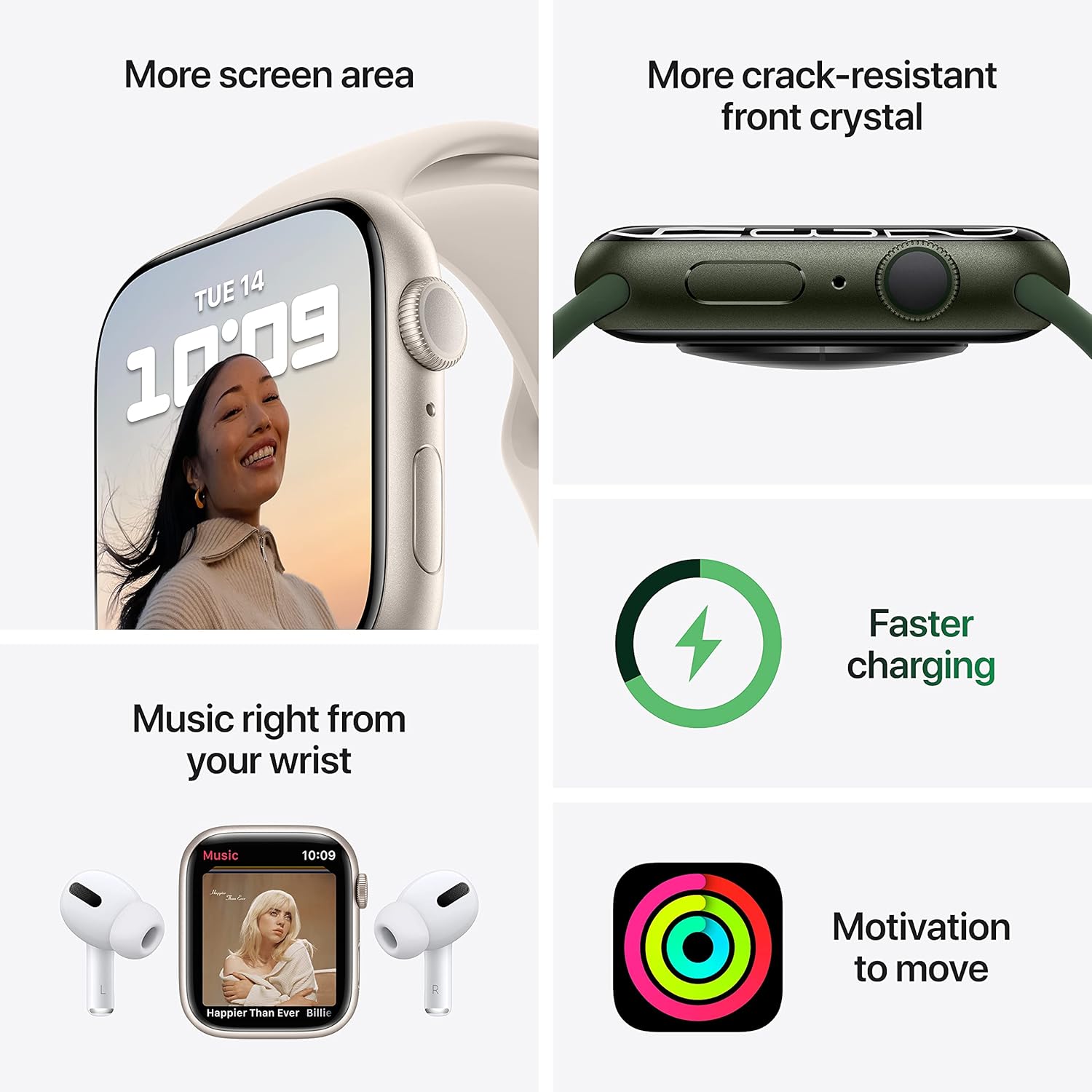
Image: Visual representation of the larger screen area and improved durability of the Apple Watch Series 7 display, alongside icons for faster charging and fitness motivation.
3.2. Monitorització de la salut
The Apple Watch Series 7 includes advanced sensors for comprehensive health tracking:
- Blood Oxygen App: Measure your blood oxygen saturation directly from your wrist.
- Aplicació d'ECG: Feu un electrocardiograma per comprovar si hi ha signes de fibril·lació auricular (FA).
- Monitorització de la freqüència cardíaca: Track your heart rate throughout the day and receive notifications for unusually high or low heart rates, and irregular heart rhythms.
- Seguiment del son: Monitor your sleep patterns and trends.
- Detecció de caigudes: Truca automàticament als serveis d'emergència si detecta una caiguda forta i no respons.

Image: Screenshots from the Apple Watch Series 7 demonstrating the ECG app, Blood Oxygen measurement, and Heart Rate tracking features.
3.3. Seguiment de l'activitat física
Your Apple Watch is an ultimate fitness partner, tracking various activities and workouts:
- Anells d'activitat: Track Move, Exercise, and Stand goals to encourage daily activity.
- Aplicació d'entrenament: Choose from a wide range of workout types, including running, cycling, swimming, and more, with detailed metrics.
- Resistència a l'aigua: Swimproof design allows for use in water activities.
The Apple Watch Series 7 also comes with three months of Apple Fitness+ free, offering guided workouts and meditations.
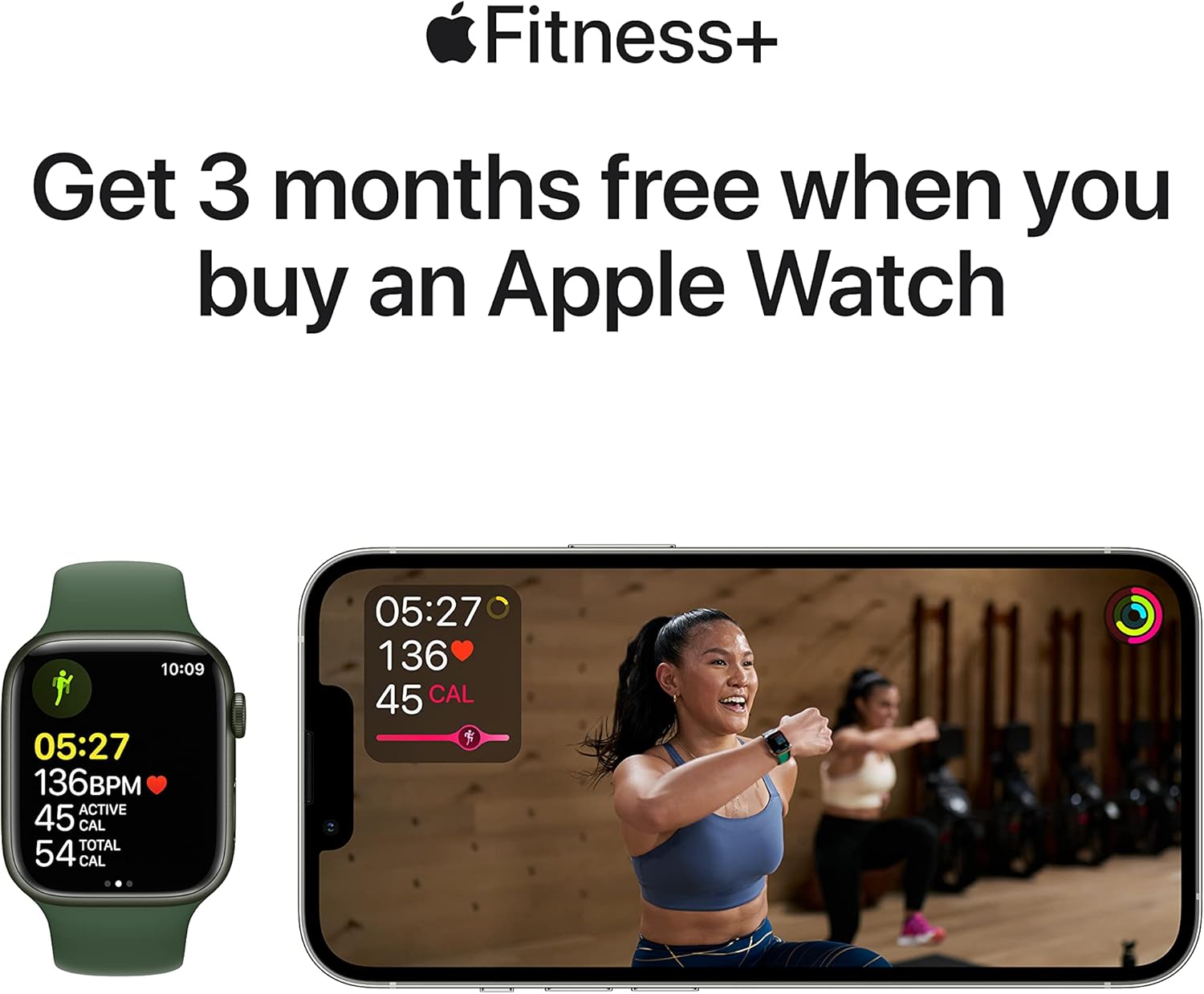
Image: An illustration promoting Apple Fitness+, showing an Apple Watch displaying workout data and a person exercising on an iPhone screen.
3.4. Connectivity and Communication
Estigues connectat directament des del teu canell:
- Notificacions: Receive alerts for calls, texts, emails, and app notifications.
- Trucades i textos: Make and receive calls, and send messages directly from your watch (requires iPhone proximity or cellular model).
- Siri: Utilitzeu ordres de veu per a diverses tasques.
- Apple Pay: Make secure payments with a tap of your wrist.
4. Com fer funcionar el teu Apple Watch
4.1. Navegació
Navigate your Apple Watch using the following:
- Corona digital: Gira per desplaçar-te, fer zoom o ajustar els valors. Prem una vegada per anar a l'esfera del rellotge o a la llista d'aplicacions. Prem dues vegades per canviar entre les dues últimes aplicacions. Mantén premut per a Siri.
- Botó lateral: Prem una vegada per obrir el Dock (aplicacions recents). Prem dues vegades per a Apple Pay. Mantén premut per a Emergència SOS o per apagar.
- Pantalla tàctil: Tap to select, swipe to scroll, force touch for additional options (context-sensitive).

Imatge: Un primer pla detallat view of the Apple Watch Series 7, highlighting the Digital Crown and side button for user interaction.
4.2. Customizing Your Watch
Personalize your Apple Watch experience:
- Cares de visualització: Change watch faces by force touching the display on the watch face, then swiping to select or customize.
- Complicacions: Add small widgets (complications) to your watch face to display information like weather, activity, or calendar events.
- Bandes: Easily swap out the Midnight Sport Band for other compatible Apple Watch bands to change the look and feel.
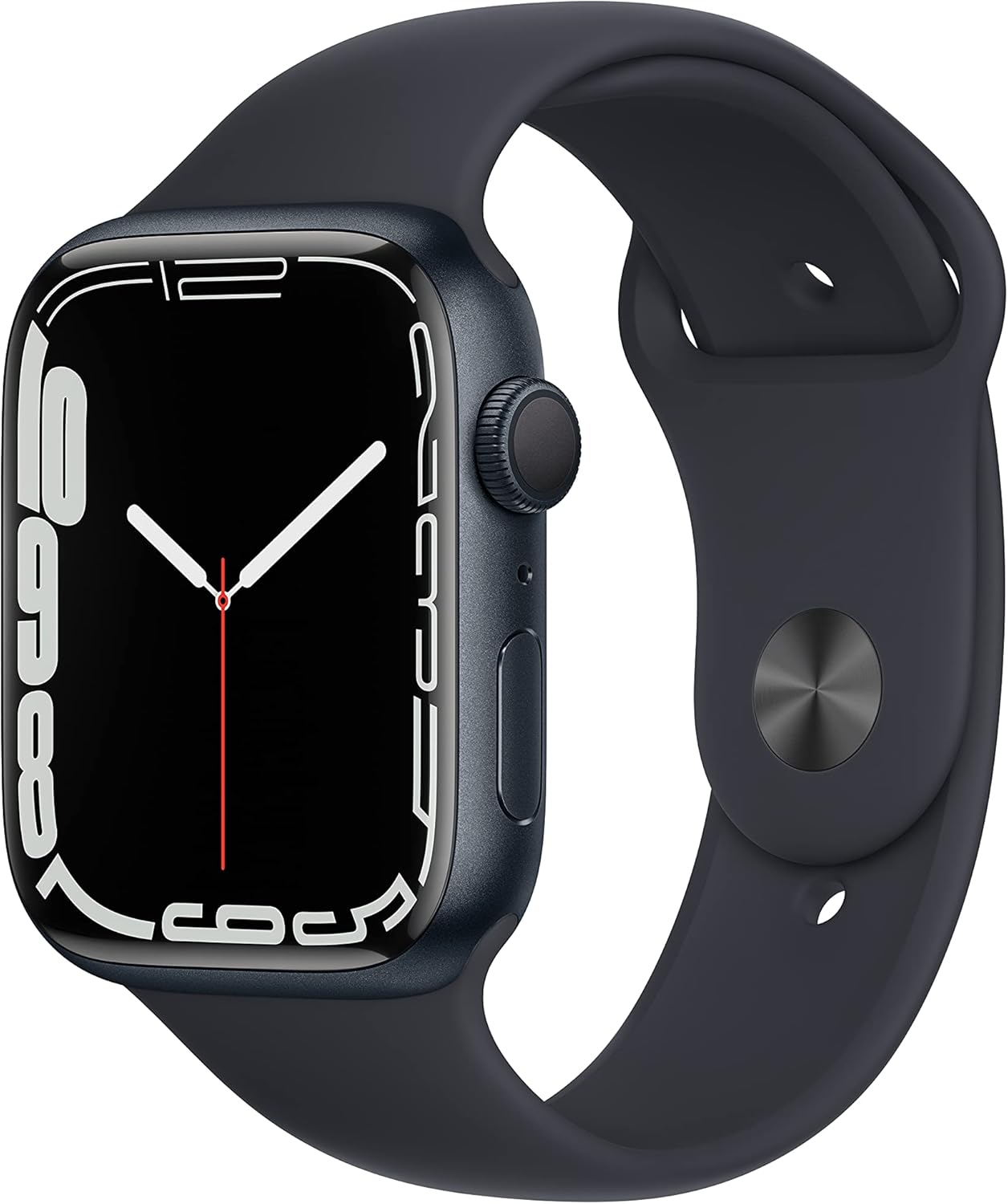
Image: The Apple Watch Series 7 in Midnight Aluminum Case with Midnight Sport Band, showcasing its design and customizable nature.
5. Manteniment i cura
5.1. Neteja del teu Apple Watch
Per mantenir el teu Apple Watch net i funcionant correctament:
- Apaga el teu Apple Watch i desconnecta'l del carregador.
- Netegeu el rellotge i la corretja amb un drap no abrasiu i sense borrissol. Si cal, fregueu-los lleugerament.ampen el drap amb aigua fresca.
- No utilitzeu sabons, productes de neteja, materials abrasius ni aire comprimit.
- Dry the watch thoroughly before charging or wearing.
5.2. Consells sobre la durada de la bateria
To optimize battery performance:
- Disable Always-On Display when not needed.
- Redueix la brillantor de la pantalla.
- Limit background app refresh for less frequently used apps.
- Turn off Wi-Fi and Bluetooth when not in use (though Bluetooth is required for iPhone connection).
- Keep your iPhone and Apple Watch updated to the latest software versions.
6. Resolució de problemes comuns
| Problema | Possible solució |
|---|---|
| El rellotge no s'encén | Ensure it is charged. Press and hold the side button for at least 10 seconds. |
| No es pot emparellar amb l'iPhone | Check iPhone's iOS version, Bluetooth/Wi-Fi. Restart both devices. Reset network settings on iPhone. |
| Lectures de freqüència cardíaca inexactes | Ensure the watch is snug but comfortable on your wrist. Clean the back of the watch. |
| Poca durada de la bateria | Refer to "Battery Life Tips" in Section 5.2. Check for apps consuming excessive power. |
| Les aplicacions no responen | Force quit the app (press side button, swipe left on app, tap 'X'). Restart the watch. |
For more detailed troubleshooting or issues not listed, refer to Apple's official support resources.
7. Especificacions del producte
| Atribut | Detall |
|---|---|
| Nom del model | Apple Watch Sèrie 7 |
| Número de model | MKN53LL/A |
| Mostra | Always-On Retina display |
| Material de la caixa | Alumini |
| Mida de la caixa | 45 mm |
| Connectivitat | GPS, Wi-Fi, Bluetooth |
| Resistència a l'aigua | Swimproof |
| Sensors | Blood Oxygen sensor, Electrical heart sensor (ECG), Optical heart sensor, Accelerometer, Gyroscope, Ambient light sensor |
| Sistema operatiu | WatchOS |
| Tipus de bateria | Ió de liti |
| Dimensions (producte) | 11.65 x 2.99 x 1.42 polzades |
| Pes de l'article | 13.7 unces |
| Data de primera disponibilitat | 28 de setembre de 2021 |
8. Garantia i Suport
Every Apple Watch comes with one year of hardware repair coverage through its limited warranty and up to 90 days of complimentary technical support.
For extended coverage and reduced cost of unexpected repairs, AppleCare+ is available for purchase.
For technical support, service, and repair information, please visit the official Apple Support weblloc web o poseu-vos en contacte amb el servei d'atenció al client d'Apple.
Assistència en línia: support.apple.com/watch


