1. Introducció
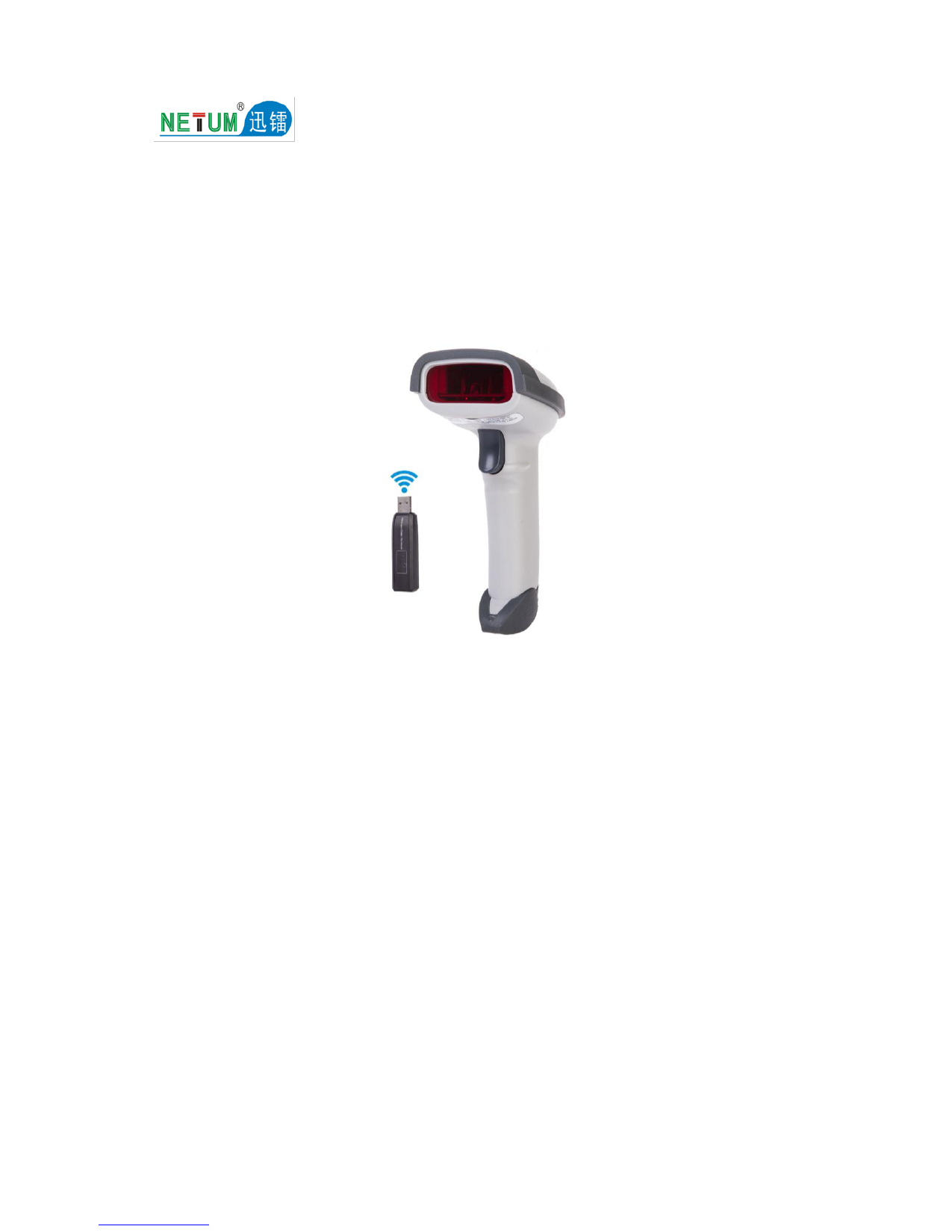
Thank you for choosing the NETUM L6 Wireless Barcode Scanner. This device is designed for efficient and accurate 1D barcode scanning, offering wireless convenience and robust performance. This manual provides essential information for setting up, operating, and maintaining your scanner to ensure optimal functionality.
2. Contingut del paquet
Si us plau, verifiqueu que tots els elements que s'enumeren a continuació estiguin inclosos al vostre paquet:
- 1 x NETUM L6 Wireless Barcode Scanner
- 1 x USB Receiver (Wireless Adapter)
- 1 x cable de càrrega USB
- 1 x Manual d'usuari

Image 2.1: Contents of the NETUM L6 Wireless Barcode Scanner package.
3. Característiques clau
- High-Speed Decoding: Decodes 200 times per second with superior error correction.
- Connectivitat sense fils: 2.4GHz wireless connection with a transmission range of 100-300 meters.
- Llarga vida útil de la bateria: Built-in 1600mAh lithium-ion battery provides 6-8 hours of continuous operation after a 3-hour charge.
- Plug and Play: Mini USB receiver allows for immediate use without driver installation.
- Disseny durador: Comfortable button with a service life of up to 5 million presses, resistant to 1.5-meter free fall.
- Escaneig versàtil: Supports 1D barcodes including Codebar, UPC-A/E/E1, ISBN/ISSN, EAN-13/8, Code 39, Industrial 2 of 5, Interleaved 2 of 5, Matrix 2 of 5, MSI/Plessey, UK/Plessey, etc.
- Bidirectional Scan Mode: Enhances scanning flexibility.
4. Instruccions de configuració
Follow these steps to set up your NETUM L6 Wireless Barcode Scanner:
- Carregueu l'escàner: Connect the scanner to a USB power source using the provided USB charging cable. The charging indicator will illuminate. A full charge takes approximately 3 hours.
- Connecteu el receptor USB: Insert the mini USB receiver into an available USB port on your computer (Desktop or Laptop). The system will automatically detect and install the necessary drivers.
- Encès: Press the trigger button on the scanner to power it on. The scanner will automatically attempt to pair with the USB receiver.
- Test Scanning: Open a text editor or any application that accepts text input. Scan a test barcode. The barcode data should appear in your application.

Image 4.1: Connecting the 2.4GHz USB receiver for wireless operation.
5. Instruccions de funcionament
The NETUM L6 scanner supports both manual and bidirectional scanning modes.
5.1 Escaneig bàsic
- Ensure the scanner is powered on and connected to your computer via the USB receiver.
- Apunteu la finestra de l'escàner cap al codi de barres que voleu escanejar.
- Press and hold the trigger button. A red scan line will emit from the scanner.
- Position the scan line across the entire barcode. A successful scan will be indicated by an audible beep and/or a visual indicator (e.g., LED flash).
- The decoded barcode data will be transmitted to your connected device.

Image 5.1: The scanner emitting a red scan line for barcode detection.
5.2 Bidirectional Scanning
The NETUM L6 supports bidirectional scanning, meaning it can read barcodes regardless of the orientation of the scanner relative to the barcode. Simply ensure the scan line covers the entire barcode for successful decoding.

Imatge 5.2: Ex.ample of the scanner successfully reading a barcode.
6. Manteniment
To ensure the longevity and optimal performance of your NETUM L6 Barcode Scanner, follow these maintenance guidelines:
- Neteja: Feu servir un drap suau i sec per netejar l'exterior de l'escàner. Per a la finestra d'escaneig, feu servir un drap de neteja de lents per evitar ratllades. No utilitzeu productes de neteja abrasius ni dissolvents.
- Cura de la bateria: Avoid fully discharging the battery frequently. Recharge the scanner when the low battery indicator appears. If storing the scanner for an extended period, ensure it has a partial charge (around 50%) and recharge it every few months.
- Emmagatzematge: Store the scanner in a cool, dry place away from direct sunlight, extreme temperatures, and corrosive materials.
- Manipulació: While the scanner is designed to be durable, avoid dropping it from excessive heights or subjecting it to strong impacts.
7. Solució De Problemes
If you encounter issues with your NETUM L6 Barcode Scanner, refer to the following common problems and solutions:
- L'escàner no es connecta:
- Assegureu-vos que el receptor USB estigui ben connectat a un port USB que funcioni.
- Verify the scanner is powered on and has sufficient battery charge.
- Proveu de connectar el receptor USB a un port USB diferent.
- Reinicieu l'ordinador.
- L'escàner no llegeix codis de barres:
- Assegureu-vos que el codi de barres estigui net, sense danys i imprès clarament.
- Make sure the scan line fully covers the barcode.
- Check the distance between the scanner and the barcode; the optimal scan depth is 10-800mm.
- Verify that the barcode type is supported by the scanner (1D barcodes only).
- Ensure there is enough ambient light, but avoid direct glare on the barcode.
- Sense sortida de dades:
- Confirm the scanner is successfully paired with the receiver (indicated by a beep or LED).
- Open a text editor or application to confirm data input is possible.
- Check your computer's device manager to ensure the USB receiver is recognized.
- Durada de la bateria curta:
- Ensure the scanner is fully charged (approximately 3 hours).
- El rendiment de la bateria pot degradar-se amb el temps amb un ús extensiu.
8. Especificacions
| Característica | Especificació |
|---|---|
| Model | NETUM L6 |
| Taxa d'escaneig | 200 exploracions/segon |
| Capacitat de descodificació | 1D Codebar, UPC-A/E/E1, ISBN/ISSN, EAN-13/8, full ASCII Code 39, Industrial 2 of 5, Interleaved 2 of 5, Matrix 2 of 5, MSI/Plessey, UK/Plessey, etc. |
| Resolució | 4 mil |
| Profunditat de camp d'escaneig | 10-800 mm |
| Mode d’escaneig | Manual scan, Bidirectional scan, Single-line scan |
| Connectivitat | Sense fil de 2.4 GHz (receptor USB) |
| Distància de transmissió | 100-300 metres (zona oberta) |
| Bateria | 1600mAh Ió de liti |
| Temps de càrrega | 3 hores |
| Temps de funcionament | 6-8 hores |
| Vol. Operatiutage | DC 4.2V |
| Corrent de funcionament | 65 mA |
| Taxa d'error de bits | Menys d'1/5 milió |
| Resistance to Fall | 1.5-meter free fall |
| Dimensions | 20 x 10 x 5 cm |
| Pes | 50 g |
| Material | Plàstic |
| Dispositius compatibles | Escriptori, ordinador portàtil |
9. Garantia i Suport
The NETUM L6 Wireless Barcode Scanner comes with a 3 MESOS DE GARANTIA des de la data de compra. Aquesta garantia cobreix defectes de fabricació i avaries en condicions d'ús normal.
For technical support, troubleshooting assistance, or warranty claims, please contact your retailer or the NETUM customer service department. Please have your purchase receipt and product model number (NETUM L6) ready when contacting support.