Introducció
This manual provides comprehensive instructions for the Focwony Non-Bluetooth LED Fitness Tracker Watch. It covers product features, setup, operation, maintenance, and troubleshooting to ensure optimal use of your device. This fitness tracker is designed to monitor daily activity without requiring a smartphone connection or application.

Imatge: Frontal view of the Focwony Non-Bluetooth LED Fitness Tracker Watch, displaying time and activity icons.
Característiques del producte
- Non-Bluetooth Operation: No smartphone or app connection required.
- Seguiment de l'activitat: Automatically tracks steps, distance, and calories burned.
- Pantalla LED: Pantalla digital brillant i clara per a una fàcil lectura.
- Despertador: Features a silent vibration alarm.
- Funció de cronòmetre: Integrated stopwatch for timing activities.
- Disseny còmode: Made with food-grade silicone strap for skin-friendly wear.
- Llarga vida útil de la bateria: Up to 12-20 days of working time on a single charge.
- Resistent a l'aigua: IP65 rated for daily use (e.g., hand washing).

Imatge: Més deview of the watch's functions, including pedometer, distance, calories, time/date, alarm clock, LED display, and stopwatch.
Configuració
1. Càrrega del dispositiu
Before first use, fully charge the fitness tracker. The watch module can be removed from the strap for charging.
- Gently remove the watch module from the silicone strap.
- Connect the provided USB charging cable to the watch module's charging port.
- Connecteu l'altre extrem del cable USB a un adaptador de corrent USB estàndard (no inclòs) o al port USB d'un ordinador.
- The battery indicator on the display will show charging status. A full charge typically takes about 1 hour.

Image: The watch module being charged via a USB cable connected to a laptop.
2. Portar el rellotge
Ensure the watch is worn comfortably on your wrist for accurate tracking.
- Insert the charged watch module back into the silicone strap.
- Fasten the strap securely around your wrist using the metal buckle.
- The watch is designed to fit wrist girths from 5.2 to 7.2 inches (13cm-18cm).

Image: Diagram illustrating the watch's components: operation buttons, silicone strap, and metal buckle.

Image: A diagram demonstrating how to measure wrist circumference to ensure a proper fit for the watch.
Instruccions de funcionament
The watch features simple button controls for navigation and settings.
1. Navegació bàsica
The watch typically has one or two buttons on the side. Press the button(s) to cycle through different display modes:
- Visualització de l'hora: Shows current time (hour, minute, AM/PM).
- Recompte de passos: Mostra el nombre total de passos realitzats.
- Distància: Shows the estimated distance traveled.
- Calories cremades: Indicates estimated calories consumed.
- Cronòmetre: Access the stopwatch function.
- Alarma: Accedir a la configuració de l'alarma.

Image: A user interacting with the watch by pressing a side button to change the display.
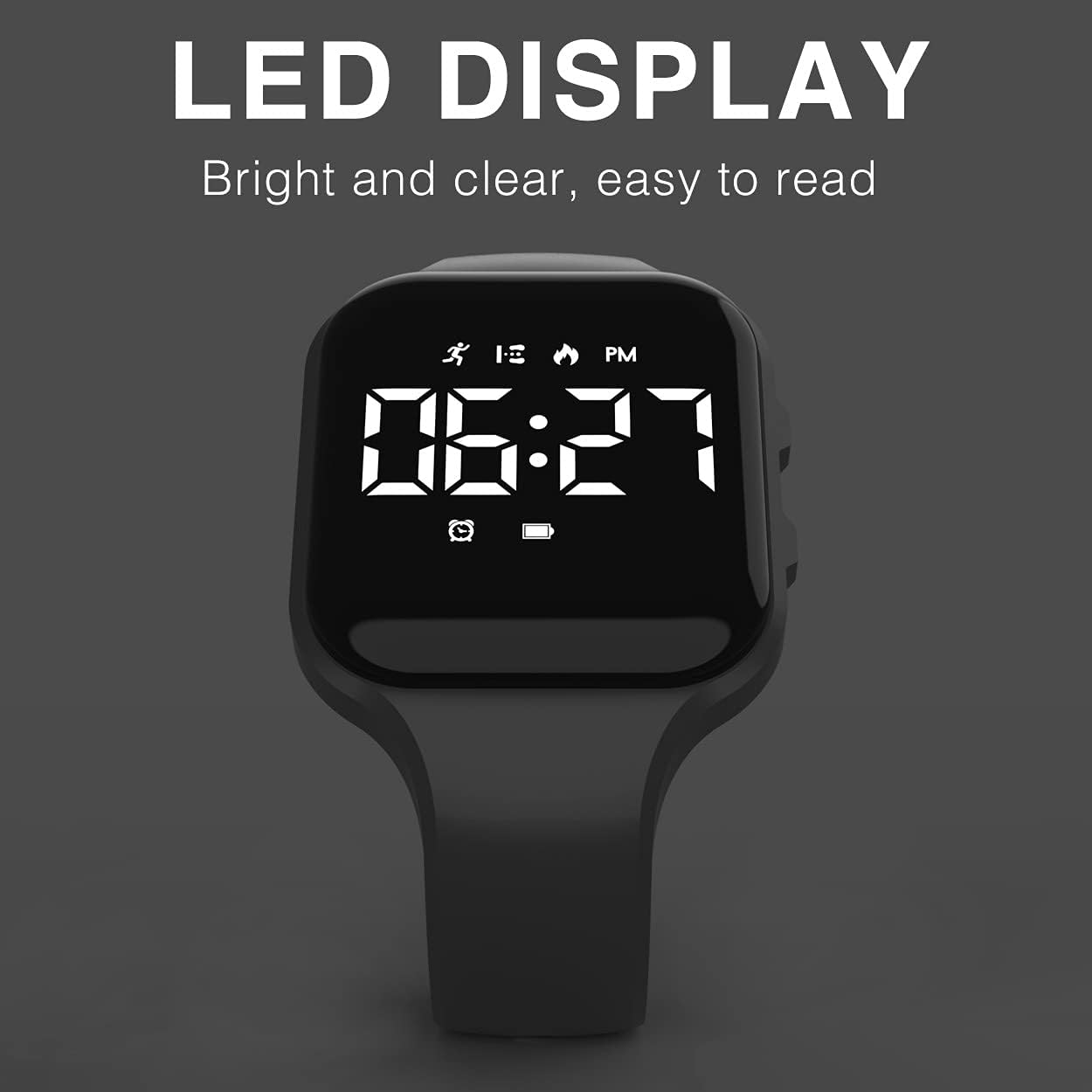
Imatge: Una clara view of the watch's LED display, showing the time and various activity tracking icons.
2. Configuració de l'hora i la data
Specific instructions for setting time and date may vary slightly by model. Generally, long-press a button while on the time display to enter setting mode. Use short presses to adjust values and long presses to confirm and move to the next setting (e.g., hour, minute, month, day, year).
3. Seguiment d'activitat
The watch automatically tracks your steps, distance, and calories throughout the day. No manual activation is required for these functions.

Image: Children engaged in outdoor activity, demonstrating the watch's automatic step, distance, and calorie tracking.
4. Configuració de l'alarma
Per configurar l'alarma:
- Navigate to the alarm display mode.
- Long-press the button to enter alarm setting mode. The hour digit will typically flash.
- Use short presses to adjust the hour. Long-press to confirm and move to minutes.
- Repeat for minutes. Long-press to confirm and activate/deactivate the alarm.
- The alarm will vibrate silently at the set time.

Image: A child sleeping, illustrating the silent vibration alarm feature of the watch.
5. Ús del cronòmetre
To use the stopwatch function:
- Navigate to the stopwatch display mode.
- Press the button once to start the stopwatch.
- Press the button again to pause/resume.
- Long-press the button to reset the stopwatch to zero.

Image: A child preparing to run, with an inset showing the watch's stopwatch function in action.
Manteniment
1. Neteja
To maintain the watch's appearance and hygiene:
- Netegeu el rellotge i la corretja regularment amb un drap suau i sec.amp tela.
- Eviteu utilitzar productes químics agressius o netejadors abrasius, ja que poden danyar els materials.
- Ensure the watch is dry before wearing it again.
2. Resistència a l'aigua
The watch has an IP65 water resistance rating. This means it is protected against dust ingress and low-pressure water jets from any direction. It is suitable for:
- Daily activities like hand washing.
- Splashes and light rain.
Ho és no adequat per a:
- Showering, bathing, swimming, or diving.
- Exposure to high-pressure water or submersion.

Image: A person washing their hands while wearing the watch, demonstrating its water resistance for everyday tasks.
3. Cura de la bateria
- Eviteu les temperatures extremes, que poden afectar la durada de la bateria.
- Charge the watch using only the provided charging cable or a compatible USB charger.
- If the watch will not be used for an extended period, charge it periodically to prevent deep discharge.
Resolució de problemes
| Problema | Causa possible | Solució |
|---|---|---|
| Watch does not turn on or display anything. | Bateria baixa o completament descarregada. | Charge the watch for at least 1 hour. Ensure the charging cable is properly connected. |
| Recompte de passos inexacte. | Improper wearing position; unusual arm movements. | Ensure the watch is worn snugly on the wrist. Allow a few minutes for the sensor to calibrate after putting it on. |
| L'hora/data és incorrecta. | Not set correctly or reset after battery depletion. | Refer to the "Setting Time and Date" section to adjust. |
| L'alarma no vibra. | L'alarma no està activada o està configurada incorrectament. | Verify alarm settings and ensure it is enabled. |
Especificacions
- Model: B09HSG117T
- Marca: Focwony
- Visualització: LED
- Material: Food-Grade Silicone, ABS
- Resistència a l'aigua: IP65 (Splash-proof, suitable for hand washing)
- Tipus de bateria: Polímer de liti
- Capacitat de la bateria: 55 mAh
- Temps de càrrega: Aproximadament 1 hora
- Temps de treball: Approximately 12-20 days (varies with usage frequency)
- Wrist Girth: 5.2-7.2 polzades (13-18 cm)
- Pes de l'article: 0.05 quilos
- Connectivitat: USB (per carregar)
Garantia i Suport
This Focwony product comes with a 12-month warranty from the date of purchase, covering manufacturing defects. For warranty claims, technical support, or any inquiries, please contact Focwony customer service through the retailer where the product was purchased.
Si us plau, conserveu el comprovant de compra per validar la garantia.